1
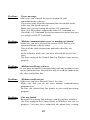
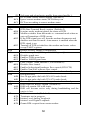
Problem:
Error message
Solution:
Make sure you selected the correct modem in your
communications software.
If you are typing from the command line in terminal mode,
make sure you typed correctly.
Make sure you are issuing the correct AT command.
Note: Not all modems support the same AT Command set.
Check the AT Command set in this manual to assure that you
are using a valid AT Command.
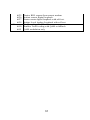
Problem:
Modem communication error or modem not found
Solution:
Make sure you have selected the correct COM Port in your
communications software setup.
Check all the cable connections and make sure they are
secure.
In fax software, make sure you have selected the correct fax
class.
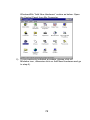
The Port setting in the Control Panel in Windows may not set
properly.
Problem:
Solution:
Modem would not connect.
If you have no trouble communicating with any modem except
on one particular line, the problem may be with the modem on
the other end of that line.
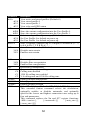
Problem:
Modem would not fax
Solution:
Make sure you have selected Class 1 fax class.
Make sure that you do not have another communication
program open.
Be sure you selected the Fax printer in your word processing
program.
Problem:
Fax not found
Solution:
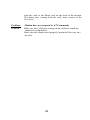
Re-install or re-setup Fax software with the modem installed.
The Port setting in the Control Panel in Windows may not set
properly; You may have connected the phone line, coming
42