1
Contents
Contents
Before You Begin......................................................................................................vii
Safety Summary .........................................................................................vii
Safety Icons ...............................................................................................viii
Global Services and Support ......................................................................viii
Who Should Read This Document? .............................................................x
Related Documents ......................................................................................x
Patent Information .......................................................................................x
Other Copyright Information......................................................................xi
1
Using the CN2 Handheld Computer ..................................................... 1
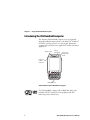
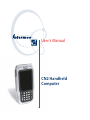
Introducing the CN2 Handheld Computer ............................................................... 2
CN2 Features, Applications, and Accessories ............................................... 3
Identifying the Optional Features Installed in Your CN2 ............................ 3
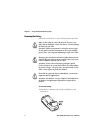
Using the Battery....................................................................................................... 5
Installing and Charging the Battery ............................................................. 6
Removing the Battery.................................................................................. 8
Maximizing Battery Life .............................................................................. 9
Checking the Battery Status......................................................................... 9
Using the Keypad .................................................................................................... 10
Using the Numeric Keypad ....................................................................... 10
Using the Scroll Keypad ............................................................................ 12
Using the Power Key ................................................................................. 13
Using the Touch Screen........................................................................................... 14
Using the Touch Screen and Stylus ........................................................... 14
Understanding the Desktop....................................................................... 15
Using ScanDemo ........................................................................ 15
Using Transcriber ....................................................................... 16
Calibrating the Screen ............................................................................... 17
Understanding the Screen Icons............................................................................... 18
Understanding the Status Lights .............................................................................. 19
Understanding the Beeps ......................................................................................... 20
Scanning Bar Codes................................................................................................. 21
CN2 Handheld Computer User’s Manual
iii