1
Stereo Audio System for Your iPod
V11M11_IM_EN_01122007
OPERATIONAL INSTRUCTIONS
4.
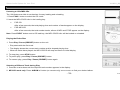
You are now ready to pair with other devices with Bluetooth technology.
5.
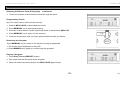
Before pairing make sure to set the BluePinTM as TX or RX depending on the purpose.
Note: TX is for transmitting signals to other devices like stereo headsets with Bluetooth technology with A2DP Profile. RX is for receiving signals
from other sources like a cell phone with Bluetooth stereo profile (A2DP) or Media Players equipped with Bluetooth Stereo Profile (A2DP).
6.
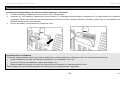
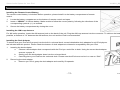
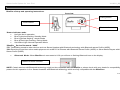
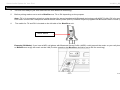
The switch for TX and RX is located on the left side of the BluePinTM unit.
TX/RX Switch
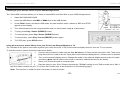
Example (RX Mode): If you have a MP3 cell phone with Bluetooth Stereo Profile (A2DP) could transmit the music on your cell phone to your i199
w/ BluePinTM to enjoy the music on the i199 (For this operation the BluePinTM should be set to RX for receiving).
- 27 -
www.i-Luv.com