1
2 Get Your Device Ready
> Install the Battery
a
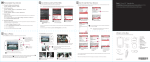
1. Slide the back cover upward to remove it.
2. Insert the battery with its exposed copper
part aligned with the copper connector
inside the battery compartment (a), and
then gently push the battery into place (b).
b
3. Replace the back cover.
4. To turn your device on or off, press and
hold the Power key.
> Charge the Battery
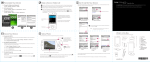
• Using the AC Phone Charger: Connect your device directly to an electrical
outlet using the phone charger.
• Using the USB Sync cable: Plug the sync cable into the USB port on your computer and into the sync connector on your device.