1
About This Document
This document describes how to use the HP Firmware Manager (HP FM) tools to update system
firmware.
Intended Audience
This document is for system administrators and users of Integrity and PA-RISC systems who
manage and update system firmware.
Document Organization
The following table describes how this document is organized:
Chapter
Describes
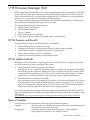
Chapter 1, “HP Firmware Manager (FM)” The purpose and uses of the HP Firmware Manager (FM).
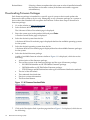
Chapter 2, “Updating Firmware Using HP How to use HP Firmware Manager to update firmware on a system that
OS Initiated Firmware Manager”
is running the HP-UX, Linux, or Windows® operating system.
Chapter 3, “Updating Firmware Using HP How to use the HP Firmware Manager to update firmware on an Integrity
Offline Firmware Manager”
system that is not running an operating system.
Typographic Conventions
This document uses the following typographical conventions:
%, $, or #
audit(5)
Command
Computer output
Ctrl+x
ENVIRONMENT VARIABLE
[ERROR NAME]
Key
Term
User input
Variable
[]
{}
...
|
A percent sign represents the C shell system prompt. A dollar
sign represents the system prompt for the Bourne, Korn, and
POSIX shells. A number sign represents the superuser prompt.
A manpage. The manpage name is audit, and it is located in
Section 5.
A command name or qualified command phrase.
Text displayed by the computer.
A key sequence. A sequence such as Ctrl+x indicates that you
must hold down the key labeled Ctrl while you press another
key or mouse button.
The name of an environment variable, for example, PATH.
The name of an error, usually returned in the errno variable.
The name of a keyboard key. Return and Enter both refer to the
same key.
The defined use of an important word or phrase.
Commands and other text that you type.
The name of a placeholder in a command, function, or other
syntax display that you replace with an actual value.
The contents are optional in syntax. If the contents are a list
separated by |, you must choose one of the items.
The contents are required in syntax. If the contents are a list
separated by |, you must choose one of the items.
The preceding element can be repeated an arbitrary number of
times.
Indicates the continuation of a code example.
Separates items in a list of choices.
Intended Audience
7