1
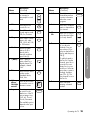
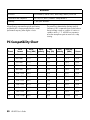
Parental menu
Options (Continued)
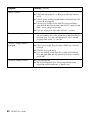
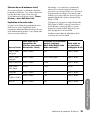
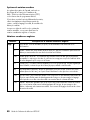
Canadian French
■
E
■
G
■
8ans +
■
13ans +
■
16ans +
■
18ans +
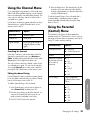
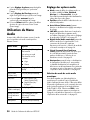
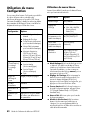
In the Parental (Control) menu, select Enable, press
OK, select On, and then press OK. You can now
access the other menus and set the parental controls.
See “Setting Parental Controls” on page 34.
.
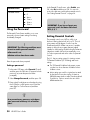
Using the Password
The Parental (Control) menu enables you to use a
password to protect certain settings from being
accidentally changed.
!
IMPORTANT: The following conditions must
be met to enable parental controls:
■
Password is set.
■
Rating settings have been made.
Enter the password when prompted.
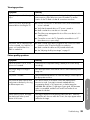
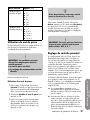
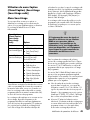
Setting a password
!
IMPORTANT: If you lose or forget your
password, enter the Master Password:
MTS, 4, 8, 1
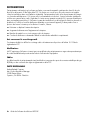
Setting Parental Controls
The parental controls use a V-Chip, which is an
electronic filtering device built into your TV. This tool
gives parents a high degree of control over the
broadcasts that their children can access. It enables
parents to allow those programs that are judged
suitable for child viewing, while blocking those that are
judged not suitable. It does this automatically, once
you select a password and set the values for parental
controls.
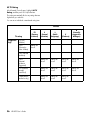
The U.S. has two rating systems for viewing content:
TV Parental Guidelines (US TV Rating) and movie
ratings:
■
The TV Parental Guidelines help parents screen
out television shows that are unsuitable for their
children to view.
■
Movie ratings are used for original movies rated
by the Motion Picture Association of America
(MPAA) that are aired on cable TV and not edited
for television. Options can also be set to block
MPAA-rated movies.
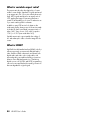
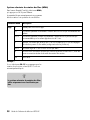
1 In the main OSD menu select Parental (Control)
and then press the OK button. (If a password was
previously set, enter the password when
prompted.)
2 Select Change Password, and then press OK.
3 Enter a (new) four-digit password number by using
the 0–9 buttons on the remote control. Enter the
same digits for Confirm Password, and then
press OK.
n
As a precautionary measure, write down
your password and keep it in a familiar
place.
34
HP HDTV User’s Guide