1
Introduction
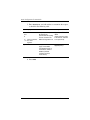
ProtectTools Password
Set in this
ProtectTools Module
Credential Manager
recovery file password
Credential Manager,
by IT administrator
Protects access to the
Credential Manager
recovery file.
Windows logon password
Windows Control
Panel
Can be used in manual
logon or saved on the
smart card.
Function
Creating a Secure Password
When creating passwords, you must first follow any
specifications that are set by the program. In general, however,
consider the following guidelines to help you create strong
passwords and reduce the chances of your password being
compromised:
■
Use passwords with more than 6 characters, preferably more
than 8.
■
Mix the case of letters throughout your password.
■
Whenever possible, mix alphanumeric characters and include
special characters and punctuation marks.
■
Substitute special characters or numbers for letters in a
key word. For example, you can use the number 1 for letters
I or L.
■
Combine words from 2 or more languages.
■
Split a word or phrase with numbers or special characters in
the middle, for example, “Mary2-2Cat45.”
■
Do not use a password that would appear in a dictionary.
■
Do not use your name for the password, or any other personal
information, such as birth date, pet names, or mother's
maiden name, even if you spell it backwards.
Reference Guide
1–7