1
367187-002.book Page iii Friday, March 17, 2006 10:38 AM
Contents
1 First-time setup
Identify required hardware . . . . . . . . . . . . . . . . . . . . . . . .
Set up the computer . . . . . . . . . . . . . . . . . . . . . . . . . . . . .
Step 1: Insert the battery pack . . . . . . . . . . . . . . . . . .
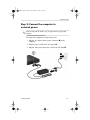
Step 2: Connect the computer to external power. . . .
Step 3: Turn on the computer . . . . . . . . . . . . . . . . . .
Step 4: Set up the software . . . . . . . . . . . . . . . . . . . .
Step 5: Create recovery discs (recommended) . . . . .
1–1
1–3
1–4
1–5
1–6
1–8
1–9
2 Next steps
Install additional hardware and software . . . . . . . . . . . . .
Identify and install hardware . . . . . . . . . . . . . . . . . . .
Locate or install software . . . . . . . . . . . . . . . . . . . . .
Protect the computer . . . . . . . . . . . . . . . . . . . . . . . . . . . .
Protect the computer from viruses. . . . . . . . . . . . . . .
Protect your system files . . . . . . . . . . . . . . . . . . . . . .
Protect your privacy. . . . . . . . . . . . . . . . . . . . . . . . . .
Protect the computer from power surges . . . . . . . . . .
Use the computer safely . . . . . . . . . . . . . . . . . . . . . .
Connect to a computer network . . . . . . . . . . . . . . . . . . . .
Update your software . . . . . . . . . . . . . . . . . . . . . . . . . . . .
Locate the user guides . . . . . . . . . . . . . . . . . . . . . . . . . . .
Turn off the computer correctly . . . . . . . . . . . . . . . . . . . .
Getting Started
2–1
2–1
2–2
2–3
2–3
2–3
2–4
2–4
2–5
2–6
2–7
2–7
2–8
iii