1
Table of Contents
Setting Up the Computer ..........................................................................1
Putting the Computer Together .................................................................................1
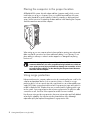
Placing the computer in the proper location ..........................................................2
Using surge protection .......................................................................................2
Connecting to the computer ................................................................................3
Using DVI Connectors with SLI Technology ................................................................5
Connecting a Digital Camera (Photo or Video)...........................................................6
Connecting Other Devices .......................................................................................8
Storing Documentation and Recovery Discs................................................................8
Adjusting the Monitor..............................................................................................8
Adjusting the screen resolution by using Vista .......................................................8
Adjusting the screen resolution by using the NVIDIA Control Panel ..........................9
Setting Up a Local Area Network .............................................................................9
Setting Up a Wired (Ethernet) Connection ...............................................................10
Connecting a Modem ...........................................................................................10
Connecting Speakers or Microphone ......................................................11
Sound Connector Types ........................................................................................11
Connecting a Microphone .....................................................................................14
Speaker Configurations.........................................................................................15
Speaker types .................................................................................................15
Connecting 2/2.1 (Two speakers and a subwoofer) audio speakers......................16
Connecting 4.1 (Four speakers and a subwoofer) audio speakers .........................17
Connecting 5.1 (Five speakers and a subwoofer) audio speakers ..........................18
Connecting 7.1 (Seven speakers and a subwoofer) audio speakers .......................20
Connecting your home stereo system (optional) ...................................................21
2.1 home stereo installation ..............................................................................22
5.1 home audio installation ..............................................................................23
5.1 home audio installation procedure ...............................................................23
7.1 home audio installation ..............................................................................25
7.1 home audio installation procedure ...............................................................26
Connecting digital audio ..................................................................................27
Table of Contents
iii