1
Operating Instructions
Read the ENTIRE IMPORTANT SAFETY INFORMATION section
at the beginning of this manual including all text under
subheadings therein before set up or use of this product.
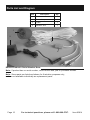
1.
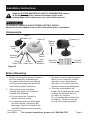
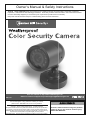
Turn on the television and set to
video/AV mode. The camera’s view
should appear on the screen.
2.
The Camera will operate continuously
(day and night) while the
Power Adapter (2) is plugged in.
Page 8
3.
When not using the Camera,
unplug the Power Adapter (2)
from the electrical outlet.
For technical questions, please call 1-888-866-5797.
Item 95914