1
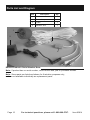
Inspection, Maintenance, and Cleaning
Procedures not specifically explained in this manual must
be performed only by a qualified technician.
TO PREVENT SERIOUS INJURY FROM ELECTRIC SHOCK:
Unplug the Power Adapter from its electrical outlet
before inspection, maintenance, or cleaning.
1.
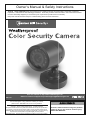
BEFORE EACH USE, inspect the
general condition of the Camera.
Check for loose screws, misalignment
or binding of moving parts, cracked
or broken parts, damaged electrical
wiring, and any other condition
that may affect its safe operation.
If a problem occurs, have the problem
corrected before further use.
Do not use damaged equipment.
2.
WEEKLY: Wipe off Camera Lens with
a soft, clean, moist cloth. Then dry.
Troubleshooting
Problem
Possible Causes
Probable Solutions
Camera does not work.
1. No power at outlet.
2. Cables not properly
connected.
1. Check power at outlet.
2. Check that all cables are
securely connected.
Poor image quality.
Camera lens is dirty.
Clean Camera lens.
View undesirable.
Camera out of adjustment.
Adjust Camera up, down, left, and
right to obtain desired view.
Image on the television
is upside down.
Camera not mounted correctly.
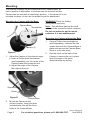
Reposition camera mount to mounting holes
at the top rear of the camera (see page 8).
REV 14d
Item 95914
For technical questions, please call 1-888-866-5797.
Page 9