1
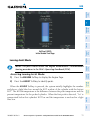
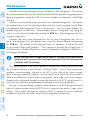
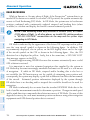
The SafeTaxi database contains detailed airport diagrams for selected airports.
These diagrams provide the pilot with situational awareness by displaying the aircraft
position in relation to taxiways, ramps, runways, terminals, and services. This
information should not be used by the pilot as the basis for maneuvering the aircraft
on the ground. This database is updated on a 56-day cycle.
ChartView (Optional)
ChartView resembles the paper version of Jeppesen terminal procedures charts. The
charts are displayed in full color with high-resolution. The MFD depiction shows the
aircraft position on the moving map in the plan view of most approach charts and on
airport diagrams.
The ChartView database is updated on a 14-day cycle. If the ChartView database is
not updated within 70 days of the expiration date, ChartView will no longer function.
FliteCharts® (Optional)
FliteCharts® resemble the paper version of AeroNav Services terminal procedures
charts. The charts are displayed with high-resolution and in color for applicable
charts. Current aircraft position is not displayed on FliteCharts.
The FliteCharts database contains procedure charts for the United States only.
This database is updated on a 28-day cycle. If not updated within 180 days of the
expiration date, FliteCharts will no longer function.
View Charts from the Navigation Map Page
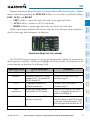
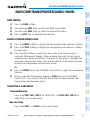
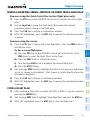
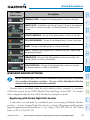
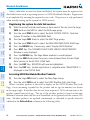
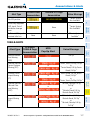
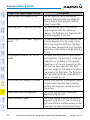
1) Press the SHW CHRT Softkey when displayed.
Additional
Features
Hazard
Avoidance
Procedures
Flight
Planning
GPS Nav
AFCS
Nav/Com/
XPDR/Audio
EIS
Flight
Instruments
Additional Features
Or:
Abnormal
Operation
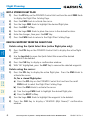
Move the map pointer to point to a desired point on the map and press the
SHW CHRT Softkey.
Annun/
Alerts
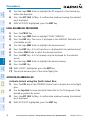
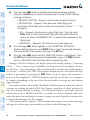
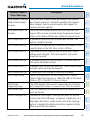
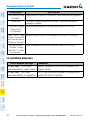
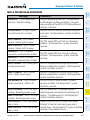
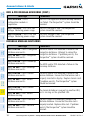
2) Select the DP, STAR, APR, WX, and NOTAM softkeys to access charts for
departures, arrivals, approaches, weather and NOTAMs Note that NOTAMS
are only available with ChartView.
Index
Appendix
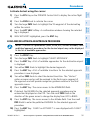
3) Press the GO BACK Softkey to return to the previous page.
84
Cirrus Perspective™ by Garmin – Cockpit Reference Guide for the SR20/SR22/SR22T
190-00821-09 Rev. A