1
Additional Features
Flight
Instruments
Additional Features
SafeTaxi®
Flight
Planning
Procedures
Hazard
Avoidance
Additional
Features
Abnormal
Operation
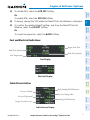
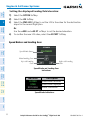
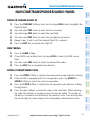
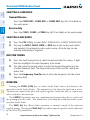
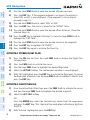
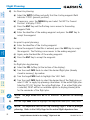
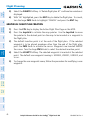
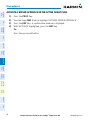
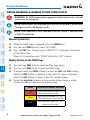
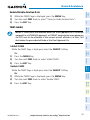
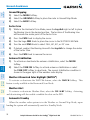
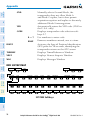
1) Turn the large FMS Knob to select the Auxiliary Page Group.
2) Turn the small FMS Knob to select the displayed AUX - XM Information
Page.
Annun/
Alerts
3) Select the RADIO Softkey to show the XM Radio Page where audio
entertainment is controlled.
53
Index
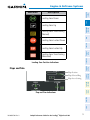
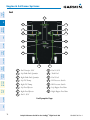
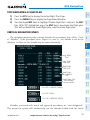
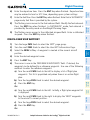
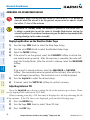
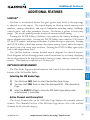
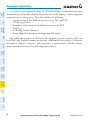
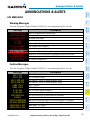
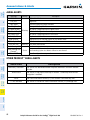
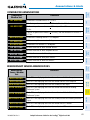
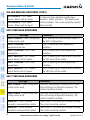
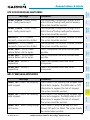
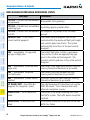
The Active Channel Box on the XM Radio Page displays the currently selected
channel. The Channels List Box of the XM Radio Page shows a list of the available
channels for the selected category.
Appendix
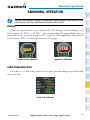
Active Channel and Channel List
Cockpit Reference Guide for the Prodigy™ Flight Deck 100
GPS Nav
Selecting the XM Radio Page
190-00685-00 Rev. A
AFCS
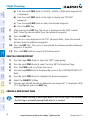
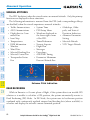
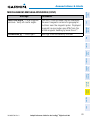
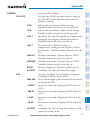
The XM® Radio Page provides information and control of the audio entertainment
features of the XM Satellite Radio.
Nav/Com/
XPDR/Audio
XM® Radio Entertainment
EAS
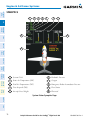
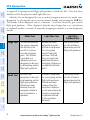
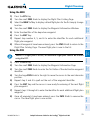
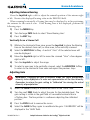
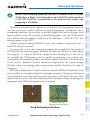
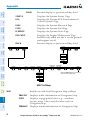
SafeTaxi® is an enhanced feature that gives greater map detail as the map range
is adjusted in on the airport. The airport display on the map reveals runways with
numbers, taxiways identifiers, and airport landmarks including ramps, buildings,
control towers, and other prominent features. Resolution is greater at lower map
ranges. The aircraft symbol provides situational awareness while taxiing.
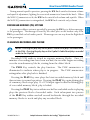
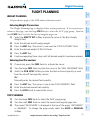
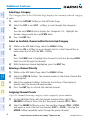
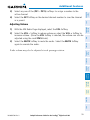
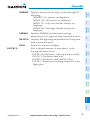
Pressing the DCLTR Softkey (declutter) once removes the taxiway markings and
airport identification labels. Pressing the DCLTR Softkey twice removes VOR station
ID, the VOR symbol, and intersection names if within the airport plan view. Pressing
the DCLTR Softkey a third time removes the airport runway layout, unless the airport
in view is part of an active route structure. Pressing the DCLTR Softkey again cycles
back to the original map detail.
The SafeTaxi database contains detailed airport diagrams for selected airports.
These diagrams aid in following ground control instructions by accurately displaying
the aircraft position on the map in relation to taxiways, ramps, runways, terminals, and
services. This database is updated on a 56-day cycle.