1
TERRAIN-SVS (IF EQUIPPED)
NOTE: Terrain-SVS is only available when the Synthetic Vision System (SVS)
option is installed and the TAWS option has not been installed.
NOTE: Terrain data is not displayed when the aircraft latitude is greater than
75 degrees north or 60 degrees south.
Nav/Com/
XPDR/Audio
EICAS
Flight
Instruments
Hazard Avoidance
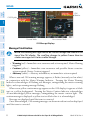
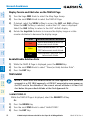
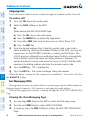
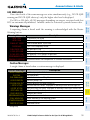
Display Terrain on the TERRAIN-SVS Page
AFCS
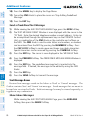
1) Turn the large FMS Knob to select the Map Page Group.
2) Turn the small FMS Knob to select the Terrain-SVS Page.
Flight
Planning
GPS Nav
3) If desired, select the VIEW Softkey to access the ARC and 360 softkeys.
When the ARC Softkey is selected, a radar-like 120° view is displayed.
Select the 360 Softkey to return to the 360° default display.
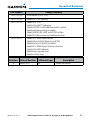
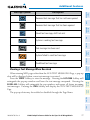
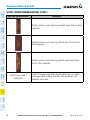
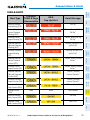
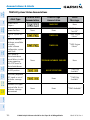
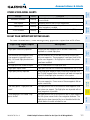
Color
Terrain/Obstacle Location
Red
Terrain/Obstacle above or within 100’
below current aircraft altitude.
Yellow
Terrain/Obstacle between 100’ and
1000’ below current aircraft altitude.
Black
Terrain/Obstacle is more than 1000’
below aircraft altitude.
Additional
Features
Hazard
Avoidance
Procedures
4) Rotate the Joystick clockwise to display a larger area or rotate counterclockwise to display a smaller area.
Abnormal
Operation
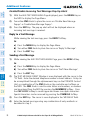
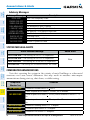
Enable/Disable Aviation Data
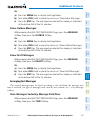
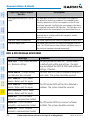
1) While the Terrain-SVS Page is displayed, press the MENU Key.
Annun/
Alerts
2) Turn the small FMS Knob to select “Show (or Hide) Aviation Data”.
Appendix
3) Press the ENT Key.
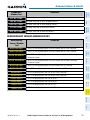
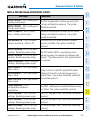
Terrain-SVS Inhibit
Index
Inhibit Terrain
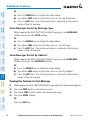
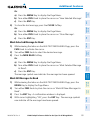
While the Terrain-SVS Page is displayed, select the INHIBIT Softkey.
Or:
62
G1000 Cockpit Reference Guide for the Piper PA-46 Mirage/Matrix
190-01107-03 Rev. A