1
SECTION 10 – HAZARD
AVOIDANCE
Traffic Advisory System (TAS) (Optional)
Refer to the Honeywell KTA 870 Pilot’s Guide for a
detailed discussion of the KTA 870 system.
System Self Test
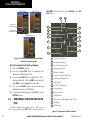
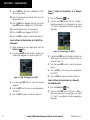
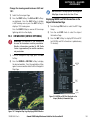
1) Set the range to 2/6 nm.
2) Press the STANDBY Softkey.
3) Press the TEST Softkey.
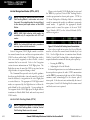
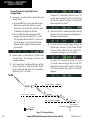
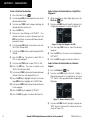
4) Self test takes approximately eight seconds to
complete. When completed successfully, traffic
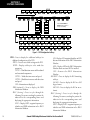
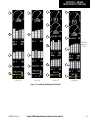
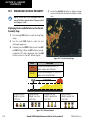
symbols are displayed as shown in Figure 10-12
and a voice alert “TAS System Test OK” is heard.
If the self test fails, the system reverts to Standby
Mode and a voice alert “TAS System Test Fail” is
heard.
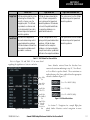
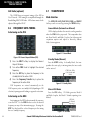
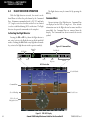
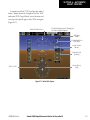
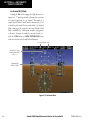
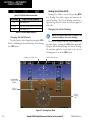
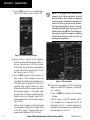
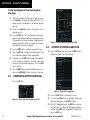
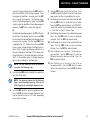
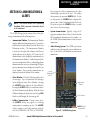
Figure 10-12 Self Test OK Display
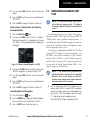
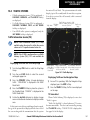
Displaying Traffic on the Traffic Map Page
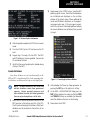
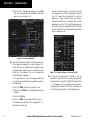
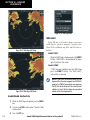
1) Turn the large FMS Knob to select the Map Page
Group.
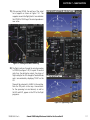
3) Press the NORMAL Softkey to begin displaying
traffic. ‘OPERATING’ is displayed in the Traffic Mode
field.
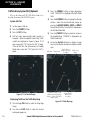
4) Press the ALT MODE Softkey to change the altitude
volume. Select the desired altitude volume by
pressing the BELOW, NORMAL, ABOVE, or UNREST
(unrestricted) Softkey. The selection is displayed in
the Altitude Mode field.
5) Press the STANDBY Softkey to place the system in
the Standby Mode. ‘STANDBY’ is displayed in the
Traffic Mode field.
6) Rotate the Joystick clockwise to display a larger
area or rotate counter-clockwise to display a smaller
area.
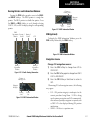
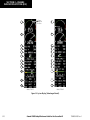
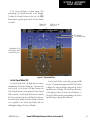
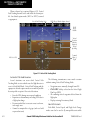
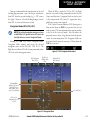
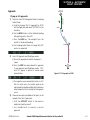
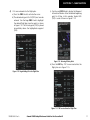
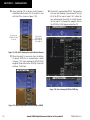
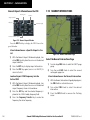
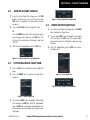
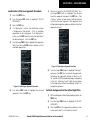
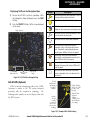
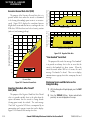
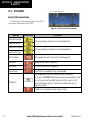
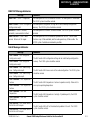
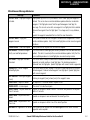
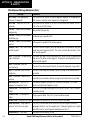
Traffic Advisory,
aircraft is 400’ below
Traffic Mode Altitude Mode
& climbing
“Non-Bearing” Traffic (system
is unable to determine bearing),
distance is 8.0 nm, 1190’ above
and descending
Traffic, Out of
Range
Proximity Traffic,
1000’ above &
descending
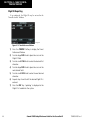
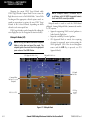
Figure 10-13 Traffic Map Page
2) Turn the small FMS Knob to select the second
rectangular page icon.
10-8
Garmin G1000 Cockpit Reference Guide for the Cessna Nav III
190-00384-08 Rev. A