1
Working with the Tablet PC
Rechargeable battery
Life,battery
Battery
Rechargeablebattery
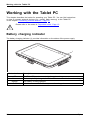
For mobile use, the built-in battery provides the Tablet PC with the necessary power.
You can increase the life of the battery by caring for the battery properly. The average
battery life is around 500 charge/discharge cycles.
You can extend the battery life by taking advantage of the available energy saving functions.
Charging, caring for and maintaining the battery
Battery
The Tablet PC battery can only be charged when the ambient temperature is
between 5°C / 41°F and max. 35°C / 95°F.
You can charge the battery by connecting the Tablet PC to the mains adapter
(see "Mains adapter connecting", Page 18).
If the battery is running low you will see a warning message. If you do not connect the mains
adapter within a few minutes, your Tablet PC will switch off automatically.
Monitoring the battery charging level
Batterystatusmeter
Battery
Windows also has a "Battery status meter" in the taskbar, for monitoring the battery status. When you
place the mouse pointer on the battery symbol, the system displays the state of charge of the battery.
Battery storage
Chargingcapacity,battery
Self-discharge,battery
Battery
Store battery packs in a dry environment at a temperature between 0°C / 32°F and 30°C / 86°F. The
lower the temperature at which the batteries are stored, the lower the rate of self-discharge.
If you will be storing batteries for a longer period (longer than two months),
the battery charge level should be approx. 30 %. To prevent exhaustive
discharge which would permanently damage the battery, check the level
of charge of the battery at regular intervals.
To be able to make use of the optimal charging capacity of the batteries, the battery
should be completely discharged and then fully recharged.
If you do not use the batteries for long periods, remove them from the
device. Never store the batteries in the device.
The device cannot be operated without the battery.
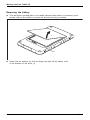
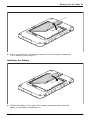
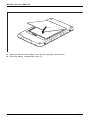
Removing and installing the battery
Only use batteries approved by Fujitsu for your tablet PC.
Never use force when fitting or removing a battery.
Make sure that no foreign bodies get into the battery connections.
Never store a battery for longer periods in the discharged state. This
can make it impossible to recharge.
Fujitsu
31