1
4 Configuration
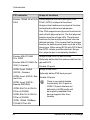
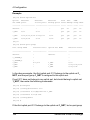
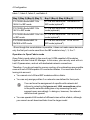
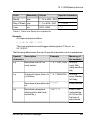
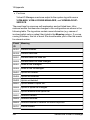
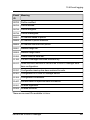
fabric 1, fabric 2, fabric 3, and fabric 4.
Bay 1 (Bay 3) (Bay 5) (Bay 7)
Bay 2 (Bay 4) (Bay 6) (Bay 8)
PY CB Eth Switch/IBP 1Gb
36/8+2 in IBP mode
PY CB Eth Switch/IBP 1Gb 36/8+2 in
IBP mode (optional1)
PY CB Eth Switch/IBP 1Gb
36/12 in IBP mode
PY CB Eth Switch/IBP 1Gb 36/12 in IBP
mode (optional1)
PY CB Eth Switch/IBP 1Gb 18/6 PY CB Eth Switch/IBP 1Gb 18/6 in IBP
in IBP mode
mode (optional1)
PY CB Eth Switch/IBP 10
Gb18/8 in IBP mode
PY CB Eth Switch/IBP 10 Gb 18/8 in
IBP mode (optional1)
1 Even though this
constellation is possible, it does not make sense because
only the first port can be used from the IBP module in bay 1, 3, 5 or 7.
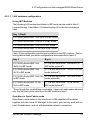
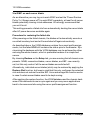
Operation in Open Fabric mode
Open Fabric mode refers to the use of non-VIOM-capable LAN modules
together with the Virtual-IO Manager. In this case, you can only work with virtual I/O parameters, and not with dedicated network connections.
Therefore, if you do not want to use any routing, all combinations are possible
even with non-VIOM-capable I/O connection blades. You must take the following into account:
l
You cannot mix LAN and IBP modules within a fabric.
l
You can only assign profiles if no networks are defined for their ports.
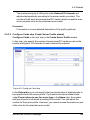
You can force the assignment of a profile with network definitions by selecting the Ignore ext. LAN connections option
in the profile selection dialog box or by answering the subsequent query accordingly. In doing so, however, the network
definitions are ignored.
l
120
You can operate LAN models of different sizes within a fabric, although
you cannot use all download links from the larger model.
ServerView Virtual-IO Manager