1
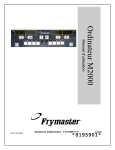
M2000 Overview
FR
Cook Cycle
Buttons
F Ries
1
3
2
ABC
DEF
Programming
button
Temp
button
2
1
ON/OFF
FR
GHI
6
5
4
JKL
MNO
7
PQR
9
VWX
Cook Cycle
Buttons
2
1
8
STU
F Ries
0
*+
YZ-
ON/OFF
Product buttons
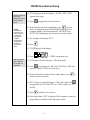
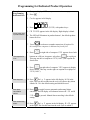
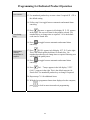
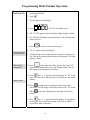
1.1 General
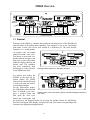
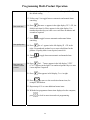
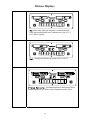
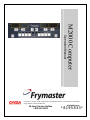
Welcome to the M2000, a computer that retains the one-button ease of the M100B and
adds the utility of 40-product menu capability. The computer is easy to use. One button
push starts a cook cycle for an item cooked in a dedicated vat. The same flexible
computer on a multi-product
vat requires only two button
pushes to launch a cook cycle.
-------- -------------- ------Just choose a menu item on a
1
2
1
2
product buttons and press, and
then press a cook cycle button
under the display showing the
*+
desired item. The computer
can move seamlessly from
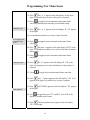
McNuggets to Crispy Chicken Pressing product buttons 3 or 9 displays McChick.
to any added menu item.
1
3
2
6
5
4
SY
CP
G
NU
CH
Mc
WI
ABC
DEF
GHI
JKL
7
NG
PQR
MNO
8
9
0
SY
CP
G
NU
CH
Mc
STU
VWX
YZ-
WI
NG
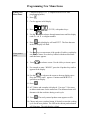
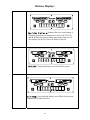
In a typical store setting, the
M2000s on the three-vat fry
Mc chick
Mc chick
station display FR FRIES
2
1
1
2
(shown above) and will launch
a cook cycle with one push of
a cook channel button.
*+
On the chicken/filet station,
the LED display shows dashed
lines. To launch a cook cycle, Pressing either cook cycle button under the McChick displays launches a
press a product button and cook cycle.
then press the cook cycle
button that corresponds with
the location of the dropped basket. By pressing the product button for McChicken,
McChick will appear in the display. Just press the cook cycle button corresponding to the
location of the appropriate dropped basket.
1
Y
ABC
1- 1
3
2
S
CP
CH
Mc
DEF
GHI
6
5
4
G
NU
WI
NG
JKL
7
8
S
CP
MNO
PQR
STU
Y
9
0
G
NU
CH
Mc
VWX
YZ-
WI
NG