Transcript
PMK 300 Multi-Product Projector Mounting Kit
Installation Instructions
N Only VersaTools products and most IP Link products can be
mounted using the multi-product projector mounting kit.
3. Affix the supplied rubber pad to the side of the U-bolt clamping
plate that the projector pole contacts.
1. If necessary, remove the feet from the bottom of the device to be
installed.
4. Place the U-bolt around the ceiling pole and insert the two legs
of the U-bolt through the slotted holes on the bracket’s clamping
plate and then through the round holes on the backing brace.
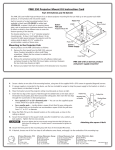
2. Mount the device(s) to any of the bracket’s three mounting
plates. The device(s) can be vertically mounted facing either
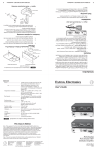
up or down, whichever is most convenient. See figure 1 on the
other side of this card.
N On the side mounting plates, the device is typically mounted on
the outside of the bracket.
On the front mounting plate, the device is typically mounted on
the inside of the bracket.
a. For a VersaTools or IP Link device, use two supplied
4-40 x 3/16 screws in opposite (diagonal) corners to
secure the device to the bracket.
For a typical (1.5“ to 2.0“ diameter) pole — The supplied U-bolt
fits a typical ceiling pole.
For a smaller or larger pole — Locally obtain a U-bolt that fits
the ceiling pole. The slotted holes on the bracket can accomodate
a U-bolt for pole sizes from 1.0“ to 2.5“ in diameter.
5. Secure the bracket to the U-bolt with the included hex nuts,
washers, and lock washers. Use a proper-sized socket to tighten
the hex nuts.
b. For a power supply, use the two included tie wraps to
strap the power supply to the bracket.
N The PMK 300 has a hole in the bottom plate that allows the
projector pole to be inserted through the center of the plate
rather than outside of the plate (see figure 2 on the other side of
this card). To install the PMK 300 in this configuraion, slide
the bracket up from the bottom of the pole before the projector is
installed on the pole.
www.extron.com
Extron Electronics, USA
Extron Electronics, Europe
Extron Electronics, Asia
Extron Electronics, Japan
1230 South Lewis Street
Anaheim, CA 92805
USA
714.491.1500
Fax 714.491.1517
Beeldschermweg 6C
3821 AH Amersfoort
The Netherlands
+31.33.453.4040
Fax +31.33.453.4050
135 Joo Seng Road, #04-01
PM Industrial Building
Singapore 368363
+65.6383.4400
Fax +65.6383.4664
Kyodo Building
16 Ichibancho
Chiyoda-ku, Tokyo 102-0082 Japan
+81.3.3511.7655
Fax +81.3.3511.7656
PMK 300 Multi-Product Projector Mounting Kit
Installation Instructions (continued)
68-993-01
Rev. B 12 05
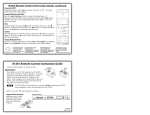
Rubber Pad
Backing
Brace
Backing
Brace
Clamping
Plate
Rubber Pad
U-Bolt
U-Bolt
Clamping
Plate
Extron
PMK 300
Multi Product Projector
Mount Kit
Figure 1
Figure 2
Extron
PMK 300
Multi Product Projector
Mount Kit