1
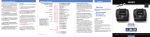
Quick Reference Card Table of Contents Quick Reference Guide Installation • Connecting To A Detector Remove card along perforations OVER SPEED ALERT DETECTOR BRAND oSpd oSpd Brnd AUTOMUTE aMute aMute rCam ON or OFF (default is on) sCam ON or OFF (default is on) sTrap ON or OFF (default is on) Othr ON or OFF (default is on) * Alerts when 30-95 mph is reached ON OverSpeed off OFF OFF For ESCORT detectors ESCORT For Beltronics detectors BEL * Automatically reduces audio in alert ON AutoMute feature is off OFF • How to use Preferences 14 6-7 • Example of Preferences 14 15 • Overview of Preferences • Mounting Location 8 • Details of Preferences 16-18 • Windshield Mount 9 Technical Details 19-26 10-13 • Interpreting Radar Alerts 19 10 • Specifications 20 • AutoPower 10 • How Red Light Cameras Work 21 • Volume Control 10 • How Speed Cameras Work 21 • Mute 10 • How GPS Works 22 • Power-on Indication 10 • Software Updates 22 • AutoMute 11 Service • GPS Indicator 11 • Service Procedure 23 • CruiseAlert 11 • Troubleshooting 24 • Mark Location (MRK) 12 • Accessories 25 • SmartCord 13 • Warranty 26 • SpeedAlert 13 • Clearing the Database 13 METER Same options for your detector brand *Factory Default Settings 2 14-17 8 • Power Remove card along perforations Press the RVW button Press the CHG button to go from one category to change your setting to the next within a category PILOT LIGHT Pilot Spd Comp * Speed and Compass (Power-on indication) Pilot Compass Compass Scanning dot Pilot .> Vehicle voltage Pilot V Vehicle speed Pilot SPD AUTOPOWER aPwr ON * Shuts down after 3 hours AutoPower is off aPwr OFF UNITS Units ENG * Speed/distance in English units Speed/distance in Metric units Units MET VOICE Voice ON * Voice announcements on Voice announcements off Voice OFF BRIGHTNESS * Automatically adjusts brightness Brt Auto Dark mode Brt Dark Minimum display brightness Brt Min Medium display brightness Brt Med Maximum display brightness Brt Max MARKERS Marks DFT * Default settings Markers have been modified Marks MOD Preferences • Power Connection Controls and Features PASSPORT SC55 Quick Reference Card 4-5 6-9 3 23-26