1
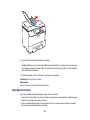
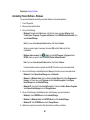
• To turn off the beep heard when you press a button, turn off the panel's sound setting. This also turns
off the dialing sound for sending faxes.
Parent topic: Solving Setup Problems
Related tasks
Changing LCD Screen Language
Turning Off Control Panel Sounds
Solving Network Problems
Check these solutions if you have problems setting up or using your product on a network.
Network Software Cannot Find Product on a Network
Product Does Not Appear in Mac OS X Printer Window
Cannot Print Over a Network
Cannot Scan Over a Network
Printing a Network Status Sheet
Parent topic: Solving Problems
Network Software Cannot Find Product on a Network
If EpsonNet Setup cannot find your product on a network, try these solutions:
• Make sure your product is turned on and connected to your network. Verify connection using your
product control panel.
• If necessary, reinstall your product software and try running EpsonNet Setup again.
Parent topic: Solving Network Problems
Related concepts
When to Uninstall Your Product Software
Product Does Not Appear in Mac OS X Printer Window
If your product does not appear in the Mac OS X printer window, try these solutions:
• Turn your product off, wait 30 seconds, then turn it back on again.
• If you are connecting the product via EpsonNet Setup, make sure your product software was installed
correctly. If necessary, reinstall your software.
Parent topic: Solving Network Problems
261