1
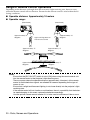
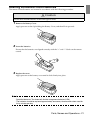
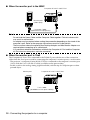
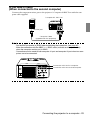
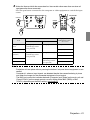
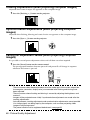
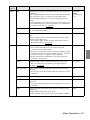
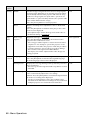
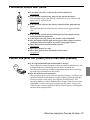
Perform the following mouse operations after the connection has been established:
Left click- - - - - - - - - - - - - - - - -Press the [Enter] button.
Right click - - - - - - - - - - - - - - -Press the [Esc] button.
Mouse pointer movement - - - -Lower the remote control [Enter] button
Power
Power
Freeze
A/V Mute
R/C ON
OFF
E-Zoom
A/V Mute
R/C ON
OFF
E-Zoom
2
3
[ENTER]
button
4
3
4
5
1
2
Freeze
[ENTER]
button
1
5
Enter
Enter
Esc
Esc
[Esc]
button
Remote Control
Mouse
Mouse
Remote Control
Point
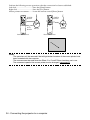
· The operations will be reversed if the left/right button functions of the mouse pointer have
been amended with the computer.
· The mouse cannot be used when the Effect, P in P and E-Zoom functions are in use.
· The movement speed of the mouse pointer can be changed. (see page 67)
34 - Connecting the projector to a computer