1
Adobe RGB Coverage
Expanded Color Space Meets
Professional Needs
0.9
0.8
Color Reproduction Area
(xy Coordinate)
Adobe RGB
sRGB
0.7
ISO Coated
Graphics professionals are well
0.6
Color Space
aware that a totally digital workflow
0.5
y
and the ability to do soft proofing
0.4
results in higher efficiency and lower
0.3
costs. Many also want to switch to
0.2
space-saving LCD monitors, but are
0.1
hesitant to do so because of concerns
0.0
regarding the color accuracy required
0.6 0.7
0.1 0.2
0.8
0.3 0.4
0.5
x
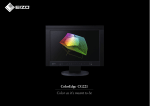
for professional color work. EIZO’s solution is the ColorEdge CG220: an LCD monitor that covers the Adobe
RGB color space. It thus encompasses not only the sRGB color space,
widely supported by many computer monitors, operating systems and
digital cameras, but also the ISO-coated and US web-coated CMYK
color spaces used in printing. This ultra-high-performance monitor
finally provides all the color reproduction capabilities graphics professionals have been seeking, in the compact LCD format.
Advantages Of Adobe RGB
In order to realize the advantages of soft proofing, a color management system for sharing accurate colors among photographers, graphic
artists and printers is a necessity. The most efficient way to achieve
this is for all parties to use a standardized color space with a wide
3D representation in CIE Lab of comparisons between
ISO Coated and sRGB/Adobe RGB Color Spaces
(A)
(B)
range of colors. The ColorEdge CG220 now makes it possible to adopt
the Adobe RGB extended color space, which has become the de facto
standard for professional color processing. It ensures guaranteed color
reproduction across all digital platforms, providing a color management
environment that fully supports soft proofing, from the photography
stage to final CMYK printing.
Color Management
Photography
Design
Prepress/Printing
Adobe RGB color space throughout entire workflow
Shoot
Check
Data
Process
Image
Masking
Compositing
Adjustment
No need for Photoshop
color engine
Layout
Layout
Enlarging
Reducing
Clipping Paths
Edit Adobe RGB image
Soft proof
Print
Edit
Edit while simulating
CMYK color space
A common color space throughout the workflow lets you switch from
hardcopy proofing to soft proofing.
By covering the Adobe RGB color space, the ColorEdge CG220
is not subject to influence from the OS color engine or software, and
allows final color checks in Adobe RGB. This offers a great advantage
over sRGB monitors, whose smaller palette is not capable of accurately
reproducing colors in certain areas of the spectrum, notably emerald
greens and cyans. Retouching images with these monitors requires
numerous printouts to achieve accurate color matching. By enabling onscreen retouching and color confirmation, the ColorEdge CG220 makes
your work faster, easier and more accurate.
Created in ColorThink
(A) Adobe RGB (white wire frame) encompasses the ISO coated color space
(multicolor solid).
(B) sRGB (white wire frame) does not cover many of the green, cyan, and
yellow areas of the ISO coated color space (multicolor solid).
5