1
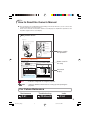
Part Names and Functions (Continued)
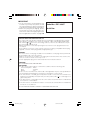
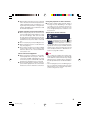
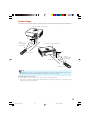
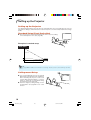
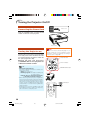
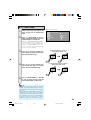
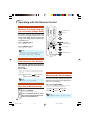
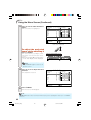
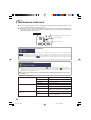
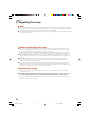
Inserting the Batteries
1
Press the P mark on the cover and slide it
in the direction of the arrow.
2
Insert the batteries.
3
Attach the cover and slide it until it clicks
into place.
• Insert the batteries making sure the polarities
correctly match the m and n marks inside the
battery compartment.
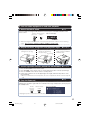
Incorrect use of the batteries may cause them to leak or explode. Please
follow the precautions below.
Caution
•
•
•
•
•
•
•
•
Danger of explosion if battery is incorrectly replaced.
Replace only with the same or equivalent type.
Insert the batteries making sure the polarities correctly match the m and n marks inside the battery
compartment.
Batteries of different types have different properties, therefore do not mix batteries of different types.
Do not mix new and old batteries.
This may shorten the life of new batteries or may cause old batteries to leak.
Remove the batteries from the remote control once they have run out, as leaving them in can cause them
to leak.
Battery fluid from leaked batteries is harmful to skin, therefore ensure that you first wipe them and then
remove them using a cloth.
The batteries included with this projector may run down in a short period, depending on how they are kept.
Be sure to replace them as soon as possible with new batteries.
Remove the batteries from the remote control if you will not be using the remote control for a long time.
Comply with the rules (ordinance) of each local government when disposing of worn-out batteries.
14
EIP-1600T_EN_d
14
06.1.24, 1:02 PM