1
ABOUT THE DISH NETWORK EZ REMOTE
CONTROL
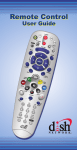
The DISH Network EZ Remote Control makes operating
your DISH Network satellite receiver easy and
convenient. This remote control includes large, easy-tofind buttons which are most commonly used to control the
basic satellite receiver features you need. In addition, the
DISH Network EZ Remote Control lets you switch
between satellite receiver programming and programming
from an off-air antenna with the press of one button.
BUTTONS AND FEATURES OVERVIEW
Figure 1 on page iv briefly describes each button on the
DISH Network EZ Remote Control. Most of these buttons
work the same way as the buttons on other DISH Network
remote controls. See the User’s Guide for your DISH
Network satellite receiver for a description of how your
satellite receiver works with these buttons.
There are some added buttons on this remote control to
make operation with your TV easier. These buttons are:
SATELLITE CHANNEL CONTROL - Press to switch
your TV to watch programming from your satellite
receiver.
OFF-AIR CHANNEL CONTROL - Press to switch your
TV to watch programming from your off-air antenna.
TV
TV POWER-
Press to turn your TV on or off.
1