1
D10-200 CHAPTER 2-ENG_01
2
8/23/04
2:19 PM
Page 30
CHAPTER 2
Setting up and connecting
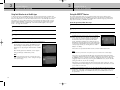
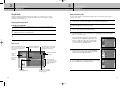
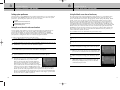
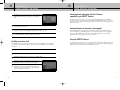
Connection option E:
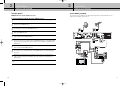
DIRECTV Receiver to TV and A/V receiver
2
CHAPTER 2
Setting up and connecting
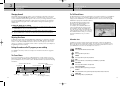
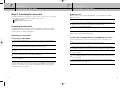
To watch DIRECTV® programming
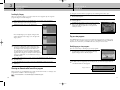
Set your A/V receiver and TV to the appropriate input mode. See the manuals for your
A/V receiver and TV for instructions.)
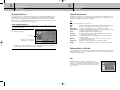
If connection option E best matches your needs, follow these steps:
1
2
3
4
5
6
Make sure your TV, A/V receiver, and DIRECTV Receiver are turned off and unplugged.
7
8
Connect another set of A/V cables (not included) to the second set of audio and video output
jacks on the back of the DIRECTV Receiver.
9
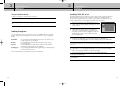
(Optional) if your TV and A/V receiver both have S-Video jacks, you can also make the
S-Video connections shown in the illustration. This step is optional; it provides improved
picture quality.
Connect the RG-6 coaxial cable running from your satellite dish to the SATELLITE IN jack on
the back of your DIRECTV Receiver.
Connect the coaxial cable running from your cable TV system or off-air TV antenna to the
OFF-AIR IN jack on the back of the DIRECTV Receiver.
Connect the supplied phone cord to a telephone wall jack and to the Phone Line jack on the
back of the DIRECTV Receiver.
Matching like colors, connect the supplied A/V cable to the AUDIO OUT and VIDEO OUT
jacks on the back of the DIRECTV Receiver.
Connect the other ends of the A/V cables to appropriate audio and video input jacks on your
A/V receiver. Be sure to connect the outputs on the DIRECTV Receiver to corresponding inputs
on your A/V receiver (video out to video in, left audio out to left audio in, right audio out to
right audio in).
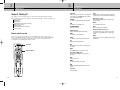
DIRECTV Receiver
Connect the other ends of these A/V cables to the appropriate audio and video input jacks
on your TV. Be sure to connect the outputs on the DIRECTV Receiver to corresponding inputs
on your TV.
10
A/V Receiver
Plug in the power cords for your TV, A/V receiver, and DIRECTV Receiver.
TV
30
31