1
book.book Page 54 Friday, June 29, 2012 4:02 PM
–
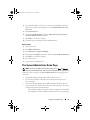
The action tabs are divided into subcategories of all available secondary
options for the action tabs based on the user's access privileges.
–
The data area displays information for the selected system tree object,
action tab, and subcategory based on the user's access privileges.
Additionally, when logged in to the Server Administrator home page,
the system model, the assigned name of the system, and the current user's
user name and user privileges are displayed in the top-right corner of
the window.
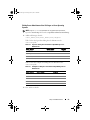
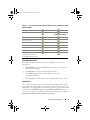
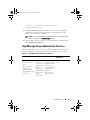
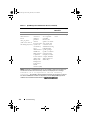
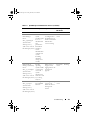
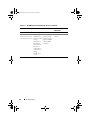
Table 3-1 lists the GUI field names and the applicable system, when Server
Administrator is installed on the system.
Table 3-1. System Availability for the Following GUI Field Names
GUI Field Name
Modular Enclosure
Server module
Main System
System
Main system Chassis
Applicable System
Modular System
Modular System
Modular System
Non-Modular System
Non-Modular System
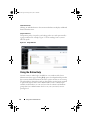
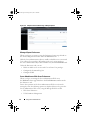
Figure 3-1 shows a sample Server Administrator home page layout for a user
logged in with administrator privileges on a non-modular system.
54
Using Server Administrator