1
book.book Page 88 Friday, June 29, 2012 4:02 PM
DRAC allows you to access your system's remote system management
capabilities. The Server Administrator DRAC provides remote access to
inoperable systems, alert notification when a system is down, and the ability
to restart a system.
The Remote Access object action window can have the following tabs,
depending on the user's group privileges: Properties, Configuration, and Users.
Properties
Subtab: Information
Under the Properties tab, you can view general information on the remote
access device. You can also view the attributes of the IPv4 and IPv6 addresses.
Click Reset to Defaults to reset all the attributes to their system default
values.
Configuration
Subtabs: LAN | Serial Port | Serial Over LAN |Additional Configuration
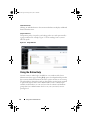
Under the Configuration tab when BMC/iDRAC is configured, you can
configure the BMC/iDRAC on a LAN, serial port for BMC/iDRAC, and
BMC/iDRAC on a serial over LAN connection.
NOTE: The Additional configuration tab is available only on systems with iDRAC.
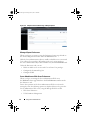
Under the Configuration tab, when DRAC is configured, you can configure
network properties.
NOTE: The Enable NIC, NIC Selection, and Encryption Key fields are displayed only
on Dell PowerEdge x9xx systems.
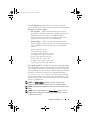
Under the Additional Configuration tab you can either enable or disable
IPv4/IPv6 properties.
NOTE: Enabling/disabling IPv4/IPv6 is possible only in a dual stack environment
(where both the IPv4 and IPv6 stacks are loaded).
88
Server Administrator Services