1
Dell™ Lifecycle Controller 2 Web Services Interface Guide for Linux
Version: 2.1.0
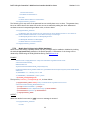
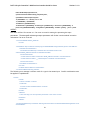
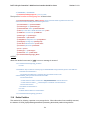
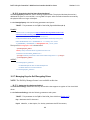
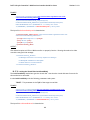
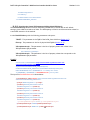
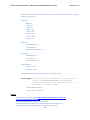
The input file ConvertToRAID.xml is shown below:
<p:ConvertToRAID_INPUT xmlns:p="http://schemas.dmtf.org/wbem/wscim/1/cimschema/2/root/dcim/DCIM_RAIDService">
<p:PDArray>Disk.Bay.2:Enclosure.Internal.0-0:RAID.Slot.1-1</p:PDArray>
</p:ConvertToRAID_INPUT>
OUTPUT:
ConvertToRAID_OUTPUT
RebootRequired = 1
ReturnValue = 0
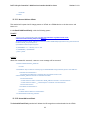
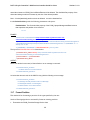
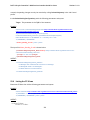
16.21 Convert Physical Disks to Non RAID-ConvertToNonRAID()
The ConvertToNonRAID() method is used to convert a physical disks in RAID state of “Ready” to a NonRAID state. After the method is successfully executed, the PendingValue property of RAIDPDState
should reflect the pending changes. After the CreateTargetedConfigJob method is successfully
executed, the RAIDStatus property, which is enumerated in the DCIM_PhysicalDiskView from Section
16.9, should reflect the new state of that physical disk.
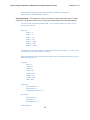
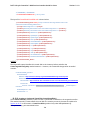
Invoke ConvertToNonRAID() with the following parameters and syntax:
Physical Disk TARGET: Obtained from the FQDD field (Section 16.9)
An example of Disk.Bay.2:Enclosure.Internal.0-0:RAID.Slot.1-1 is shown below.
EXAMPLE:
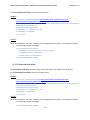
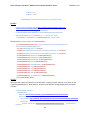
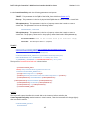
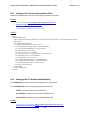
winrm invoke ConvertToNonRAID
"cimv2/root/dcim/DCIM_RAIDService?SystemCreationClassName=DCIM_ComputerSystem+CreationClass
Name=DCIM_RAIDService+SystemName=DCIM:ComputerSystem+Name=DCIM:RAIDService"
-h $IPADDRESS -V -v -c dummy.cert -P 443
-u $USERNAME -p $PASSWORD
-J СonvertToNonRAID.xml -j utf-8 -y basic
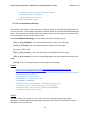
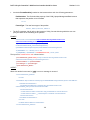
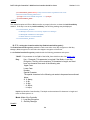
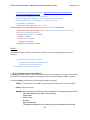
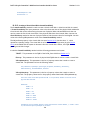
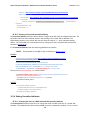
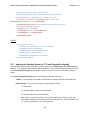
The input file ConvertToNonRAID.xml is shown below:
<p:ConvertToNonRAID_INPUT xmlns:p="http://schemas.dmtf.org/wbem/wscim/1/cimschema/2/root/dcim/DCIM_RAIDService">
<p:PDArray>Disk.Bay.2:Enclosure.Internal.0-0:RAID.Slot.1-1</p:PDArray>
</p:ConvertToNonRAID_INPUT>
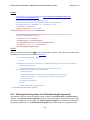
OUTPUT:
ConvertToNonRAID_OUTPUT
RebootRequired = 1
ReturnValue = 0
203