1
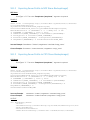
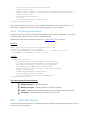
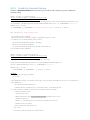
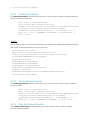
Dell Lifecycle Controller Web Services
Interface Guide for Linux
A Dell Technical White Paper about the Best Practices to
be followed for using the WS-Man based remote
services provided by iDRAC and Lifecycle Controller
Dell Engineering
December 2013
A Dell Best Practices
Revisions
Date
Description
December 2013
1.0 Release: Initial release
Dell, the DELL logo, and the DELL badge are trademarks of Dell Inc. Symantec, NetBackup, and Backup Exec are
trademarks of Symantec Corporation in the U.S. and other countries. Microsoft, Windows, and Windows Server are
registered trademarks of Microsoft Corporation in the United States and/or other countries. Other trademarks and
trade names may be used in this document to refer to either the entities claiming the marks and names or their
products. Dell disclaims any proprietary interest in the marks and names of others.
Dell™, the Dell logo, Dell Boomi™, Dell Precision™ ,OptiPlex™, Latitude™, PowerEdge™, PowerVault™,
PowerConnect™, OpenManage™, EqualLogic™, Compellent™, KACE™, FlexAddress™, Force10™ and Vostro™ are
®
trademarks of Dell Inc. Other Dell trademarks may be used in this document. Cisco Nexus®, Cisco MDS , Cisco NX®
®
®
®
0S , and other Cisco Catalyst are registered trademarks of Cisco System Inc. EMC VNX , and EMC Unisphere are
®
®
®
®
®
registered trademarks of EMC Corporation. Intel , Pentium , Xeon , Core and Celeron are registered trademarks of
®
Intel Corporation in the U.S. and other countries. AMD is a registered trademark and AMD Opteron™, AMD
®
®
Phenom™ and AMD Sempron™ are trademarks of Advanced Micro Devices, Inc. Microsoft , Windows , Windows
®
®
®
®
®
Server , Internet Explorer , MS-DOS , Windows Vista and Active Directory are either trademarks or registered
®
®
trademarks of Microsoft Corporation in the United States and/or other countries. Red Hat and Red Hat Enterprise
®
®
®
Linux are registered trademarks of Red Hat, Inc. in the United States and/or other countries. Novell and SUSE are
®
registered trademarks of Novell Inc. in the United States and other countries. Oracle is a registered trademark of
®
®
®
®
Oracle Corporation and/or its affiliates. Citrix , Xen , XenServer and XenMotion are either registered trademarks or
®
®
®
trademarks of Citrix Systems, Inc. in the United States and/or other countries. VMware , Virtual SMP , vMotion ,
®
®
vCenter and vSphere are registered trademarks or trademarks of VMware, Inc. in the United States or other
®
®
countries. IBM is a registered trademark of International Business Machines Corporation. Broadcom and
®
NetXtreme are registered trademarks of Broadcom Corporation. Qlogic is a registered trademark of QLogic
Corporation. Other trademarks and trade names may be used in this document to refer to either the entities claiming
2
Lifecycle Controller Integration – Web Services Interface Guide for Windows | Revision 1.0.
the marks and/or names or their products and are the property of their respective owners. Dell disclaims proprietary
interest in the marks and names of others.
3
Lifecycle Controller Integration – Web Services Interface Guide for Windows | Revision 1.0.
Contents
Revisions ............................................................................................................................................................................................ 2
Executive Summary ....................................................................................................................................................................... 14
1
Introduction .............................................................................................................................................................................. 15
2
References ................................................................................................................................................................................ 16
3
Overview.................................................................................................................................................................................... 17
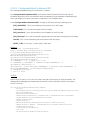
3.1
Format for WS-Man CLI Examples in Document .................................................................................................... 17
3.2
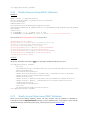
WS-Man Security and Time Parameters ................................................................................................................... 18
3.2.1 Encryption Certificate Security ................................................................................................................................... 18
3.2.2 Handling Invalid Responses from WS-Man Commands ........................................................................................ 18
3.2.3 Improving WS-Man Enumeration Performance ...................................................................................................... 18
3.2.4 Specifying StartTime, Until Time, and TIME_NOW Parameters ............................................................................ 18
3.2.5 Return Values ................................................................................................................................................................. 19
3.2.6 Glossary .......................................................................................................................................................................... 19
4
5
Discovery ................................................................................................................................................................................... 20
4.1
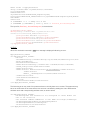
Discovering Web Service Capability .......................................................................................................................... 20
4.2
Discovering what Profiles are implemented ............................................................................................................ 20
4.3
Discovering Implementation Namespace ................................................................................................................ 21
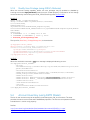
Managing iDRAC Local User Accounts ................................................................................................................................ 23
5.1
Description of iDRAC Attributes Versus Standard DMTF Model ........................................................................... 23
5.2
Account Inventory (using iDRAC Attributes) ............................................................................................................ 23
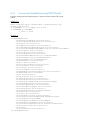
5.2.1 Account and Capabilities (using iDRAC Attributes) ................................................................................................. 23
5.2.2 Privilege and Capabilities (using iDRAC Attributes) ................................................................................................. 24
5.3
Manage Account Settings (using iDRAC Attributes) ............................................................................................... 25
5.3.1 Modify User Name (using iDRAC Attributes) ............................................................................................................ 25
5.3.2 Modify Password (using iDRAC Attributes) ............................................................................................................... 26
5.3.3 Modify Account State (using iDRAC Attributes) ....................................................................................................... 26
5.3.4 Modify User Privilege (using iDRAC Attributes) ........................................................................................................ 28
5.4
Account Inventory (using DMTF Model) ................................................................................................................... 28
5.4.1 Account and Capabilities (using DMTF Model) ........................................................................................................ 29
5.4.2 Privilege and Capabilities (using DMTF Model) ........................................................................................................ 32
5.5
4
Manage Account Settings (using DMTF Model) ...................................................................................................... 35
Lifecycle Controller Integration – Web Services Interface Guide for Windows | Revision 1.0.
5.5.1 Modify User Name (using DMTF Model) ................................................................................................................... 35
5.5.2 Modify Password (using DMTF Model) ...................................................................................................................... 38
5.5.3 Modify Account State (using DMTF Model) .............................................................................................................. 38
5.5.4 Modify User Privilege (using DMTF Model) ............................................................................................................... 39
6
7
Firmware Inventory ................................................................................................................................................................. 41
6.1
Software Inventory Profile Specification ................................................................................................................... 41
6.2
Remote Inventory Method Invocation — Get Software Inventory ...................................................................... 41
Firmware Update ..................................................................................................................................................................... 43
7.1
Software Update Profile Specification....................................................................................................................... 43
7.2
”Rollback” Firmware ...................................................................................................................................................... 43
7.2.1 Request “Rollback” Image ............................................................................................................................................ 43
7.2.2 Create Reboot Job ....................................................................................................................................................... 43
7.2.3 Schedule Update Jobs ................................................................................................................................................. 43
7.2.4 Monitor Update Jobs.................................................................................................................................................... 43
7.3
BIOS Firmware “Rollback” ............................................................................................................................................44
7.4
NIC Firmware “Rollback” .............................................................................................................................................. 45
7.5
Update from Network Source .................................................................................................................................... 46
7.5.1 Request Update Download ......................................................................................................................................... 47
7.5.2 Monitor Download Status ............................................................................................................................................ 47
7.5.3 Reboot to Perform Update .......................................................................................................................................... 47
7.5.4 Wait for Job Completion ............................................................................................................................................. 47
7.5.5 Delete Job ...................................................................................................................................................................... 47
7.6
Update NICs from HTTP, CIFS Share, NFS share, TFTP, or FTP ............................................................................ 47
7.7
Update BIOS from HTTP, CIFS Share, NFS share, TFTP, or FTP ........................................................................... 49
7.8
CreateRebootJob() ....................................................................................................................................................... 51
7.9
Automatic Updates ....................................................................................................................................................... 52
7.9.1 Enable automatic update ............................................................................................................................................. 52
7.9.2 Create a Config Job ..................................................................................................................................................... 52
7.9.3 Set Update Schedule .................................................................................................................................................... 53
7.9.4 Get the Update Schedule ............................................................................................................................................ 54
7.9.5 Clear the Update Schedule ......................................................................................................................................... 55
7.10 Device Update from Repository ................................................................................................................................. 55
5
Lifecycle Controller Integration – Web Services Interface Guide for Windows | Revision 1.0.
7.10.1 Install From Repository ................................................................................................................................................ 55
7.10.2 Get Repo-Based Update List....................................................................................................................................... 56
8
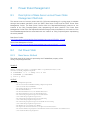
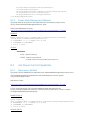
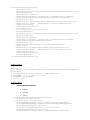
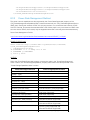
Power State Management ...................................................................................................................................................... 59
8.1
Description of Base Server versus Power State Management Methods ............................................................. 59
8.2
Get Power State ............................................................................................................................................................ 59
8.2.1 Base Server Method ...................................................................................................................................................... 59
8.2.2 Power State Management Method ........................................................................................................................... 60
8.3
Get Power Control Capabilites .................................................................................................................................. 60
8.3.1 Base Server Method ..................................................................................................................................................... 60
8.3.2 Power State Management Method ............................................................................................................................ 62
8.4
Power Control ............................................................................................................................................................... 63
8.4.1 Base Server Method ...................................................................................................................................................... 63
8.4.2 Power State Management Method ............................................................................................................................ 63
9
Hardware Inventory ................................................................................................................................................................. 65
9.1
Power Supply Inventory ............................................................................................................................................... 65
9.2
Fan Inventory ................................................................................................................................................................. 66
9.3
Memory Inventory......................................................................................................................................................... 67
9.4
CPU Inventory................................................................................................................................................................ 67
9.5
iDRAC Card Inventory .................................................................................................................................................. 69
9.6
PCI Device Inventory .................................................................................................................................................... 69
9.7
Video Inventory ............................................................................................................................................................. 70
9.8
VFlash SD Card Inventory ............................................................................................................................................ 71
9.9
NIC Inventory and Configuration ............................................................................................................................... 71
9.10 RAID Inventory and Configuration ............................................................................................................................. 73
9.11 BIOS Inventory and Configuration ............................................................................................................................. 74
9.12 System Inventory (including CSIOR attribute) ......................................................................................................... 74
10 Job Control Management ...................................................................................................................................................... 77
10.1 Description of Job Management ............................................................................................................................... 77
10.2 Remote Job Control Examples .................................................................................................................................. 77
10.2.1 Setup Job Queue .......................................................................................................................................................... 77
6
10.2.2
Delete Job Queue .................................................................................................................................................... 78
10.2.3
List Jobs in Job Store .............................................................................................................................................. 79
Lifecycle Controller Integration – Web Services Interface Guide for Windows | Revision 1.0.
11 Operating System Deployment ............................................................................................................................................. 81
11.1
OS Deployment Profile Implementation Conformance ........................................................................................ 81
11.2 Checking OS Deployment Service Availability ......................................................................................................... 81
11.3 OS Deployment Method Invocation Examples ....................................................................................................... 82
11.3.1 Get Driver Pack Information ....................................................................................................................................... 82
11.3.2 Unpack Selected Drivers and Attach to Host OS as USB Device ......................................................................... 83
11.3.3 Detach Emulated USB Device Containing Drivers ..................................................................................................84
11.3.4 Unpack Selected Drivers and Copy to Network Share .......................................................................................... 85
11.3.5 Check Job Status ..........................................................................................................................................................86
11.3.6 Boot to Network ISO .................................................................................................................................................... 87
11.3.7 Detach Network ISO USB Device ...............................................................................................................................89
11.3.8 Boot To PXE ...................................................................................................................................................................89
11.3.9 Get Host MAC Address Information ......................................................................................................................... 90
11.3.10
Download ISO to VFlash .................................................................................................................................... 90
11.3.11
Boot to ISO from VFlash ..................................................................................................................................... 92
11.3.12
Delete ISO from VFlash ....................................................................................................................................... 92
11.3.13
Detach ISO from VFlash ..................................................................................................................................... 93
11.3.14
Connect Network ISO Image ............................................................................................................................ 93
11.3.15
Disconnect Network ISO Image ....................................................................................................................... 94
11.3.16
Skip ISO Image Boot............................................................................................................................................ 95
11.3.17
Get Network ISO Image Connection Information ......................................................................................... 95
11.3.18
Connect RFS ISO Image ..................................................................................................................................... 96
11.3.19
Disconnect RFS ISO Image ................................................................................................................................ 97
11.3.20
Get RFS ISO Image Connection Information .................................................................................................98
11.3.21
Boot To Hard Drive (HD) ....................................................................................................................................98
11.3.22
Configurable Boot to Network ISO .................................................................................................................. 99
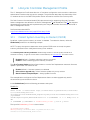
12 Lifecycle Controller Management Profile ......................................................................................................................... 101
12.1 Collect System Inventory on Restart (CSIOR) ........................................................................................................ 101
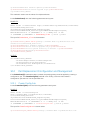
12.2 Part Replacement Configuration and Management ............................................................................................. 102
12.2.1 Create Config Job ...................................................................................................................................................... 102
12.2.2 Get LC Config Job Status .......................................................................................................................................... 103
12.2.3 List All LC Jobs............................................................................................................................................................. 103
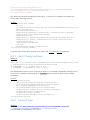
7
Lifecycle Controller Integration – Web Services Interface Guide for Windows | Revision 1.0.
12.2.4Get CSIOR Component Configuration Recovery (CCR) Attribute ..................................................................... 104
12.2.5 Get Part Firmware Update Attribute ........................................................................................................................ 105
12.3 Re-Initiate Auto-Discovery Client ............................................................................................................................ 105
12.4 Clear or Set Provisioning Server ............................................................................................................................... 106
12.5 Check VFlash License Enablement .......................................................................................................................... 107
12.6 Download Server Public Key ..................................................................................................................................... 108
12.7 Download Client Certificates .................................................................................................................................... 109
12.8 Delete Auto-Discovery Client Certificates ............................................................................................................. 110
12.9 Set Public Certificates ................................................................................................................................................ 110
12.10 Set iDRAC Certificate and Private Key ...................................................................................................................... 111
12.11 Delete Auto-Discovery Server Public Key .............................................................................................................. 112
12.12 Insert Comment in Lifecycle Controller Log ......................................................................................................... 113
12.13 Export Lifecycle Controller Log ................................................................................................................................ 113
12.14 ExportCompleteLCLog() ............................................................................................................................................ 114
12.15 Export Hardware Inventory from Lifecycle Controller ......................................................................................... 115
12.16 Export Factory Configuration ................................................................................................................................... 116
12.17 System Decommission .............................................................................................................................................. 118
12.18 Get Remote Services API Status ............................................................................................................................... 118
12.19 Export System Configuration .................................................................................................................................... 119
12.20 Import System Configuration ................................................................................................................................... 120
12.21 XML Template Preview ............................................................................................................................................... 121
12.22 Remote Diagnostics ................................................................................................................................................... 122
12.22.1
Run Diagnostics ................................................................................................................................................. 122
12.22.2
Export Diagnostics Results ............................................................................................................................... 123
12.22.3
Verify the Diagnostics Job Status ................................................................................................................... 123
13 VFlash SD Card Management .............................................................................................................................................. 125
13.1 Listing the SD Card Partitions ................................................................................................................................... 125
13.2 Initialize the Virtual Flash Media ............................................................................................................................... 126
13.2.1 Get VFlash SD Card Inventory .................................................................................................................................. 126
13.2.2 Initialize or Format Media .......................................................................................................................................... 126
13.2.3 Verify Initialization or Formatting ............................................................................................................................. 127
13.3 Enable or Disable VFlash using VFlash State Change ........................................................................................... 128
8
Lifecycle Controller Integration – Web Services Interface Guide for Windows | Revision 1.0.
13.4 Create Partition ........................................................................................................................................................... 128
13.5 Create Partition using Image .................................................................................................................................... 130
13.6 Delete Partition ............................................................................................................................................................ 131
13.7 Format Partition ........................................................................................................................................................... 132
13.8 Modify Partition ........................................................................................................................................................... 133
13.9 Attach Partition ............................................................................................................................................................ 134
13.10 Detach Partition........................................................................................................................................................... 135
13.11 Export Data from Partition ........................................................................................................................................ 136
14 Boot Control Configuration Management ........................................................................................................................ 139
14.1 Listing the Boot Inventory-ConfigSetting Class .................................................................................................... 139
14.2 Getting a Boot ConfigSetting Instance ................................................................................................................... 140
14.3 Listing the Boot Inventory-SourceSetting Class ................................................................................................... 140
14.4 Changing the Boot Order by InstanceID-ChangeBootOrderByInstanceID() .................................................. 141
14.5 Enable or Disable the Boot Source-ChangeBootSourceState() ......................................................................... 142
15 NIC or CNA Card Management .......................................................................................................................................... 144
15.1 Listing the NIC or CNA Inventory-Enumeration Class ......................................................................................... 144
15.2 Listing the NIC or CNA Inventory-String Class ...................................................................................................... 145
15.3 Listing the CNA Inventory-Integer Class ................................................................................................................ 146
15.4 Listing the CNA Inventory-NICView Class ............................................................................................................. 147
15.5 Listing the CNA Inventory-NICCapabilities Class.................................................................................................. 148
15.6 Listing the CNA Inventory- NICStatistics Class ..................................................................................................... 149
15.7 Applying the Pending Values for CNA-CreateTargetedConfigJob() ................................................................. 150
15.8 Deleting the Pending Values for CNA-DeletePendingConfiguration() ............................................................. 151
15.9 Getting the CNA Enumeration Instance ................................................................................................................. 152
15.10 Setting the IscsiOffloadMode Attribute ................................................................................................................... 153
15.11 Setting the MaxBandwidth Attribute ........................................................................................................................ 154
15.12 Setting the VirtMacAddr Attribute ............................................................................................................................ 155
15.13 Setting the LegacyBootProto Attribute ................................................................................................................... 155
15.14 Setting CNA LAN Modes ............................................................................................................................................ 156
15.15 Setting the iSCSI Boot Target.................................................................................................................................... 157
15.16 Setting the FCoE Boot Target ................................................................................................................................... 158
16 RAID Storage Management .................................................................................................................................................. 160
9
Lifecycle Controller Integration – Web Services Interface Guide for Windows | Revision 1.0.
16.1 Listing the RAID Inventory-Enumeration Class ..................................................................................................... 160
16.2 Getting a RAID Enumeration Instance .................................................................................................................... 161
16.3 Listing the RAID Inventory-Integer Class ................................................................................................................ 162
16.4 Getting a RAID Integer Instance ............................................................................................................................... 163
16.5 Listing the RAID Inventory-String Class .................................................................................................................. 164
16.6 Getting a RAID String Instance ................................................................................................................................. 165
16.7 Listing the RAID Inventory-ControllerView Class ................................................................................................. 165
16.8 Getting a RAID ControllerView Instance................................................................................................................. 166
16.9 Listing the RAID Inventory-PhysicalDiskView Class .............................................................................................. 167
16.10 Listing the RAID VirtualDiskView Inventory ............................................................................................................ 168
16.11 Listing the RAID EnclosureView Inventory ............................................................................................................. 169
16.12 Reset Configuration-ResetConfig() ......................................................................................................................... 170
16.13 Clearing the Foreign Configuration-ClearForeignConfig() ..................................................................................171
16.14 Applying the Pending Values for RAID-CreateTargetedConfigJob() ..................................................................171
16.15 Deleting the Pending Values for RAID-DeletePendingConfiguration() ............................................................. 173
16.16 Managing Hot-Spare .................................................................................................................................................. 173
16.16.1
Determining Potential Disks-GetDHSDisks() ................................................................................................ 173
16.16.2
Assigning the Hot-Spare-AssignSpare() ......................................................................................................... 174
16.16.3
Unassigning the Hot Spare-UnassignSpare() ................................................................................................ 175
16.17 Managing Keys for Self Encrypting Drives .............................................................................................................. 175
16.17.1
Setting the Key-SetControllerKey() ................................................................................................................. 176
16.17.2
Locking the Virtual Disk-LockVirtualDisk() .................................................................................................... 176
16.17.3
Locking the Controller with a Key-EnableControllerEncryption() ............................................................ 177
16.17.4
Rekeying the Controller-ReKey() .................................................................................................................... 178
16.17.5
Removing the Key-RemoveControllerKey() .................................................................................................. 179
16.18 Managing Virtual Disk ................................................................................................................................................. 180
10
16.18.1
Getting the Available RAID levels-GetRAIDLevels() ..................................................................................... 180
16.18.2
Getting the Available Disks-GetAvailableDisks() ........................................................................................... 181
16.18.3
Checking the Create VD Parameters Validity-CheckVDValues() .............................................................. 182
16.18.4
Creating a Single Virtual Disk-CreateVirtualDisk() ....................................................................................... 183
16.18.5
Creating a Sliced Virtual Disk-CreateVirtualDisk() ........................................................................................ 186
16.18.6
Creating a Cachecade Virtual Disk-CreateVirtualDisk() .............................................................................. 189
Lifecycle Controller Integration – Web Services Interface Guide for Windows | Revision 1.0.
16.18.7
Deleting a Virtual Disk-DeleteVirtualDisk() .................................................................................................... 190
16.19 Setting Controller Attributes ..................................................................................................................................... 191
16.19.1
Changing the Value of a RAID Controller Enumeration Attribute ............................................................ 191
16.19.2
Changing Multiple Values of RAID Controller Enumeration Attributes.................................................... 191
16.19.3
Changing the Value of a RAID Controller Integer Attribute ....................................................................... 192
16.19.4
Changing Multiple Values of RAID Controller Integer Attributes .............................................................. 193
16.20 Convert Physical Disk Drives to RAID-ConvertToRAID() ..................................................................................... 194
16.21 Convert Physical Disk Drives to Non RAID-ConvertToNonRAID()..................................................................... 195
17 Managing BIOS Configuration............................................................................................................................................. 196
17.1
Listing the BIOS Inventory-Enumeration Class ..................................................................................................... 196
17.2 Getting a BIOS Enumeration Instance .................................................................................................................... 197
17.3 Changing the BIOS BootMode-SetAttribute()........................................................................................................ 198
17.4 Setting Multiple BIOS BootMode Parameters ........................................................................................................ 198
17.5 Listing the BIOS Inventory-Integer Class ................................................................................................................ 199
17.6 Listing the BIOS Inventory-String Class .................................................................................................................. 199
17.7 Applying the Pending Values for BIOS & Boot-CreateTargetedConfigJob() .................................................. 200
17.8 Deleting the Pending Values for BIOS and Boot-DeletePendingConfiguration() ........................................... 201
17.9 Managing BIOS Passwords ....................................................................................................................................... 202
17.9.1 Setting the BIOS Password ....................................................................................................................................... 202
17.9.2 Create Target Configuration Job ............................................................................................................................ 203
17.9.3 Monitor Set BIOS Password Status ......................................................................................................................... 203
17.10 Listing the BIOS Inventory-Password Class .......................................................................................................... 204
18 Exporting and Importing Server Profile ............................................................................................................................ 206
18.1 Exporting Server Profile ............................................................................................................................................ 206
18.1.1 Exporting Server Profile to iDRAC vFlash Card-BackupImage() ........................................................................ 206
18.1.2 Exporting Server Profile to NFS Share-BackupImage() ........................................................................................207
18.1.3 Exporting Server Profile to CIFS Share-BackupImage() .......................................................................................207
18.1.4 Monitoring Export status .......................................................................................................................................... 208
18.2 Automatic Backup ...................................................................................................................................................... 208
18.2.1 Enable the Automatic Backup ................................................................................................................................. 209
18.2.2Set Backup Schedule .................................................................................................................................................. 210
18.2.3Get the Backup Schedule .......................................................................................................................................... 210
11
Lifecycle Controller Integration – Web Services Interface Guide for Windows | Revision 1.0.
18.2.4
Clear the Backup Schedule .................................................................................................................................. 210
18.3 Importing Server Profile ............................................................................................................................................. 211
18.3.1 Importing Server Profile from iDRAC vFlash Card-RestoreImage() ................................................................... 211
18.3.2Importing Server Profile from NFS share-RestoreImage() ................................................................................... 211
18.3.3Importing Server Profile from CIFS share-RestoreImage() .................................................................................. 212
18.3.4
Monitoring Import Status ...................................................................................................................................... 213
19 iDRAC Configuration ............................................................................................................................................................. 214
19.1 Listing the iDRAC Card Inventory-Enumeration Class ......................................................................................... 214
19.2 Getting an iDRAC Card Enumeration Instance ...................................................................................................... 215
19.3 Listing the iDRAC Card Inventory-Enumeration Class using groupID .............................................................. 216
19.4 Applying the Attributes and Polling Job Completion ........................................................................................... 217
19.4.1 Changing iDRAC Values-ApplyAttributes() (Immediate) ...................................................................................... 217
19.4.2
Polling Job Completion ........................................................................................................................................ 219
19.4.3
Set Attribute Verification ....................................................................................................................................... 219
19.5 Listing the iDRAC Card Inventory-Integer Class .................................................................................................. 220
19.6 Listing the iDRAC Card Inventory-Integer Class using groupID......................................................................... 221
19.7 Listing the iDRAC Card Inventory-String Class ...................................................................................................... 222
19.8 Listing the iDRAC Card Inventory-String Class using groupID .......................................................................... 224
19.9 Changing the iDRAC IP Change Notification......................................................................................................... 225
19.9.1 Getting the Current iDRAC IPChange State ........................................................................................................... 225
19.9.2
Setting the iDRAC IPChange Notification-SetAttribute() ............................................................................... 226
20 Remote Service Status .......................................................................................................................................................... 227
20.1 Getting Remote Service Status ................................................................................................................................. 227
20.2 Restarting Remote Service Status ........................................................................................................................... 228
21 System Information .............................................................................................................................................................. 230
21.1 Listing the System Inventory-SystemView Class .................................................................................................. 230
22 Sensor Information ................................................................................................................................................................ 232
22.1 Listing the Sensors Inventory-PSNumericSensor Class ....................................................................................... 232
23 Managing Fiber Channel (FC) Configuration .................................................................................................................... 233
23.1 Listing the FC Inventory-Attribute Class ................................................................................................................. 233
23.2 Listing the FC Inventory-Statistics Class ................................................................................................................ 234
23.3 Listing the FC Inventory-String Class ..................................................................................................................... 234
12
Lifecycle Controller Integration – Web Services Interface Guide for Windows | Revision 1.0.
23.4 Listing the FC Inventory-Integer Class .................................................................................................................... 235
23.5 Listing the FC Inventory-Enumeration Class ........................................................................................................ 236
23.6 Changing the FC Attributes-SetAttribute() ............................................................................................................ 236
23.7 Applying the Pending Values for FC-CreateTargetedConfigJob() ..................................................................... 237
23.8 Deleting the Pending Values for FC-DeletePendingConfiguration() ................................................................ 238
23.9 Listing the FC Views ....................................................................................................................................................239
13
Lifecycle Controller Integration – Web Services Interface Guide for Windows | Revision 1.0.
Executive Summary
Dell PowerEdge servers are equipped with the integrated Dell Remote
Access Controller and the Lifecycle Controller solution for remote
management – iDRAC6 on 11th Generation servers and iDRAC7 on 12th
Generation servers. These servers can be remotely managed by using the
WS-Man services for configuration, update, deployment, and
maintenance. This whitepaper provides information about the various WSMan interfaces with examples on how to use the interfaces in a Linux
environment.
1
Introduction
This document serves as a guideline for utilizing the functionality available from embedded Lifecycle
Controller Remote Enablement Web Services. The purpose of this document is to provide
information and examples for utilizing the Web services for Management (WS-Man) protocol using
Windows WinRM and open source WSMANCLI command line utilities. Examples and invocation
information is provided for the following functionality:
Inventory for BIOS, component firmware and embedded software
Update of BIOS, component firmware and embedded software
Job Control of update tasks
Enhancement of Operating System Deployment using VFlash SD Card
Enhancement of Discovery and Handshake from LifeCycle Controller 1.x
Raid configuration management
iDRAC Inventory and configuration features
NIC configuration management
Boot configuration management
BIOS configuration management
The target audience for this document are script writers and the application that utilizes the remote
management capabilities using WS-Man protocol available from Dell Lifecycle Controller.
2
References
Dell 12th Generation PowerEdge Server Resources:
http://www.delltechcenter.com/12thGen
Dell CIM Profiles:
http://www.delltechcenter.com/page/DCIM.Library.Profile
Managed Object Format (MOF) files:
http://www.delltechcenter.com/page/DCIM.Library.MOF
WinRM Scripting API, MSDN:
http://msdn.microsoft.com/en-us/library/aa384469(VS.85).aspx
Openwsman CLI:
http://www.openwsman.org/project/wsmancli
DMTF Common Information Model (CIM) Infrastructure Specification
(DSP0004):
http://www.dmtf.org/standards/published_documents/DSP0004_2.5.0.pdf
List of PCI IDs:
http://pciids.sourceforge.net/pci.ids
3
Overview
The remote interface guidelines provided in this document are illustrated by command line examples of
the WS-Man protocol Web services APIs that expose the remote management capabilities of the Dell
Lifecycle Controller. The command line examples are from the Microsoft® Windows® and Linux
4
5
environments using WinRM
and WSMANCLI
respectively. The Lifecycle Controller remote
management capabilities are organized by management domain and documented in Dell CIM Profile
2
specifications . The remote enablement feature for Lifecycle Controller 2.0 provides the following
capabilities:
Remotely retrieve information about inventory of the BIOS, component firmware, and
embedded software including version information of both the installed as well as available
cached versions
Remote update of BIOS, component firmware, Diagnostic content, DRAC content, driver
pack, power supplies from remotely located Dell Update Packages or cached images
located in the Lifecycle Controller
Remotely schedule and track the status of update tasks (jobs)
Remotely manage the Part Replacement feature by allowing retrieving and setting auto
update and auto system inventory sync
Enable re-initiation of Lifecycle Controller Auto-Discovery feature
Enhancement of Operation System Deployment capabilities by supporting the downloading
of an ISO image to a Dell VFlash SD Card and booting to the ISO image on the VFlash SD
Card
NIC configuration enables the ability to get and set NIC attributes that are configurable
using NIC Option ROM or NIC UEFI HII.
Remote RAID configuration allows you to remotely query and configure the Hardware Raid
of the system
Multiple HW Inventory views allows you to remote query the inventory of Hardware
3.1
Format for WS-Man CLI Examples in Document
The examples of WinRM and WSMANCLI command line invocations in this document are formatted
for readability and often span multiple lines in the document. In actual use, scripted or hand-typed
invocations are incorporated in one line. The examples also use substitute values for the target iDRAC
IP address, username (with ExecuteServerCommand privilege), password and other site specific
information. Actual use of these examples would require using valid values for IP address, username,
password, and so on. These values are represented in the examples as follows:
Target iDRAC IP address = [IPADDRESS]
iDRAC Username = [USER]
iDRAC Password = [PASSWORD]
Additional substitute values are used in some of the examples and are described in the
specific example. The following example represents the format used in this document:
EXAMPLE:
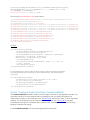
wsman enumerate http://schemas.dmtf.org/wbem/wscim/1/cimschema/2/root/dcim/DCIM_OSDeploymentService-h $IPADDRESS -V -v -c
dummy.cert -P 443 -u $USERNAME -p $PASSWORD -j utf-8 -y basic
3.2
WS-Man Security and Time Parameters
3.2.1
Encryption Certificate Security
For the WS-Man examples provided in this document, the strict checks of certificates such as
matching of CNs (Common Names) and verification with the actual CA (Certificate Authority) of the
certificate of the WS-Management protocol HTTPS encryption certificate is assumed to be already
configured and enabled. To disable the strict certificate checking, run the following command line
options to all WS-Man examples: –v and –V.
For more information about directions on setting up encryption certificates and executing WS-Man
invocations using full security capabilities for WS-Man, see the WS-Man documentation4 and related
documents. For more information about directions on configuring different encryption certificates for
the iDRAC Web server, see the Lifecycle Controller User Guide1. Dell recommends that the full
security and encryption capabilities of the WS- Management protocol is used for production level
utilization of the Lifecycle Controller Web services interfaces.
3.2.2
Handling Invalid Responses from WS-Man Commands
Check the network connection to make sure that the system is connected
Check the WS-Man syntax to ensure there are no typos in the command line
Check if there are other WS-Man commands sent from other systems
Wait for a few seconds and re-try running the WS-Man command
3.2.3
Improving WS-Man Enumeration Performance
Enumeration configuration only available for winRM.
3.2.4
Specifying StartTime, Until Time, and TIME_NOW Parameters
The several methods that attach a virtual USB device to the target system accept a StartTime and Until
parameter. The parameter data type is CIM date-time. If the StartTime parameter is null the action
will not be started. If the Until parameter is null, the default value will be 17 hours. The date-time data
type is defined in the CIM Infrastructure Specification4 as:
ddddddddhhmmss.mmmmmm
Where:
dddddddd is the number of days
hh is the remaining number of hours
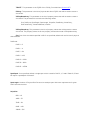
mm is the remaining number of minutes
ss is the remaining number of seconds
mmmmmm is the remaining number of microseconds
The Lifecycle controller 2.0 firmware update, and set attribute related methods that require a date
time parameter, use the form YYYYMMDDhhmmss (Eg. 20090930112030). You are expected to enter
the date and time in this format for all Lifecycle Controller 2.0 updates and set attribute tasks.
TIME_NOW is a special value that represents “running the tasks immediately”.
3.2.5
Return Values
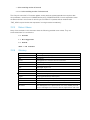
Many of the methods in this document have the following possible return values. They are
summarized here for convenience.
0 = Success
1 = Not Supported
2 = Failed
4096 = Job Created
3.2.6
Glossary
Term
BIOS
HW
iDRAC
IPL
Meaning
Basic Input / Output System
Hardware
Integrated DELL Remote Access Controller
Initial Program Load
DUP
MOF
CIM
NIC
RAID
FQDD
Dell Update Package
Managed Object File
Common Information Model
Network Interface Controller
Redundant Array of Independent Disks
Fully Qualified Device Description
UEFI
AMEA
HII
WS-MAN
Unified Extensible Firmware Interface
Advanced Management Enablement Adapter
Human Interface Infrastructure
WS-Management is a specification of a SOAP-based protocol
for the management of servers, devices, applications and more
4
Discovery
4.1
Discovering Web Service Capability
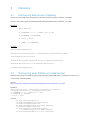
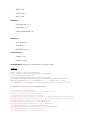
Determine if the target system supports the Ws-Man interface using the ‘identify’ command.
Profiles: http://www.dmtf.org/sites/default/files/standards/documents/DSP0217_2.0.0.pdf
EXAMPLE:
wsman identify
-h $IPADDRESS -V -v -c dummy.cert -P 443
-u $USERNAME -p $PASSWORD
-j utf-8 -y basic
-u:[USER] -p:[PASSWORD]
OUTPUT:
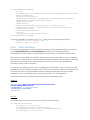
<wsmid:IdentifyResponse>
<wsmid:ProtocolVersion>http://schemas.dmtf.org/wbem/wsman/1/wsman
.xsd</wsmid:ProtocolVersion>
<wsmid:ProductVendor>Openwsman Project</wsmid:ProductVendor>
<wsmid:ProductVersion>2.2.4</wsmid:ProductVersion>
</wsmid:IdentifyResponse>
4.2
Discovering what Profiles are implemented
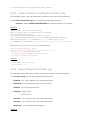
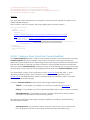
Implemented profiles are advertised using the class CIM_RegisteredProfile. Enumerate this class in the
“root/interop” CIM namespace.
Profiles:
http://www.dmtf.org/sites/default/files/standards/documents/DSP1033_1.0.0.pdf
EXAMPLE:
wsman enumerate http://schemas.dmtf.org/wbem/wscim/1/cimschema/
2/CIM_RegisteredProfile?__cimnamespace=root/interop
-h $IPADDRESS -V -v -c dummy.cert -P 443
-u $USERNAME -p $PASSWORD
-j utf-8 -y basic
OUTPUT:
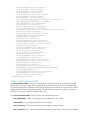
<n1:DCIM_LCRegisteredProfile>
<n1:AdvertiseTypeDescriptions>WS-Identify
</n1:AdvertiseTypeDescriptions>
<n1:AdvertiseTypeDescriptions>Interop Namespace
</n1:AdvertiseTypeDescriptions>
<n1:AdvertiseTypes>1</n1:AdvertiseTypes>
<n1:AdvertiseTypes>1</n1:AdvertiseTypes>
<n1:InstanceID>DCIM:Memory:1.0.0</n1:InstanceID>
<n1:OtherRegisteredOrganization>DCIM</n1:OtherRegisteredOrganization>
<n1:RegisteredName>Memory</n1:RegisteredName>
<n1:RegisteredOrganization>1</n1:RegisteredOrganization>
<n1:RegisteredVersion>1.0.0</n1:RegisteredVersion>
</n1:DCIM_LCRegisteredProfile>
...
<n1:DCIM_RegisteredProfile>
<n1:AdvertiseTypeDescriptions>WS-Identify
</n1:AdvertiseTypeDescriptions>
<n1:AdvertiseTypes>1</n1:AdvertiseTypes>
<n1:Caption xsi:nil="true"/>
<n1:Description xsi:nil="true"/>
<n1:ElementName xsi:nil="true"/>
<n1:InstanceID>DCIM:CSRegisteredProfile:1</n1:InstanceID>
<n1:OtherRegisteredOrganization xsi:nil="true"/>
<n1:RegisteredName>Base Server</n1:RegisteredName>
<n1:RegisteredOrganization>2</n1:RegisteredOrganization>
<n1:RegisteredVersion>1.0.0</n1:RegisteredVersion>
</n1:DCIM_RegisteredProfile>DCIM_RegisteredProfile
.
.
.
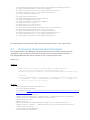
The example above shows that the DMTF Base Server profile version 1.0.0 is implemented.
4.3
Discovering Implementation Namespace
The implementation CIM namespace may be discovered from the interop (root/interop) CIM
namespace using the class CIM_ElementConformsToProfile that associates an instance of
CIM_RegisteredProfile class with an instance of CIM_ComputerSystem class.
Profiles: n/a
EXAMPLE:
wsman associators http://schemas.dmtf.org/wbem/wscim/1/*
--filter "http://schemas.dell.com/wbem/wscim/1/cimschema/2/CIM_RegisteredProfile?InstanceID=DCIM:CSRegisteredProfile:1
"
--dialect
“http://schemas.dmtf.org/wbem/wsman/1/cimbinding/associationFilter”
-h $IPADDRESS -P 443 -u $USERNAME -p $PASSWORD -V -v -c dummy.cert
-j utf-8 -y basic -N root/interop
OUTPUT:
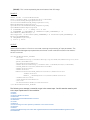
<n1:DCIM_ElementConformsToProfile>
<n1:ConformantStandard>
<wsa:Address>http://schemas.xmlsoap.org/ws/2004/08/addressing/role/anon
ymous</wsa:Address>
<wsa:ReferenceParameters>
<wsman:ResourceURI>http://schemas.dell.com/wbem/wscim/1/cimschema/
2/DCIM_RegisteredProfile</wsman:ResourceURI>
<wsman:SelectorSet>
<wsman:Selector
Name="InstanceID">DCIM:CSRegisteredProfile:1</wsman:Selector>
<wsman:Selector Name="__cimnamespace">root/interop</wsman:Selector>
</wsman:SelectorSet>
</wsa:ReferenceParameters>
</n1:ConformantStandard>
<n1:ManagedElement>
<wsa:Address>http://schemas.xmlsoap.org/ws/2004/08/addressing/role/anon
ymous</wsa:Address>
<wsa:ReferenceParameters>
<wsman:ResourceURI>http://schemas.dell.com/wbem/wscim/1/cimschema/
2/DCIM_ComputerSystem</wsman:ResourceURI>
<wsman:SelectorSet>
<wsman:Selector Name="Name">srv:system</wsman:Selector>
<wsman:Selector
Name="CreationClassName">DCIM_ComputerSystem</wsman:Selector>
<wsman:Selector Name="__cimnamespace">root/dcim</wsman:Selector>
</wsman:SelectorSet>
</wsa:ReferenceParameters>
</n1:ManagedElement>
</n1:DCIM_ElementConformsToProfile>
The example shows that implementation namespace is “root/dcim”.
5
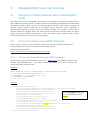
Managing iDRAC Local User Accounts
5.1
Description of iDRAC Attributes Versus Standard DMTF
Model
The iDRAC user account management data model is represented by both DMTF and Dell Profiles.
Both models are currently offered. The DMTF Profiles for Simple Identity Management and Role Based
Authorization represent iDRAC user accounts and privileges. The DMTF data model is complex and
typically requires multiple transactions to accomplish simple operations such as specifying a
username and password or giving a user account admin privileges. For this reason, LC also offers a
Dell data model for managing iDRAC user accounts that is based on an attribute model. The DCIM
iDRAC Card Profile specifies the attributes for each user account name, password, and privilege.
iDRAC has 15 local user accounts that can be managed.
5.2
Account Inventory (using iDRAC Attributes)
The list of user accounts may be retrieved by enumerating the DCIM_iDRACCard classes. The
class provides the user account name and enabled state properties.
Profile and Associated MOFs:
http://www.delltechcenter.com/page/DCIM.Library.Profile
5.2.1
Account and Capabilities (using iDRAC Attributes)
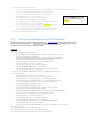
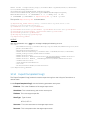
Enumerating the DCIM_iDRACCardEnumeration class, Section 19.1, and parsing the output for the
attribute AttributeDisplayName = User Admin Enable, will display all of the 16 possible user
accounts and their respective status.
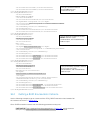
EXAMPLE:
wsman enumerate "http://schemas.dmtf.org/wbem/wscim/1/cimschema/
2/root/dcim/DCIM_iDRACCardEnumeration"
-h $IPADDRESS -V -v -c dummy.cert -P 443
-u $USERNAME -p $PASSWORD
-j utf-8 -y basic
OUTPUT:
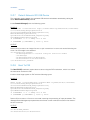
<n1:DCIM_iDRACCardEnumeration>
<n1:AttributeDisplayName>User Admin Enable</n1:AttributeDisplayName>
<n1:AttributeName>Enable</n1:AttributeName>
<n1:CurrentValue>Disabled</n1:CurrentValue>
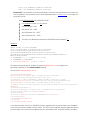
Account Disabled as displayed
<n1:DefaultValue>Disabled</n1:DefaultValue>
in CurrentValue attribute for
<n1:Dependency xsi:nil="true"/>
Users.1
<n1:DisplayOrder>0</n1:DisplayOrder>
<n1:FQDD>iDRAC.Embedded.1</n1:FQDD>
<n1:GroupDisplayName>Users</n1:GroupDisplayName>
<n1:GroupID>Users.1</n1:GroupID>
<n1:InstanceID>iDRAC.Embedded.1#Users.1#Enable</n1:InstanceID>
<n1:IsReadOnly>true</n1:IsReadOnly>
<n1:PossibleValues>Disabled</n1:PossibleValues>
<n1:PossibleValues>Enabled</n1:PossibleValues>
</n1:DCIM_iDRACCardEnumeration>
<n1:DCIM_iDRACCardEnumeration>
<n1:AttributeDisplayName>User Admin Enable</n1:AttributeDisplayName>
<n1:AttributeName>Enable</n1:AttributeName>
<n1:CurrentValue>Enabled</n1:CurrentValue>
<n1:DefaultValue>Enabled</n1:DefaultValue>
<n1:Dependency xsi:nil="true"/>
Account Enabled as displayed
<n1:DisplayOrder>0</n1:DisplayOrder>
in CurrentValue attribute for
<n1:FQDD>iDRAC.Embedded.1</n1:FQDD>
Users.2
<n1:GroupDisplayName>Users</n1:GroupDisplayName>
<n1:GroupID>Users.2</n1:GroupID>
<n1:InstanceID>iDRAC.Embedded.1#Users.2#Enable</n1:InstanceID>
<n1:IsReadOnly>false</n1:IsReadOnly>
<n1:PossibleValues>Disabled</n1:PossibleValues>
<n1:PossibleValues>Enabled</n1:PossibleValues>
</n1:DCIM_iDRACCardEnumeration>
.
.
5.2.2
Privilege and Capabilities (using iDRAC Attributes)
Enumerating the DCIM_iDRACCardEnumeration class, Section 19.1, and parsing the output for the
attribute AttributeDisplayName = User Admin IPMI LAN(or Serial) Privilege, will display all of the 16
possible user accounts and their respective status.
EXAMPLE:
<n1:DCIM_iDRACCardEnumeration>
<n1:AttributeDisplayName>User Admin IPMI LAN Privilege
</n1:AttributeDisplayName>
<n1:AttributeName>IpmiLanPrivilege</n1:AttributeName>
<n1:CurrentValue>NoAccess</n1:CurrentValue>
<n1:DefaultValue>NoAccess</n1:DefaultValue>
<n1:Dependency xsi:nil="true"/>
<n1:DisplayOrder>0</n1:DisplayOrder>
<n1:FQDD>iDRAC.Embedded.1</n1:FQDD>
<n1:GroupDisplayName>Users</n1:GroupDisplayName>
<n1:GroupID>Users.1</n1:GroupID>
<n1:InstanceID>iDRAC.Embedded.1#Users.1#IpmiLanPrivilege
</n1:InstanceID>
<n1:IsReadOnly>true</n1:IsReadOnly>
<n1:PossibleValues>User</n1:PossibleValues>
<n1:PossibleValues>Operator</n1:PossibleValues>
<n1:PossibleValues>Administrator</n1:PossibleValues>
<n1:PossibleValues>NoAccess</n1:PossibleValues>
</n1:DCIM_iDRACCardEnumeration>
<n1:DCIM_iDRACCardEnumeration>
<n1:AttributeDisplayName>User Admin IPMI Serial
Privilege</n1:AttributeDisplayName>
<n1:AttributeName>IpmiSerialPrivilege</n1:AttributeName>
<n1:CurrentValue>NoAccess</n1:CurrentValue>
<n1:DefaultValue>NoAccess</n1:DefaultValue>
<n1:Dependency xsi:nil="true"/>
<n1:DisplayOrder>0</n1:DisplayOrder>
<n1:FQDD>iDRAC.Embedded.1</n1:FQDD>
<n1:GroupDisplayName>Users</n1:GroupDisplayName>
<n1:GroupID>Users.1</n1:GroupID>
<n1:InstanceID>iDRAC.Embedded.1#Users.1#IpmiSerialPrivilege
</n1:InstanceID>
<n1:IsReadOnly>true</n1:IsReadOnly>
<n1:PossibleValues>User</n1:PossibleValues>
<n1:PossibleValues>Operator</n1:PossibleValues>
<n1:PossibleValues>Administrator</n1:PossibleValues>
<n1:PossibleValues>NoAccess</n1:PossibleValues>
</n1:DCIM_iDRACCardEnumeration>
5.3
Manage Account Settings (using iDRAC Attributes)
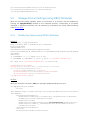
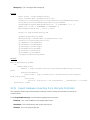
When the account setting capability allows, the username of an account may be modified by
invoking the ApplyAttributes() method on the UserName property. Confirmation of successful
username or password verification can be obtained by enumerating the DCIM_iDRACCardString
class( Section 19.6).
5.3.1
Modify User Name (using iDRAC Attributes)
EXAMPLE:
wsman invoke -a ApplyAttributes
http://schemas.dmtf.org/wbem/wscim/1/cimschema/
2/root/dcim/DCIM_
iDRACCardService
?SystemCreationClassName=DCIM_ComputerSystem,
CreationClassName=DCIM_iDRACCardService,SystemName=DCIM:ComputerSystem,Name=D
CIM:iDRACC
ardService
-h $IPADDRESS -V -v -c dummy.cert -P 443
-u $USERNAME -p $PASSWORD -j utf-8 -y basic -J DracCard_UserName.xml
The input file, DracCard_UserName.xml, is shown below:
<p:ApplyAttributes_INPUT
xmlns:p="http://schemas.dmtf.org/wbem/wscim/1/cimschema/
2/root/dcim/DCIM_iDRACCardService">
<p:Target>iDRAC.Embedded.1</p:Target>
<p:AttributeName>Users.4#UserName</p:AttributeName>
<p:AttributeValue>HELLO</p:AttributeValue>
</p:ApplyAttributes_INPUT>
OUTPUT:
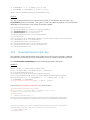
When this method is executed, a jobid or a message is displayed indicating an error.
<n1:ApplyAttributes_OUTPUT>
<n1:Job>
<wsa:Address>http://schemas.xmlsoap.org/ws/2004/08/addressing/role/anonymous<
/wsa:Address>
<wsa:ReferenceParameters>
<wsman:ResourceURI>http://schemas.dell.com/wbem/wscim/1/cimschema/
2/DCIM_LifecycleJob</wsman:ResourceURI>
<wsman:SelectorSet>
<wsman:Selector Name="InstanceID">JID_001299682234</wsman:Selector>
<wsman:Selector Name="__cimnamespace">root/dcim</wsman:Selector>
</wsman:SelectorSet>
</wsa:ReferenceParameters>
</n1:Job>
<n1:ReturnValue>4096</n1:ReturnValue>
</n1:ApplyAttributes_OUTPUT>
5.3.2
Modify Password (using iDRAC Attributes)
EXAMPLE:
wsman invoke -a ApplyAttributes
"http://schemas.dmtf.org/wbem/wscim/1/cimschema/
2/root/dcim/DCIM_
iDRACCardService
?SystemCreationClassName=DCIM_ComputerSystem,
CreationClassName=DCIM_iDRACCardService,SystemName=DCIM:ComputerSystem,Name=D
CIM:iDRACC
ardService"
-h $IPADDRESS -V -v -c dummy.cert -P 443
-u $USERNAME -p $PASSWORD -j utf-8 -y basic -J DracCard_Password.xml
The input file, DracCard_Password.xml, is shown here:
<p:ApplyAttributes_INPUT
xmlns:p="http://schemas.dmtf.org/wbem/wscim/1/cimschema/2/root/dcim/DCIM_iDRACCardService">
<p:Target>iDRAC.Embedded.1</p:Target>
<p:AttributeName>Users.4#Enable</p:AttributeName>
<p:AttributeValue>Enabled</p:AttributeValue>
<p:AttributeName>Users.4#Password</p:AttributeName>
<p:AttributeValue>PWORDHERE</p:AttributeValue>
</p:ApplyAttributes_INPUT>
OUTPUT:
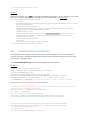
When this method is executed, a jobid or a message is displayed indicating an error.
<n1:ApplyAttributes_OUTPUT>
<n1:Job>
<wsa:Address>http://schemas.xmlsoap.org/ws/2004/08/addressing/role/anon
ymous</wsa:Address>
<wsa:ReferenceParameters>
<wsman:ResourceURI>http://schemas.dell.com/wbem/wscim/1/cimschema/
2/DCIM_LifecycleJob</wsman:ResourceURI>
<wsman:SelectorSet>
<wsman:Selector Name="InstanceID">JID_001299683297</wsman:Selector>
<wsman:Selector Name="__cimnamespace">root/dcim</wsman:Selector>
</wsman:SelectorSet>
</wsa:ReferenceParameters>
</n1:Job>
<n1:ReturnValue>4096</n1:ReturnValue>
</n1:ApplyAttributes_OUTPUT>
5.3.3
Modify Account State (using iDRAC Attributes)
When the account setting capability allows, the user account may be enabled or disabled by
invoking the method ApplyAttributes() method on the Enable property. Confirmation of the change
can be obtained by enumerating the DCIM_iDRACCardString class( Section 19.6).
EXAMPLE:
wsman invoke -a ApplyAttributes
"http://schemas.dmtf.org/wbem/wscim/1/cimschema/
2/root/dcim/DCIM_
iDRACCardService
?SystemCreationClassName=DCIM_ComputerSystem,
CreationClassName=DCIM_iDRACCardService,SystemName=DCIM:ComputerSystem,Name=D
CIM:iDRACC
ardService"
-h $IPADDRESS -V -v -c dummy.cert -P 443
-u $USERNAME -p $PASSWORD -j utf-8 -y basic -J DracCard_AccountChange.xml
The input file, DracCard_ AccountChange.xml, is shown below:
<p:ApplyAttributes_INPUT
xmlns:p="http://schemas.dmtf.org/wbem/wscim/1/cimschema/2/root/dcim/DCIM_iDRACCardService">
<p:Target>iDRAC.Embedded.1</p:Target>
<p:AttributeName>Users.4#Enable</p:AttributeName>
<p:AttributeValue>Enabled</p:AttributeValue>
<p:AttributeName>Users.4#Password</p:AttributeName>
<p:AttributeValue>PASSWORDHERE</p:AttributeValue>
</p:ApplyAttributes_INPUT>
OUTPUT:
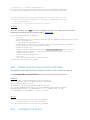
When this method is executed, a jobid or a message is displayed indicating an error.
ApplyAttributes_OUTPUT
<n1:ApplyAttributes_OUTPUT>
<n1:Job>
<wsa:Address>http://schemas.xmlsoap.org/ws/2004/08/addressing/role/anon
ymous</wsa:Address>
<wsa:ReferenceParameters>
<wsman:ResourceURI>http://schemas.dell.com/wbem/wscim/1/cimschema/
2/DCIM_LifecycleJob</wsman:ResourceURI>
<wsman:SelectorSet>
<wsman:Selector Name="InstanceID">JID_001299683957</wsman:Selector>
<wsman:Selector
Name="__cimnamespace">root/dcim</wsman:Selector>
</wsman:SelectorSet>
</wsa:ReferenceParameters>
</n1:Job>
<n1:ReturnValue>4096</n1:ReturnValue>
</n1:ApplyAttributes_OUTPUT>
The following error may result if the password has not initially been set to a value. The password may
be set an initail value at the same time as the account is enabled by adding the Users.4#Password
attribute name and corresponding attribute value, as shown above.
<n1:ApplyAttributes_OUTPUT>
<n1:Message>The User Password is not configured so cannot Enable the
User or set values for
User Password IPMILan IPMISerial or User Admin Privilege</n1:Message>
<n1:MessageArguments>NULL</n1:MessageArguments>
<n1:MessageID>RAC023</n1:MessageID>
<n1:ReturnValue>2</n1:ReturnValue>
</n1:ApplyAttributes_OUTPUT>
5.3.4
Modify User Privilege (using iDRAC Attributes)
When the account setting capability allows, the user privileges may be enabled or disabled by
invoking the method ApplyAttributes() method on the Enable property. Confirmation of the change
can be obtained by enumerating the DCIM_iDRACCardString class( Section 19.6).
EXAMPLE:
wsman invoke -a ApplyAttributes
"http://schemas.dmtf.org/wbem/wscim/1/cimschema/
2/root/dcim/DCIM_
iDRACCardService
?SystemCreationClassName=DCIM_ComputerSystem,
CreationClassName=DCIM_iDRACCardService,SystemName=DCIM:ComputerSystem,Name=D
CIM:iDRACC
ardService"
-h $IPADDRESS -V -v -c dummy.cert -P 443
-u $USERNAME -p $PASSWORD -j utf-8 -y basic
-J DracCard_PrivilegeChange.xml
The input file, DracCard_ PrivilegeChange.xml, is shown below:
<p:ApplyAttributes_INPUT
xmlns:p="http://schemas.dmtf.org/wbem/wscim/1/cimschema/2/root/dcim/DCIM_iDRACCardService">
<p:Target>iDRAC.Embedded.1</p:Target>
<p:AttributeName>Users.4#IpmiLanPrivilege</p:AttributeName>
<p:AttributeValue>Operator</p:AttributeValue>
</p:ApplyAttributes_INPUT>
OUTPUT:
When this method is executed, a jobid or a message is displayed indicating an error.
<n1:ApplyAttributes_OUTPUT>
<n1:Job>
<wsa:Address>http://schemas.xmlsoap.org/ws/2004/08/addressing/role/anon
ymous</wsa:Address>
<wsa:ReferenceParameters>
<wsman:ResourceURI>http://schemas.dell.com/wbem/wscim/1/cimschema/
2/DCIM_LifecycleJob</wsman:ResourceURI>
<wsman:SelectorSet>
<wsman:Selector Name="InstanceID">JID_001299684480</wsman:Selector>
<wsman:Selector Name="__cimnamespace">root/dcim</wsman:Selector>
</wsman:SelectorSet>
</wsa:ReferenceParameters>
</n1:Job>
<n1:ReturnValue>4096</n1:ReturnValue>
</n1:ApplyAttributes_OUTPUT>
5.4
Account Inventory (using DMTF Model)
The list of user accounts may be retrieved by enumerating the CIM_Account class. The class
provides the user account name and EnabledState properties. The user account password is also
included but it is a write-only property.
Profiles:
http://www.dmtf.org/sites/default/files/standards/documents/DSP1034_1.0.1.pdf
http://www.dmtf.org/sites/default/files/standards/documents/DSP1039_1.0.0.pdf
5.4.1
Account and Capabilities (using DMTF Model)
Example-A demonstrates standard ouput. Example-B demonstrates EPR mode
output.
EXAMPLE-A:
wsman enumerate "http://schemas.dmtf.org/wbem/wscim/1/cimschema/2/CIM_Account"
-h $IPADDRESS -V –v -c dummy.cert -P 443
-u $USERNAME -p $PASSWORD
-j utf-8 -y basic
OUTPUT-A:
<n1:DCIM_MFAAccount>
<n1:AuthenticateMethod xsi:nil="true"/>
<n1:AvailableRequestedStates xsi:nil="true"/>
<n1:Caption xsi:nil="true"/>
<n1:CommunicationStatus xsi:nil="true"/>
<n1:ComplexPasswordRulesEnforced xsi:nil="true"/>
<n1:CreationClassName>DCIM_MFAAccount</n1:CreationClassName>
<n1:Description xsi:nil="true"/>
<n1:Descriptions xsi:nil="true"/>
<n1:DetailedStatus xsi:nil="true"/>
<n1:ElementName>MFA Account 13</n1:ElementName>
<n1:EnabledDefault>2</n1:EnabledDefault>
<n1:EnabledState>3</n1:EnabledState>
<n1:HealthState xsi:nil="true"/>
<n1:Host xsi:nil="true"/>
<n1:InactivityTimeout xsi:nil="true"/>
<n1:InstallDate xsi:nil="true"/>
<n1:LastLogin xsi:nil="true"/>
<n1:LocalityName xsi:nil="true"/>
<n1:MaximumSuccessiveLoginFailures xsi:nil="true"/>
<n1:Name>DCIM User 13</n1:Name>
<n1:OU xsi:nil="true"/>
<n1:ObjectClass xsi:nil="true"/>
<n1:OperatingStatus xsi:nil="true"/>
<n1:OperationalStatus xsi:nil="true"/>
<n1:OrganizationName>DCIM</n1:OrganizationName>
<n1:OtherEnabledState xsi:nil="true"/>
<n1:PasswordExpiration xsi:nil="true"/>
<n1:PasswordHistoryDepth xsi:nil="true"/>
<n1:PrimaryStatus xsi:nil="true"/>
<n1:RequestedState>0</n1:RequestedState>
<n1:SeeAlso xsi:nil="true"/>
<n1:Status xsi:nil="true"/>
<n1:StatusDescriptions xsi:nil="true"/>
<n1:SystemCreationClassName>DCIM_SPComputerSystem
</n1:SystemCreationClassName>
<n1:SystemName>systemmc</n1:SystemName>
<n1:TimeOfLastStateChange xsi:nil="true"/>
<n1:TransitioningToState>12</n1:TransitioningToState>
<n1:UserCertificate xsi:nil="true"/>
<n1:UserID/>
<n1:UserPassword xsi:nil="true"/>
</n1:DCIM_MFAAccount>
<n1:DCIM_MFAAccount>
<n1:AuthenticateMethod xsi:nil="true"/>
<n1:AvailableRequestedStates xsi:nil="true"/>
<n1:Caption xsi:nil="true"/>
<n1:CommunicationStatus xsi:nil="true"/>
<n1:ComplexPasswordRulesEnforced xsi:nil="true"/>
<n1:CreationClassName>DCIM_MFAAccount</n1:CreationClassName>
<n1:Description xsi:nil="true"/>
<n1:Descriptions xsi:nil="true"/>
<n1:DetailedStatus xsi:nil="true"/>
<n1:ElementName>MFA Account 2</n1:ElementName>
<n1:EnabledDefault>2</n1:EnabledDefault>
<n1:EnabledState>2</n1:EnabledState>
<n1:HealthState xsi:nil="true"/>
<n1:Host xsi:nil="true"/>
EXAMPLE-B:
wsman enumerate "http://schemas.dmtf.org/wbem/wscim/1/cim-schema/2/CIM_Account"
-h $IPADDRESS -V -v -c dummy.cert -P 443
-u $USERNAME -p $PASSWORD
OUTPUT-B:
<wsa:EndpointReference>
<wsa:Address>http://schemas.xmlsoap.org/ws/2004/08/addressing/role/anonymous<
/wsa:Address>
<wsa:ReferenceParameters>
<wsman:ResourceURI>http://schemas.dell.com/wbem/wscim/1/cimschema/
2/DCIM_MFAAccount</wsman:ResourceURI>
<wsman:SelectorSet>
<wsman:Selector
Name="SystemCreationClassName">DCIM_SPComputerSystem</wsman:Selector>
<wsman:Selector Name="SystemName">systemmc</wsman:Selector>
<wsman:Selector Name="CreationClassName">DCIM_MFAAccount</wsman:Selector>
<wsman:Selector Name="Name">DCIM User 1</wsman:Selector>
</wsman:SelectorSet>
</wsa:ReferenceParameters>
</wsa:EndpointReference>
<wsa:EndpointReference>
<wsa:Address>http://schemas.xmlsoap.org/ws/2004/08/addressing/role/anonymous<
/wsa:Address>
<wsa:ReferenceParameters>
<wsman:ResourceURI>http://schemas.dell.com/wbem/wscim/1/cimschema/
2/DCIM_MFAAccount</wsman:ResourceURI>
<wsman:SelectorSet>
<wsman:Selector
Name="SystemCreationClassName">DCIM_SPComputerSystem</wsman:Selector>
<wsman:Selector Name="SystemName">systemmc</wsman:Selector>
<wsman:Selector Name="CreationClassName">DCIM_MFAAccount</wsman:Selector>
<wsman:Selector Name="Name">DCIM User 2</wsman:Selector>
</wsman:SelectorSet>
</wsa:ReferenceParameters>
</wsa:EndpointReference>
.
.
.
Account setting capability is defined in the class CIM_AccountManagementCapabilities associated
with the CIM_Account class instance. The ability to enable and disable an account is defined in the
capability class CIM_EnabledLogicalElementCapabilities associated with the CIM_Account class.
To determine account setting capabilities:
1.
Get the CIM_Account class instance of interest using EnumerateEPR mode.
2.
Enumerate the associators of the CIM_Account instance and search for
CIM_AccountManagementService class instance using EnumerateEPR mode.
3. Enumerate the associators of the CIM_AccountManagementService instance and search
for CIM_AccountManagementCapabilities class instance.
4. One exception is account index 0. The first account is static and cannot be set.
OUTPUT-C:
<n1:DCIM_MFAManagementCapabilities>
<n1:Caption xsi:nil="true"/>
<n1:Description xsi:nil="true"/>
<n1:ElementName>MFAManagementCapabilities</n1:ElementName>
<n1:ElementNameEditSupported>false
</n1:ElementNameEditSupported>
<n1:ElementNameMask xsi:nil="true"/>
<n1:InstanceID>DCIM:MFAManagementCapabilities:1
</n1:InstanceID>
<n1:MaxElementNameLen>0</n1:MaxElementNameLen>
<n1:OperationsSupported>3</n1:OperationsSupported>
<n1:RequestedStatesSupported xsi:nil="true"/>
<n1:StateAwareness xsi:nil="true"/>
<n1:SupportedAuthenticationMethod>0
</n1:SupportedAuthenticationMethod>
<n1:SupportedAuthenticationMethod>1
</n1:SupportedAuthenticationMethod>
<n1:SupportedAuthenticationMethod>2
</n1:SupportedAuthenticationMethod>
</n1:DCIM_MFAManagementCapabilities>
<n1:DCIM_IPMICLPAccountManagementCapabilities>
<n1:Caption xsi:nil="true"/>
<n1:Description xsi:nil="true"/>
<n1:ElementName>IPMICLPAccountManagementCapabilities
</n1:ElementName>
<n1:ElementNameEditSupported>false
</n1:ElementNameEditSupported>
<n1:ElementNameMask xsi:nil="true"/>
<n1:InstanceID>DCIM:IPMICLPAccountManagementCapabilities:1
</n1:InstanceID>
<n1:MaxElementNameLen>0</n1:MaxElementNameLen>
<n1:OperationsSupported>3</n1:OperationsSupported>
<n1:RequestedStatesSupported xsi:nil="true"/>
<n1:StateAwareness xsi:nil="true"/>
</n1:DCIM_IPMICLPAccountManagementCapabilities>
To determine account state setting capabilities:
1.
Get the CIM_Account class instance of interest using EnumerateEPR mode.
2. Enumerate the associators of the CIM_Account instance and search
for CIM_EnabledLogicalElementCapabilities class instance.
3. The presence of “RequestedStatesSupported” determines which states could be set.
4. One exception is account index 0. The first account is static and cannot be set.
OUTPUT-D:
<n1:DCIM_MFAEnabledLogicalElementCapabilities>
<n1:Caption xsi:nil="true"/>
<n1:Description xsi:nil="true"/>
<n1:ElementName>Account Capabilities</n1:ElementName>
<n1:ElementNameEditSupported>false
</n1:ElementNameEditSupported>
<n1:ElementNameMask xsi:nil="true"/>
<n1:InstanceID>DCIM:Account:Capabilities:1</n1:InstanceID>
<n1:MaxElementNameLen>0</n1:MaxElementNameLen>
<n1:RequestedStatesSupported>2</n1:RequestedStatesSupported>
<n1:RequestedStatesSupported>3</n1:RequestedStatesSupported>
<n1:StateAwareness xsi:nil="true"/>
</n1:DCIM_MFAEnabledLogicalElementCapabilities>
.
.
.
5.4.2
Privilege and Capabilities (using DMTF Model)
The account privilege assigned to you is defined in the class CIM_Privilege associated with the
CIM_Account class. The class contains a list of privileges granted to the user account.
Profiles:
http://www.dmtf.org/sites/default/files/standards/documents/DSP1034_1.0.1.pdf
http://www.dmtf.org/sites/default/files/standards/documents/DSP1039_1.0.0.pdf
To get the instance of CIM_Privilege for an account:
1.
Get the CIM_Account class instance of interest using EnumerateEPR mode.
2. Enumerate the associators of the CIM_Account instance and search for CIM_Identity
class instance using EnumerateEPR mode.
3. Enumerate the associators of the CIM_Identity instance and search for CIM_Role class
instance using EnumerateEPR mode.
4. Enumerate the associators of the CIM_Role instance and search for CIM_Privilege class
instance.
An alternative to the above method, you can retrieve the specific CIM_Privilege instance by
enumerating the class directly with filter. This method is similar to the example used to retrieve
CIM_Account.
EXAMPLE:
wsman enumerate http://schemas.dmtf.org/wbem/wscim/1/cimschema/
2/root/dcim/DCIM_LocalRolePrivilege
-h $IPADDRESS -V -v -c dummy.cert -P 443
-u $USERNAME -p $PASSWORD -j utf-8 -y basic
OUTPUT:
<n1:DCIM_LocalRolePrivilege>
<n1:Activities xsi:nil="true"/>
<n1:ActivityQualifiers xsi:nil="true"/>
<n1:Caption xsi:nil="true"/>
<n1:Description xsi:nil="true"/>
<n1:ElementName xsi:nil="true"/>
<n1:InstanceID>DCIM:Privilege:1</n1:InstanceID>
<n1:PrivilegeGranted>true</n1:PrivilegeGranted>
<n1:QualifierFormats xsi:nil="true"/>
<n1:RepresentsAuthorizationRights>false
</n1:RepresentsAuthorizationRights>
</n1:DCIM_LocalRolePrivilege>
<n1:DCIM_LocalRolePrivilege>
<n1:Activities>7</n1:Activities>
<n1:Activities>7</n1:Activities>
<n1:Activities>7</n1:Activities>
<n1:Activities>7</n1:Activities>
<n1:Activities>7</n1:Activities>
<n1:Activities>7</n1:Activities>
<n1:Activities>7</n1:Activities>
<n1:Activities>7</n1:Activities>
<n1:Activities>7</n1:Activities>
<n1:ActivityQualifiers>Login to DRAC</n1:ActivityQualifiers>
<n1:ActivityQualifiers>Configure DRAC</n1:ActivityQualifiers>
<n1:ActivityQualifiers>Configure Users
</n1:ActivityQualifiers>
<n1:ActivityQualifiers>Clear Logs</n1:ActivityQualifiers>
<n1:ActivityQualifiers>Execute Server Control Commands
</n1:ActivityQualifiers>
<n1:ActivityQualifiers>Access Console Redirection
</n1:ActivityQualifiers>
<n1:ActivityQualifiers>Access Virtual Media
</n1:ActivityQualifiers>
<n1:ActivityQualifiers>Test Alerts</n1:ActivityQualifiers>
<n1:ActivityQualifiers>Execute Diagnostic Commands
</n1:ActivityQualifiers>
<n1:Caption xsi:nil="true"/>
<n1:Description xsi:nil="true"/>
<n1:ElementName xsi:nil="true"/>
<n1:InstanceID>DCIM:Privilege:2</n1:InstanceID>
<n1:PrivilegeGranted>true</n1:PrivilegeGranted>
<n1:QualifierFormats>9</n1:QualifierFormats>
<n1:QualifierFormats>9</n1:QualifierFormats>
<n1:QualifierFormats>9</n1:QualifierFormats>
<n1:QualifierFormats>9</n1:QualifierFormats>
<n1:QualifierFormats>9</n1:QualifierFormats>
<n1:QualifierFormats>9</n1:QualifierFormats>
<n1:QualifierFormats>9</n1:QualifierFormats>
<n1:QualifierFormats>9</n1:QualifierFormats>
<n1:QualifierFormats>9</n1:QualifierFormats>
<n1:RepresentsAuthorizationRights>true
</n1:RepresentsAuthorizationRights>
</n1:DCIM_LocalRolePrivilege>
<n1:DCIM_LocalRolePrivilege>
<n1:Activities xsi:nil="true"/>
<n1:ActivityQualifiers xsi:nil="true"/>
<n1:Caption xsi:nil="true"/>
<n1:Description xsi:nil="true"/>
<n1:ElementName xsi:nil="true"/>
<n1:InstanceID>DCIM:Privilege:3</n1:InstanceID>
<n1:PrivilegeGranted>true</n1:PrivilegeGranted>
<n1:QualifierFormats xsi:nil="true"/>
<n1:RepresentsAuthorizationRights>false
</n1:RepresentsAuthorizationRights>
</n1:DCIM_LocalRolePrivilege>
.
.
.
Privilege setting capability is defined in the class CIM_RoleBasedManagementCapabilities
associated with the CIM_Privilege class instance. This class contains the list of possible values used
to assign privileges. Look for the property ActivityQualifiersSupported.
To determine privilege setting capabilities:
1.
Acquire the class instance of CIM_Privilege of interest.
2. Enumerate the associators of the CIM_Privilege instance and
CIM_RoleBasedAuthorizationService class instance using EnumerateEPR mode.
search
for
3. Enumerate the associators of the CIM_RoleBasedAuthorizationService instance and search
for CIM_RoleBasedManagementCapabilities class instance using EnumerateEPR mode.
OUTPUT:
DCIM_LocalRoleBasedManagementCapabilities
ActivitiesSupported = 7, 7, 7, 7, 7, 7, 7, 7, 7
ActivityQualifiersSupported = Login to DRAC, Configure DRAC, Configure
Users, Clear Logs, Execute
Server Control Commands, Access Console Redirection, Access Virtual
Media, Test Alerts, Execute Di
agnostic Commands
Caption = null
Description = null
ElementName = Local Role Based Management Capabilities
InstanceID = DCIM:LocalRoleBasedManagementCapabilities
QualifierFormatsSupported = 9, 9, 9, 9, 9, 9, 9, 9, 9
SharedPrivilegeSupported = false
SupportedMethods = 8
DCIM_CLPRoleBasedManagementCapabilities
ActivitiesSupported = null
ActivityQualifiersSupported = null
Caption = null
Description = null
ElementName = CLP Role Based Management Capabilities
InstanceID = DCIM:CLPRoleBasedManagementCapabilities
QualifierFormatsSupported = null
SharedPrivilegeSupported = false
SupportedMethods = 6
DCIM_IPMIRoleBasedManagementCapabilities
ActivitiesSupported = null
ActivityQualifiersSupported = null
Caption = null
Description = null
ElementName = IPMI Role Based Management Capabilities
InstanceID = DCIM:IPMIRoleBasedManagementCapabilities
QualifierFormatsSupported = null
SharedPrivilegeSupported = false
SupportedMethods = 6
5.5
Manage Account Settings (using DMTF Model)
5.5.1
Modify User Name (using DMTF Model)
When the account setting capability allows, the user name of an account may be modified by
running a set operation on the UserID property of the CIM_Account class instance. The set operation
requires an instance reference. The instance reference may be retrieved by adding EnumerateEPR
mode to enumerate or get of the class.
Profiles:
http://www.dmtf.org/sites/default/files/standards/documents/DSP1034_1.0.1.pdf
http://www.dmtf.org/sites/default/files/standards/documents/DSP1039_1.0.0.pdf
To set the user name and password for local accounts:
A) Enumerate CIM_Account with EPR to identify all possible instance information to be used in
a subsequent put or set operations.
EXAMPLE-A:
wsman enumerate "http://schemas.dmtf.org/wbem/wscim/1/cimschema/2/CIM_Account
?__cimnamespace=root/dcim"
-h $IPADDRESS -V -v -c dummy.cert -P 443
-u $USERNAME -p $PASSWORD
When this command is executed, a list of objects will be returned. Below is a snippet of the output.
OUTPUT-A:
<wsa:EndpointReference>
<wsa:Address>http://schemas.xmlsoap.org/ws/2004/08/addressing/role/anonymous<
/wsa:Address>
<wsa:ReferenceParameters>
<wsman:ResourceURI>http://schemas.dell.com/wbem/wscim/1/cimschema/
2/DCIM_MFAAccount</wsman:ResourceURI>
<wsman:SelectorSet>
<wsman:Selector Name="SystemCreationClassName">
DCIM_SPComputerSystem
</wsman:Selector>
<wsman:Selector Name="SystemName">systemmc
</wsman:Selector>
<wsman:Selector Name="CreationClassName">
DCIM_MFAAccount</wsman:Selector>
<wsman:Selector Name="Name">DCIM User 1</wsman:Selector>
</wsman:SelectorSet>
</wsa:ReferenceParameters>
</wsa:EndpointReference>
<wsa:ReferenceParameters>
<wsman:ResourceURI>http://schemas.dell.com/wbem/wscim/1/
cim-schema/2/DCIM_MFAAccount</wsman:ResourceURI>
<wsman:SelectorSet>
<wsman:Selector Name="SystemCreationClassName">
DCIM_SPComputerSystem</wsman:Selector>
<wsman:Selector Name="SystemName">systemmc
</wsman:Selector>
<wsman:Selector Name="CreationClassName">
DCIM_MFAAccount</wsman:Selector>
<wsman:Selector Name="Name">DCIM User 2</wsman:Selector>
</wsman:SelectorSet>
</wsa:ReferenceParameters>
</wsa:EndpointReference>
.
.
.
B) Perform a ‘get’ on any instance from A) to ensure correctness of the URI.
EXAMPLE-B:
wsman get "http://schemas.dmtf.org/wbem/wscim/1/cim-schema/2/DCIM_MFAAccount
?__cimnamespace=root/dcim,SystemCreationClassName=DCIM_SPComputerSystem,Creat
ionClassNam
e=DCIM_MFAAccount,SystemName=systemmc,
Name=DCIM User 1"
-h $IPADDRESS -V -v -c dummy.cert -P 443
-u $USERNAME -p $PASSWORD
-j utf-8 -y basiс
When this method is executed, the particular object will be returned. Below is the output.
OUTPUT-B:
<n1:DCIM_MFAAccount>
<n1:AuthenticateMethod xsi:nil="true"/>
<n1:AvailableRequestedStates xsi:nil="true"/>
<n1:Caption xsi:nil="true"/>
<n1:CommunicationStatus xsi:nil="true"/>
<n1:ComplexPasswordRulesEnforced xsi:nil="true"/>
<n1:CreationClassName>DCIM_MFAAccount</n1:CreationClassName>
<n1:Description xsi:nil="true"/>
<n1:Descriptions xsi:nil="true"/>
<n1:DetailedStatus xsi:nil="true"/>
<n1:ElementName>MFA Account 1</n1:ElementName>
<n1:EnabledDefault>2</n1:EnabledDefault>
<n1:EnabledState>3</n1:EnabledState>
<n1:HealthState xsi:nil="true"/>
<n1:Host xsi:nil="true"/>
<n1:InactivityTimeout xsi:nil="true"/>
<n1:InstallDate xsi:nil="true"/>
<n1:LastLogin xsi:nil="true"/>
<n1:LocalityName xsi:nil="true"/>
<n1:MaximumSuccessiveLoginFailures xsi:nil="true"/>
<n1:Name>DCIM User 1</n1:Name>
<n1:OU xsi:nil="true"/>
<n1:ObjectClass xsi:nil="true"/>
<n1:OperatingStatus xsi:nil="true"/>
<n1:OperationalStatus xsi:nil="true"/>
<n1:OrganizationName>DCIM</n1:OrganizationName>
<n1:OtherEnabledState xsi:nil="true"/>
<n1:PasswordExpiration xsi:nil="true"/>
<n1:PasswordHistoryDepth xsi:nil="true"/>
<n1:PrimaryStatus xsi:nil="true"/>
<n1:RequestedState>0</n1:RequestedState>
<n1:SeeAlso xsi:nil="true"/>
<n1:Status xsi:nil="true"/>
<n1:StatusDescriptions xsi:nil="true"/>
<n1:SystemCreationClassName>DCIM_SPComputerSystem
</n1:SystemCreationClassName>
<n1:SystemName>systemmc</n1:SystemName>
<n1:TimeOfLastStateChange xsi:nil="true"/>
<n1:TransitioningToState>12</n1:TransitioningToState>
<n1:UserCertificate xsi:nil="true"/>
<n1:UserID/>
<n1:UserPassword xsi:nil="true"/>
</n1:DCIM_MFAAccount>
C) If B) is successful, set the new values for the specified instance.
EXAMPLE-C:
wsman put "http://schemas.dmtf.org/wbem/wscim/1/cimschema/2/DCIM_MFAAccount
?__cimnamespace=root/dcim,SystemCreationClassName=DCIM_SPComputerSyste,Creati
onClassName=
DCIM_MFAAccount,SystemName=systemmc,Name=DCIM User 16"
-h $IPADDRESS -V -v -c dummy.cert -P 443
-u $USERNAME -p $PASSWORD
-k UserID=testuser4 -k UserPassword=testuserpss4
-j utf-8 -y basic
When this command is executed, the UserID will be displayed in the output. The UserPassword will
be displayed as null when the account is disabled. After the account is enabled, it will be displayed as
blank. The value of UserPassword will never be displayed.
OUTPUT-C:
<n1:DCIM_MFAAccount>
<n1:AuthenticateMethod xsi:nil="true"/>
<n1:AvailableRequestedStates xsi:nil="true"/>
<n1:Caption xsi:nil="true"/>
<n1:CommunicationStatus xsi:nil="true"/>
<n1:ComplexPasswordRulesEnforced xsi:nil="true"/>
<n1:CreationClassName>DCIM_MFAAccount</n1:CreationClassName>
<n1:Description xsi:nil="true"/>
<n1:Descriptions xsi:nil="true"/>
<n1:DetailedStatus xsi:nil="true"/>
<n1:ElementName>MFA Account 16</n1:ElementName>
<n1:EnabledDefault>2</n1:EnabledDefault>
<n1:EnabledState>2</n1:EnabledState>
<n1:HealthState xsi:nil="true"/>
<n1:Host xsi:nil="true"/>
<n1:InactivityTimeout xsi:nil="true"/>
<n1:InstallDate xsi:nil="true"/>
<n1:LastLogin xsi:nil="true"/>
<n1:LocalityName xsi:nil="true"/>
<n1:MaximumSuccessiveLoginFailures xsi:nil="true"/>
<n1:Name>DCIM User 16</n1:Name>
<n1:OU xsi:nil="true"/>
<n1:ObjectClass xsi:nil="true"/>
<n1:OperatingStatus xsi:nil="true"/>
<n1:OperationalStatus xsi:nil="true"/>
<n1:OrganizationName>DCIM</n1:OrganizationName>
<n1:OtherEnabledState xsi:nil="true"/>
<n1:PasswordExpiration xsi:nil="true"/>
<n1:PasswordHistoryDepth xsi:nil="true"/>
<n1:PrimaryStatus xsi:nil="true"/>
<n1:RequestedState>0</n1:RequestedState>
<n1:SeeAlso xsi:nil="true"/>
<n1:Status xsi:nil="true"/>
<n1:StatusDescriptions xsi:nil="true"/>
<n1:SystemCreationClassName>DCIM_SPComputerSystem
</n1:SystemCreationClassName>
<n1:SystemName>systemmc</n1:SystemName>
<n1:TimeOfLastStateChange xsi:nil="true"/>
<n1:TransitioningToState>12</n1:TransitioningToState>
<n1:UserCertificate xsi:nil="true"/>
<n1:UserID>testuser4</n1:UserID>
<n1:UserPassword>testuserpss4</n1:UserPassword>
</n1:DCIM_MFAAccount>
D) If the account specified is new or not yet enabled, it will not be accessible. Login as root in the UI
and verify the user name is set correctly and enable it.
E) Logout of the UI. Login with new user name and password.
Possible responses:
1.
A fault is returned which suggests a possible error in the request payload.
2. An empty response which suggests an error occurred while processing the request.
3. An instance of the class is returned where the property value is unchanged.
4. An instance of the class is returned where the property value is modified. The set is successful.
5.
The property value may be blank as intended by the implementation for security. To
determine success, try logging in with the new password. Ensure the account is enabled.
5.5.2
Modify Password (using DMTF Model)
When the account setting capability allows, the user password of an account may be modified
by running a set operation on the UserPassword property of the CIM_Account class instance.
The set operation requires an instance reference. The instance reference may be retrieved by
adding EnumerateEPR mode to enumerate or get of the class.
NOTE: The profile defines this property as a string array of type octet string. In this implementation,
the password is a string of type clear text. The security concern is resolved by transmission of this
information only through secure HTTPS communication.
Profiles:
http://www.dmtf.org/sites/default/files/standards/documents/DSP1034_1.0.1.pdf
http://www.dmtf.org/sites/default/files/standards/documents/DSP1039_1.0.0.pdf
See Section 5.5.1 for an implementation example.
5.5.3
Modify Account State (using DMTF Model)
When the account setting capability allows, the user account may be enabled or disabled by invoking the
RequestStateChange() method of the CIM_Account class instance. The invoke operation requires
an instance reference. The instance reference may be retrieved by adding EnumerateEPR mode
to enumerate or get of the class.
Profiles:
http://www.dmtf.org/sites/default/files/standards/documents/DSP1034_1.0.1.pdf
http://www.dmtf.org/sites/default/files/standards/documents/DSP1039_1.0.0.pdf
Replace “DCIM User 16” with the applicable user name and “2” with the desired request state.
Invoke RequestStateChange() with the following parameters and syntax:
EXAMPLE:
wsman invoke -a RequestStateChange
"http://schemas.dmtf.org/wbem/wscim/1/cimschema/2/DCIM_MFAAccount
?__cimnamespace=root/dcim,SystemCreationClassName=DCIM_SPComputerSyste,Creati
onClassName=
DCIM_MFAAccount,SystemName=systemmc,
Name=DCIM User 16"
-h $IPADDRESS -V -v -c dummy.cert -P 443
-u $USERNAME -p $PASSWORD
-k RequestedState=2
-j utf-8 -y basic
OUTPUT:
<n1:RequestStateChange_OUTPUT>
<n1:Job xsi:nil="true"/>
<n1:ReturnValue>0</n1:ReturnValue>
</n1:RequestStateChange_OUTPUT>
Response status other than zero indicates an error has occurred and a message may be displayed.
5.5.4
Modify User Privilege (using DMTF Model)
When the account setting capability allows, the user account privileges may be modified by running
a set() operation on the ActivityQualifiers property of the CIM_Privilege class instance associated
with the CIM_Account class instance. The set() operation requires an instance reference. The
instance reference may be retrieved by adding EnumerateEPR mode to enumerate or get of the
class.
The profile defines this property as string array containing all the privileges to be allowed for the
account. Setting the list of privileges is a complete over-write of the earlier setting. This restriction is a
limitation where the protocol does not define how to set a particular index in the list. The new list will
replace the earlier list in its entirety.
Profiles:
http://www.dmtf.org/sites/default/files/standards/documents/DSP1034_1.0.1.pdf
http://www.dmtf.org/sites/default/files/standards/documents/DSP1039_1.0.0.pf
Here is an example list of available privileges from an instance of the class
CIM_RoleBasedManagementCapabilities:
DCIM_LocalRoleBasedManagementCapabilities
ActivitiesSupported = 7, 7, 7, 7, 7, 7, 7, 7, 7
ActivityQualifiersSupported = Login to DRAC, Configure DRAC, Configure
Users, Clear Logs, Execute Server Control Commands, Access Console
Redirection, Access Virtual Media, Test Alerts, Execute Di agnostic
Commands
ElementName = Local Role Based Management Capabilities
InstanceID = DCIM:LocalRoleBasedManagementCapabilities
QualifierFormatsSupported = 9, 9, 9, 9, 9, 9, 9, 9, 9
SharedPrivilegeSupported = false
SupportedMethods = 8
The privilege property ActivityQualifiers is an array of type string. To set more than one privilege, you
need to provide the same key name more than once. The tool does not allow duplicate keys to be
entered through the command line. Instead, you need to perform two operations.
Get an instance of the CIM_Privilege class of interest.
Using the class instance, replace the property ActivityQualifiers with the new values.
Use the new instance XML as input to the set operation.
To determine if the new password has been successfully set, try logging in with the new
password. Make sure the account is enabled.
6
Firmware Inventory
6.1
Software Inventory Profile Specification
The Dell Common Information Model (CIM) class extensions for supporting remote firmware
2
3
inventory are defined in the Dell OS Software Update
and related MOFs . The diagrams
representing the classes that are implemented by the Lifecycle Controller firmware can be found in
Dell Software Inventory Profile.
6.2
Remote Inventory Method Invocation — Get Software
Inventory
The SoftwareIdentity class contains information for the BIOS and component firmware installed on
the target system as well as available firmware images cached in the Lifecycle Controller. The
enumeration of the SoftwareIdentity class returns a list of SoftwareIdentity objects with properties
such as firmware type and version.
Profile and Associated MOFs:
http://www.delltechcenter.com/page/DCIM.Library.Profile
EXAMPLE:
wsman enumerate
http://schemas.dmtf.org/wbem/wscim/1/cimschema/2/root/dcim/DCIM_SoftwareIdent
ity
-h $IPADDRESS -V -v -c dummy.cert -P 443
-u $USERNAME -p $PASSWORD
-j utf-8 -y basic
When this method is run, a list of software identity objects will be returned, including installed and
available firmware. Below is a snippet of the output.
OUTPUT:
<n1:DCIM_SoftwareIdentity>
<n1:BuildNumber>4846</n1:BuildNumber>
<n1:Classifications>10</n1:Classifications>
<n1:ComponentID>28897</n1:ComponentID>
<n1:ComponentType>APAC</n1:ComponentType>
<n1:DeviceID xsi:nil="true"/>
<n1:ElementName>Dell Lifecycle Controller 2, 1.0.0.4846, X79
</n1:ElementName>
<n1:FQDD>USC.Embedded.1:LC.Embedded.1</n1:FQDD>
<n1:IdentityInfoType>OrgID:ComponentType:ComponentID
</n1:IdentityInfoType>
<n1:IdentityInfoValue>DCIM:firmware:28897
</n1:IdentityInfoValue>
<n1:InstallationDate>2012-01-15T22:22:32Z
</n1:InstallationDate>
<n1:InstanceID>DCIM:INSTALLED#802__USC.Embedded.1:LC.Embedded.1
</n1:InstanceID>
<n1:IsEntity>true</n1:IsEntity>
<n1:MajorVersion>1</n1:MajorVersion>
<n1:MinorVersion>0</n1:MinorVersion>
<n1:RevisionNumber>0</n1:RevisionNumber>
<n1:RevisionString xsi:nil="true"/>
<n1:Status>Installed</n1:Status>
<n1:SubDeviceID xsi:nil="true"/>
<n1:SubVendorID xsi:nil="true"/>
<n1:Updateable>true</n1:Updateable>
<n1:VendorID xsi:nil="true"/>
<n1:VersionString>1.0.0.4846</n1:VersionString>
<n1:impactsTPMmeasurements>false</n1:impactsTPMmeasurements>
</n1:DCIM_SoftwareIdentity>
The key properties in the above output include the following:
InstanceID: Normally identifies the firmware on a particular type of device. The substring right
after DCIM: is the status of a payload or firmware on the system. This can be installed or available.
ComponentID: Uniquely identifies a unique type of device such as BIOS, NIC, Storage and
Lifecycle controller firmware.
InstallationDate: The date when the payload was installed to the system. If the system time was
not set when the firmware installation took place the install date will be 1970-01-01. Factory
installed firmware will have the 1970-01-01 date.
VersionString: Displays the version of the firmware represented.
7
Firmware Update
7.1
Software Update Profile Specification
The Dell Common Information Model (CIM) class extensions for supporting BIOS, component
2
firmware, and embedded software update are defined in the Dell Software Update Profile and
3
related MOF files . The diagrams representing the classes that are implemented by the Lifecycle
Controller firmware can be found in Dell Software Update Profile as well.
Profile and Associated MOFs:
http://www.delltechcenter.com/page/DCIM.Library.Profile
7.2
”Rollback” Firmware
The InstallFromSoftwareIdentity() method is used for installation of a earlier version of a component
firmware that is available on the Lifecycle Controller (that is “rollback” of component firmware). The
general “Rollback” firmware steps are performed in several stages as described in the next sections.
The tasks are demonstrated in examples in Section 7.3 and Section 7.4.
7.2.1
Request “Rollback” Image
The first stage is a request to initiate and download the rollback image from the Lifecycle
Controller by invoking the InstallFromSoftwareIdentity() method.
7.2.2
Create Reboot Job
The second stage is to create a reboot job as shown in Section 7.8.
7.2.3
Schedule Update Jobs
The third stage is to invoke the SetupJobQueue() method as shown in Section 10.2.1. Use the
jobID(JID) from InstallFromSoftwareIdentity() and rebootID(RID) from the reboot job. The reboot
may take several minutes as the UEFI performs the desired operation.
7.2.4
Monitor Update Jobs
The output of getting the job status during various steps, Section 10.2.3, is shown below.
Initial job status after invoking InstallFromSoftwareIdentity
<n1:DCIM_LifecycleJob>
<n1:InstanceID>JID_001299159345</n1:InstanceID>
<n1:JobStartTime/>
<n1:JobStatus>Downloaded</n1:JobStatus>
<n1:JobUntilTime/>
<n1:Message>Package successfully downloaded</n1:Message>
<n1:MessageArguments xsi:nil="true"/>
<n1:MessageID>RED002</n1:MessageID>
<n1:Name>Rollback:DCIM:AVAILABLE:NONPCI:159:2.1.4</n1:Name>
</n1:DCIM_LifecycleJob>
Job status after invoking SetupJobQueue
<n1:DCIM_LifecycleJob>
<n1:InstanceID>JID_001299159345</n1:InstanceID>
<n1:JobStartTime>00000101000000</n1:JobStartTime>
<n1:JobStatus>Scheduled</n1:JobStatus>
<n1:JobUntilTime>20100730121500</n1:JobUntilTime>
<n1:Message>Task successfully scheduled</n1:Message>
<n1:MessageArguments xsi:nil="true"/>
<n1:MessageID>JCP001</n1:MessageID>
<n1:Name>Rollback:DCIM:AVAILABLE:NONPCI:159:2.1.4</n1:Name>
</n1:DCIM_LifecycleJob>
Job status following reboot / install of operation
<n1:DCIM_LifecycleJob>
<n1:InstanceID>JID_001299159345</n1:InstanceID>
<n1:JobStartTime>00000101000000</n1:JobStartTime>
<n1:JobStatus>Completed</n1:JobStatus>
<n1:JobUntilTime>20100730121500</n1:JobUntilTime>
<n1:Message>Job finished successfully</n1:Message>
<n1:MessageArguments xsi:nil="true"/>
<n1:MessageID>USC1</n1:MessageID>
<n1:Name>Rollback:DCIM:AVAILABLE:NONPCI:159:2.1.4</n1:Name>
</n1:DCIM_LifecycleJob>
7.3
BIOS Firmware “Rollback”
The InstallFromSoftwareIdentity() method is used for installation of a earlier version of a component
firmware that is available on the Lifecycle Controller (that is “rollback” of component firmware).
All steps to complete a rollback successfully are listed below.
Invoke InstallFromSoftwareIdentity() with the following parameters and syntax:
[InstanceID]: This is the instanceID of the SoftwareIdentify that is to be used to rollback the
firmware to a earlier version. The InstanceID can have the following values:
DCIM:AVAILABLE:NONPCI:159:2.1.4
It is available firmware on a NONPCI device.
This refers BIOS version 2.1.4
EXAMPLE:
wsman invoke -a InstallFromSoftwareIdentity
http://schemas.dmtf.org/wbem/wscim/1/cimschema/2/root/dcim/DCIM_SoftwareInsta
llationService
?CreationClassName=DCIM_SoftwareInstallationService,
SystemCreationClassName=DCIM_ComputerSystem,
SystemName=IDRAC:ID,Name=SoftwareUpdate
-h $IPADDRESS -V –v -c dummy.cert -P 443
-u $USERNAME -p $PASSWORD
-J RollInputBIOS.xml -j utf-8 -y basic
The rollback input file, RollInputBIOS.xml, is shown below:
<p:InstallFromSoftwareIdentity_INPUT
xmlns:p="http://schemas.dmtf.org/wbem/wscim/1/cimschema/2/root/dcim/DCIM_SoftwareInstallationService">
<p:Target
xmlns:a="http://schemas.xmlsoap.org/ws/2004/08/addressing"
xmlns:w="http://schemas.dmtf.org/wbem/wsman/1/wsman.xsd">
<a:Address>http://schemas.xmlsoap.org/ws/2004/08/addressing/ro
le/anonymous</a:Address>
<a:ReferenceParameters>
<w:ResourceURI>http://schemas.dell.com/wbem/wscim/1/cimschema/2/DCIM_SoftwareIdentity</w:ResourceURI>
<w:SelectorSet>
<w:Selector Name="InstanceID">[InstanceID]</w:Selector>
</w:SelectorSet>
</a:ReferenceParameters>
</p:Target>
</p:InstallFromSoftwareIdentity_INPUT>
OUTPUT:
When this method is executed, a jobid or a message is displayed indicating an error.
<n1:InstallFromSoftwareIdentity_OUTPUT>
<n1:Job>
<wsa:Address>http://schemas.xmlsoap.org/ws/2004/08/addressing/role/anon
ymous</wsa:Address>
<wsa:ReferenceParameters>
<wsman:ResourceURI>http://schemas.dell.com/wbem/wscim/1/cimschema
/
2/DCIM_SoftUpdateConcreteJob</wsman:ResourceURI>
<wsman:SelectorSet>
<wsman:Selector
Name="InstanceID">JID_001299753229</wsman:Selector>
<wsman:Selector Name="__cimnamespace">root/dcim</wsman:Selector>
</wsman:SelectorSet>
</wsa:ReferenceParameters>
</n1:Job>
<n1:ReturnValue>4096</n1:ReturnValue>
</n1:InstallFromSoftwareIdentity_OUTPUT>
7.4
NIC Firmware “Rollback”
The InstallFromSoftwareIdentity() method is used for installation of a earlier version of a component
firmware that is available on the Lifecycle Controller (that is “rollback” of component firmware).
Invoke InstallFromSoftwareIdentity with the following parameters and syntax:
[InstanceID]: This is the instanceID of the SoftwareIdentify that is to be used to rollback the
firmware to a earlier version. The InstanceID can have the following value:
DCIM:PREVIOUS:PCI:14E4:1639:0237:1028
•
•
•
•
•
•
It refers to a earlier firmware on a PCI device.
ID (Vendor ID)= 14E4
DID (Device ID) = 1639
SSID (Subsystem ID) = 0237
SVID (Subvendor ID) = 1028
This refers to a Broadcom NetXtreme II BCM5709 network adaptor 7.
EXAMPLE:
wsman invoke -a InstallFromSoftwareIdentity
http://schemas.dmtf.org/wbem/wscim/1/cimschema/
2/root/dcim/DCIM_SoftwareInstallationService
?CreationClassName=DCIM_SoftwareInstallationService,
SystemCreationClassName=DCIM_ComputerSystem,SystemName=IDRAC:ID,
Name=SoftwareUpdate
-h $IPADDRESS -V –v -c dummy.cert -P 443
-u $USERNAME -p $PASSWORD
-J RollInputNIC.xml -j utf-8 -y basic
The rollback input file, RollInputNIC.xml, is shown below:
<p:InstallFromSoftwareIdentity_INPUT
xmlns:p="http://schemas.dmtf.org/wbem/wscim/1/cimschema/2/root/dcim/DCIM_SoftwareInstallationService">
<p:Target xmlns:a="http://schemas.xmlsoap.org/ws/2004/08/addressing"
xmlns:w="http://schemas.dmtf.org/wbem/wsman/1/wsman.xsd">
<a:Address>http://schemas.xmlsoap.org/ws/2004/08/addressing/role/anonymous</a:A
ddress>
<a:ReferenceParameters>
<w:ResourceURI>http://schemas.dell.com/wbem/wscim/1/cimschema/2/DCIM_SoftwareIdentity
</w:ResourceURI>
<w:SelectorSet>
<w:Selector Name="InstanceID">[InstanceID]</w:Selector> </w:SelectorSet>
</a:ReferenceParameters> </p:Target> </p:InstallFromSoftwareIdentity_INPUT>
OUTPUT:
When this method is executed, a jobid or a message is displayed indicating an error.
<n1:InstallFromSoftwareIdentity_OUTPUT>
<n1:Job>
<wsa:Address>http://schemas.xmlsoap.org/ws/2004/08/addressing/role/anon
ymous</wsa:Address>
<wsa:ReferenceParameters>
<wsman:ResourceURI>http://schemas.dell.com/wbem/wscim/1/cimschema/
2/DCIM_SoftUpdateConcreteJob</wsman:ResourceURI>
<wsman:SelectorSet>
<wsman:Selector Name="InstanceID">JID_001299753238</wsman:Selector>
<wsman:Selector Name="__cimnamespace">root/dcim</wsman:Selector>
</wsman:SelectorSet>
</wsa:ReferenceParameters>
</n1:Job>
<n1:ReturnValue>4096</n1:ReturnValue>
</n1:InstallFromSoftwareIdentity_OUTPUT>
Entering an invalid instanceID may yield the following error message:
<n1:InstallFromSoftwareIdentity_OUTPUT>
<n1:Message>Invalid InstanceID </n1:Message>
<n1:MessageID>SUP024</n1:MessageID>
<n1:ReturnValue>2</n1:ReturnValue>
</n1:InstallFromSoftwareIdentity_OUTPUT>
7.5
Update from Network Source
A firmware update can be performed by invoking the InstallFromURI() method in the class
DCIM_SoftwareInstallationService. Firmware update is performed in several stages as described in
the next sections. The tasks are demonstrated in examples in Section 7.6 and Section 7.7.
Note: When running a WS-Man command to initiate update jobs, make sure to wait for two seconds
before submitting a second job in order to avoid racing conditions.
7.5.1
Request Update Download
The first stage is a request to initiate and download the update image from a source defined by
the user by invoking the InstallFromURI() method.
7.5.2
Monitor Download Status
Downloading the update package may take several minutes. The second stage is to monitor
the download. The download status may be monitored by enumerating or getting the instance
of the corresponding job.
7.5.3
Reboot to Perform Update
Once downloaded, the request needs to be scheduled. The third stage is to schedule the update. To
schedule the update, use the SetupJobQueue() method of the class DCIM_JobService in Section 10.2.1.
7.5.4
Wait for Job Completion
The fourth stage is to wait for the job to be completed, which may take several minutes. The job
status can be monitored as shown in Section 10.2.3.
7.5.5
Delete Job
The fifth and final stage is to delete the completed job from the job store. Deleting the job queue is
shown in Section 10.2.2.
7.6
Update NICs from HTTP, CIFS Share, NFS share, TFTP, or
FTP
The InstallFromURI() method takes the following input and downloads the Dell Update Package to
the Lifecycle Controller in the target system. The method returns a jobid for an instance of
DCIM_SoftwareUpdateJob that can be scheduled to run or queried for status at a later time. The
following is the example of the method for updating a NIC firmware.
Invoke InstallFromURI() with the following parameters and syntax:
[URI-IP-ADDRESS]: This is the IP address of the location for Dell Update Package. The Dell Update
Package will need to be the Windows type update package. The file share can be HTTP, CIFS, NFS,
TFTP, or FTP type as shown below:
HTTP Format:
http://[IP ADDRESS]/[PATH TO FILE.exe]
CIFS Format:
cifs://WORKGROUP_NAME\[USERNAME]:[PASSWORD]@[URI-IPADDRESS]/ [FILE.exe];mountpoint=[DIRECTORYNAME]
TFTP or FTP Format:
tftp://[IP ADDRESS]/[PATH TO FILE.exe]
ftp://[IP ADDRESS]/[PATH TO FILE.exe]
[InstanceID]: The instanceID is the SoftwareIdentify instanceID that represents the firmware that
is to be updated. This instanceID can be retrieved as described in Section 6.2. For example, the
instanceID can be:
DCIM:INSTALLED:PCI:14E4:1639:0237:1028
It is installed firmware on a PCI device.
VID (Vendor ID)= 14E4
DID (Device ID) = 1636
SSID (Subsystem ID) = 0237
SVID (Subvendor ID) = 1028
7
This refers to a Broadcom NetXtreme II BCM5709 network adaptor .
EXAMPLE:
wsman invoke -a InstallFromURI
http://schemas.dmtf.org/wbem/wscim/1/cimschema/
2/root/dcim/DCIM_SoftwareInstallationService
?CreationClassName=DCIM_SoftwareInstallationService,
SystemCreationClassName=DCIM_ComputerSystem,SystemName=IDRAC:ID,
Name=SoftwareUpdate
-h $IPADDRESS -V -v -c dummy.cert -P 443
-u $USERNAME -p $PASSWORD
-J UpdateInputNIC.xml -j utf-8 -y basic
The above command takes in an input file named UpdateInputNic.xml to supply input
parameters required for the InstallFromURI() method.
The syntax for UpdateInputNIC.xml is:
<p:InstallFromURI_INPUT
xmlns:p="http://schemas.dmtf.org/wbem/wscim/1/cimschema/
2/root/dcim/DCIM_SoftwareInstallationService">
<p:URI>http://[URI-IP-ADDRESS]/[PATH-TO-EXE]/[FILE.exe]</p:URI>
<p:Target xmlns:a="http://schemas.xmlsoap.org/ws/2004/08/addressing"
xmlns:w="http://schemas.dmtf.org/wbem/wsman/1/wsman.xsd">
<a:Address>http://schemas.xmlsoap.org/ws/2004/08/addressing/role/anonymous</a
:Address>
<a:ReferenceParameters>
<w:ResourceURI>http://schemas.dell.com/wbem/wscim/1/cimschema/
2/DCIM_SoftwareIdentity</w:ResourceURI>
<w:SelectorSet>
<w:Selector Name="InstanceID">[INSTANCEID]</w:Selector>
</w:SelectorSet>
</a:ReferenceParameters>
</p:Target>
</p:InstallFromURI_INPUT>
In the above sample, the [URI-IP-ADDRESS] must be replaced with the actual value of the IP address
of the server that stores update content, [PATH-TO-EXE] must be replaced with the applicable path to
the executable, [FILE.exe] must be replaced with the executable name, and [INSTANCEID] should be
replaced with the actual InstanceID of the device to be updated.
OUTPUT:
When this method is run, a jobid or a message is displayed indicating an error. This jobid can then be
used for subsequent processing with job control provider in Section 10.
InstallFromURI_OUTPUT
Job
Address = http://schemas.xmlsoap.org/ws
ReferenceParameters
ResourceURI =
http://schemas.dell.com/wbem/wscim/1/cim-schema
/2/DCIM_SoftUpdateConcreteJob
SelectorSet
Selector: InstanceID = JID_001265810325,
__cimnamespace = root/dcim
ReturnValue = null
Missing XML parameters may yield the following error message:
<n1:InstallFromURI_OUTPUT>
<n1:Message>Insufficient Method Parameters </n1:Message>
<n1:MessageID>SUP001</n1:MessageID>
<n1:ReturnValue>2</n1:ReturnValue>
</n1:InstallFromURI_OUTPUT>
7.7
Update BIOS from HTTP, CIFS Share, NFS share, TFTP, or
FTP
The InstallFromURI() method takes the following input and downloads the Dell Update Package to
the Lifecycle Controller in the target system. The method returns a jobid for an instance of
DCIM_SoftwareUpdateJob that can be scheduled to run or queried for status at a later time. The
following is the example of the method for updating a BIOS firmware.
Invoke InstallFromURI() with the following parameters and syntax:
[URI-IP-ADDRESS]: This is the IP address of the location for Dell Update Package. The Dell Update
Package will need to be the Windows type update package. The file share can be HTTP, CIFS, NFS,
TFTP, or FTP type as shown below:
HTTP Format:
http://[IP ADDRESS]/[PATH TO FILE.exe]
CIFS Format:
cifs://[USERNAME]:[PASSWORD]@[URI-IP-ADDRESS]/
[FILE.exe];mountpoint=/[DIRECTORYNAME]
TFTP or FTP Format:
tftp://[IP ADDRESS]/[PATH TO FILE.exe]
ftp://[IP ADDRESS]/[PATH TO FILE.exe]
[InstanceID]: The instanceID is the SoftwareIdentify instanceID that represents the firmware that
is to be updated. This instanceID can be retrieved as described in Section 6.2. For example, the
instanceID can be:
DCIM:AVAILABLE:NONPCI:159:2.1.4
It is available firmware on a NONPCI device.
This refers BIOS version 2.1.4
EXAMPLE:
wsman invoke -a InstallFromURI
http://schemas.dmtf.org/wbem/wscim/1/cimschema/
2/root/dcim/DCIM_SoftwareInstallationService
?CreationClassName=DCIM_SoftwareInstallationService,
SystemCreationClassName=DCIM_ComputerSystem,SystemName=IDRAC:ID,
Name=SoftwareUpdate
-h $IPADDRESS -V -v -c dummy.cert -P 443
-u $USERNAME -p $PASSWORD
-J UpdateInputBIOS.xml -j utf-8 -y basic
The above command takes in an input file named UpdateInputBIOS.xml to supply input
parameters required for the InstallFromURI() method.
The syntax for UpdateInputBIOS.xml is:
<p:InstallFromURI_INPUT
xmlns:p="http://schemas.dmtf.org/wbem/wscim/1/cimschema/
2/root/dcim/DCIM_SoftwareInstallationService">
<p:URI>http://[URI-IP-ADDRESS]/[PATH-TO-EXE]/[FILE.exe]</p:URI>
<p:Target xmlns:a="http://schemas.xmlsoap.org/ws/2004/08/addressing"
xmlns:w="http://schemas.dmtf.org/wbem/wsman/1/wsman.xsd">
<a:Address>http://schemas.xmlsoap.org/ws/2004/08/addressing/role/anonymous
</a:Address>
<a:ReferenceParameters>
<w:ResourceURI>http://schemas.dell.com/wbem/wscim/1/cimschema/
2/DCIM_SoftwareIdentity</w:ResourceURI>
<w:SelectorSet>
<w:Selector Name="InstanceID">[INSTANCEID]</w:Selector>
</w:SelectorSet>
</a:ReferenceParameters>
</p:Target>
</p:InstallFromURI_INPUT>
In the above sample, the [URI-IP-ADDRESS] must be replaced with the actual value of the IP address
of the server that stores update content, [PATH-TO-EXE] must be replaced with the applicable path to
the executable, [FILE.exe] must be replaced with the executable name, and [INSTANCEID] should be
replaced with the actual InstanceID of the device to be updated.
OUTPUT:
When this method is run, a jobid or a message is displayed indicating an error. This jobid can then be
used for subsequent processing with job control provider in section 10.
InstallFromURI_OUTPUT
Job
Address = http://schemas.xmlsoap.org/ws
ReferenceParameters
ResourceURI =
http://schemas.dell.com/wbem/wscim/1/cim-schema
/2/DCIM_SoftUpdateConcreteJob
SelectorSet
Selector: InstanceID = JID_001276741475,
__cimnamespace = root/dcim
ReturnValue = null
7.8
CreateRebootJob()
The CreateRebootJob() method creates a reboot job that can be scheduled to reboot immediately
or at a later time. When the reboot job is scheduled and then ran, using SetupJobQueue() (Section
10.2.1), the reboot will take several minutes depending on the system setup, including whether or
not collecting system inventory (CSIOR) is enabled.
Invoke CreateRebootJob with the following parameters and syntax:
RebootJobType: There are three options for rebooting the system.
1 = PowerCycle
2 = Graceful Reboot without forced shutdown
3 = Graceful reboot with forced shutdown
EXAMPLE:
wsman invoke -a CreateRebootJob
http://schemas.dmtf.org/wbem/wscim/1/cimschema/
2/root/dcim/DCIM_SoftwareInstallationService
?CreationClassName=DCIM_SoftwareInstallationService,
SystemCreationClassName=DCIM_ComputerSystem,SystemName=IDRAC:ID,
Name=SoftwareUpdate
-h $IPADDRESS -V -v -c dummy.cert -P 443
-u $USERNAME -p $PASSWORD
-J reboot.xml -j utf-8 -y basic
-SkipCNCheck -auth:basic -encoding:utf-8
The syntax for reboot.xml is:
<p:CreateRebootJob_INPUT
xmlns:p="http://schemas.dmtf.org/wbem/wscim/1/cimschema/
2/root/dcim/DCIM_SoftwareInstallationService">
<p:RebootJobType>2</p:RebootJobType>
</p:CreateRebootJob_INPUT>
OUTPUT:
This method will return a reboot jobid that can be set to reboot the system immediately or at a later
time.
<n1:CreateRebootJob_OUTPUT>
<n1:RebootJobID>
<wsa:Address>http://schemas.xmlsoap.org/ws/2004/08/addressing/role/anon
ymous</wsa:Address>
<wsa:ReferenceParameters>
<wsman:ResourceURI>http://schemas.dell.com/wbem/wscim/1/cimschema/
2/DCIM_SoftUpdateConcreteJob</wsman:ResourceURI>
<wsman:SelectorSet>
<wsman:Selector Name="InstanceID">RID_001299756950</wsman:Selector>
<wsman:Selector Name="__cimnamespace">root/dcim</wsman:Selector>
</wsman:SelectorSet>
</wsa:ReferenceParameters>
</n1:RebootJobID>
<n1:ReturnValue>4096</n1:ReturnValue>
</n1:CreateRebootJob_OUTPUT>
The jobid in the above output is the instanceID:
Jobid = InstanceID = RID_001265648530
7.9
Automatic Updates
Automatic Updates feature allows for periodic firmware updates at regular intervals as configured by
the user.
7.9.1
Enable automatic update
This method enables or disables the “Automatic Update Feature ” attribute.
Example:
wsman invoke -a SetAttribute http://schemas.dmtf.org/wbem/wscim/1/cimschema/2/root/dcim/DCIM_LCService
?SystemCreationClassName=DCIM_ComputerSystem,CreationClassName=DCIM_LCService,SystemName
=DCIM:ComputerSystem,Name=DCIM:LCService -h $IPADDRESS -V -v -c dummy.cert -P 443
-u $USERNAME -p $PASSWORD -J SetAttribute_LC.xml -j utf-8 -y basic
The SetAttribute_LC.xml file is as follows:
<p:SetAttribute_INPUT xmlns:p="http://schemas.dmtf.org/wbem/wscim/1/cimschema/2/root/dcim/DCIM_LCService">
<p:AttributeName>Automatic Update Feature</p:AttributeName>
<p:AttributeValue>Enabled</p:AttributeValue>
</p:SetAttribute_INPUT>
OUTPUT:
<n1:SetAttribute_OUTPUT>
<n1:RebootRequired>No</n1:RebootRequired>
<n1:ReturnValue>0</n1:ReturnValue>
<n1:SetResult>Set PendingValue</n1:SetResult>
</n1:SetAttribute_OUTPUT>
7.9.2
Create a Config Job
CreateConfigJob sets the pending value set by SetAttribute() method.
Example:
wsman invoke -a CreateConfigJob http://schemas.dmtf.org/wbem/wscim/1/cimschema/2/root/dcim/DCIM_LCService
?SystemCreationClassName=DCIM_ComputerSystem,
CreationClassName=DCIM_LCService,SystemName=DCIM:ComputerSystem,
Name=DCIM:LCService -h $IPADDRESS -V -v -c dummy.cert -P 443
-u $USERNAME -p $PASSWORD -j utf-8 -y basic
OUTPUT:
<n1:CreateConfigJob_OUTPUT>
<n1:Job>
<wsa:Address>http://schemas.xmlsoap.org/ws/2004/08/addressing/role/anonymous</wsa:Address>
<wsa:ReferenceParameters>
<wsman:ResourceURI>http://schemas.dell.com/wbem/wscim/1/cimschema/2/DCIM_LifecycleJob</wsman:ResourceURI>
<wsman:SelectorSet>
<wsman:Selector Name="InstanceID">JID_001300726718</wsman:Selector>
<wsman:Selector Name="__cimnamespace">root/dcim</wsman:Selector>
</wsman:SelectorSet>
</wsa:ReferenceParameters>
</n1:Job>
<n1:ReturnValue>4096</n1:ReturnValue>
</n1:CreateConfigJob_OUTPUT>
Verify the value of “Automatic Update Feature” attribute from DCIM_iDRACCardEnumeration. It has to
be “Enabled” to set Automatic update schedule.
7.9.3
Set Update Schedule
SetUpdateSchedule() method sets the schedule for the automatic updates and the source repository
from where the updates are to be applied from.
Example:
wsman invoke -a SetUpdateSchedule http://schemas.dmtf.org/wbem/wscim/1/cimschema/2/root/dcim/DCIM_SoftwareInstallationService?SystemCreationClassName=DCIM_SoftwareInstal
lationService,SystemName=IDRAC:ID,CreationClassName=DCIM_SoftwareInstallationService,Name=Softw
areUpdate -h $IPADDRESS -V -v -c dummy.cert -P 443 -u $USERNAME -p $PASSWORD -J SetSchedule.xml
-j utf-8 -y basic
The input file SetSchedule.xml is shown below:
<p:SetUpdateSchedule_INPUT xmlns:p="http://schemas.dmtf.org/wbem/wscim/1/cimschema/2/root/dcim/DCIM_SoftwareInstallationService">
<p:IPAddress>IPADDR</p:IPAddress>
<p:ShareName>Sharename/Repository</p:SharePath>
<p:ShareType>0</p:ShareType>
<p:Username>USER</p:Username>
<p:Password>PASS</p:Password>
<p:Time>15:00</p:Time>
<p:DayofWeek>mon,Tue,wed</p:DayofWeek>
<p:WeekofMonth>2</p:WeekofMonth>
<p:Repeat>5</p:Repeat>
</p:SetUpdateSchedule_INPUT>
7.9.4
Get the Update Schedule
GetUpdateSchedule() lists the parameter set by SetUpdateSchedule()
Example:
wsman invoke -a GetUpdateSchedule http://schemas.dmtf.org/wbem/wscim/1/cimschema/2/root/dcim/DCIM_SoftwareInstallationService?SystemCreationClassName=DCI
M_SoftwareInstallationService,SystemName=IDRAC:ID,CreationClassName=DCIM_Softwa
reInstallationService,Name=SoftwareUpdate -h $IPADDRESS -V -v -c dummy.cert -P 443
-u $USERNAME -p c$PASSWORD -j utf-8 -y basic
OUTPUT:
<?xml version="1.0" encoding="UTF-8"?>
<s:Envelope xmlns:s="http://www.w3.org/2003/05/soap-envelope"
xmlns:wsa="http://schemas.xmlsoap.org/ws/2004/08/addressing"
xmlns:n1="http://schemas.dmtf.org/wbem/wscim/1/cimschema/2/root/dcim/DCIM_SoftwareInstallationService">
<s:Header>
<wsa:To>http://schemas.xmlsoap.org/ws/2004/08/addressing/role/anonymous</wsa:To>
<wsa:Action>http://schemas.dmtf.org/wbem/wscim/1/cimschema/2/root/dcim/DCIM_SoftwareInstallationService/GetUpdateScheduleResponse</w
sa:Action>
<wsa:RelatesTo>uuid:4ecf5ed2-ecb2-1cb2-8002-5498f6b92600</wsa:RelatesTo>
<wsa:MessageID>uuid:dc17b9a2-ecb8-1cb8-801e-2b831e1cb190</wsa:MessageID>
</s:Header>
<s:Body>
<n1:GetUpdateSchedule_OUTPUT>
<n1:ApplyReboot>0</n1:ApplyReboot>
<n1:CatalogName>Sample.xml</n1:CatalogName>
<n1:DayofMonth>*</n1:DayofMonth>
<n1:IPAddress>10.94.192.100</n1:IPAddress>
<n1:Repeat>5</n1:Repeat>
<n1:ReturnValue>4096</n1:ReturnValue>
<n1:ShareName>Somepath</n1:ShareName>
<n1:ShareType>nfs</n1:ShareType>
<n1:Time>16:00</n1:Time>
</n1:GetUpdateSchedule_OUTPUT>
</s:Body>
</s:Envelope>
7.9.5
Clear the Update Schedule
Clears the schedule for the automatic updates, that has been set by the SetUpdateSchedule() method.
Example:
wsman invoke -a ClearUpdateSchedule http://schemas.dmtf.org/wbem/wscim/1/cimschema/2/root/dcim/DCIM_SoftwareInstallationService?SystemCreationClassName=DCI
M_SoftwareInstallationService,SystemName=IDRAC:ID,CreationClassName=DCIM_Softwa
reInstallationService,Name=SoftwareUpdate -h $IPADDRESS -V -v -c dummy.cert -P 443
-u $USERNAME -p $PASSWORD -j utf-8 -y basic
7.10
Device Update from Repository
This feature allows multiple firmware updates by specifying a network repository which contains a
catalog of available updates. All applicable updates contained in the repository are applied to the
system.
Following two methods introduced as a part of DCIM_SoftwareUpdate profile:
1. InstallFromRepository: Initiate a job for device updates and creates a comparison report.
2. GetRepoBasedUpdateList: Get the comparison report generated with InstallFromRepository
7.10.1
Install From Repository
The InstallFromRepository method applies the updates.
Options available for user to update devices from repositories using WS-Man
ApplyUpdate
0
ReboootNeeded
X
1
TRUE
1
FALSE
Actions
Only comparison report is
generated.
All updates are applied
immediately.
Note: If the update requires a
restart, the system is
automatically
restarted immediately.
Currently, only updates that
do not require a system
restart will
be applied. For example,
Driver Pack DUPs. For those
that
require a restart, a separate
reboot job will have to be
created by
the user with
CreateRebootJob. These
updates will go to a
scheduled state and are run
after a restart.
Example:
wsman invoke -a InstallFromRepository
http://schemas.dmtf.org/wbem/wscim/1/cimschema/2/root/dcim/DCIM_SoftwareInstallationService?SystemCreationCl
assName=DCIM_SoftwareInstallationService,SystemName=IDRAC:ID,Creatio
nClassName=DCIM_SoftwareInstallationService,Name=SoftwareUpdate -h
$IPADDRESS -V -v -c dummy.cert -P 443 -u $USERNAME -p $PASSWORD -J
InstallFromRepository.xml -j utf-8 -y basic
Syntax for InstallFromRepository.xml
<p:InstallFromRepository_INPUT
xmlns:p="http://schemas.dmtf.org/wbem/wscim/1/cimschema/2/root/dcim/DCIM_SoftwareInstallationService">
<p:ipAddress></p:ipAddress>
<p:ShareName></p:ShareName>
<p:ShareType></p:ShareType>
<p:UserName>E</p:UserName>
<p:Password></p:Password>
<p:RebootNeeded></p:RebootNeeded>
<p:CatalogFile></p:CatalogFile>
<p:ApplyUpdate></p:ApplyUpdate>
</p:InstallFromRepository_INPUT>
OUTPUT:
InstallFromRepository_OUTPUT
Job
EndpointReference
Address =
http://schemas.xmlsoap.org/ws/2004/08/addressing/role/anonymous
ReferenceParameters
ResourceURI = http://schemas.dell.com/wbem/wscim/1/cimschema/
2/DCIM_LifecycleJob
SelectorSet
Selector: InstanceID = JID_776094296053, __cimnamespace =
root/dcim
ReturnValue = 4096
7.10.2
Get Repo-Based Update List
A comparison XML between the inventory available on the system and the updates available on the
repository can be obtained using the GetRepoBasedUpdateList() method.
Example:
wsman invoke -a GetRepoBasedUpdateList
http://schemas.dmtf.org/wbem/wscim/1/cimschema/2/root/dcim/DCIM_SoftwareInstallationService?SystemCreationCl
assName=DCIM_SoftwareInstallationService,SystemName=IDRAC:ID,Creatio
nClassName=DCIM_SoftwareInstallationService,Name=SoftwareUpdate -h
$IPADDRESS -V -v -c dummy.cert -P 443 -u $USERNAME -p $PASSWORD -j
utf-8 -y basic
OUTPUT:
GetRepoBasedUpdateList_OUTPUT
PackageList = <?xml version="1.0"?>
<CIM xmlns:fo="http://www.w3.org/1999/XSL/Format" CIMVERSION="2.0"
DTDVERSION="2.0">
<MESSAGE ID="4711" PROTOCOLVERSION="1.0">
<SIMPLEREQ>
<VALUE.NAMEDINSTANCE>
<INSTANCENAME CLASSNAME="DCIM_RepoUpdateSWID">
<PROPERTY NAME="Criticality" TYPE="string">
<VALUE>1</VALUE>
</PROPERTY>
<PROPERTY NAME="DisplayName" TYPE="string">
<VALUE>Intel(R) Ethernet 10G 4P X540/I350 rNDC BC:30:5B:ED:50:38</VALUE>
</PROPERTY>
<PROPERTY NAME="BaseLocation" TYPE="string">
<VALUE/>
</PROPERTY>
<PROPERTY NAME="PackagePath" TYPE="string">
<VALUE>Network_Firmware_KTT4W_WN64_14.5.5_X03.EXE</VALUE>
</PROPERTY>
<PROPERTY NAME="PackageName" TYPE="string">
<VALUE>Network_Firmware_KTT4W_WN64_14.5.5_X03.EXE</VALUE>
</PROPERTY>
<PROPERTY NAME="PackageVersion" TYPE="string">
<VALUE>14.5.5</VALUE>
</PROPERTY>
<PROPERTY NAME="RebootType" TYPE="string">
<VALUE>HOST</VALUE>
</PROPERTY>
<PROPERTY NAME="JobID" TYPE="string">
<VALUE/>
</PROPERTY>
<PROPERTY NAME="Target" TYPE="string">
<VALUE>DCIM:INSTALLED#701__NIC.Integrated.1-1-1</VALUE>
</PROPERTY>
<PROPERTY NAME="ComponentID" TYPE="string">
<VALUE/>
</PROPERTY>
<PROPERTY NAME="ComponentType" TYPE="string">
<VALUE>FRMW</VALUE>
</PROPERTY>
<PROPERTY.ARRAY NAME="ComponentInfoValue" TYPE="string">
<VALUE.ARRAY>
<VALUE>8086:1528:1028:1F61</VALUE>
<VALUE>8086:1521:1028:1F62</VALUE>
</VALUE.ARRAY>
</PROPERTY.ARRAY>
<PROPERTY.ARRAY NAME="ComponentInfoName" TYPE="string">
<VALUE.ARRAY>
<VALUE>VendorID:DeviceID:SubVendorID:SubDeviceID</VALUE>
<VALUE>VendorID:DeviceID:SubVendorID:SubDeviceID</VALUE>
</VALUE.ARRAY>
</PROPERTY.ARRAY>
<PROPERTY.ARRAY NAME="ComponentInfoTarget" TYPE="string">
<VALUE.ARRAY>
<VALUE>DCIM:INSTALLED#701__NIC.Integrated.1-1-1</VALUE>
<VALUE>DCIM:INSTALLED#701__NIC.Integrated.1-3-1</VALUE>
</VALUE.ARRAY>
</PROPERTY.ARRAY>
<PROPERTY.ARRAY NAME="ComponentInstalledVersion" TYPE="string">
<VALUE.ARRAY>
<VALUE>13.1.10</VALUE>
<VALUE>13.1.10</VALUE>
</VALUE.ARRAY>
</PROPERTY.ARRAY>
</INSTANCENAME>
</VALUE.NAMEDINSTANCE>
</SIMPLEREQ>
</MESSAGE>
</CIM>
ReturnValue = 0
8
Power State Management
8.1
Description of Base Server versus Power State
Management Methods
The remote control of a server power state (On, Off) and methodology for cycling power is available
through data models specified in both the DMTF Base Server Profile and the DMTF Power State
Management Profile. The Base Server Profile offers the RequestStateChange() method on the
instance of the CIM_ComputerSystem class representing the server platform. The Power State
Management Profile offers the RequestPowerStateChange() method available on the instance of the
PowerStateManagmentService associated with the instance of CIM_ComputerSystem representing
the server platform.
Base Server Profile:
http://www.dmtf.org/sites/default/files/standards/documents/DSP1004_1.0.1.pdf
Power State Management Profile:
http://www.dmtf.org/sites/default/files/standards/documents/DSP1027_2.0.0.pdf
8.2
Get Power State
8.2.1
Base Server Method
The power state of the system is reported by the EnabledState property of the
DCIM_ComputerSystem class.
EXAMPLE:
wsman enumerate http://schemas.dmtf.org/wbem/wscim/1/cimschema/2/DCIM_ComputerSystem
-h $IPADDRESS -V -v -c dummy.cert -P 443
-u $USERNAME -p $PASSWORD
-j utf-8 -y basic
OUTPUT:
<n1:DCIM_ComputerSystem>
<n1:CreationClassName>DCIM_ComputerSystem
</n1:CreationClassName>
<n1:Dedicated>0</n1:Dedicated>
<n1:ElementName/>
<n1:EnabledState>2</n1:EnabledState>
<n1:HealthState>25</n1:HealthState>
<n1:IdentifyingDescriptions>CIM:GUID
</n1:IdentifyingDescriptions>
<n1:IdentifyingDescriptions>CIM:Tag
</n1:IdentifyingDescriptions>
<n1:IdentifyingDescriptions>DCIM:ServiceTag
</n1:IdentifyingDescriptions>
<n1:Name>srv:system</n1:Name>
<n1:OperationalStatus>6</n1:OperationalStatus>
<n1:OtherIdentifyingInfo>4c4c4544-0036-3510-8034-b7c04f333231
</n1:OtherIdentifyingInfo>
<n1:OtherIdentifyingInfo>mainsystemchassis
</n1:OtherIdentifyingInfo>
<n1:OtherIdentifyingInfo>7654321</n1:OtherIdentifyingInfo>
<n1:PrimaryStatus>3</n1:PrimaryStatus>
<n1:RequestedState>0</n1:RequestedState>
</n1:DCIM_ComputerSystem>
8.2.2
Power State Management Method
The power state of the system is also reported by the PowerState property of the
DCIM_CSAssociatedPowerManagementService class.
Power State Management Profile:
http://www.dmtf.org/sites/default/files/standards/documents/DSP1027_2.0.0.pdf
EXAMPLE:
wsman enumerate http://schemas.dmtf.org/wbem/wscim/1/cimschema/
2/DCIM_CSAssociatedPowerManagementService
-h $IPADDRESS -V -v -c dummy.cert -P 443
-u $USERNAME -p $PASSWORD
-j utf-8 -y basic
OUTPUT:
PowerState:
2 (On): System is fully on
13 (Off): System is powered off
<n1:DCIM_CSAssociatedPowerManagementService>
8.3
Get Power Control Capabilites
8.3.1
Base Server Method
The power control capabilities are reported by the RequestedStatesSupported property of the
CIM_EnabledLogicalElementCapabilities class associated with the main system
CIM_ComputerSystem class.
Base Server Profile:
http://www.dmtf.org/sites/default/files/standards/documents/DSP1004_1.0.1.pdf
In “Part A” enumerate the CIM_ElementCapabilities class and search for the
DCIM_CSElementCapabilities reference. Use the resulting InstanceID in “Part B” to obtain
the RequestedStatesSupported property.
EXAMPLE (Part A):
wsman enumerate
http://schemas.dmtf.org/wbem/wscim/1/cimschema/2/CIM_ElementCapabilities
-h $IPADDRESS -V -v -c dummy.cert -P 443
-u $USERNAME -p $PASSWORD
-j utf-8 -y basic
OUTPUT (Part A):
<n1:DCIM_CSElementCapabilities>
<n1:Capabilities>
<wsa:Address>http://schemas.xmlsoap.org/ws/2004/08/addressing/role/anon
ymous</wsa:Address>
<wsa:ReferenceParameters>
<wsman:ResourceURI>http://schemas.dell.com/wbem/wscim/1/cimschema/
2/DCIM_CSEnabledLogicalElementCapabilities</wsman:ResourceURI>
<wsman:SelectorSet>
<wsman:Selector Name="InstanceID">DCIM:ComputerCap:1</wsman:Selector>
<wsman:Selector Name="__cimnamespace">root/dcim</wsman:Selector>
</wsman:SelectorSet>
</wsa:ReferenceParameters>
</n1:Capabilities>
<n1:Characteristics xsi:nil="true"/>
<n1:ManagedElement>
<wsa:Address>http://schemas.xmlsoap.org/ws/2004/08/addressing/role/anon
ymous</wsa:Address>
<wsa:ReferenceParameters>
<wsman:ResourceURI>http://schemas.dell.com/wbem/wscim/1/cimschema/
2/DCIM_ComputerSystem</wsman:ResourceURI>
<wsman:SelectorSet>
<wsman:Selector Name="Name">srv:system</wsman:Selector>
<wsman:Selector
Name="CreationClassName">DCIM_ComputerSystem</wsman:Selector>
<wsman:Selector Name="__cimnamespace">root/dcim</wsman:Selector>
</wsman:SelectorSet>
</wsa:ReferenceParameters>
</n1:ManagedElement>
</n1:DCIM_CSElementCapabilities>
.
.
EXAMPLE (Part B):
wsman get
http://schemas.dell.com/wbem/wscim/1/cimschema/2/DCIM_CSEnabledLogicalElement
Capabilities
?__cimnamespace=root/dcim,InstanceID= DCIM:ComputerCap:1
-h $IPADDRESS -V -v -c dummy.cert -P 443
-u $USERNAME -p $PASSWORD
-j utf-8 -y basic
OUTPUT (Part B):
RequestedStatesSupported:
A Enabled
B Disabled
11: Reset
<n1:DCIM_CSEnabledLogicalElementCapabilities>
<n1:Caption xsi:nil="true"/>
<n1:Description xsi:nil="true"/>
<n1:ElementName>Computer System Capabilities</n1:ElementName>
<n1:ElementNameEditSupported>false</n1:ElementNameEditSupported>
<n1:ElementNameMask xsi:nil="true"/>
<n1:InstanceID>DCIM:ComputerCap:1</n1:InstanceID>
<n1:MaxElementNameLen xsi:nil="true"/>
<n1:RequestedStatesSupported>2</n1:RequestedStatesSupported>
<n1:RequestedStatesSupported>3</n1:RequestedStatesSupported>
<n1:RequestedStatesSupported>11</n1:RequestedStatesSupported>
<n1:StateAwareness xsi:nil="true"/>
</n1:DCIM_CSEnabledLogicalElementCapabilities>
8.3.2
Power State Management Method
The power control capabilities are also reported by the PowerStatesSupported property of the
CIM_PowerManagementCapabilities (PMC) class associated with the CIM_PowerManagementService
(PMS) class. Getting the instance of PMC is a two step process. First, enumerate the instance of PMS
with EPR. Second, enumerate the associated PMC class. When there is only one instance of PMC class
as in the case of iDRAC, the first step may be skipped and the PMC class may be enumerated directly.
Power State Management Profile:
http://www.dmtf.org/sites/default/files/standards/documents/DSP1027_2.0.0.pdf
EXAMPLE (iDRAC case):
wsman enumerate http://schemas.dmtf.org/wbem/wscim/1/cimschema/
2/CIM_PowerManagementCapabilities
?__cimnamespace=root/dcim
-h $IPADDRESS -V -v -c dummy.cert -P 443
-u $USERNAME -p $PASSWORD
-j utf-8 -y basic
OUTPUT:
When the PowerStatesSupported property contains the value in the “PowerStatesSupported
Value” column, the PowerChangeCapabilities property shall contain the value specified in the
“PowerChangeCapabilities Value” column.
PowerStatesSupported Value
PowerChangeCapabilites Value
2 (Power On)
3 (Sleep - Light)
4 (Sleep - Deep)
(Power State
3 Settable)
5 (Power Cycle (Off Soft))
(Power Cycling
4
Supported)
6 (Power Off - Hard)
7 (Hibernate)
8 (Power Off - Soft)
9 (Power Cycle (Off Hard))
1
0 (Master Bus Reset)
(Off Hard6Power Cycling Supported)
11 (Diagnostic Interrupt (NMI))
(HW Reset
7 Supported)
12 (Power Off - Soft Graceful)
(Graceful8Shutdown Supported)
13 (Power Off - Hard Graceful)
14 (Master Bus Reset Graceful)
(Graceful8Shutdown Supported)
15 (Power Cycle (Off - Soft Graceful))
16 (Power Cycle (Off - Hard Graceful))
(HW Reset
7 Supported)
(HW Reset
7 Supported) and
(Graceful8Shutdown Supported)
(Power Cycling
4
Supported) and
(Graceful8Shutdown Supported)
(Off Hard6Power Cycling Supported) and
(Graceful8Shutdown Supported)
<n1:DCIM_CSPowerManagementCapabilities>
<n1:Caption xsi:nil="true"/>
<n1:Description xsi:nil="true"/>
<n1:ElementName>Power ManagementCapabilities</n1:ElementName>
<n1:InstanceID>DCIM:pwrmgtcap1</n1:InstanceID>
<n1:OtherPowerCapabilitiesDescriptions xsi:nil="true"/>
<n1:OtherPowerChangeCapabilities xsi:nil="true"/>
<n1:PowerCapabilities xsi:nil="true"/>
<n1:PowerChangeCapabilities>3</n1:PowerChangeCapabilities>
<n1:PowerChangeCapabilities>4</n1:PowerChangeCapabilities>
<n1:PowerChangeCapabilities>8</n1:PowerChangeCapabilities>
<n1:PowerStatesSupported>2</n1:PowerStatesSupported>
<n1:PowerStatesSupported>5</n1:PowerStatesSupported>
<n1:PowerStatesSupported>8</n1:PowerStatesSupported>
<n1:PowerStatesSupported>11</n1:PowerStatesSupported>
<n1:PowerStatesSupported>12</n1:PowerStatesSupported>
</n1:DCIM_CSPowerManagementCapabilities>
8.4
Power Control
8.4.1
Base Server Method
Changing the power state, such as cycling the power, is performed by invoking the
RequestStateChange() method of the CIM_ComputerSystem class instance. For iDRAC, there is
one instance for the main system and another for iDRAC. Use the main system instance. The
method requires you to specify the RequestedState argument. Refer to Section 8.3 to get the
possible values for this argument.
Base Server Profile:
http://www.dmtf.org/sites/default/files/standards/documents/DSP1004_1.0.1.pdf
EXAMPLE:
wsman invoke -a RequestStateChange
http://schemas.dell.com/wbem/wscim/1/cimschema/
2/DCIM_ComputerSystem
?CreationClassName=DCIM_ComputerSystem,Name=srv:system
-h $IPADDRESS -V -v -c dummy.cert -P 443
-u $USERNAME -p $PASSWORD
-j utf-8 -y basic -k RequestedState="2"
OUTPUT:
<n1:RequestStateChange_OUTPUT>
<n1:ReturnValue>0</n1:ReturnValue>
</n1:RequestStateChange_OUTPUT>
If the value returned is zero then it implies that the command is successfully run. Else, other values
indicate failure and may display a message indicating an error.
8.4.2
Power State Management Method
Changing the power state is performed by invoking the RequestPowerStateChange() method of
the DCIM_PowerManagementService (PMS) class instance. It is a three task process shown below:
1)
Enumerate the DCIM_PowerManagementService with EPR
2) Enumerate the DCIM_ComputerSystem class and search for the Host instance
3) Use the EPR on steps 1) and 2) to invoke RequestPowerStateChange()
Power State Management Profile:
http://www.dmtf.org/sites/default/files/standards/documents/DSP1027_2.0.0.pd
f
EXAMPLE:
wsman invoke -a RequestPowerStateChange
"http://schemas.dell.com/wbem/wscim/1/cimschema/
2/DCIM_CSPowerManagementService?CreationClassName=DCIM_CSPowerManagementServi
ce,
SystemCreationClassName=DCIM_SPComputerSystem,SystemName=systemmc,Name=pwrmgt
svc:1"
-k PowerState="2"
-h $IPADDRESS -V -v -c dummy.cert -P 443
-u $USERNAME -p $PASSWORD -j utf-8 -y basic
9
Hardware Inventory
The Dell Common Information Model (CIM) class extensions for supporting remote hardware
3
inventories are defined in the various Dell profiles and related MOFs . The Hardware Inventory allows
you to remote query the inventory of hardware.
Each of the hardware inventory classes return the attribute LastSystemInventoryTime, which is when
the last time ‘collect system inventory on restart’ or CSIOR was run. For more information about
CSIOR, see Section 12.1. It is an important attribute as it shows how recently the inventory was
updated.
9.1
Power Supply Inventory
This section describes the implementation for the DCIM_PowerSupplyView class. The Dell Power
Supply Profile describes power supply information of each platform. Each platform power supply is
represented by an instance of DCIM_PowerSupplyView class.
Profile and Associated MOFs:
http://www.delltechcenter.com/page/DCIM.Library.Profile
Enumerate DCIM_PowerSupplyView with the following parameters and syntax:
EXAMPLE:
wsman enumerate http://schemas.dmtf.org/wbem/wscim/1/cimschema/
2/root/dcim/DCIM_PowerSupplyView
-h $IPADDRESS -V -v -c dummy.cert -P 443
-u $USERNAME -p $PASSWORD
-j utf-8 -y basic
OUTPUT:
<n1:DCIM_PowerSupplyView>
<n1:DetailedState>Presence Detected</n1:DetailedState>
<n1:FQDD>PSU.Slot.1</n1:FQDD>
<n1:FirmwareVersion>04.09.00</n1:FirmwareVersion>
<n1:InputVoltage>122</n1:InputVoltage>
<n1:InstanceID>PSU.Slot.1</n1:InstanceID>
<n1:LastSystemInventoryTime>20110307121906.000000+000
</n1:LastSystemInventoryTime>
<n1:LastUpdateTime>20110119144251.000000+000
</n1:LastUpdateTime>
<n1:Manufacturer>Dell</n1:Manufacturer>
<n1:Model>PWR SPLY,502W,RDNT </n1:Model>
<n1:PartNumber>0KY091A02</n1:PartNumber>
<n1:PrimaryStatus>1</n1:PrimaryStatus>
<n1:RedundancyStatus>0</n1:RedundancyStatus>
<n1:SerialNumber>PH1629894U001C</n1:SerialNumber>
<n1:TotalOutputPower>502</n1:TotalOutputPower>
<n1:Type>0</n1:Type>
</n1:DCIM_PowerSupplyView>
<n1:DCIM_PowerSupplyView>
<n1:DetailedState>Absent</n1:DetailedState>
<n1:FQDD>PSU.Slot.2</n1:FQDD>
<n1:FirmwareVersion/>
<n1:InputVoltage>0</n1:InputVoltage>
<n1:InstanceID>PSU.Slot.2</n1:InstanceID>
<n1:LastSystemInventoryTime>20110307121906.000000+000
</n1:LastSystemInventoryTime>
<n1:LastUpdateTime>20110119144252.000000+000
</n1:LastUpdateTime>
<n1:Manufacturer/>
<n1:Model/>
<n1:PartNumber/>
<n1:PrimaryStatus>3</n1:PrimaryStatus>
<n1:RedundancyStatus>0</n1:RedundancyStatus>
<n1:SerialNumber/>
<n1:TotalOutputPower>0</n1:TotalOutputPower>
<n1:Type>0</n1:Type>
</n1:DCIM_PowerSupplyView>
9.2
Fan Inventory
This section describes the requirements and guidelines for implementing Dell Fan Profile. The Dell Fan
Profile describes the fans of each platform including the fan speed sensor information. Each platform
fan is represented by an instance of DCIM_FanView class.
Profile and Associated MOFs:
http://www.delltechcenter.com/page/DCIM.Library.Profile
Enumerate DCIM_FanView with the following parameters and syntax:
EXAMPLE:
wsman enumerate http://schemas.dmtf.org/wbem/wscim/1/cimschema/2/root/dcim/DCIM_FanView
-h $IPADDRESS -V -v -c dummy.cert -P 443
-u $USERNAME -p $PASSWORD
-j utf-8 -y basic
OUTPUT:
<n1:DCIM_FanView>
<n1:ActiveCooling>true</n1:ActiveCooling>
<n1:BaseUnits>19</n1:BaseUnits>
<n1:CurrentReading>4920</n1:CurrentReading>
<n1:FQDD>Fan.Embedded.1A</n1:FQDD>
<n1:InstanceID>Fan.Embedded.1A</n1:InstanceID>
<n1:LastSystemInventoryTime>20110307121906.000000+000
</n1:LastSystemInventoryTime>
<n1:LastUpdateTime>20110316091932.000000+000
</n1:LastUpdateTime>
<n1:PrimaryStatus>1</n1:PrimaryStatus>
<n1:RateUnits>0</n1:RateUnits>
<n1:RedundancyStatus>2</n1:RedundancyStatus>
<n1:UnitModifier>0</n1:UnitModifier>
<n1:VariableSpeed>true</n1:VariableSpeed>
</n1:DCIM_FanView>
<n1:DCIM_FanView>
<n1:ActiveCooling>true</n1:ActiveCooling>
<n1:BaseUnits>19</n1:BaseUnits>
<n1:CurrentReading>5160</n1:CurrentReading>
<n1:FQDD>Fan.Embedded.2A</n1:FQDD>
<n1:InstanceID>Fan.Embedded.2A</n1:InstanceID>
<n1:LastSystemInventoryTime>20110307121906.000000+000
</n1:LastSystemInventoryTime>
<n1:LastUpdateTime>20110316091932.000000+000
</n1:LastUpdateTime>
<n1:PrimaryStatus>1</n1:PrimaryStatus>
<n1:RateUnits>0</n1:RateUnits>
<n1:RedundancyStatus>2</n1:RedundancyStatus>
<n1:UnitModifier>0</n1:UnitModifier>
<n1:VariableSpeed>true</n1:VariableSpeed>
</n1:DCIM_FanView>
.
.
9.3
Memory Inventory
This section describes the implementation for the DCIM_MemoryView class. The Dell Memory
Profile describes physical memory of each platform. Each DIMM’s information is represented by an
instance ofDCIM_MemoryView class.
Profile and Associated MOFs:
http://www.delltechcenter.com/page/DCIM.Library.Profile
Enumerate DCIM_MemoryView with the following parameters and syntax:
EXAMPLE:
wsman enumerate http://schemas.dmtf.org/wbem/wscim/1/cimschema/
2/root/dcim/DCIM_MemoryView
-h $IPADDRESS -V -v -c dummy.cert -P 443
-u $USERNAME -p $PASSWORD
-j utf-8 -y basic
OUTPUT:
<n1:DCIM_MemoryView>
<n1:BankLabel>A</n1:BankLabel>
<n1:CurrentOperatingSpeed>1333</n1:CurrentOperatingSpeed>
<n1:FQDD>DIMM.Socket.A1</n1:FQDD>
<n1:InstanceID>DIMM.Socket.A1</n1:InstanceID>
<n1:LastSystemInventoryTime>20120106113848.000000+000
</n1:LastSystemInventoryTime>
<n1:LastUpdateTime>20111214060202.000000+000
</n1:LastUpdateTime>
<n1:ManufactureDate>N/A</n1:ManufactureDate>
<n1:Manufacturer>Hynix Semiconductor</n1:Manufacturer>
<n1:MemoryType>24</n1:MemoryType>
<n1:Model>DDR3 DIMM</n1:Model>
<n1:PartNumber>HMT325R7BFR8A-H9</n1:PartNumber>
<n1:PrimaryStatus>1</n1:PrimaryStatus>
<n1:Rank>1</n1:Rank>
<n1:SerialNumber>1DC1FA2E</n1:SerialNumber>
<n1:Size>2048</n1:Size>
<n1:Speed>1333</n1:Speed>
</n1:DCIM_MemoryView>
.
.
.
9.4
CPU Inventory
This section describes the implementation for the DCIM_CPUView class. The Dell CPU Profile
describes CPUs of each platform. Each CPU’s information is represented by an instance of
DCIM_CPUView class.
Profile and Associated MOFs:
http://www.delltechcenter.com/page/DCIM.Library.Profile
Enumerate DCIM_CPUView with the following parameters and syntax:
EXAMPLE:
wsman enumerate http://schemas.dmtf.org/wbem/wscim/1/cimschema/2/root/dcim/DCIM_CPUView
-h $IPADDRESS -V -v -c dummy.cert -P 443
-u $USERNAME -p $PASSWORD
-j utf-8 -y basic
OUTPUT:
<n1:DCIM_CPUView>
<n1:CPUFamily>B3</n1:CPUFamily>
<n1:CPUStatus>1</n1:CPUStatus>
<n1:Cache1Associativity>7</n1:Cache1Associativity>
<n1:Cache1ErrorMethodology>5</n1:Cache1ErrorMethodology>
<n1:Cache1Level>0</n1:Cache1Level>
<n1:Cache1PrimaryStatus>1</n1:Cache1PrimaryStatus>
<n1:Cache1SRAMType>2</n1:Cache1SRAMType>
<n1:Cache1Size>256</n1:Cache1Size>
<n1:Cache1Type>4</n1:Cache1Type>
<n1:Cache1WritePolicy>0</n1:Cache1WritePolicy>
<n1:Cache2Associativity>7</n1:Cache2Associativity>
<n1:Cache2ErrorMethodology>5</n1:Cache2ErrorMethodology>
<n1:Cache2Level>1</n1:Cache2Level>
<n1:Cache2PrimaryStatus>1</n1:Cache2PrimaryStatus>
<n1:Cache2SRAMType>2</n1:Cache2SRAMType>
<n1:Cache2Size>2048</n1:Cache2Size>
<n1:Cache2Type>5</n1:Cache2Type>
<n1:Cache2WritePolicy>0</n1:Cache2WritePolicy>
<n1:Cache3Associativity>14</n1:Cache3Associativity>
<n1:Cache3ErrorMethodology>5</n1:Cache3ErrorMethodology>
<n1:Cache3Level>2</n1:Cache3Level>
<n1:Cache3PrimaryStatus>1</n1:Cache3PrimaryStatus>
<n1:Cache3SRAMType>2</n1:Cache3SRAMType>
<n1:Cache3Size>20480</n1:Cache3Size>
<n1:Cache3Type>5</n1:Cache3Type>
<n1:Cache3WritePolicy>1</n1:Cache3WritePolicy>
<n1:Characteristics>4</n1:Characteristics>
<n1:CurrentClockSpeed>2900</n1:CurrentClockSpeed>
<n1:ExternalBusClockSpeed>6400</n1:ExternalBusClockSpeed>
<n1:FQDD>CPU.Socket.1</n1:FQDD>
<n1:InstanceID>CPU.Socket.1</n1:InstanceID>
<n1:LastSystemInventoryTime>20120106113848.000000+000
</n1:LastSystemInventoryTime>
<n1:LastUpdateTime>20111214060202.000000+000
</n1:LastUpdateTime>
<n1:Manufacturer>Intel</n1:Manufacturer>
<n1:MaxClockSpeed>3600</n1:MaxClockSpeed>
<n1:Model>Genuine Intel(R) CPU @ 2.90GHz</n1:Model>
<n1:NumberOfEnabledCores>8</n1:NumberOfEnabledCores>
<n1:NumberOfEnabledThreads>16</n1:NumberOfEnabledThreads>
<n1:NumberOfProcessorCores>8</n1:NumberOfProcessorCores>
<n1:PrimaryStatus>1</n1:PrimaryStatus>
<n1:Voltage>1.2</n1:Voltage>
</n1:DCIM_CPUView>
9.5
iDRAC Card Inventory
This section describes the implementation for the DCIM_iDRACCardView class. The Dell iDrac
Profile describes the iDrac remote access card of each platform. Each remote access card’s
information is represented by an instance of DCIM_iDRACCARDView class.
Profile and Associated MOFs:
http://www.delltechcenter.com/page/DCIM.Library.Profile
Enumerate DCIM_iDRACCardView with the following parameters and syntax:
EXAMPLE:
wsman enumerate http://schemas.dmtf.org/wbem/wscim/1/cimschema/
2/root/dcim/DCIM_iDRACCardView
-h $IPADDRESS -V -v -c dummy.cert -P 443
-u $USERNAME -p $PASSWORD
-j utf-8 -y basic
OUTPUT:
<n1:DCIM_iDRACCardView>
<n1:FQDD>iDRAC.Embedded.1-1</n1:FQDD>
<n1:FirmwareVersion>1.00.00</n1:FirmwareVersion>
<n1:GUID>3132334f-c0b7-3480-3510-00364c4c454</n1:GUID>
<n1:IPMIVersion>2.0</n1:IPMIVersion>
<n1:InstanceID>iDRAC.Embedded.1-1#IDRACinfo</n1:InstanceID>
<n1:LANEnabledState>1</n1:LANEnabledState>
<n1:LastSystemInventoryTime>20120106113848.000000+000
</n1:LastSystemInventoryTime>
<n1:LastUpdateTime>20120110193815.000000+000
</n1:LastUpdateTime>
<n1:Model>Enterprise</n1:Model>
<n1:PermanentMACAddress>78:2b:cb:54:54:11
</n1:PermanentMACAddress>
<n1:ProductDescription>This system component provides a complete set of
remote
management functions for Dell PowerEdge servers</n1:ProductDescription>
<n1:SOLEnabledState>1</n1:SOLEnabledState>
<n1:URLString>https://10.36.1.223:443</n1:URLString>
</n1:DCIM_iDRACCardView>
9.6
PCI Device Inventory
This section describes the implementation for the DCIM_PCIDeviceView class. The Dell PCI
Profile describes PCI devices of each platform. Each PCI device’s information is represented by
an instance of DCIM_PCIDeviceView class.
Profile and Associated MOFs:
http://www.delltechcenter.com/page/DCIM.Library.Profile
Enumerate DCIM_PCIDeviceView with the following parameters and syntax:
EXAMPLE:
wsman enumerate http://schemas.dmtf.org/wbem/wscim/1/cimschema/
2/root/dcim/DCIM_PCIDeviceView
-h $IPADDRESS -V -v -c dummy.cert -P 443
-u $USERNAME -p $PASSWORD
-j utf-8 -y basic
OUTPUT:
<n1:DCIM_PCIDeviceView>
<n1:BusNumber>1</n1:BusNumber>
<n1:DataBusWidth>0002</n1:DataBusWidth>
<n1:Description>PERC H310 Adapter</n1:Description>
<n1:DeviceNumber>0</n1:DeviceNumber>
<n1:FQDD>RAID.Slot.1-1</n1:FQDD>
<n1:FunctionNumber>0</n1:FunctionNumber>
<n1:InstanceID>RAID.Slot.1-1</n1:InstanceID>
<n1:LastSystemInventoryTime>20120106113848.000000+000
</n1:LastSystemInventoryTime>
<n1:LastUpdateTime>20120106113829.000000+000
</n1:LastUpdateTime>
<n1:Manufacturer>LSI Logic / Symbios Logic</n1:Manufacturer>
<n1:PCIDeviceID>0073</n1:PCIDeviceID>
<n1:PCISubDeviceID>1F4E</n1:PCISubDeviceID>
<n1:PCISubVendorID>1028</n1:PCISubVendorID>
<n1:PCIVendorID>1000</n1:PCIVendorID>
<n1:SlotLength>0002</n1:SlotLength>
<n1:SlotType>0002</n1:SlotType>
</n1:DCIM_PCIDeviceView>
9.7
Video Inventory
This section describes the implementation for the DCIM_VideoView class. The Dell Video Profile
describes videos of each platform. Each video controller’s information is represented by an
instance of DCIM_VideoView class.
Profile and Associated MOFs:
http://www.delltechcenter.com/page/DCIM.Library.Profile
Enumerate DCIM_VideoView with the following parameters and syntax:
EXAMPLE:
wsman enumerate http://schemas.dmtf.org/wbem/wscim/1/cimschema/2/root/dcim/DCIM_VideoView
-h $IPADDRESS -V -v -c dummy.cert -P 443
-u $USERNAME -p $PASSWORD
-j utf-8 -y basic
OUTPUT:
<n1:DCIM_VideoView>
<n1:BusNumber>10</n1:BusNumber>
<n1:DataBusWidth>0002</n1:DataBusWidth>
<n1:Description> G200eR2</n1:Description>
<n1:DeviceNumber>0</n1:DeviceNumber>
<n1:FQDD>Video.Embedded.1-1</n1:FQDD>
<n1:FunctionNumber>0</n1:FunctionNumber>
<n1:InstanceID>Video.Embedded.1-1</n1:InstanceID>
<n1:LastSystemInventoryTime>20120106113848.000000+000
</n1:LastSystemInventoryTime>
<n1:LastUpdateTime>20111214060202.000000+000
</n1:LastUpdateTime>
<n1:Manufacturer>Matrox Graphics, Inc.</n1:Manufacturer>
<n1:PCIDeviceID>0534</n1:PCIDeviceID>
<n1:PCISubDeviceID>04CF</n1:PCISubDeviceID>
<n1:PCISubVendorID>1028</n1:PCISubVendorID>
<n1:PCIVendorID>102B</n1:PCIVendorID>
<n1:SlotLength>0002</n1:SlotLength>
<n1:SlotType>0002</n1:SlotType>
</n1:DCIM_VideoView>
9.8
VFlash SD Card Inventory
Each SD card partition is represented by an instance of DCIM_VFlashView that is used to represent the
physical attributes of the virtual flash media, such as total size, available size, category, on which the
partitions will reside. For more information, see Section 13.
Profile and Associated MOFs:
http://www.delltechcenter.com/page/DCIM.Library.Profile
Enumerate the DCIM_VFlashView with the following parameters and syntax:
EXAMPLE:
wsman enumerate http://schemas.dmtf.org/wbem/wscim/1/cimschema/
2/root/dcim/DCIM_VFlashView
-h $IPADDRESS -V -v -c dummy.cert -P 443
-u $USERNAME -p $PASSWORD
-j utf-8 -y basic
OUTPUT:
<n1:DCIM_VFlashView>
<n1:AvailableSize>1874</n1:AvailableSize>
<n1:Capacity>1882</n1:Capacity>
<n1:ComponentName>vFlash SD Card</n1:ComponentName>
<n1:FQDD>Disk.vFlashCard.1</n1:FQDD>
<n1:HealthStatus>OK</n1:HealthStatus>
<n1:InitializedState>Initialized</n1:InitializedState>
<n1:InstanceID>Disk.vFlashCard.1</n1:InstanceID>
<n1:LastSystemInventoryTime>20120110194751.000000+000
</n1:LastSystemInventoryTime>
<n1:LastUpdateTime>20120110194751.000000+000
</n1:LastUpdateTime>
<n1:Licensed>true</n1:Licensed>
<n1:VFlashEnabledState>true</n1:VFlashEnabledState>
<n1:WriteProtected>false</n1:WriteProtected>
</n1:DCIM_VFlashView>
9.9
NIC Inventory and Configuration
The NIC Profile describes representation and configuration of NIC controller. The profile also
describes the relationship of the NIC classes to the DMTF or Dell profile version information. For
more information, see Section 15, including inventories for NICString, NICInteger, and
NICEnumeration.
Profile and Associated MOFs:
http://www.delltechcenter.com/page/DCIM.Library.Profile
Enumerate NICView with the following parameters and syntax:
EXAMPLE:
wsman enumerate http://schemas.dmtf.org/wbem/wscim/1/cimschema/2/root/dcim/DCIM_NICView
-h $IPADDRESS -V -v -c dummy.cert -P 443
-u $USERNAME -p $PASSWORD
-j utf-8 -y basic
OUTPUT:
<n1:DCIM_NICView>
<n1:AutoNegotiation>2</n1:AutoNegotiation>
<n1:BusNumber>6</n1:BusNumber>
<n1:ControllerBIOSVersion xsi:nil="true"/>
<n1:CurrentMACAddress>78:2B:CB:54:54:13
</n1:CurrentMACAddress>
<n1:DataBusWidth>0002</n1:DataBusWidth>
<n1:DeviceNumber>0</n1:DeviceNumber>
<n1:EFIVersion xsi:nil="true"/>
<n1:FCoEOffloadMode>3</n1:FCoEOffloadMode>
<n1:FCoEWWNN xsi:nil="true"/>
<n1:FQDD>NIC.Embedded.1-1-1</n1:FQDD>
<n1:FamilyVersion>13.1.4</n1:FamilyVersion>
<n1:FunctionNumber>0</n1:FunctionNumber>
<n1:InstanceID>NIC.Embedded.1-1-1</n1:InstanceID>
<n1:LastSystemInventoryTime>20120106113848.000000+000
</n1:LastSystemInventoryTime>
<n1:LastUpdateTime>20111215170314.000000+000
</n1:LastUpdateTime>
<n1:LinkDuplex>0</n1:LinkDuplex>
<n1:LinkSpeed>0</n1:LinkSpeed>
<n1:MaxBandwidth>0</n1:MaxBandwidth>
<n1:MediaType>1</n1:MediaType>
<n1:MinBandwidth>0</n1:MinBandwidth>
<n1:NicMode>3</n1:NicMode>
<n1:PCIDeviceID>1521</n1:PCIDeviceID>
<n1:PCISubDeviceID>04cf</n1:PCISubDeviceID>
<n1:PCISubVendorID>1028</n1:PCISubVendorID>
<n1:PCIVendorID>8086</n1:PCIVendorID>
<n1:PermanentFCOEMACAddress/>
<n1:PermanentMACAddress>78:2B:CB:54:54:13
</n1:PermanentMACAddress>
<n1:PermanentiSCSIMACAddress/>
<n1:ProductName>Intel(R) Gigabit 2P I350-t LOM - 78:2B:CB:54:54:13
</n1:ProductName>
<n1:ReceiveFlowControl>3</n1:ReceiveFlowControl>
<n1:SlotLength>0002</n1:SlotLength>
<n1:SlotType>0002</n1:SlotType>
<n1:TransmitFlowControl>3</n1:TransmitFlowControl>
<n1:VendorName>Intel Corp</n1:VendorName>
<n1:WWPN xsi:nil="true"/>
<n1:iScsiOffloadMode>3</n1:iScsiOffloadMode>
</n1:DCIM_NICView>
9.10
RAID Inventory and Configuration
The RAID profile extends the management capabilities of referencing profiles by adding the capability
to represent the configuration of RAID storage. The RAID storage is modeled as collections of
attributes where there are collections for the storage adaptors, physical disk drives, logical disks, end
enclosures and parent-child relationships between the collections. Additionally, there is a
configuration service that contains all the methods used to configure the RAID storage. For more
information, see Section 16, including inventories for PhysicalDiskView, VirtualDiskView, and
EnclosureView.
Profile and Associated MOFs:
http://www.delltechcenter.com/page/DCIM.Library.Profile
Enumerate ControllerView with the following parameters and syntax:
EXAMPLE:
wsman enumerate http://schemas.dmtf.org/wbem/wscim/1/cimschema/
2/root/dcim/DCIM_ControllerView
-h $IPADDRESS -V -v -c dummy.cert -P 443
-u $USERNAME -p $PASSWORD
-j utf-8 -y basic
OUTPUT:
<n1:DCIM_ControllerView>
<n1:Bus>1</n1:Bus>
<n1:CacheSizeInMB>0</n1:CacheSizeInMB>
<n1:CachecadeCapability>0</n1:CachecadeCapability>
<n1:ControllerFirmwareVersion>20.10.1-0066
</n1:ControllerFirmwareVersion>
<n1:Device>0</n1:Device>
<n1:DeviceCardDataBusWidth>1</n1:DeviceCardDataBusWidth>
<n1:DeviceCardManufacturer>DELL</n1:DeviceCardManufacturer>
<n1:DeviceCardSlotLength>4</n1:DeviceCardSlotLength>
<n1:DeviceCardSlotType>PCI Express x8</n1:DeviceCardSlotType>
<n1:DriverVersion xsi:nil="true"/>
<n1:EncryptionCapability>0</n1:EncryptionCapability>
<n1:EncryptionMode>0</n1:EncryptionMode>
<n1:FQDD>RAID.Slot.1-1</n1:FQDD>
<n1:Function>0</n1:Function>
<n1:InstanceID>RAID.Slot.1-1</n1:InstanceID>
<n1:KeyID xsi:nil="true"/>
<n1:LastSystemInventoryTime>20120108174237.000000+000
</n1:LastSystemInventoryTime>
<n1:LastUpdateTime>20120108174237.000000+000
</n1:LastUpdateTime>
<n1:PCIDeviceID>73</n1:PCIDeviceID>
<n1:PCISlot>1</n1:PCISlot>
<n1:PCISubDeviceID>1F4E</n1:PCISubDeviceID>
<n1:PCISubVendorID>1028</n1:PCISubVendorID>
<n1:PCIVendorID>1000</n1:PCIVendorID>
<n1:PatrolReadState>1</n1:PatrolReadState>
<n1:PrimaryStatus>1</n1:PrimaryStatus>
<n1:ProductName>PERC H310 Adapter</n1:ProductName>
<n1:RollupStatus>1</n1:RollupStatus>
<n1:SASAddress>5782BCB00C577600</n1:SASAddress>
<n1:SecurityStatus>0</n1:SecurityStatus>
<n1:SlicedVDCapability>1</n1:SlicedVDCapability>
</n1:DCIM_ControllerView>
9.11
BIOS Inventory and Configuration
The BIOS Management Profile extends the management capabilities of referencing profiles by
adding the capability to represent and configure BIOS attributes, such as a Network Controller or
IDE Controller. The relationship between an individual BIOS attribute and a respective device is also
described. Additionally, the registration of a profile for the schema implementation version
information is described. For more information, see Section 17, including inventories for
BIOSString, and BIOSInteger.
Profile and Associated MOFs:
http://www.delltechcenter.com/page/DCIM.Library.Profile
Enumerate BIOSEnumeration with the following parameters and syntax:
EXAMPLE:
wsman enumerate http://schemas.dmtf.org/wbem/wscim/1/cimschema/
2/root/dcim/DCIM_BIOSEnumeration
-h $IPADDRESS -V -v -c dummy.cert -P 443
-u $USERNAME -p $PASSWORD
-j utf-8 -y basic
OUTPUT:
<n1:DCIM_BIOSEnumeration>
<n1:AttributeDisplayName>System Memory Testing
</n1:AttributeDisplayName>
<n1:AttributeName>MemTest</n1:AttributeName>
<n1:CurrentValue>Disabled</n1:CurrentValue>
<n1:Dependency xsi:nil="true"/>
<n1:DisplayOrder>306</n1:DisplayOrder>
<n1:FQDD>BIOS.Setup.1-1</n1:FQDD>
<n1:GroupDisplayName>Memory Settings</n1:GroupDisplayName>
<n1:GroupID>MemSettings</n1:GroupID>
<n1:InstanceID>BIOS.Setup.1-1:MemTest</n1:InstanceID>
<n1:IsReadOnly>false</n1:IsReadOnly>
<n1:PendingValue xsi:nil="true"/>
<n1:PossibleValues>Enabled</n1:PossibleValues>
<n1:PossibleValues>Disabled</n1:PossibleValues>
<n1:PossibleValuesDescription>Enabled
</n1:PossibleValuesDescription>
<n1:PossibleValuesDescription>Disabled
</n1:PossibleValuesDescription>
</n1:DCIM_BIOSEnumeration>
.
.
9.12
System Inventory (including CSIOR attribute)
This section describes the implementation for the DCIM_SystemView class which is used to
represent the higher level attributes of the system, such as asset tag, model, server manufacturer.
Profile and Associated MOFs:
http://www.delltechcenter.com/page/DCIM.Library.Profile
Enumerate SystemView with the following parameters and syntax:
EXAMPLE:
wsman enumerate http://schemas.dmtf.org/wbem/wscim/1/cimschema/
2/root/dcim/DCIM_SystemView
-h $IPADDRESS -V -v -c dummy.cert -P 443
-u $USERNAME -p $PASSWORD
-j utf-8 -y basic
OUTPUT:
<n1:DCIM_SystemView>
<n1:AssetTag/>
<n1:BIOSReleaseDate>12/05/2011</n1:BIOSReleaseDate>
<n1:BIOSVersionString>0.3.33</n1:BIOSVersionString>
<n1:BaseBoardChassisSlot>NA</n1:BaseBoardChassisSlot>
<n1:BatteryRollupStatus>1</n1:BatteryRollupStatus>
<n1:BladeGeometry>4</n1:BladeGeometry>
<n1:BoardPartNumber>0MX4YFX04</n1:BoardPartNumber>
<n1:BoardSerialNumber>CN13740184000Q</n1:BoardSerialNumber>
<n1:CMCIP xsi:nil="true"/>
<n1:CPLDVersion>0.5.0</n1:CPLDVersion>
<n1:CPURollupStatus>1</n1:CPURollupStatus>
<n1:ChassisName>Main System Chassis</n1:ChassisName>
<n1:ChassisServiceTag>7654321</n1:ChassisServiceTag>
<n1:ChassisSystemHeight>5</n1:ChassisSystemHeight>
<n1:ExpressServiceCode>15608862073</n1:ExpressServiceCode>
<n1:FQDD>System.Embedded.1</n1:FQDD>
<n1:FanRollupStatus>3</n1:FanRollupStatus>
<n1:HostName/>
<n1:InstanceID>System.Embedded.1</n1:InstanceID>
<n1:LastSystemInventoryTime>20120106113848.000000+000
</n1:LastSystemInventoryTime>
<n1:LastUpdateTime>20111214060202.000000+000
</n1:LastUpdateTime>
<n1:LicensingRollupStatus>1
</n1:LicensingRollupStatus>
<n1:LifecycleControllerVersion>2.0.0
</n1:LifecycleControllerVersion>
<n1:Manufacturer>Dell Inc.</n1:Manufacturer>
<n1:MaxCPUSockets>2</n1:MaxCPUSockets>
<n1:MaxDIMMSlots>24</n1:MaxDIMMSlots>
<n1:MaxPCIeSlots>7</n1:MaxPCIeSlots>
<n1:MemoryOperationMode>OptimizerMode
</n1:MemoryOperationMode>
<n1:Model>PowerEdge T620</n1:Model>
<n1:PSRollupStatus>1</n1:PSRollupStatus>
<n1:PlatformGUID>3132334f-c0b7-3480-3510-00364c4c4544
</n1:PlatformGUID>
<n1:PopulatedCPUSockets>1</n1:PopulatedCPUSockets>
<n1:PopulatedDIMMSlots>1</n1:PopulatedDIMMSlots>
<n1:PopulatedPCIeSlots>1</n1:PopulatedPCIeSlots>
<n1:PowerCap>336</n1:PowerCap>
<n1:PowerCapEnabledState>3</n1:PowerCapEnabledState>
<n1:PowerState>2</n1:PowerState>
<n1:PrimaryStatus>3</n1:PrimaryStatus>
<n1:RollupStatus>3</n1:RollupStatus>
<n1:ServerAllocation xsi:nil="true"/>
<n1:ServiceTag>7654321</n1:ServiceTag>
<n1:StorageRollupStatus>1</n1:StorageRollupStatus>
<n1:SysMemErrorMethodology>6</n1:SysMemErrorMethodology>
<n1:SysMemFailOverState>NotInUse</n1:SysMemFailOverState>
<n1:SysMemLocation>3</n1:SysMemLocation>
<n1:SysMemPrimaryStatus>1</n1:SysMemPrimaryStatus>
<n1:SysMemTotalSize>2048</n1:SysMemTotalSize>
<n1:SystemGeneration>12G Monolithic</n1:SystemGeneration>
<n1:SystemID>1231</n1:SystemID>
<n1:SystemRevision>0</n1:SystemRevision>
<n1:TempRollupStatus>1</n1:TempRollupStatus>
<n1:UUID>4c4c4544-0036-3510-8034-b7c04f333231</n1:UUID>
<n1:VoltRollupStatus>1</n1:VoltRollupStatus>
<n1:smbiosGUID>44454c4c-3600-1035-8034-b7c04f333231
</n1:smbiosGUID>
</n1:DCIM_SystemView>
10
Job Control Management
10.1
Description of Job Management
The Dell Common Information Model (CIM) class extensions for supporting update and attribute
2
3
configuration job control are defined in the Dell Job Control Profile and related MOF files . The
diagrams representing the classes that are implemented by the Lifecycle Controller firmware can
also be found in Dell Job Control Profile.
Profile and Associated MOFs:
http://www.delltechcenter.com/page/DCIM.Library.Profile
10.2
Remote Job Control Examples
10.2.1
Setup Job Queue
The SetupJobQueue() method takes in an array of jobids and schedules them to run immediately or
at a later time. The jobids are acquired using enumerating DCIM_LifecycleJob as described in
Section 10.2.3. When there is a Reboot Job, in a job array that contains multiple jobs, the system will
reboot the UEFI (Unified Extensible Firmware Interface) at the scheduled time.
Invoke SetupJobQueue() with the following parameters and syntax:
JobArray: The jobids are listed in the JobArray element. Multiple jobs are listed in the order of job
execution sequence. If a system is to reboot at the scheduled start time, a reboot job will need to be
added to the list. This reboot job has a prefix of RID_ for its jobid.
Note: Scheduling a job that is already scheduled will display a message indicating an error.
If there is no reboot job in the job array, the system will schedule the jobs for execution at the
specified start time. The jobs will not be executed until the system is rebooted by something other
than Lifecycle Controller. At the specified UntilTime, any jobs that have not been executed are failed
with an error indicating that the job was not executed in the specified maintenance window. For some
component updates such as Diagnostics, USC, and iDRAC firmware, a system reboot is not needed.
EXAMPLE:
wsman invoke -a SetupJobQueue
http://schemas.dmtf.org/wbem/wscim/1/cimschema/
2/root/dcim/DCIM_JobService
?SystemCreationClassName=DCIM_ComputerSystem,
CreationClassName=DCIM_JobService,SystemName=Idrac,Name=JobService
-h $IPADDRESS -V -v -c dummy.cert -P 443
-u $USERNAME -p $PASSWORD -J SetupJobQueue.xml
-j utf-8 -y basic
The syntax for SetupJobQueue.xml is:
<p:SetupJobQueue_INPUT
xmlns:p="http://schemas.dmtf.org/wbem/wscim/1/cimschema/
2/root/dcim/DCIM_JobService">
<p:JobArray>JID_001249463339</p:JobArray>
<p:JobArray>RID_001265817718</p:JobArray>
<p:StartTimeInterval>TIME_NOW</p:StartTimeInterval>
<p:UntilTime>20100730121500</p:UntilTime>
</p:SetupJobQueue_INPUT>
Here the JobArray element shows a list of Jobids that are to be scheduled to run. TIME_NOW is a
special value that represents “running the tasks immediately”. The UntilTime value specifies the
“maintenance windows”. Once a task is not run after passing UntilTime, it should not be run again.
Upon successfully invocation of the SetupJobQueue() method, the aforementioned times will be
listed when enumerated in Section 10.2.3.
OUTPUT:
Returns 0 for success or non-zero for error with messageID and message description.
<n1:SetupJobQueue_OUTPUT>
<n1:ReturnValue>0</n1:ReturnValue>
</n1:SetupJobQueue_OUTPUT>
Entering an invalid jobid or XML syntax error can yield one of the following error messages:
<n1:SetupJobQueue_OUTPUT>
<n1:Message> Job Cannot be Scheduled </n1:Message>
<n1:MessageID>SUP016</n1:MessageID>
<n1:ReturnValue>2</n1:ReturnValue>
</n1:SetupJobQueue_OUTPUT>
<n1:SetupJobQueue_OUTPUT>
<n1:Message>Invalid Job Id </n1:Message>
<n1:MessageID>SUP011</n1:MessageID>
<n1:ReturnValue>2</n1:ReturnValue>
</n1:SetupJobQueue_OUTPUT>
10.2.2
Delete Job Queue
The DeleteJobQueue() method takes in a jobID and then deletes it from the job store.
Note: When clearing all jobs and pending data using the keyword JID_CLEARALL, as shown in
example 2, the remote services instrumention is restarted to clear the cache [LC 1.x ONLY]. Users
should allow two minutes for this process to complete.
Invoke DeleteJobQueue() with the following parameters and syntax:
[JobID]: The jobID of a particular job instance to be deleted from a jobqueue
EXAMPLE 1:
wsman invoke -a DeleteJobQueue
http://schemas.dmtf.org/wbem/wscim/1/cimschema/
2/root/dcim/DCIM_JobService
?SystemCreationClassName=DCIM_ComputerSystem,
CreationClassName=DCIM_JobService,SystemName=Idrac,Name=JobService
-h $IPADDRESS -V -v -c dummy.cert -P 443
-u $USERNAME -p $PASSWORD -k JobID="JobID"
-j utf-8 -y basic
The example below uses JID_CLEARALL for the jobID, which is a predefined value that represents
“deleting all jobs in the jobstore”.
EXAMPLE 2:
wsman invoke -a DeleteJobQueue
http://schemas.dmtf.org/wbem/wscim/1/cimschema/
2/root/dcim/DCIM_JobService
?SystemCreationClassName=DCIM_ComputerSystem,
CreationClassName=DCIM_JobService,SystemName=Idrac,Name=JobService
-h $IPADDRESS -V -v -c dummy.cert -P 443
-u $USERNAME -p $PASSWORD -k JobID="JID_CLEARALL"
-j utf-8 -y basic
OUTPUT:
Return 0 for success or non-zero for error with messageID and message description.
<n1:DeleteJobQueue_OUTPUT>
<n1:Message>The specified job was deleted</n1:Message>
<n1:MessageID>SUP020</n1:MessageID>
<n1:ReturnValue>0</n1:ReturnValue>
</n1:DeleteJobQueue_OUTPUT>
An XML syntax error could display the following message:
Syntax Error: input must be of the form
{KEY="VALUE"[;KEY="VALUE"]}
10.2.3
List Jobs in Job Store
The instances of this class will enumerate jobs in the job store along with status information.
Invoke enumerate job status with the following parameters and syntax:
[JobID]: The JobID of a particular job instance to be queried
To get the status of one particular job, use the following:
EXAMPLE 1:
wsman get http://schemas.dmtf.org/wbem/wscim/1/cimschema/2/root/dcim/DCIM_LifecycleJob
?InstanceID=JobID -h $IPADDRESS -V -v -c dummy.cert -P 443
-u $USERNAME -p $PASSWORD -j utf-8 -y basic
To get the status of all jobs, use the following:
EXAMPLE 2:
wsman enumerate http://schemas.dmtf.org/wbem/wscim/1/cimschema/
2/root/dcim/DCIM_LifecycleJob
-h $IPADDRESS -V -v -c dummy.cert -P 443
-u $USERNAME -p $PASSWORD
-j utf-8 -y basic
OUTPUT 1 & 2:
The method either returns a list of Concrete job objects or a message indicating an error. After job
instanceID is returned through these status queries, they can be used for job scheduling and setup.
Several examples of job objects are shown below.
<n1:DCIM_LifecycleJob>
<n1:InstanceID>JID_001299159055</n1:InstanceID>
<n1:JobStartTime/>
<n1:JobStatus>Completed</n1:JobStatus>
<n1:JobUntilTime/>
<n1:Message>Initialize media successful</n1:Message>
<n1:MessageArguments xsi:nil="true"/>
<n1:MessageID>VF048</n1:MessageID>
<n1:Name>VFlashInitialize:Media</n1:Name>
</n1:DCIM_LifecycleJob>
<n1:DCIM_LifecycleJob>
<n1:InstanceID>RID_001299247671</n1:InstanceID>
<n1:JobStartTime>00000101000000</n1:JobStartTime>
<n1:JobStatus>Reboot Completed</n1:JobStatus>
<n1:JobUntilTime>20111111111111</n1:JobUntilTime>
<n1:Message/>
<n1:MessageArguments xsi:nil="true"/>
<n1:MessageID/>
<n1:Name>Reboot1</n1:Name>
</n1:DCIM_LifecycleJob>
<n1:DCIM_LifecycleJob>
<n1:InstanceID>JID_001299499853</n1:InstanceID>
<n1:JobStartTime>00000101000000</n1:JobStartTime>
<n1:JobStatus>Completed</n1:JobStatus>
<n1:JobUntilTime>20111111111111</n1:JobUntilTime>
<n1:Message>Job completed successfully</n1:Message>
<n1:MessageArguments xsi:nil="true"/>
<n1:MessageID>PR19</n1:MessageID>
<n1:Name>ConfigBIOS:BIOS.Setup.1-1</n1:Name>
</n1:DCIM_LifecycleJob>
A message indicating an error similar to the following can occur if an invalid JobID is entered:
<s:Fault>
<s:Code>
<s:Value>s:Sender</s:Value>
<s:Subcode>
<s:Value>wsa:DestinationUnreachable</s:Value>
</s:Subcode>
</s:Code>
<s:Reason>
<s:Text xml:lang="en">No route can be determined to reach the destination
role defined by the
WS-Addressing To.</s:Text>
</s:Reason>
<s:Detail>
<wsman:FaultDetail>
http://schemas.dmtf.org/wbem/wsman/1/wsman/faultDetail/InvalidResourceURI
</wsman:FaultDetail>
</s:Detail>
</s:Fault>
11
Operating System Deployment
The Dell Common Information Model (CIM) class extensions for supporting remote operating system
2
(OS) deployment are defined in the Dell OS Deployment Profile and the
3
DCIM_OSDeploymentService MOF file . The diagrams representing the classes that are implemented
by the Lifecycle Controller firmware can be found in Dell OS Deployment Profile as well.
Profile and Associated MOFs:
http://www.delltechcenter.com/page/DCIM.Library.Profile
11.1
OS Deployment Profile Implementation Conformance
Use the following algorithm to test the instrumentation for OS Deployment Profile version
conformance and to discover the implementation namespace:
1.
Enumerate (namespace=’root/interop’, classname=”CIM_RegisteredProfile”).
2. Filter the returned enumeration using property filter (RegisteredName=”OS Deployment”).
3. Result shall contain one instance of CIM_RegisteredProfile containing property
RegisteredVersion=”1.1.0”.
4. Associators (objectpath= “instance returned from step 3”, AssociationClass =
”CIM_ElementConformsToProfile”).
5.
11.2
Result shall contain one instance of DCIM_OSDeploymentService.
Checking OS Deployment Service Availability
Invoke enumerate with the following syntax:
EXAMPLE:
wsman enumerate http://schemas.dmtf.org/wbem/wscim/1/cimschema/
2/root/dcim/DCIM_OSDeploymentService
-h $IPADDRESS -V -v -c dummy.cert -P 443
-u $USERNAME -p $PASSWORD
-j utf-8 -y basic
OUTPUT:
<n1:DCIM_OSDeploymentService>
<n1:AvailableRequestedStates xsi:nil="true"/>
<n1:Caption xsi:nil="true"/>
<n1:CommunicationStatus xsi:nil="true"/>
<n1:CreationClassName>
DCIM_OSDeploymentService</n1:CreationClassName>
<n1:Description xsi:nil="true"/>
<n1:DetailedStatus xsi:nil="true"/>
<n1:ElementName>
Operating System Deployment Service</n1:ElementName>
<n1:EnabledDefault>2</n1:EnabledDefault>
<n1:EnabledState>5</n1:EnabledState>
<n1:HealthState xsi:nil="true"/>
<n1:InstallDate xsi:nil="true"/>
<n1:Name>DCIM:OSDeploymentService</n1:Name>
<n1:OperatingStatus xsi:nil="true"/>
<n1:OperationalStatus xsi:nil="true"/>
<n1:OtherEnabledState xsi:nil="true"/>
<n1:PrimaryOwnerContact xsi:nil="true"/>
<n1:PrimaryOwnerName xsi:nil="true"/>
<n1:PrimaryStatus xsi:nil="true"/>
<n1:RequestedState>12</n1:RequestedState>
<n1:StartMode xsi:nil="true"/>
<n1:Started xsi:nil="true"/>
<n1:Status xsi:nil="true"/>
<n1:StatusDescriptions xsi:nil="true"/>
<n1:SystemCreationClassName>
DCIM_ComputerSystem</n1:SystemCreationClassName>
<n1:SystemName>DCIM:ComputerSystem</n1:SystemName>
<n1:TimeOfLastStateChange xsi:nil="true"/>
<n1:TransitioningToState>12</n1:TransitioningToState>
</n1:DCIM_OSDeploymentService>
11.3
OS Deployment Method Invocation Examples
11.3.1
Get Driver Pack Information
The GetDriverPackInfo() method returns the embedded driver pack version and list of supported OSs
for OS deployment that can be installed on the server using the embedded device drivers present in
the Lifecycle Controller.
1.
Follow the tasks listed in Section 11.1 to test for profile conformance.
2. Invoke extrinsic method using the following parameters:
a.
object path = object path returned from Section 11.1 (profile conformance)
b. Method name = “GetDriverPackInfo”
3. Invoke method returns the following output parameters:
a.
Version = String version
b. SupportedOperatingSystems = String array of OS names
4. If the Job output parameter from Step 2 contains a non-null value, then both Version and
OSList contain null values. The next call to GetDriverPackInfo() after the Job is completed will
return non-null values for output parameters
Version and OSList. Invoke GetDriverPackInfo() with the
following syntax:
EXAMPLE:
wsman invoke -a GetDriverPackInfo
http://schemas.dmtf.org/wbem/wscim/1/cimschema/
2/root/dcim/DCIM_OSDeploymentService
?CreationClassName=DCIM_OSDeploymentService,
Name=DCIM:OSDeploymentService,
SystemCreationClassName=DCIM_ComputerSystem,
SystemName=DCIM:ComputerSystem
-h $IPADDRESS -V -v -c dummy.cert -P 443
-u $USERNAME -p $PASSWORD
-j utf-8 -y basic
OUTPUT:
<n1:GetDriverPackInfo_OUTPUT>
<n1:OSList>Windows Server(R) 2003 R2 with SP2
</n1:OSList>
<n1:OSList>Windows(R) Small Business Server 2003 R2 with SP2
</n1:OSList>
<n1:OSList>Windows Server(R) 2003, x64
</n1:OSList>
<n1:OSList>Windows Server(R) 2008
</n1:OSList>
<n1:OSList>Windows Server(R) 2008, x64
</n1:OSList>
<n1:OSList>Windows(R) Small Business Server 2008
</n1:OSList>
<n1:OSList>Windows(R) Essential Business Server 2008
</n1:OSList>
<n1:OSList>Windows Server(R) 2008, x64 R2
</n1:OSList>
<n1:OSList>Red Hat Enterprise Linux 4.7 32-bit
</n1:OSList>
<n1:OSList>Red Hat Linux Enterprise 4.7 64-bit
</n1:OSList>
<n1:OSList>Red Hat Enterprise Linux 5.3 32-bit
</n1:OSList>
<n1:OSList>Red Hat Enterprise Linux 5.3 64-bit
</n1:OSList>
<n1:OSList>SUSE Linux Enterprise Server 10 SP2 64-bit
</n1:OSList>
<n1:OSList>SUSE Linux Enterprise Server 11 64-bit
</n1:OSList>
<n1:OSList>ESX 3.5 U4
</n1:OSList>
<n1:OSList>ESX 4.0
</n1:OSList>
<n1:ReturnValue>0</n1:ReturnValue>
<n1:Version>6.1.0.7</n1:Version>
</n1:GetDriverPackInfo_OUTPUT>
11.3.2
Unpack Selected Drivers and Attach to Host OS as USB Device
This method is used to unpack the drivers for the selected OS to a virtual storage partition, and to
then attach this partition to the host OS as an emulated USB storage device.
1.
Invoke extrinsic method using the following parameters section:
a.
object path = object path returned from Section 11.1 (profile conformance)
b. Method name = “UnpackAndAttach”
c.
OSName = “” (Has to be a valid value from the list returned by GetDriverPackInfo)
d. ExposureStartTime = “” (for this release the value is NULL)
e.
ExposureDuration = “” (a string formatted as an interval in CIM_DateTime format)
This parameter denotes the interval of time after which the partition containing
OS drivers with label OEMDRV is to be detached from the Host OS
2. Invoke method shall return the following output parameters:
a.
Job = object path to CIM_ConcreteJob (reports the status of unpack and attach)
b. Enumerating this instance of CIM_ConcreteJob will display the status of the
current operation.
Invoke UnpackAndAttach() with the following syntax:
EXAMPLE:
wsman invoke -a UnpackAndAttach
http://schemas.dmtf.org/wbem/wscim/1/cimschema/
2/root/dcim/DCIM_OSDeploymentService
?CreationClassName=DCIM_OSDeploymentService,
Name=DCIM:OSDeploymentService,
SystemCreationClassName=DCIM_ComputerSystem,
SystemName=DCIM:ComputerSystem
-h $IPADDRESS -V -v -c dummy.cert -P 443
-u $USERNAME -p $PASSWORD
-k OSName="OSName" -k ExposeDuration="00000000002200.000000:000"
-j utf-8 -y basic
Above example uses Microsoft Windows Server 2008 with SP2 for OSName.
OUTPUT:
<n1:UnpackAndAttach_OUTPUT>
<n1:Job>
<wsa:Address>http://schemas.xmlsoap.org/ws/2004/08/addressing/role/anon
ymous</wsa:Address>
<wsa:ReferenceParameters>
<wsman:ResourceURI>http://schemas.dell.com/wbem/wscim/1/cimschema/
2/DCIM_OSDConcreteJob</wsman:ResourceURI>
<wsman:SelectorSet>
<wsman:Selector
Name="InstanceID">DCIM_OSDConcreteJob:1</wsman:Selector>
<wsman:Selector Name="__cimnamespace">root/dcim</wsman:Selector>
</wsman:SelectorSet>
</wsa:ReferenceParameters>
</n1:Job>
<n1:ReturnValue>4096</n1:ReturnValue>
</n1:UnpackAndAttach_OUTPUT>
11.3.3
Detach Emulated USB Device Containing Drivers
This method is used to detach the USB device attached to the system by a prior invocation of the
UnpackAndAttach() method.
Invoke DetachDrivers() with the following syntax:
EXAMPLE:
wsman invoke -a DetachDrivers http://schemas.dmtf.org/wbem/wscim/1/cimschema/
2/root/dcim/DCIM_OSDeploymentService
?CreationClassName=DCIM_OSDeploymentService,Name=DCIM:OSDeploymentService,Sys
temCreationC
lassName=DCIM_ComputerSystem,
SystemName=DCIM:ComputerSystem
-h $IPADDRESS -V -v -c dummy.cert -P 443
-u $USERNAME -p $PASSWORD
-j utf-8 -y basic
OUTPUT:
Returns 0 for success or an integer for error or job in execution. A message indicating an error,
contains a MessageID and Message similar to the following is displayed if the system is waiting to
complete an earlier invoked method:
<n1:DetachDrivers_OUTPUT>
<n1:Message>Unable to retrieve Lifecycle Controller handle
</n1:Message>
<n1:MessageID>OSD7</n1:MessageID>
<n1:ReturnValue>2</n1:ReturnValue>
</n1:DetachDrivers_OUTPUT>
11.3.4
Unpack Selected Drivers and Copy to Network Share
The UnpackAndShare() method is used to unpack the drivers for the selected OS and copy them to
a specified network share; CIFS and NFS network share technologies are supported.
Note: The values for the CIFSUSER and CIFSPASSWORD must be alphanumeric characters, and must
not contain special characters.
Invoke UnpackAndShare() with the following syntax:
[CIFS_IPADDRESS]: This is the IP address of the file server.
[DRIVESHARE]: This is the directory path to the drivers.
[CIFS_USERNAME]: This is the username to the file share.
[CIFS_PASSWORD]: This is the password to the file share.
[OSName]: This example uses Windows Server® 2003 SP2.
[NFS_Password]: This is the corresponding password to the username containing the ISO.
EXAMPLE:
wsman invoke -a UnpackAndShare
http://schemas.dmtf.org/wbem/wscim/1/cimschema/
2/root/dcim/DCIM_OSDeploymentService
?CreationClassName=DCIM_OSDeploymentService,
Name=DCIM:OSDeploymentService,
SystemCreationClassName=DCIM_ComputerSystem,
SystemName=DCIM:ComputerSystem
-h $IPADDRESS -V -v -c dummy.cert -P 443
-u $USERNAME -p $PASSWORD
-k IPAddress="[CIFS_IPADDRESS]" -k ShareName="/[DRIVERSHARE]" -k
ShareType="2" -k Username="
[CIFS_USERNAME]" –k Password="[CIFS_PASSWORD]" -k OSName="Windows Server(R)
2003 sp2"
-j utf-8 -y basic
OUTPUT:
Returns 0 for success or 1 if an error occurred in starting the processing of input parameters. The
MessageID and Message output parameters will further contain method invocation information if
an error occurred.
<n1:UnpackAndShare_OUTPUT>
<n1:Job>
<wsa:Address>http://schemas.xmlsoap.org/ws/2004/08/addressing/role/anon
ymous</wsa:Address>
<wsa:ReferenceParameters>
<wsman:ResourceURI>http://schemas.dell.com/wbem/wscim/1/cimschema/
2/DCIM_OSDConcreteJob</wsman:ResourceURI>
<wsman:SelectorSet>
<wsman:Selector
Name="InstanceID">DCIM_OSDConcreteJob:1</wsman:Selector>
<wsman:Selector Name="__cimnamespace">root/dcim</wsman:Selector>
</wsman:SelectorSet>
</wsa:ReferenceParameters>
</n1:Job>
<n1:ReturnValue>4096</n1:ReturnValue>
</n1:UnpackAndShare_OUTPUT>
A missing command line character, such as a “{“, could result in the following syntax error:
Connection failed. response code = 0
Couldn't connect to server
11.3.5
Check Job Status
The following methodology is used to determine the status of the jobs generated by the invocation
of the UnpackAndAttach() and UnpackAndShare() methods. The methodology involves
enumerating the DCIM_OSDConcreteJob instances, and checking the JobStatus property value.
When the jobs are complete, the JobStatus property value will be “Successful” if the job completed
successfully or “Failed” if an error occurred while executing the request. If the job failed, the Message
property on the returned DCIM_OSDConcreteJob instance will contain more detailed error
information on the cause of the failure.
For the Lifecycle Controller version of the OS Deployment Profile there is only one instance of a job
generated by various method invocations, and it will persist until the next method that generates a job
is invoked. The job must complete before another method that generates a job can be called
successfully. This is unchanged from the Lifecycle Controller 1.2 for OS Deployment.
Invoke enumerate DCIM_OSDConcreteJob instance with the following syntax:
EXAMPLE:
wsman enumerate http://schemas.dmtf.org/wbem/wscim/1/cimschema/
2/root/dcim/DCIM_OSDConcreteJob
-h $IPADDRESS -V -v -c dummy.cert -P 443
-u $USERNAME -p $PASSWORD
-j utf-8 -y basic
OUTPUT:
The enumeration will return the instances of OSDConcreteJob as shown:
<n1:DCIM_OSDConcreteJob>
<n1:Caption xsi:nil="true"/>
<n1:CommunicationStatus xsi:nil="true"/>
<n1:DeleteOnCompletion>false</n1:DeleteOnCompletion>
<n1:Description xsi:nil="true"/>
<n1:DetailedStatus xsi:nil="true"/>
<n1:ElapsedTime xsi:nil="true"/>
<n1:ElementName xsi:nil="true"/>
<n1:ErrorCode xsi:nil="true"/>
<n1:ErrorDescription xsi:nil="true"/>
<n1:HealthState xsi:nil="true"/>
<n1:InstallDate xsi:nil="true"/>
<n1:InstanceID>DCIM_OSDConcreteJob:1</n1:InstanceID>
<n1:JobName>UnpackAndShare</n1:JobName>
<n1:JobRunTimes>1</n1:JobRunTimes>
<n1:JobState xsi:nil="true"/>
<n1:JobStatus>Failed</n1:JobStatus>
<n1:LocalOrUtcTime xsi:nil="true"/>
<n1:Message>Installation not supported for the selected
operating system</n1:Message>
<n1:MessageArguments xsi:nil="true"/>
<n1:MessageID>OSD10</n1:MessageID>
<n1:Name xsi:nil="true"/>
<n1:Notify xsi:nil="true"/>
<n1:OperatingStatus xsi:nil="true"/>
<n1:OperationalStatus xsi:nil="true"/>
<n1:OtherRecoveryAction xsi:nil="true"/>
<n1:Owner xsi:nil="true"/>
<n1:PercentComplete xsi:nil="true"/>
<n1:PrimaryStatus xsi:nil="true"/>
<n1:Priority xsi:nil="true"/>
<n1:RecoveryAction xsi:nil="true"/>
<n1:RunDay xsi:nil="true"/>
<n1:RunDayOfWeek xsi:nil="true"/>
<n1:RunMonth xsi:nil="true"/>
<n1:RunStartInterval xsi:nil="true"/>
<n1:ScheduledStartTime xsi:nil="true"/>
<n1:StartTime xsi:nil="true"/>
<n1:Status xsi:nil="true"/>
<n1:StatusDescriptions xsi:nil="true"/>
<n1:TimeBeforeRemoval>00000000000500.000000:000
</n1:TimeBeforeRemoval>
<n1:TimeOfLastStateChange xsi:nil="true"/>
<n1:TimeSubmitted xsi:nil="true"/>
<n1:UntilTime xsi:nil="true"/>
</n1:DCIM_OSDConcreteJob>
11.3.6
Boot to Network ISO
The BootToNetworkISO() method can be used to boot the target system to a bootable ISO image
located on a CIFS or NFS share. The ISO image is attached to the host system as an emulated USB
CD-ROM storage device. By default the ISO will be attached for around 18 hours after which it will be
detached automatically. An optional parameter ExposeDuration can be used to specify a time less
than 18 hours if the ISO needs to be detached sooner.
Invoke BootToNetworkISO() using NFS share with the following syntax:
[NFS_IPADDRESS]: This is the IP address of the location of the ISO image.
[/NFS/OSISO]: This is the directory path to the ISO image.
[NFS_Username]: This is the username to the IP address of the ISO image.
[NFS_Password]: This is the corresponding password to the username containing the ISO image.
[OS.ISO]: This is to be replaced by the actual name of the ISO image.
EXAMPLE:
wsman invoke -a BootToNetworkISO
http://schemas.dmtf.org/wbem/wscim/1/cimschema/
2/root/dcim/DCIM_OSDeploymentService
?CreationClassName=DCIM_OSDeploymentService,
Name=DCIM:OSDeploymentService,
SystemCreationClassName=DCIM_ComputerSystem,
SystemName=DCIM:ComputerSystem
-h $IPADDRESS -V -v -c dummy.cert -P 443
-u $USERNAME -p $PASSWORD -k IPAddress="[NFS_IPADDRESS]" -k
ShareName="[/NFS/OSISO]" -k
ShareType="0" -k Username="[NFS_USERNAME]" -k Password="[NFS_PASSWORD]" -k
Workgroup="WORKGROUP"
-k ImageName="[OS.ISO]"
-j utf-8 -y basic
OUTPUT:
Returns 0 for success or 1 if an error occurred in starting the processing of input parameters. The
MessageID and Message output parameters will further contain method invocation information if
an error occurred.
<n1:BootToNetworkISO_OUTPUT>
<n1:Job>
<wsa:Address>http://schemas.xmlsoap.org/ws/2004/08/addressing/role/anon
ymous</wsa:Address>
<wsa:ReferenceParameters>
<wsman:ResourceURI>http://schemas.dell.com/wbem/wscim/1/cimschema/
2/DCIM_OSDConcreteJob</wsman:ResourceURI>
<wsman:SelectorSet>
<wsman:Selector
Name="InstanceID">DCIM_OSDConcreteJob:1</wsman:Selector>
<wsman:Selector
Name="__cimnamespace">root/dcim</wsman:Selector>
</wsman:SelectorSet>
</wsa:ReferenceParameters>
</n1:Job>
<n1:ReturnValue>4096</n1:ReturnValue>
</n1:BootToNetworkISO_OUTPUT>
The following error message is caused by a typo in the wsman input. Careful attention must be paid
to the input capitalization of the attributes.
<s:Fault>
<s:Code>
<s:Value>s:Sender</s:Value>
<s:Subcode>
<s:Value>wsman:InvalidParameter</s:Value>
</s:Subcode>
</s:Code>
<s:Reason>
<s:Text xml:lang="en">An operation parameter is not valid.</s:Text>
</s:Reason>
<s:Detail>
<wsman:FaultDetail>http://schemas.dmtf.org/wbem/wsman/1/wsman/faultDetail/MissingValues</wsm
an:FaultDetail>
</s:Detail>
</s:Fault>
11.3.7
Detach Network ISO USB Device
This method is used to detach the emulated USB device that had been attached by calling the
earlier BootToNetworkISO() method.
Invoke DetachISOImage() with the following syntax:
EXAMPLE:
wsman invoke -a DetachDrivers http://schemas.dmtf.org/wbem/wscim/1/cimschema/
2/root/dcim/DCIM_OSDeploymentService
?CreationClassName=DCIM_OSDeploymentService,
Name=DCIM:OSDeploymentService,
SystemCreationClassName=DCIM_ComputerSystem,
SystemName=DCIM:ComputerSystem
-h $IPADDRESS -V -v -c dummy.cert -P 443
-u $USERNAME -p $PASSWORD -j utf-8 -y basic
OUTPUT:
Returns 0 for success or an integer for error or job in execution. An error such as the following can
occur if an ISO image is not attached.
<n1:DetachDrivers_OUTPUT>
<n1:Message>Unable to retrieve Lifecycle Controller handle
</n1:Message>
<n1:MessageID>OSD7</n1:MessageID>
<n1:ReturnValue>2</n1:ReturnValue>
</n1:DetachDrivers_OUTPUT>
11.3.8
Boot To PXE
The BootToPXE() method is used to boot to server using the PXE mechanism, which is to reboot
the host server and boot to PXE.
Invoke to boot target system to PXE with the following syntax:
EXAMPLE:
wsman invoke -a BootToPXE http://schemas.dmtf.org/wbem/wscim/1/cimschema/
2/root/dcim/DCIM_OSDeploymentService
?CreationClassName=DCIM_OSDeploymentService,
Name=DCIM:OSDeploymentService,
SystemCreationClassName=DCIM_ComputerSystem,
SystemName=DCIM:ComputerSystem
-h $IPADDRESS -V -v -c dummy.cert -P 443
-u $USERNAME -p $PASSWORD -j utf-8 -y basic
Returns 0 for success or 1 if an error occurred in starting the processing of input parameters. The
MessageID and Message output parameters will further contain method invocation information if
an error occurred.
OUTPUT:
<n1:BootToPXE_OUTPUT>
<n1:ReturnValue>0</n1:ReturnValue>
</n1:BootToPXE_OUTPUT>
11.3.9
Get Host MAC Address Information
Invoke GethostMACInfo() with the following syntax:
EXAMPLE:
wsman invoke -a GetHostMACInfo
http://schemas.dmtf.org/wbem/wscim/1/cimschema/
2/root/dcim/DCIM_OSDeploymentService
?CreationClassName=DCIM_OSDeploymentService,
Name=DCIM:OSDeploymentService,
SystemCreationClassName=DCIM_ComputerSystem,
SystemName=DCIM:ComputerSystem
-h $IPADDRESS -V -v -c dummy.cert -P 443
-u $USERNAME -p $PASSWORD
-j utf-8 -y basic
OUTPUT:
Returns 0 for success and a list of MAC addresses or an integer for error or job in execution. The
MessageID and Message output parameters will further contain method invocation information if an
error occurred.
<n1:GetHostMACInfo_OUTPUT>
<n1:MACList>00221959b21f</n1:MACList>
<n1:MACList>00221959b221</n1:MACList>
<n1:MACList>00221959b223</n1:MACList>
<n1:MACList>00221959b225</n1:MACList>
<n1:ReturnValue>0</n1:ReturnValue>
</n1:GetHostMACInfo_OUTPUT>
11.3.10 Download ISO to VFlash
The DownloadISOToVFlash() method allows using remote command to download an ISO
image to VFlash. The image needs to be an ISO image. After you download this image to VFlash,
it can be booted by running another WS-Man command.
Invoke DownloadISOToVFlash() with the following parameters and syntax:
[IPADDRESS-ISO]: The IP address of the server that stores ISO images.
[DRIVESHARE]: This is the directory path to the ISO image.
[SHARETYPE]: The type of the remote storage. 0: NFS, 1: TFTP, 2: CIFS
[SHAREUSER]: User account for the ISO share location
[SHAREPASSWORD]: Password of the share account
[WORKGROUP]: Applicable workgroup
[IMAGENAME]: Image name of the iso image, such as boot.iso.
[Port]: Port number for connecting to the share, such as 2049.
EXAMPLE:
wsman invoke -a DownloadISOToVFlash
http://schemas.dmtf.org/wbem/wscim/1/cimschema/
2/root/dcim/DCIM_OSDeploymentService
?CreationClassName=DCIM_OSDeploymentService,
Name=DCIM:OSDeploymentService,
SystemCreationClassName=DCIM_ComputerSystem,
SystemName=DCIM:ComputerSystem
-h $IPADDRESS -V -v –c dummy.cert -P 443
-u $USERNAME -p $PASSWORD
-k IPAddress="[IPADDRESS-ISO]"
-k ShareName="/[DIVESHARE]" -k ShareType="[SHARETYPE]" -k
Username="[SHAREUSER]" -k
Password="[SHAREPASSWORD]" -k ImageName="[IMAGENAME]" –k PORT=”[PORT]” -j
utf-8 -y basic
OUTPUT:
Returns 0 for success or 1 if an error occurred in starting the processing of input parameters. The
MessageID and Message output parameters will further contain method invocation information if
an error occurred.
<n1:DownloadISOToVFlash_OUTPUT>
<n1:Job>
<wsa:Address>http://schemas.xmlsoap.org/ws/2004/08/addressing/role/anon
ymous</wsa:Address>
<wsa:ReferenceParameters>
<wsman:ResourceURI>http://schemas.dell.com/wbem/wscim/1/cimschema/
2/DCIM_OSDConcreteJob</wsman:ResourceURI>
<wsman:SelectorSet>
<wsman:Selector
Name="InstanceID">DCIM_OSDConcreteJob:1</wsman:Selector>
<wsman:Selector Name="__cimnamespace">root/dcim</wsman:Selector>
</wsman:SelectorSet>
</wsa:ReferenceParameters>
</n1:Job>
<n1:ReturnValue>4096</n1:ReturnValue>
</n1:DownloadISOToVFlash_OUTPUT>
The following error message is a direct result of a typo in the wsman input. Careful consideration must
be applied to capitalization.
<s:Fault>
<s:Code>
<s:Value>s:Sender</s:Value>
<s:Subcode>
<s:Value>wsman:InvalidParameter</s:Value>
</s:Subcode>
</s:Code>
<s:Reason>
<s:Text xml:lang="en">An operation parameter is not valid.</s:Text>
</s:Reason>
<s:Detail>
<wsman:FaultDetail>http://schemas.dmtf.org/wbem/wsman/1/wsman/faultDetail/MissingValues</wsm
an:FaultDetail>
</s:Detail>
</s:Fault>
11.3.11 Boot to ISO from VFlash
This method will display the ISO Image available on VFlash as a CD-ROM device to the host server
and boots to it.
Invoke BootToISOFromVFlash() with the following syntax:
EXAMPLE:
wsman invoke -a BootToISOFromVFlash
http://schemas.dmtf.org/wbem/wscim/1/cimschema/
2/root/dcim/DCIM_OSDeploymentService
?CreationClassName=DCIM_OSDeploymentService,Name=DCIM:OSDeploymentService,Sys
temCreationC
lassName=DCIM_ComputerSystem,
SystemName=DCIM:ComputerSystem
-h $IPADDRESS -V -v –c dummy.cert -P 443
-u $USERNAME -p $PASSWORD
-j utf-8 -y basic
OUTPUT:
After running this command, a status or a message will be displayed indicating an error.
<n1:BootToISOFromVFlash_OUTPUT>
<n1:Job>
<wsa:Address>http://schemas.xmlsoap.org/ws/2004/08/addressing/role/anon
ymous</wsa:Address>
<wsa:ReferenceParameters>
<wsman:ResourceURI>http://schemas.dell.com/wbem/wscim/1/cimschema/
2/DCIM_OSDConcreteJob</wsman:ResourceURI>
<wsman:SelectorSet>
<wsman:Selector
Name="InstanceID">DCIM_OSDConcreteJob:1</wsman:Selector>
<wsman:Selector Name="__cimnamespace">root/dcim</wsman:Selector>
</wsman:SelectorSet>
</wsa:ReferenceParameters>
</n1:Job>
<n1:ReturnValue>4096</n1:ReturnValue>
</n1:BootToISOFromVFlash_OUTPUT>
11.3.12 Delete ISO from VFlash
The DeleteISOFromVFlash() method will delete the ISO image that was downloaded to the VFlash.
Invoke DeleteISOFromVFlash() with the following syntax:
EXAMPLE:
wsman invoke -a DeleteISOFromVFlash
http://schemas.dmtf.org/wbem/wscim/1/cimschema/
2/root/dcim/DCIM_OSDeploymentService
?CreationClassName=DCIM_OSDeploymentService,Name=DCIM:OSDeploymentService,Sys
temCreationC
lassName=DCIM_ComputerSystem,
SystemName=DCIM:ComputerSystem
-h $IPADDRESS -V -v –c dummy.cert -P 443
-u $USERNAME -p $PASSWORD
-j utf-8 -y basic
OUTPUT:
After running this command, a status or a message will be displayed indicating an error. If an image is
not found the following message will be displayed:
<n1:DeleteISOFromVFlash_OUTPUT>
<n1:Message>ISO Image not found on VFlash</n1:Message>
<n1:MessageID>OSD41</n1:MessageID>
<n1:ReturnValue>2</n1:ReturnValue>
</n1:DeleteISOFromVFlash_OUTPUT>
11.3.13 Detach ISO from VFlash
The DetachISOFromVFlash() method will detach the ISO image in the VFlash from the system.
Invoke DetachISOFromVFlash() with the following syntax:
EXAMPLE:
wsman invoke -a DetachISOFromVFlash
http://schemas.dmtf.org/wbem/wscim/1/cimschema/
2/root/dcim/DCIM_OSDeploymentService
?CreationClassName=DCIM_OSDeploymentService,Name=DCIM:OSDeploymentService,Sys
temCreationC
lassName=DCIM_ComputerSystem,
SystemName=DCIM:ComputerSystem
-h $IPADDRESS -V -v –c dummy.cert -P 443
-u $USERNAME -p $PASSWORD
-j utf-8 -y basic
OUTPUT:
After running this command, a status or a message will be displayed indicating an error. If an image is
not found the following message will be displayed:
<n1:DetachISOFromVFlash_OUTPUT>
<n1:Message>ISO Image not found on VFlash</n1:Message>
<n1:MessageID>OSD41</n1:MessageID>
<n1:ReturnValue>2</n1:ReturnValue>
</n1:DetachISOFromVFlash_OUTPUT>
11.3.14 Connect Network ISO Image
This method can be used to connect to a bootable ISO image located on a CIFS or an NFS share.
The ISO image is attached to the host system as an emulated USB CD-ROM storage device.
Whenever the host system reboots it will boot to this ISO Image every single time until
DisconnectNetworkISOImage is called. The ISO will be reattached after iDRAC reset.
Invoke ConnectNetworkISOImage() using a CIFS or an NFS share with the following syntax:
[CIFS_or_NFS_IPADDRESS]: This is the IP address of the location of the ISO image.
[/CIFS_or_NFS/OSISO]: This is the sharename directory path to the ISO image.
[2_or_0]: 2=CIFS, 0=NFS
[CIFS_or_NFS_Username]: This is the username to the IP address of the ISO image.
[CIFS_or_NFS_Password]: This is the corresponding password to the username containing the
ISO image.
[OS.ISO]: This is to be replaced by the actual name of the ISO image.
EXAMPLE:
wsman invoke -a ConnectNetworkISOImage
http://schemas.dmtf.org/wbem/wscim/1/cimschema/
2/root/dcim/DCIM_OSDeploymentService
?CreationClassName=DCIM_OSDeploymentService,Name=DCIM:OSDeploymentService,Sys
temCreationClassName=DCIM_ComputerSystem,
SystemName=DCIM:ComputerSystem
-h $IPADDRESS -V –v -c dummy.cert -P 443
-u $USERNAME -p $PASSWORD
-k IPAddress="[CIFS_or_NFS_IPaddress]" -k ShareName="/[CIFS_or_NFS]"
-k ShareType="[2_or_0]" -k Username="[CIFS_or_NFS_Username]"
-k Password="[CIFS_or_NFS_Password]" -k Workgroup="WORKGROUP"
–k ImageName="[OS.ISO]" -j utf-8 -y basic
OUTPUT:
Returns 0 for success or 1 if an error occurred in starting the processing of input parameters. The
MessageID and Message output parameters will further contain method invocation information if
an error occurred.
<n1:ConnectNetworkISOImage_OUTPUT>
<n1:Job>
<wsa:Address>http://schemas.xmlsoap.org/ws/2004/08/addressing/role/anon
ymous</wsa:Address>
<wsa:ReferenceParameters>
<wsman:ResourceURI>http://schemas.dell.com/wbem/wscim/1/cimschema/
2/DCIM_OSDConcreteJob</wsman:ResourceURI>
<wsman:SelectorSet>
<wsman:Selector
Name="InstanceID">DCIM_OSDConcreteJob:1</wsman:Selector>
<wsman:Selector Name="__cimnamespace">root/dcim</wsman:Selector>
</wsman:SelectorSet>
</wsa:ReferenceParameters>
</n1:Job>
<n1:ReturnValue>4096</n1:ReturnValue>
</n1:ConnectNetworkISOImage_OUTPUT>
11.3.15 Disconnect Network ISO Image
This method can be used to disconnect the target system from a bootable ISO image located on a
CIFS or an NFS share.
Invoke DisconnectNetworkISOImage() with the following syntax:
EXAMPLE:
wsman invoke -a DisconnectNetworkISOImage
http://schemas.dmtf.org/wbem/wscim/1/cimschema/
2/root/dcim/DCIM_OSDeploymentService
?CreationClassName=DCIM_OSDeploymentService,
Name=DCIM:OSDeploymentService,
SystemCreationClassName=DCIM_ComputerSystem,
SystemName=DCIM:ComputerSystem
-h $IPADDRESS –V -v -c dummy.cert -P 443
-u $USERNAME -p $PASSWORD
-j utf-8 -y basic
OUTPUT:
Returns 0 for success or 1 if an error occurred in starting the processing of input parameters. The
MessageID and Message output parameters will further contain method invocation information if
an error occurred.
<n1:DisconnectNetworkISOImage_OUTPUT>
<n1:ReturnValue>0</n1:ReturnValue>
</n1:DisconnectNetworkISOImage_OUTPUT>
11.3.16 Skip ISO Image Boot
This method can be used to skip the target system from booting to a bootable ISO image
(connected using ConnectNetworkISOImage method) one time only for next immediate host
reboot. After that host server will continue to boot to the ISO image.
Invoke SkipISOImageBoot() using an NFS share with the following syntax:
EXAMPLE:
wsman invoke -a SkipISOImageBoot
http://schemas.dmtf.org/wbem/wscim/1/cimschema/
2/root/dcim/DCIM_OSDeploymentService
?CreationClassName=DCIM_OSDeploymentService,
Name=DCIM:OSDeploymentService,
SystemCreationClassName=DCIM_ComputerSystem,
SystemName=DCIM:ComputerSystem
-h $IPADDRESS -V -v -c dummy.cert -P 443
-u $USERNAME -p $PASSWORD -j utf-8 -y basic
OUTPUT:
The return messages displayed here indicates the failure and success, 2 and 0, respectively. The
MessageID and Message output parameters will further contain method invocation information if an
error occurred.
Failure:
<n1:SkipISOImageBoot_OUTPUT>
<n1:Message>ISO image is not attached</n1:Message>
<n1:MessageID>OSD32</n1:MessageID>
<n1:ReturnValue>2</n1:ReturnValue>
</n1:SkipISOImageBoot_OUTPUT>
Success:
<n1:SkipISOImageBoot_OUTPUT>
<n1:ReturnValue>0</n1:ReturnValue>
</n1:SkipISOImageBoot_OUTPUT>
11.3.17 Get Network ISO Image Connection Information
This method outputs the ISO connection status of the image that has been made available to the host.
Invoke GetNetworkISOImageConnectionInfo() with the following syntax:
EXAMPLE:
wsman invoke -a GetNetworkISOImageConnectionInfo
http://schemas.dmtf.org/wbem/wscim/1/cimschema/2/root/dcim/DCIM_OSDeploymentS
ervice
?CreationClassName=DCIM_OSDeploymentService,
Name=DCIM:OSDeploymentService,
SystemCreationClassName=DCIM_ComputerSystem,
SystemName=DCIM:ComputerSystem
-h $IPADDRESS -V -v -c dummy.cert -P 443
-u $USERNAME -p $PASSWORD -j utf-8 -y basic
OUTPUT:
<n1:GetNetworkISOImageConnectionInfo_OUTPUT>
<n1:Message>ISO image is not attached</n1:Message>
<n1:MessageID>OSD32</n1:MessageID>
<n1:ReturnValue>2</n1:ReturnValue>
</n1:GetNetworkISOImageConnectionInfo_OUTPUT>
11.3.18 Connect RFS ISO Image
The ConnectRFSISOImage() method is used to connect the ISO image that is mounted through
Remote File Share (RFS) and is made available to the host system as a USB-based CD-ROM device.
The successful execution of this method shall connect to the ISO located on NFS/CIFS share to the
host server and expose it as a virtual CD-ROM device using RFS USB endpoint. The successful
execution of the method shall not change the boot order of that device. In order to boot to the CDROM, the CD-ROM shall be configured in the boot order in a separate step (using BIOS and Boot
Management Profile), and the host server shall boot to the CD-ROM. Unlike the
ConnectNetworkISOImage() method, the Lifecycle Controller is not locked and may perform other
management tasks.
Invoke ConnectRFSISOImage() with the following syntax:
[IPADDRESS-ISO]: The IP address of the server that stores ISO images.
[DRIVESHARE]: This is the directory path to the ISO image.
[SHARETYPE]: The type of the remote storage. 0: NFS, 2: CIFS
[SHAREUSER]: User account for the ISO share location
[SHAREPASSWORD]: Password of the share account
[WORKGROUP]: Applicable workgroup
[IMAGENAME]: Image name of the iso image, such as boot.iso.
EXAMPLE:
wsman invoke -a ConnectRFSISOImage
http://schemas.dmtf.org/wbem/wscim/1/cimschema/
2/root/dcim/DCIM_OSDeploymentService
?CreationClassName=DCIM_OSDeploymentService,
Name=DCIM:OSDeploymentService,
SystemCreationClassName=DCIM_ComputerSystem,
SystemName=DCIM:ComputerSystem
-h $IPADDRESS -V -v –c dummy.cert -P 443
-u $USERNAME -p $PASSWORD
-k IPAddress="[IPADDRESS-ISO]"
-k ShareName="/[DIVESHARE]" -k ShareType="[SHARETYPE]" -k
Username="[SHAREUSER]" -k
Password="[SHAREPASSWORD]" -k ImageName="[IMAGENAME]" –k PORT=”[PORT]” -j
utf-8 -y basic
OUTPUT:
<n1: ConnectRFSISOImage_OUTPUT>
<n1:Job>
<wsa:Address>http://schemas.xmlsoap.org/ws/2004/08/addressing/role/anonymous<
/wsa:Address>
<wsa:ReferenceParameters>
<wsman:ResourceURI>http://schemas.dell.com/wbem/wscim/1/cimschema/
2/DCIM_OSDConcreteJob</wsman:ResourceURI>
<wsman:SelectorSet>
<wsman:Selector Name="InstanceID">DCIM_OSDConcreteJob:1</wsman:Selector>
<wsman:Selector Name="__cimnamespace">root/dcim</wsman:Selector>
</wsman:SelectorSet>
</wsa:ReferenceParameters>
</n1:Job>
<n1:ReturnValue>4096</n1:ReturnValue>
</n1: ConnectRFSISOImage_OUTPUT>
Concrete jobs return 4096 upon successful invocation. Poll for the concrete job “JobStatus
= Success”.
11.3.19 Disconnect RFS ISO Image
The DisconnectRFSISOImage() method is used to disconnect and detach the ISO Image that is mounted
through Remote File Share (RFS) and is made available to the host system as a USB-based CD-ROM
device.
Invoke DisconnectRFSISOImage() with the following syntax:
EXAMPLE:
wsman invoke -a DisconnectRFSISOImage
http://schemas.dmtf.org/wbem/wscim/1/cimschema/
2/root/dcim/DCIM_OSDeploymentService
?CreationClassName=DCIM_OSDeploymentService,
Name=DCIM:OSDeploymentService,
SystemCreationClassName=DCIM_ComputerSystem,
SystemName=DCIM:ComputerSystem
-h $IPADDRESS -V -v -c dummy.cert -P 443
-u $USERNAME -p $PASSWORD -j utf-8 -y basic
OUTPUT:
<n1:DisconnectRFSISOImage_OUTPUT>
<n1:Message>Unable to connect to ISO using RFS.</n1:Message>
<n1:MessageID>OSD60</n1:MessageID>
<n1:ReturnValue>2</n1:ReturnValue>
</n1:DisconnectRFSISOImage_OUTPUT>
11.3.20 Get RFS ISO Image Connection Information
The GetRFSISOImageConnectionInfo() method is used to provide the status of the ISO Image
connection that has been made available to the host system.
Invoke GetRFSISOImageConnectionInfo() with the following syntax:
EXAMPLE:
wsman invoke -a GetRFSISOImageConnectionInfo
http://schemas.dmtf.org/wbem/wscim/1/cimschema/
2/root/dcim/DCIM_OSDeploymentService
?CreationClassName=DCIM_OSDeploymentService,
Name=DCIM:OSDeploymentService,
SystemCreationClassName=DCIM_ComputerSystem,
SystemName=DCIM:ComputerSystem
-h $IPADDRESS -V -v -c dummy.cert -P 443
-u $USERNAME -p $PASSWORD -j utf-8 -y basic
OUTPUT:
<n1:GetRFSISOImageConnectionInfo_OUTPUT>
<n1:Message>Unable to connect to ISO using RFS.</n1:Message>
<n1:MessageID>OSD60</n1:MessageID>
<n1:ReturnValue>2</n1:ReturnValue>
</n1:GetRFSISOImageConnectionInfo_OUTPUT>
A return value 0 indicates success, the above output indicates an image was not present to
retrieve the connection information from.
11.3.21 Boot To Hard Drive (HD)
The BootToHD() method is used for one time boot to hard disk drive of the host server. After this
method is ran, the host is rebooted immediately and will boot to the first configured hard disk drive
irrespective of its boot order.
Invoke BootToHD() with the following syntax:
EXAMPLE:
wsman invoke -a BootToHD http://schemas.dmtf.org/wbem/wscim/1/cimschema/
2/root/dcim/DCIM_OSDeploymentService
?CreationClassName=DCIM_OSDeploymentService,
Name=DCIM:OSDeploymentService,
SystemCreationClassName=DCIM_ComputerSystem,
SystemName=DCIM:ComputerSystem
-h $IPADDRESS -V -v -c dummy.cert -P 443
-u $USERNAME -p $PASSWORD -j utf-8 -y basic
OUTPUT:
<n1:BootToPXE_OUTPUT>
<n1:ReturnValue>0</n1:ReturnValue>
</n1:BootToPXE_OUTPUT>
11.3.22 Configurable Boot to Network ISO
This method was added during the LC2 Version 1.1 release.
The ConfigurableBootToNetworkISO() works similar to BootToNetworkISO() except that the
immediate boot to the ISO is not automatic and controlled by an input parameter called ResetType
which will enable you to do a warm reset or cold reset or no immediate reset.
Invoke ConfigurableBootToNetworkISO () through an NFS share with the following syntax:
[NFS_IPADDRESS]: This is the IP address of the location of the ISO image.
[/NFS/OSISO]: This is the directory path to the ISO image.
[NFS_Username]: This is the username to the IP address of the ISO image.
[NFS_Password]: This is the corresponding password to the username containing the ISO image.
[OS.ISO]: This is to be replaced by the actual name of the ISO image.
[RESET_TYPE]: 0=No reset, 1=warm reset 2=cold reset
EXAMPLE:
wsman invoke -a BootToNetworkISO
http://schemas.dmtf.org/wbem/wscim/1/cimschema/
2/root/dcim/DCIM_OSDeploymentService
?CreationClassName=DCIM_OSDeploymentService,
Name=DCIM:OSDeploymentService,
SystemCreationClassName=DCIM_ComputerSystem,
SystemName=DCIM:ComputerSystem
-h $IPADDRESS -V -v -c dummy.cert -P 443
-u $USERNAME -p $PASSWORD -k IPAddress="[NFS_IPADDRESS]" -k
ShareName="[/NFS/OSISO]" -k
ShareType="0" -k Username="[NFS_USERNAME]" -k Password="[NFS_PASSWORD]" -k
Workgroup="WORKGROUP" -k ResetType="[RESET_TYPE]"
-k ImageName="[OS.ISO]"
-j utf-8 -y basic
OUTPUT:
Returns 0 for success or 1 if an error occurred in starting the processing of input parameters. The
MessageID and Message output parameters will further contain method invocation information if
an error occurred.
<n1:ConfigurableBootToNetworkISO_OUTPUT>
<n1:Job>
<wsa:Address>http://schemas.xmlsoap.org/ws/2004/08/addressing/role/anon
ymous</wsa:Address>
<wsa:ReferenceParameters>
<wsman:ResourceURI>http://schemas.dell.com/wbem/wscim/1/cimschema/
2/DCIM_OSDConcreteJob</wsman:ResourceURI>
<wsman:SelectorSet>
<wsman:Selector
Name="InstanceID">DCIM_OSDConcreteJob:1</wsman:Selector>
<wsman:Selector Name="__cimnamespace">root/dcim</wsman:Selector>
</wsman:SelectorSet>
</wsa:ReferenceParameters>
</n1:Job>
<n1:ReturnValue>4096</n1:ReturnValue>
</n1:ConfigurableBootToNetworkISO_OUTPUT>
12
Lifecycle Controller Management Profile
The LC Management Profile describes the LC attribute configuration service and the collections
and attributes instances that the service manages. The profile also describes the relationship of the
LC attribute service to the DMTF/Dell profile version information and Dell Job Control profile.
The Dell Common Information Model (CIM) class extensions for supporting Lifecycle Controller
2
3
feature management are defined in the Dell LC Management and related MOF files . The diagrams
representing the classes that are implemented by the Lifecycle Controller firmware can be found in
Dell LC Management Profile.
Profile and Associated MOFs:
http://www.delltechcenter.com/page/DCIM.Library.Profile
12.1
Collect System Inventory on Restart (CSIOR)
By default, ‘collect system inventory on restart’ is disabled. To enable this feature, utilize the
SetAttribute() method in the following example.
NOTE: To query the system to determine when the last CSIOR event occurred, list system
inventory and examine the LastSystemInventoryTime attribute.
The Collect System Inventory on Restart attribute flags whether or not the system should do an
automatic inventory. To get the current status of this attribute, see Section 12.3. The values can be:
Disabled (default) = Disallow collecting inventory on restart
Enabled = Allow collecting system inventory on restart
The Part Firmware Update attribute flags whether or not the Part Replacement automatic firmware
update is performed. The values can be:
Disable (default) = firmware update is not allowed
Allow version upgrade only = Allow firmware update only on up-revision
Match firmware of replaced part = Always update firmware
The example below configures the Part Replacement feature to allow upgrade only and for
the automatic synchronization to be on.
Invoke SetAttribute() with the following parameters and syntax:
EXAMPLE 1:
wsman invoke -a SetAttribute http://schemas.dmtf.org/wbem/wscim/1/cimschema/
2/root/dcim/DCIM_LCService
?SystemCreationClassName=DCIM_ComputerSystem,CreationClassName=DCIM_LCService
,SystemName
=DCIM:ComputerSystem,Name=DCIM:LCService -h $IPADDRESS -V -v -c dummy.cert -P
443
-u $USERNAME -p $PASSWORD -J SetAttribute_LC.xml -j utf-8 -y basic
The input file SetAttribute_LC.xml is shown below:
<p:SetAttribute_INPUT
xmlns:p="http://schemas.dmtf.org/wbem/wscim/1/cimschema/2/root/dcim/DCIM_LCService">
<p:AttributeName>Part Firmware Update</p:AttributeName>
<p:AttributeValue>Allow version upgrade only</p:AttributeValue>
</p:SetAttribute_INPUT>
This method is used to set the values of multiple attributes.
Invoke SetAttributes() with the following parameters and syntax:
EXAMPLE 2:
wsman invoke -a SetAttributes http://schemas.dmtf.org/wbem/wscim/1/cimschema/
2/root/dcim/DCIM_LCService
?SystemCreationClassName=DCIM_ComputerSystem,
CreationClassName=DCIM_LCService,SystemName=DCIM:ComputerSystem,
Name=DCIM:LCService -h $IPADDRESS -V -v -c dummy.cert -P 443
-u $USERNAME -p $PASSWORD -J SetAttributes_LC.xml -j utf-8 -y basic
The input file SetAttributes_LC.xml is shown below:
<p:SetAttributes_INPUT xmlns:p="http://schemas.dmtf.org/wbem/wscim/1/cimschema/2/root/dcim/DCIM_LCService">
<p:AttributeName>Part Firmware Update</p:AttributeName>
<p:AttributeValue>Allow version upgrade only</p:AttributeValue>
<p:AttributeName>Collect System Inventory on Restart </p:AttributeName>
<p:AttributeValue>Enabled</p:AttributeValue>
</p:SetAttributes_INPUT>
OUTPUT:
<n1:SetAttribute_OUTPUT>
<n1:RebootRequired>No</n1:RebootRequired>
<n1:ReturnValue>0</n1:ReturnValue>
<n1:SetResult>Set PendingValue</n1:SetResult>
</n1:SetAttribute_OUTPUT>
12.2
Part Replacement Configuration and Management
If the SetAttribute[s]() method has been invoked, the pending values must be applied by creating a
configuration job. The CreateConfigJob() method in the DCIM_LCService class creates a
configuration job and runs it at the specified time.
12.2.1
Create Config Job
Invoke CreateConfigJob() with the following parameters and syntax:
EXAMPLE:
wsman invoke -a CreateConfigJob
http://schemas.dmtf.org/wbem/wscim/1/cimschema/
2/root/dcim/DCIM_LCService
?SystemCreationClassName=DCIM_ComputerSystem,
CreationClassName=DCIM_LCService,SystemName=DCIM:ComputerSystem,
Name=DCIM:LCService -h $IPADDRESS -V -v -c dummy.cert -P 443
-u $USERNAME -p $PASSWORD -J CreateConfigJob.xml -j utf-8 -y basic
The input file CreateConfigJob.xml is shown below:
<p:CreateConfigJob_INPUT xmlns:p="http://schemas.dmtf.org/wbem/wscim/1/cim-
schema/2/root/dcim/DCIM_LCService">
<p:ScheduledStartTime>00000000002200.000000:000</p:ScheduledStartTime>
<p:RebootIfRequired>false</p:RebootIfRequired>
</p:CreateConfigJob_INPUT>
The above command will schedule the job at 10pm. To poll for job completion, enumerate the
DCIM_LifecycleJob job instance.
OUTPUT:
<n1:CreateConfigJob_OUTPUT>
<n1:Job>
<wsa:Address>http://schemas.xmlsoap.org/ws/2004/08/addressing/role/anon
ymous</wsa:Address>
<wsa:ReferenceParameters>
<wsman:ResourceURI>http://schemas.dell.com/wbem/wscim/1/cimschema/
2/DCIM_LifecycleJob</wsman:ResourceURI>
<wsman:SelectorSet>
<wsman:Selector Name="InstanceID">JID_001300726718</wsman:Selector>
<wsman:Selector Name="__cimnamespace">root/dcim</wsman:Selector>
</wsman:SelectorSet>
</wsa:ReferenceParameters>
</n1:Job>
<n1:ReturnValue>4096</n1:ReturnValue>
</n1:CreateConfigJob_OUTPUT>
To get the status of the above jobID or list all jobIDs, see 12.2.2 and 12.2.3, respectively.
12.2.2
Get LC Config Job Status
EXAMPLE:
wsman get http://schemas.dell.com/wbem/wscim/1/cim-schema/2/DCIM_LifecycleJob
?__cimnamespace=root/dcim,InstanceID=JID_001300726718
-h $IPADDRESS -V -v -c dummy.cert -P 443
-u $USERNAME -p $PASSWORD -j utf-8 -y basic
The method either returns a list of Concrete job objects or a message is displayed indicating an error.
Check for the JobStatus property equal to Completed (shown below) to know the set has been
completed.
OUTPUT:
<n1:DCIM_LifecycleJob>
<n1:InstanceID>JID_001300726718</n1:InstanceID>
<n1:JobStartTime>20191010101010</n1:JobStartTime>
<n1:JobStatus>COMPLETED</n1:JobStatus>
<n1:JobUntilTime>2009:8:11</n1:JobUntilTime>
<n1:Message>The command was successful</n1:Message>
<n1:MessageID>LC001</n1:MessageID>
<n1:Name>LC Config</n1:Name>
<n1:PercentComplete>NA</n1:PercentComplete>
</n1:DCIM_LifecycleJob>
12.2.3
List All LC Jobs
EXAMPLE:
wsman enumerate http://schemas.dell.com/wbem/wscim/1/cim-schema/2/DCIM_LifecycleJob
?__cimnamespace=root/dcim -h $IPADDRESS -V -v -c dummy.cert -P 443
-u $USERNAME -p $PASSWORD -j utf-8 -y basic
OUTPUT:
DCIM_LifecycleJob
InstanceID = JID_001272324322
JobStartTime
JobStatus = Completed
JobUntilTime
Message = Detach partition successful
MessageArguments = null
MessageID = VF038
Name = VFlashDetach:Partition1
DCIM_LifecycleJob
InstanceID = JID_001273099184
JobStartTime =
20191010101010 JobStatus
= COMPLETED JobUntilTime
= 2009:8:11
Message = The command was
successful MessageArguments =
null
MessageID = LC001
Name = LC Config
.
.
.
12.2.4
Get CSIOR Component Configuration Recovery (CCR) Attribute
The Component Configuration Recovery (CCR) attributes are:
• Licensed
• Part Firmware Update
• Collect System Inventory on Restart (CSIOR)
• Part Configuration Update
Get the current CSIOR attribute setting as follows:
EXAMPLE 1:
wsman get http://schemas.dell.com/wbem/wscim/1/cimschema/2/root/dcim/DCIM_LCEnumeration
?InstanceID=LifecycleController.Embedded.1#LCAttributes.1#CollectSystemInvent
oryOnRestart
-h $IPADDRESS -V -v -c dummy.cert -P 443
-u $USERNAME -p $PASSWORD -j utf-8 -y basic
NOTE: For 11G, InstanceID=DCIM_LCEnumeration:CCR5
OUTPUT:
<n1:DCIM_LCEnumeration>
<n1:AttributeName>Collect System Inventory on Restart
</n1:AttributeName>
<n1:Caption xsi:nil="true"/>
<n1:CurrentValue>Enabled</n1:CurrentValue>
<n1:DefaultValue>Disabled</n1:DefaultValue>
<n1:Description xsi:nil="true"/>
<n1:ElementName>LC.emb.1</n1:ElementName>
<n1:InstanceID>LifecycleController.Embedded.1#LCAttributes.1#CollectSys
temInventoryOnRestart
</n1:InstanceID>
<n1:IsOrderedList xsi:nil="true"/>
<n1:IsReadOnly>false</n1:IsReadOnly>
<n1:PendingValue xsi:nil="true"/>
<n1:PossibleValues>Enabled</n1:PossibleValues>
<n1:PossibleValues>Disabled</n1:PossibleValues>
<n1:PossibleValuesDescription xsi:nil="true"/>
</n1:DCIM_LCEnumeration>
12.2.5
Get Part Firmware Update Attribute
Get the current Part Replacement firmware update mode as follows:
EXAMPLE:
wsman get http://schemas.dell.com/wbem/wscim/1/cimschema/2/root/dcim/DCIM_LCEnumeration
?InstanceID=LifecycleController.Embedded.1#LCAttributes.1#PartFirmwareUpdate
-h $IPADDRESS -V -v -c dummy.cert -P 443
-u $USERNAME -p $PASSWORD -j utf-8 -y basic
NOTE: For 11G, InstanceID=DCIM_LCEnumeration:CCR4
OUTPUT:
<n1:DCIM_LCEnumeration>
<n1:AttributeName>Part Firmware Update</n1:AttributeName>
<n1:Caption xsi:nil="true"/>
<n1:CurrentValue>Allow version upgrade only</n1:CurrentValue>
<n1:DefaultValue>Disable</n1:DefaultValue>
<n1:Description xsi:nil="true"/>
<n1:ElementName>LC.emb.1</n1:ElementName>
<n1:InstanceID>LifecycleController.Embedded.1#LCAttributes.1#PartFirmwa
reUpdate</n1:InstanceID>
<n1:IsOrderedList xsi:nil="true"/>
<n1:IsReadOnly>false</n1:IsReadOnly>
<n1:PendingValue xsi:nil="true"/>
<n1:PossibleValues>Disable</n1:PossibleValues>
<n1:PossibleValues>Allow version upgrade only</n1:PossibleValues>
<n1:PossibleValues>Match firmware of replaced part
</n1:PossibleValues>
<n1:PossibleValuesDescription xsi:nil="true"/>
</n1:DCIM_LCEnumeration>
See Section 12.5 to get the status on whether or not there is a valid VFlash license on the system.
12.3
Re-Initiate Auto-Discovery Client
Invoke the ReInitiateDHS() method to reinitialize and restart the Auto-Discovery client. All
configuration information is replaced with the auto discovery factory defaults. Auto discovery can be
disabled, enabled and initiated immediately, or delayed until next power cycle.
Invoke ReInitiateDHS() with the following parameters and syntax:
[PS_IP_ADDRESS]: Substitution will need to be replaced with the actual IP address(s) or
DNS name(s) of the Provisioning Server(s).
PerformAutoDiscovery:
1 = off (disables auto discovery)
2 = Now (enables and initiates auto discovery immediately )
3 = NextBoot (delay reconfiguration & auto discovery until next power cycle)
EXAMPLE:
wsman invoke -a ReInitiateDHS http://schemas.dmtf.org/wbem/wscim/1/cimschema/
2/root/dcim/DCIM_LCService
?SystemCreationClassName=DCIM_ComputerSystem,
CreationClassName=DCIM_LCService,SystemName=DCIM:ComputerSystem,
Name=DCIM:LCService -h $IPADDRESS -V -v -c dummy.cert -P 443
-u $USERNAME -p $PASSWORD -J ReInitiateDHS.xml -j utf-8 -y basic
The input file ReInitiateDHS.xml containing the parameters for the ReInitiateDHS method is
shown below:
<p:ReInitiateDHS_INPUT
xmlns:p="http://schemas.dmtf.org/wbem/wscim/1/cimschema/2/root/dcim/DCIM_LCService">
<p:ProvisioningServer>[PS_IP_ADDRESS]</p:ProvisioningServer>
<p:ResetToFactoryDefaults>TRUE</p:ResetToFactoryDefaults>
<p:PerformAutoDiscovery>3</p:PerformAutoDiscovery>
</p:ReInitiateDHS_INPUT>
OUTPUT:
The output is status 0 for successfully set or a message is displayed indicating an error.
<n1:ReInitiateDHS_OUTPUT>
<n1:ReturnValue>0</n1:ReturnValue>
</n1:ReInitiateDHS_OUTPUT>
12.4
Clear or Set Provisioning Server
The Provisioning Server name (or a group names) can be cleared by invoking the
ClearProvisioningServer() method on the DCIM_LCService class.
Configuring the Provisioning Server name(s)
EXAMPLE-A:
wsman invoke -a ClearProvisioningServer
http://schemas.dmtf.org/wbem/wscim/1/cimschema/
2/root/dcim/DCIM_LCService
?SystemCreationClassName=DCIM_ComputerSystem,
CreationClassName=DCIM_LCService,SystemName=DCIM:ComputerSystem,
Name=DCIM:LCService -h $IPADDRESS -V -v –c dummy.cert -P 443
-u $USERNAME -p $PASSWORD -j utf-8 -y basic
OUTPUT-A:
This method will return status 0 or a message is displayed indicating an error.
<n1:ClearProvisioningServer_OUTPUT>
<n1:ReturnValue>0</n1:ReturnValue>
</n1:ClearProvisioningServer_OUTPUT>
Setting the Provisioning Server name or IP address for the provisioning service
The Provisioning Server name and/or IP Addresses can be set by invoking the SetAttribute() method
of the DCIM_LCService class.
[PS_IP_ADDRESS]: Substitution will need to be replaced with the actual IP address(s) or
DNS name(s) of the Provisioning Server(s).
EXAMPLE-B:
wsman invoke -a SetAttribute http://schemas.dmtf.org/wbem/wscim/1/cimschema/
2/root/dcim/DCIM_LCService
?SystemCreationClassName=DCIM_ComputerSystem,CreationClassName=DCIM_LCService
,SystemName
=DCIM:ComputerSystem,Name=DCIM:LCService
-h $IPADDRESS -V -v -c dummy.cert -P 443
-u $USERNAME -p $PASSWORD
-J SetProvisioningServer.xml -j utf-8 -y basic
The input file SetProvisioningServer.xml is shown below:
<p:SetAttribute_INPUT xmlns:p="http://schemas.dmtf.org/wbem/wscim/1/cimschema/2/root/dcim/DCIM_LCService">
<p:AttributeName>Provisioning Server</p:AttributeName>
<p:AttributeValue>[PS_IP_ADDRESS]</p:AttributeValue>
</p:SetAttribute_INPUT>
OUTPUT-B:
This method will return status 0 or a message is displayed indicating an error.
<n1:SetAttribute_OUTPUT>
<n1:RebootRequired>No</n1:RebootRequired>
<n1:ReturnValue>0</n1:ReturnValue>
<n1:SetResult>Set CurrentValue</n1:SetResult>
</n1:SetAttribute_OUTPUT>
12.5
Check VFlash License Enablement
The following command can be used to check VFlash License enablement. Features such as
Part Replacement, downloading ISO image to VFlash, or booting from VFlash are licensed
features and require Dell VFlash SD Card to be inserted in order to function.
EXAMPLE:
wsman get http://schemas.dell.com/wbem/wscim/1/cimschema/2/root/dcim/DCIM_LCEnumeration
?InstanceID=LifecycleController.Embedded.1#LCAttributes.1#Licensed
-h $IPADDRESS -V -v -c dummy.cert -P 443
-u $USERNAME -p $PASSWORD -j utf-8 -y basic
NOTE: For 11G, InstanceID=DCIM_LCEnumeration:CCR1
OUTPUT:
This ‘get’ command will return the instance of the DCIM_LCEnumeration attribute class. The
CurrentValue property will contain “True” (yes) or “False” (no) indicating whether or not the features
dependent on the presence of the VFlash SD card are enabled.
<n1:DCIM_LCEnumeration>
<n1:AttributeName>Licensed</n1:AttributeName>
<n1:CurrentValue>No</n1:CurrentValue>
<n1:DefaultValue xsi:nil="true"/>
<n1:ElementName>LC.emb.1</n1:ElementName>
<n1:InstanceID>
LifecycleController.Embedded.1#LCAttributes.1#Licensed</n1:InstanceID>
<n1:IsReadOnly>true</n1:IsReadOnly>
<n1:PendingValue xsi:nil="true"/>
<n1:PossibleValues>Yes</n1:PossibleValues>
<n1:PossibleValues>No</n1:PossibleValues>
</n1:DCIM_LCEnumeration>
12.6
Download Server Public Key
This method is used to download the server public key to the Lifecycle Controller. A base64
encoded string containing the certificate authentication (CA) content is required as the input.
Invoke DownloadServerPublicKey() with the following parameters and syntax:
EXAMPLE:
wsman invoke -a DownloadServerPublicKey
http://schemas.dmtf.org/wbem/wscim/1/cimschema/
2/root/dcim/DCIM_LCService
?SystemCreationClassName=DCIM_ComputerSystem,
CreationClassName=DCIM_LCService,SystemName=DCIM:ComputerSystem,
Name=DCIM:LCService -h $IPADDRESS -V -v -c dummy.cert -P 443
-u $USERNAME -p $PASSWORD
-j DownloadServerPublicKey.xml -j utf-8 -y basic
The input file DownloadServerPublicKey.xml is shown below:
<p:DownloadServerPublicKey_INPUT
xmlns:p="http://schemas.dmtf.org/wbem/wscim/1/cimschema/2/root/dcim/DCIM_LCService">
<p:KeyContent>
-----BEGIN CERTIFICATE----MIIEQjCCA6ugAwIBAgIBADANBgkqhkiG9w0BAQQFADCBzTELMAkGA1UEBhMCVVMx
CzAJBgNVBAgTAlRYMRQwEgYDVQQHEwtNYWluIFN0cmVldDEVMBMGA1UEChMMSm9l
.
.
.
qvoMCKtoqLnGBByj/H2vyN7Fe/zMKXD5pO6XwYddGfA66w3HGUaR0+fIKD40NDi9
bKFEMxbRxZysUUzuKZ9c+RAlZUiLrqzemfX3fn1Yp7k05KU9vHY=
-----END CERTIFICATE----</p:KeyContent>
</p:DownloadServerPublicKey_INPUT
>
OUTPUT:
When this method is ran, a jobid or a message is displayed indicating an error is displayed. This jobid
can then be used for subsequent processing with job control provider in Section 10.
<n1:DownloadServerPublicKey_OUTPUT>
<n1:Job>
<wsa:Address>http://schemas.xmlsoap.org/ws/2004/08/addressing/role/anon
ymous</wsa:Address>
<wsa:ReferenceParameters>
<wsman:ResourceURI>http://schemas.dell.com/wbem/wscim/1/cimschema/
2/DCIM_LifecycleJob</wsman:ResourceURI>
<wsman:SelectorSet>
<wsman:Selector Name="InstanceID">JID_001300730066</wsman:Selector>
<wsman:Selector Name="__cimnamespace">root/dcim</wsman:Selector>
</wsman:SelectorSet>
</wsa:ReferenceParameters>
</n1:Job>
<n1:ReturnValue>4096</n1:ReturnValue>
</n1:DownloadServerPublicKey_OUTPUT>
12.7
Download Client Certificates
This method is used to download the client private certificate, password, and root certificate to
Lifecycle Controller. A base64 encoded string containing the certificate authentication (CA) private
key content is required as input.
Invoke DownloadClientCerts() with the following parameters and syntax:
EXAMPLE:
wsman invoke -a DownloadClientCerts
http://schemas.dmtf.org/wbem/wscim/1/cimschema/
2/root/dcim/DCIM_LCService
?SystemCreationClassName=DCIM_ComputerSystem,
CreationClassName=DCIM_LCService,SystemName=DCIM:ComputerSystem,
Name=DCIM:LCService -h $IPADDRESS -V -v -c dummy.cert -P 443
-u $USERNAME -p $PASSWORD -J DownloadClientCerts.xml -j utf-8 -y basic
The input file DownloadClientCerts.xml is shown below:
<p:DownloadClientCerts_INPUT xmlns:p="http://schemas.dmtf.org/wbem/wscim/1/cimschema/2/root/dcim/DCIM_LCService">
<p:KeyContent>-----BEGIN RSA PRIVATE KEY----Proc-Type: 4,ENCRYPTED
DEK-Info: DES-EDE3-CBC,5FD6D6131DFA5A86
ulG9hRgOIkoJJkMBk95Zi8H5KnZkNUnPnqPHQlNco9WzKyINR1FbcIIAU9ToUJOM
SnSSlA8fRBtJXZZVBA+KAt+34lvO/FEAijSOzKMW1nA+CUuzCFM7t3P+3kmD+o6a
.
.
.
DfcwL1vaburBpaOmj5HIBvGLzcWEz5iTuzc1AiU09dacT8/UyrO8KAVp5zu0b8bP
BGUQbNBUqKsCPTKnNSNaDb+j0sQYB66B+9yZtaLPfdWkvob93oUUwj+CxTlxLGqe
-----END RSA PRIVATE KEY----</p:KeyContent>
<p:Password>[PASSWORD HERE]</p:Password>
<p:CAContent>-----BEGIN CERTIFICATE----MIIE2zCCA8OgAwIBAgIBADANBgkqhkiG9w0BAQQFADCBqTELMAkGA1UEBhMCVVMx
CzAJBgNVBAgTAlRYMRQwEgYDVQQHEwtNYWluIFN0cmVldDEVMBMGA1UEChMMSm9l
.
.
.
8o5kZK8xCaSQ9UQKdH5z6sUasj8DYk6pXndgWIV5Wc9JfsN3+dratX3lrpoPJPhk
N1hTdXHYiDjLwSg79yIkIJP1qZ5gdaeJ1jUYJBehRDQ+X7HxWN2VNk+ZlNvYyZc=
-----END CERTIFICATE----</p:CAContent> </p:DownloadClientCerts_INPUT>
OUTPUT:
When this method is ran, a jobid or an error message is returned. This jobid can then be used for
subsequent processing with job control provider in Section 10.
<n1:DownloadClientCerts_OUTPUT>
<n1:Job>
<wsa:Address>http://schemas.xmlsoap.org/ws/2004/08/addressing/role/anon
ymous</wsa:Address>
<wsa:ReferenceParameters>
<wsman:ResourceURI>http://schemas.dell.com/wbem/wscim/1/cimschema/
2/DCIM_LifecycleJob</wsman:ResourceURI>
<wsman:SelectorSet>
<wsman:Selector Name="InstanceID">JID_001300790057</wsman:Selector>
<wsman:Selector Name="__cimnamespace">root/dcim</wsman:Selector>
</wsman:SelectorSet>
</wsa:ReferenceParameters>
</n1:Job>
<n1:ReturnValue>4096</n1:ReturnValue>
</n1:DownloadClientCerts_OUTPUT>
12.8
Delete Auto-Discovery Client Certificates
This method is used to delete the client certificates set earlier by the auto discovery method.
Invoke DeleteAutoDiscoveryClientCerts() with the following parameters and syntax:
EXAMPLE:
wsman invoke -a DeleteAutoDiscoveryClientCerts
http://schemas.dmtf.org/wbem/wscim/1/cimschema/
2/root/dcim/DCIM_LCService
?SystemCreationClassName=DCIM_ComputerSystem,
CreationClassName=DCIM_LCService,SystemName=DCIM:ComputerSystem,
Name=DCIM:LCService -h $IPADDRESS -V -v -c dummy.cert -P 443
-u $USERNAME -p $PASSWORD -j utf-8 -y basic
OUTPUT:
<n1:DeleteAutoDiscoveryClientCerts_OUTPUT>
<n1:ReturnValue>0</n1:ReturnValue>
</n1:DeleteAutoDiscoveryClientCerts_OUTPUT>
12.9
Set Public Certificates
This method is used to update a public SSL Certificate on the iDRAC.
Invoke SetPublicCertificate() with the following parameters and syntax:
Type: Specifies certificate service
directoryCA = certificate for Active Directory or LDAP server
EXAMPLE:
wsman invoke -a SetPublicCertificate
http://schemas.dmtf.org/wbem/wscim/1/cimschema/
2/root/dcim/DCIM_LCService
?SystemCreationClassName=DCIM_ComputerSystem,
CreationClassName=DCIM_LCService,SystemName=DCIM:ComputerSystem,
Name=DCIM:LCService -h $IPADDRESS -V -v -c dummy.cert -P 443
-u $USERNAME -p $PASSWORD -J SetPublicCertificate.xml -j utf-8 -y basic
The input file SetPublicCertificate.xml is shown below:
<p:SetPublicCertificate_INPUT
xmlns:p="http://schemas.dmtf.org/wbem/wscim/1/cimschema/2/root/dcim/DCIM_LCService">
<p:Type>directoryCA</p:Type> <p:Certificate>
-----BEGIN CERTIFICATE----MIID9DCCA12gAwIBAgIBADANBgkqhkiG9w0BAQQFADCBszELMAkGA1UEBhMCVVMx
CzAJBgNVBAgTAlRYMQ8wDQYDVQQHEwZBdXN0aW4xDTALBgNVBAoTBERlbGwxFjAU
.
.
.
H/ea71Ltbr/Au2QFhqcHkeUEbQ4qXSXTmDEgeKAImKjoCAaWHcDqEwvUcxGI4ekG
LaUEGQhQIcLe+03RDp05j+YPoIv/N10OGMflhWg/lJ3EoV1Zba2tXnCp8XvCukJC
ROncFRPIp7c=
-----END CERTIFICATE----</p:Certificate>
</p:SetPublicCertificate_INPUT>
OUTPUT:
<n1:SetPublicCertificate_OUTPUT>
<n1:ReturnValue>0</n1:ReturnValue>
</n1:SetPublicCertificate_OUTPUT>
12.10
Set iDRAC Certificate and Private Key
This method is used to update an iDRAC certificate and private key pairs using the contents of
a PKCS#12 file.
Invoke SetCertificateAndPrivateKey() with the following parameters and syntax:
Type: Specifies the service the certificate is for:
server = web server
PKCS12: Represents the base64 encoded contents of PKCS#12 file to upload.
Note: This is the contents of the file and not a filename.
PKCS12pin: Password to decode the PKCS12
EXAMPLE:
wsman invoke -a SetCertificateAndPrivateKey
http://schemas.dmtf.org/wbem/wscim/1/cimschema/
2/root/dcim/DCIM_LCService
?SystemCreationClassName=DCIM_ComputerSystem,CreationClassName=DCIM_LCService
,SystemName
=DCIM:ComputerSystem,Name=DCIM:LCService
-h $IPADDRESS -V -v -c dummy.cert -P 443
-u $USERNAME -p $PASSWORD
-J SetCertificateAndPrivateKey.xml -j utf-8 -y basic
The input file SetCertificateAndPrivateKey.xml is shown below:
<p:SetCertificateAndPrivateKey_INPUT
xmlns:p="http://schemas.dmtf.org/wbem/wscim/1/cim-schema/2/root/dcim/DCIM_LCService">
<p:Type>server</p:Type> <p:PKCS12>
MIIPUQIBAzCCDxcGCSqGSIb3DQEHAaCCDwgEgg8EMIIPADCCBTcGCSqGSIb3DQEH
BqCCBSgwggUkAgEAMIIFHQYJKoZIhvcNAQcBMBwGCiqGSIb3DQEMAQYwDgQIySf0
.
.
.
CSqGSIb3DQEJFTEWBBQQycEruoYBo9ayA3csqSZO6x70NTAxMCEwCQYFKw4DAhoF
AAQU+yOoD76JK1t4yzDgnOE562Cv9AQECM9hIXYFEgiLAgIIAA==
</p:PKCS12> <p:PKCS12pin>1234567</p:PKCS12pin> </p:SetCertificateAndPrivateKey_INPUT>
OUTPUT:
<n1:SetCertificateAndPrivateKey_OUTPUT>
<n1:Message> Server certificate successfully modified,
iDRAC will now reset and be unavailable for a few minutes
</n1:Message>
<n1:MessageID>LC018</n1:MessageID>
<n1:ReturnValue>0</n1:ReturnValue>
</n1:SetCertificateAndPrivateKey_OUTPUT>
12.11
Delete Auto-Discovery Server Public Key
This method is used to delete the public server key set earlier by the set auto discovery method.
Invoke DeleteAutoDiscoveryServerPublicKey() with the following parameters and syntax:
EXAMPLE:
wsman invoke -a DeleteAutoDiscoveryServerPublicKey
http://schemas.dmtf.org/wbem/wscim/1/cimschema/
2/root/dcim/DCIM_LCService
?SystemCreationClassName=DCIM_ComputerSystem,
CreationClassName=DCIM_LCService,SystemName=DCIM:ComputerSystem,
Name=DCIM:LCService -h $IPADDRESS -V -v -c dummy.cert -P 443
-u $USERNAME -p $PASSWORD -j utf-8 -y basic
OUTPUT:
<n1:DeleteAutoDiscoveryServerPublicKey_OUTPUT>
<n1:ReturnValue>0</n1:ReturnValue>
</n1:DeleteAutoDiscoveryServerPublicKey_OUTPUT>
12.12
Insert Comment in Lifecycle Controller Log
This method is used to insert your additional comments into the Lifecycle Controller log.
Invoke InsertCommentInLCLog() with the following parameters and syntax:
Comment: Replace INSERT COMMENT HERE with desired comment in this location.
EXAMPLE:
wsman invoke -a InsertCommentInLCLog
http://schemas.dmtf.org/wbem/wscim/1/cimschema/
2/root/dcim/DCIM_LCService
?SystemCreationClassName=DCIM_ComputerSystem,
CreationClassName=DCIM_LCService,SystemName=DCIM:ComputerSystem,
Name=DCIM:LCService -h $IPADDRESS -V -v -c dummy.cert -P 443
-u $USERNAME -p $PASSWORD -J InsertCommentInLCLog.xml -j utf-8 -y basic
The input file InsertCommentInLCLog.xml is shown below:
<p:InsertCommentInLCLog_INPUT
xmlns:p="http://schemas.dmtf.org/wbem/wscim/1/cimschema/2/root/dcim/DCIM_LCService">
<p:Comment>INSERT COMMENT HERE</p:Comment>
</p:InsertCommentInLCLog_INPUT>
OUTPUT:
InsertCommentInLCLog_OUTPUT
ReturnValue = 0
12.13
Export Lifecycle Controller Log
This method is used to export the log from the Lifecycle Controller after processing jobs.
Invoke ExportLCLog() with the following parameters and syntax:
IPAddress: This is the IP address of the target export server.
ShareName: This is the directory path to the mount point.
FileName: This is the target output file.
ShareType: Type of share
NFS=0, CIFS=2
Username: This is the username to the target export server.
Password: This is the password to the target export server.
Workgroup: This is the applicable workgroup.
EXAMPLE:
wsman invoke -a ExportLCLog http://schemas.dmtf.org/wbem/wscim/1/cimschema/
2/root/dcim/DCIM_LCService
?SystemCreationClassName=DCIM_ComputerSystem,
CreationClassName=DCIM_LCService,SystemName=DCIM:ComputerSystem,
Name=DCIM:LCService -h $IPADDRESS -V -v -c dummy.cert -P 443
-u $USERNAME -p $PASSWORD -J ExportLCLog.xml -j utf-8 -y basic
The input file ExportLCLog.xml is shown below:
<p:ExportLCLog_INPUT xmlns:p="http://schemas.dmtf.org/wbem/wscim/1/cimschema/2/root/dcim/DCIM_LCService">
<p:IPAddress>123.456.7.8</p:IPAddress>
<p:ShareName>sharename</p:ShareName> <p:FileName>filename.txt</p:FileName>
<p:ShareType>0</p:ShareType> <p:Username>admin</p:Username>
<p:Password>password</p:Password>
<p:Workgroup>workgroup</p:Workgroup>
</p:ExportLCLog_INPUT>
OUTPUT:
After this methaod is ran, a jobid or a message is displayed indicating an error.
<n1:Job>
<wsa:Address>http://schemas.xmlsoap.org/ws/2004/08/addressing/role/anon
ymous</wsa:Address>
<wsa:ReferenceParameters>
<wsman:ResourceURI>http://schemas.dell.com/wbem/wscim/1/cimschema/
2/DCIM_LifecycleJob</wsman:ResourceURI>
<wsman:SelectorSet>
<wsman:Selector Name="InstanceID">JID_001300792091</wsman:Selector>
<wsman:Selector Name="__cimnamespace">root/dcim</wsman:Selector>
</wsman:SelectorSet>
</wsa:ReferenceParameters>
</n1:Job>
<n1:ReturnValue>4096</n1:ReturnValue>
</n1:ExportLCLog_OUTPUT>
12.14
ExportCompleteLCLog()
The ExportCompleteLCLog() method is used to export the log from the Lifecycle Controller to a
remote share.
Invoke ExportCompleteLCLog() with the following parameters and syntax:
IPAddress: This is the IP address of the target export server.
ShareName: This is the directory path to the mount point.
FileName: This is the target output file.
ShareType: Type of share
NFS=0, CIFS=2
Username: This is the username to the target export server.
Password: This is the password to the target export server.
Workgroup: This is the applicable workgroup.
Example:
wsman invoke -a ExportCompleteLCLog
http://schemas.dmtf.org/wbem/wscim/1/cimschema/2/root/dcim/DCIM_LCService?SystemCreationClassName=DCIM_Compu
terSystem,CreationClassName=DCIM_LCService,SystemName
=DCIM:ComputerSystem,Name=DCIM:LCService -h $IPADDRESS -V -v -c
dummy.cert -P 443 -u $USERNAME -p $PASSWORD -J
ExportCompleteLCLog.xml -j utf-8 -y basic
Format for ExportCompleteLCLog.xml
<p:ExportCompleteLCLog_INPUT
xmlns:p="http://schemas.dmtf.org/wbem/wscim/1/cimschema/2/root/dcim/DCIM_LCService">
<p:ipAddress></p:ipAddress>
<p:ShareName></p:ShareName>
<p:ShareType></p:ShareType>
<p:UserName>E</p:UserName>
<p:Password></p:Password>
<p:FileName></p:FileName>
</p:ExportCompleteLCLog_INPUT>
OUTPUT:
ExportCompleteLCLog_OUTPUT
Job
EndpointReference
Address = http://schemas.xmlsoap.org/ws/2004/08/addressing/role/anon
ymous
ReferenceParameters
ResourceURI = http://schemas.dell.com/wbem/wscim/1/cim-schema/2/
DCIM_LifecycleJob
SelectorSet
Selector: InstanceID = JID_671027850472, __cimnamespace = root/dcim
ReturnValue = 4096
12.15
Export Hardware Inventory from Lifecycle Controller
This method is used to export the hardware inventory from the Lifecycle Controller to a text file on
a remote share.
Invoke ExportHWInventory() with the following parameters and syntax:
IPAddress: This is the IP address of the target export server.
ShareName: This is the directory path to the mount point.
FileName: This is the target output file.
ShareType: Type of share
NFS=0, CIFS=2
Username: This is the username to the target export server.
Password: This is the password to the target export server.
Workgroup: This is the applicable workgroup.
EXAMPLE:
wsman invoke -a ExportHWInventory
http://schemas.dmtf.org/wbem/wscim/1/cimschema/
2/root/dcim/DCIM_LCService
?SystemCreationClassName=DCIM_ComputerSystem,CreationClassName=DCIM_LCService
,SystemName
=DCIM:ComputerSystem,Name=DCIM:LCService
-h $IPADDRESS -V -v -c dummy.cert -P 443
-u $USERNAME -p $PASSWORD -J ExportHWInventory.xml -j utf-8 -y basic
The input file ExportHWInventory.xml is shown below:
<p:ExportHWInventory_INPUT
xmlns:p="http://schemas.dmtf.org/wbem/wscim/1/cimschema/2/root/dcim/DCIM_LCService">
<p:IPAddress>123.456.7.8</p:IPAddress>
<p:ShareName>sharename</p:ShareName>
<p:FileName>filename.txt</p:FileName>
<p:ShareType>0</p:ShareType>
<p:Username>admin</p:Username>
<p:Password>password</p:Password>
<p:Workgroup>workgroup</p:Workgroup>
</p:ExportHWInventory_INPUT>
OUTPUT:
After running this method, a jobid or a message is displayed indicating an error.
<n1:ExportHWInventory_OUTPUT>
<n1:Job>
<wsa:Address>http://schemas.xmlsoap.org/ws/2004/08/addressing/role/anon
ymous</wsa:Address>
<wsa:ReferenceParameters>
<wsman:ResourceURI>http://schemas.dell.com/wbem/wscim/1/cimschema/
2/DCIM_LifecycleJob</wsman:ResourceURI>
<wsman:SelectorSet>
<wsman:Selector Name="InstanceID">JID_001300792435</wsman:Selector>
<wsman:Selector
Name="__cimnamespace">root/dcim</wsman:Selector>
</wsman:SelectorSet>
</wsa:ReferenceParameters>
</n1:Job>
<n1:ReturnValue>4096</n1:ReturnValue>
</n1:ExportHWInventory_OUTPUT>
12.16
Export Factory Configuration
This method is used to export the factory configuration from the Lifecycle Controller to a text file on
a remote share.
Invoke ExportFactoryConfiguration() with the following parameters and syntax:
IPAddress: This is the IP address of the target export server.
ShareName: This is the directory path to the mount point.
FileName: This is the target output file.
ShareType: Type of share
NFS=0, CIFS=2
Username: This is the username to the target export server.
Password: This is the password to the target export server.
Workgroup: This is the applicable workgroup.
EXAMPLE:
wsman invoke -a ExportFactoryConfiguration
http://schemas.dmtf.org/wbem/wscim/1/cimschema/
2/root/dcim/DCIM_LCService
?SystemCreationClassName=DCIM_ComputerSystem,
CreationClassName=DCIM_LCService,SystemName=DCIM:ComputerSystem,
Name=DCIM:LCService -h $IPADDRESS -V -v -c dummy.cert -P 443
-u $USERNAME -p $PASSWORD
-J ExportFactoryConfiguration.xml -j utf-8 -y basic
The input file ExportFactoryConfiguration.xml is shown below:
<p:ExportFactoryConfiguration_INPUT xmlns:p="http://schemas.dmtf.org/wbem/wscim/1/cimschema/2/root/dcim/DCIM_LCService">
<p:IPAddress>123.456.7.8</p:IPAddress>
<p:ShareName>sharename</p:ShareName>
<p:FileName>filename.txt</p:FileName>
<p:ShareType>0</p:ShareType>
<p:Username>admin</p:Username>
<p:Password>password</p:Password>
<p:Workgroup>workgroup</p:Workgroup>
</p: ExportFactoryConfiguration_INPUT>
OUTPUT:
After running this method, a jobid or a message is displayed indicating an error.
<n1:ExportFactoryConfiguration_OUTPUT>
<n1:Job>
<wsa:Address>http://schemas.xmlsoap.org/ws/2004/08/addressing/role/anon
ymous</wsa:Address>
<wsa:ReferenceParameters>
<wsman:ResourceURI>http://schemas.dell.com/wbem/wscim/1/cimschema/
2/DCIM_LifecycleJob</wsman:ResourceURI>
<wsman:SelectorSet>
<wsman:Selector Name="InstanceID">JID_001300792773</wsman:Selector>
<wsman:Selector Name="__cimnamespace">root/dcim</wsman:Selector>
</wsman:SelectorSet>
</wsa:ReferenceParameters>
</n1:Job>
<n1:ReturnValue>4096</n1:ReturnValue>
</n1:ExportFactoryConfiguration_OUTPUT>
12.17
System Decommission
This method is called to delete all configurations from the Lifecycle controller before the system
is retired.
Invoke LCWipe() with the following parameters and syntax:
EXAMPLE:
wsman invoke -a LCWipe http://schemas.dmtf.org/wbem/wscim/1/cimschema/
2/root/dcim/DCIM_LCService
?SystemCreationClassName=DCIM_ComputerSystem,
CreationClassName=DCIM_LCService,SystemName=DCIM:ComputerSystem,
Name=DCIM:LCService -h $IPADDRESS -V -v -c dummy.cert -P 443
-u $USERNAME -p $PASSWORD -j utf-8 -y basic
OUTPUT:
<n1:LCWipe_OUTPUT>
<n1:ReturnValue>0</n1:ReturnValue>
</n1:LCWipe_OUTPUT>
12.18
Get Remote Services API Status
The GetRemoteServicesAPIStatus() method is used to obtain the overall remote services API status
that includes both the host system status as well as the remote services (Data Manager) status. The
overall rolled up status shall be reflected in the Status output parameter.
NOTE: The LCStatus output parameter value includes the status reported by the DMStatus
output parameter in the GetRSStatus() method. Thus, GetRSStatus() method invocation is
redundant.
Invoke GetRemoteServicesAPIStatus() with the following parameters and syntax:
EXAMPLE:
wsman invoke -a GetRemoteServicesAPIStatus
http://schemas.dmtf.org/wbem/wscim/1/cimschema/
2/root/dcim/DCIM_LCService
?SystemCreationClassName=DCIM_ComputerSystem,
CreationClassName=DCIM_LCService,SystemName=DCIM:ComputerSystem,
Name=DCIM:LCService -h $IPADDRESS -V -v -c dummy.cert -P 443
-u $USERNAME -p $PASSWORD -j utf-8 -y basic
OUTPUT:
<n1:GetRemoteServicesAPIStatus_OUTPUT>
<n1:LCStatus>0</n1:LCStatus>
<n1:Message>Lifecycle Controller Remote Services is ready.</n1:Message>
<n1:MessageID>LC061</n1:MessageID>
<n1:ReturnValue>0</n1:ReturnValue>
<n1:ServerStatus>2</n1:ServerStatus>
<n1:Status>0</n1:Status>
</n1:GetRemoteServicesAPIStatus_OUTPUT>
12.19
Export System Configuration
This method is used to export the system configuration from the Lifecycle Controller to a file on
a remote share.
Invoke ExportSystemConfiguration() with the following parameters and syntax:
IPAddress: This is the IP address of the target export server.
ShareName: This is the directory path to the mount point.
FileName: This is the target output file.
ShareType: Type of share
NFS=0, CIFS=2
Username: This is the username to the target export server.
Password: This is the password to the target export server.
EXAMPLE:
wsman invoke -a ExportSystemConfiguration
http://schemas.dmtf.org/wbem/wscim/1/cimschema/
2/root/dcim/DCIM_LCService
?SystemCreationClassName=DCIM_ComputerSystem,CreationClassName=DCIM_LCService
,SystemName
=DCIM:ComputerSystem,Name=DCIM:LCService
-h $IPADDRESS -V -v -c dummy.cert -P 443
-u $USERNAME -p $PASSWORD -J ExportSystemConfiguration.xml -j utf-8 -y basic
The input file ExportSystemConfiguration.xml is shown below:
<p:ExportSystemConfiguration _INPUT
xmlns:p="http://schemas.dmtf.org/wbem/wscim/1/cimschema/
2/root/dcim/DCIM_LCService">
<p:IPAddress>123.456.7.8</p:IPAddress>
<p:ShareName>sharename</p:ShareName>
<p:FileName>filename.xml</p:FileName>
<p:ShareType>0</p:ShareType>
<p:Username>admin</p:Username>
<p:Password>password</p:Password>
</p:ExportSystemConfiguration_INPUT>
OUTPUT:
After running this method, a jobid or a message is displayed indicating an error.
<n1:ExportSystemConfiguration_OUTPUT>
<n1:Job>
<wsa:Address>http://schemas.xmlsoap.org/ws/2004/08/addressing/role/anon
ymous</wsa:Address>
<wsa:ReferenceParameters>
<wsman:ResourceURI>http://schemas.dell.com/wbem/wscim/1/cimschema/
2/DCIM_LifecycleJob</wsman:ResourceURI>
<wsman:SelectorSet>
<wsman:Selector Name="InstanceID">JID_001300792435</wsman:Selector>
<wsman:Selector Name="__cimnamespace">root/dcim</wsman:Selector>
</wsman:SelectorSet>
</wsa:ReferenceParameters>
</n1:Job>
<n1:ReturnValue>4096</n1:ReturnValue>
</n1:ExportSystemConfiguration _OUTPUT>
12.20 Import System Configuration
This method is used to import the system configuration from the Lifecycle Controller from a file on
a remote share.
Invoke ImportSystemConfiguration() with the following parameters and syntax:
IPAddress: This is the IP address of the target export server.
ShareName: This is the directory path to the mount point.
FileName: This is the target output file.
ShareType: Type of share
NFS=0, CIFS=2
Username: This is the username to the target export server.
Password: This is the password to the target export server.
EXAMPLE:
wsman invoke -a ImportSystemConfiguration
http://schemas.dmtf.org/wbem/wscim/1/cimschema/
2/root/dcim/DCIM_LCService
?SystemCreationClassName=DCIM_ComputerSystem,CreationClassName=DCIM_LCService
,SystemName
=DCIM:ComputerSystem,Name=DCIM:LCService
-h $IPADDRESS -V -v -c dummy.cert -P 443
-u $USERNAME -p $PASSWORD -J ImportSystemConfiguration.xml -j utf-8 -y basic
The input file ImportSystemConfiguration.xml is shown below:
<p:ImportSystemConfiguration _INPUT
xmlns:p="http://schemas.dmtf.org/wbem/wscim/1/cimschema/
2/root/dcim/DCIM_LCService">
<p:IPAddress>123.456.7.8</p:IPAddress>
<p:ShareName>sharename</p:ShareName>
<p:FileName>filename.xml</p:FileName>
<p:ShareType>0</p:ShareType>
<p:Username>admin</p:Username>
<p:Password>password</p:Password>
</p:ImportSystemConfiguration_INPUT>
OUTPUT:
After running this method, a jobid or a message is displayed indicating an error.
<n1:ImportSystemConfiguration_OUTPUT>
<n1:Job>
<wsa:Address>http://schemas.xmlsoap.org/ws/2004/08/addressing/role/anon
ymous</wsa:Address>
<wsa:ReferenceParameters>
<wsman:ResourceURI>http://schemas.dell.com/wbem/wscim/1/cimschema/
2/DCIM_LifecycleJob</wsman:ResourceURI>
<wsman:SelectorSet>
<wsman:Selector Name="InstanceID">JID_001300792435</wsman:Selector>
<wsman:Selector Name="__cimnamespace">root/dcim</wsman:Selector>
</wsman:SelectorSet>
</wsa:ReferenceParameters>
</n1:Job>
<n1:ReturnValue>4096</n1:ReturnValue>
</n1:ImportSystemConfiguration _OUTPUT>
12.21
XML Template Preview
This method is used to preview the XML template ahead of the actual application.
ImportSystemConfiguration() is implemented on DCIM_LCService class.
IPAddress: This is the IP address of the target export server.
ShareName: This is the directory path to the mount point.
FileName: This is the target input file.
ShareType: Type of share
NFS=0, CIFS=2
Username: This is the username to the target server.
Password: This is the password to the target server.
EXAMPLE:
wsman invoke -a ImportSystemConfigurationPreview
http://schemas.dmtf.org/wbem/wscim/1/cimschema/2/root/dcim/DCIM_LCService?SystemCreationClassName=DCIM_ComputerSyste
m,CreationClassName=DCIM_LCService,SystemName
=DCIM:ComputerSystem,Name=DCIM:LCService -h $IPADDRESS -V -v -c dummy.cert P 443 -u $USERNAME -p $PASSWORD -J ImportSystemConfigurationPreview .xml -j utf-8
-y basic
Format for ImportSystemConfigurationPreview.xml
<p:ImportSystemConfigurationPreview_INPUT
xmlns:p="http://schemas.dmtf.org/wbem/wscim/1/cimschema/2/root/dcim/DCIM_LCService">
<p:ipAddress></p:ipAddress>
<p:ShareName></p:ShareName>
<p:ShareType></p:ShareType>
<p:UserName>E</p:UserName>
<p:Password></p:Password>
<p:FileName></p:FileName>
</p:ImportSystemConfigurationPreview_INPUT>
OUTPUT:
ImportSystemConfigurationPreview_OUTPUT
Job
EndpointReference
Address = http://schemas.xmlsoap.org/ws/2004/08/addressing/role/anonymous
ReferenceParameters
ResourceURI = http://schemas.dell.com/wbem/wscim/1/cimschema/2/DCIM_LifeCycleJob
SelectorSet
Selector: InstanceID = JID_656038536587, __cimnamespace =
root/dcim
ReturnValue = 4096
To view the job
DCIM_LifecycleJob
ElapsedTimeSinceCompletion = 1
InstanceID = JID_656038536587
JobStartTime = NA
JobStatus = Completed
JobUntilTime = NA
Message = No changes occurred. Current component configuration
matched the requested configuration.
MessageArguments = NA
MessageID = SYS069
Name = Preview Configuration
PercentComplete = 100
12.22 Remote Diagnostics
This feature will allow you to remotely run hardware diagnostics through console application or
remote scripts and collect results from tool execution.
12.22.1 Run Diagnostics
DCIM_LCService.RunePSADiagnostics: The method is used to run the diagnostics on basis of the
runmode switch and save the report in the internal storage area. The diagnostics can be run in either
express or extended mode or as a long run which encompasses all diagnostic tests.
Example:
WSMAN i RunePSADiagnostics http://schemas.dmtf.org/wbem/wscim/1/cimschema/2/root/dcim/DCIM_LCService?SystemCreationClassName=DCIM_ComputerSystem
+CreationClassName=DCIM_LCService+SystemName=DCIM:ComputerSystem+Name=DCIM:LC
Service -u:%Username% -p:%Password% -r:https://%IPAddress%/wsman -SkipCNCheck
-SkipCACheck -encoding:utf-8 -a:basic
@{RunMode="1";RebootJobType="2";ScheduledStartTime="TIME_NOW"}
OUTPUT:
RunePSADiagnostics_OUTPUT
Job
EndpointReference
Address = http://schemas.xmlsoap.org/ws/2004/08/addressing/role/anonymous
ReferenceParameters
ResourceURI = http://schemas.dell.com/wbem/wscim/1/cimschema/2/DCIM_LifecycleJob
SelectorSet
Selector: InstanceID = JID_668777011296, __cimnamespace =
root/dcim
ReturnValue = 4096
12.22.2 Export Diagnostics Results
DCIM_LCService.ExportePSADiagnosticsResult: This method will export the result file of the last
completed diagnostics into the respective remote share path (CIFS/NFS).The result file will have time
stamps to show when the diagnostics was run.
Example:
WSMAN i ExportePSADiagnosticsResult http://schemas.dmtf.org/wbem/wscim/1/cimschema/2/root/dcim/DCIM_LCService?SystemCreationClassName=DCIM_ComputerSystem
+CreationClassName=DCIM_LCService+SystemName=DCIM:ComputerSystem+Name=DCIM:LC
Service -u:root -p:calvin -r:https://[IPADDRESS]/wsman -SkipCNCheck SkipCACheck -encoding:utf-8 -a:basic
@{IPAddress="%SharepathIPAddress%";ShareName="%ShareName%";ShareType="%ShareT
ype%";Username="%UserName%";Password="%PassWord%r";FileName="%FileName%"}
OUTPUT:
ExportePSADiagnosticsResult_OUTPUT
Job
EndpointReference
Address =
http://schemas.xmlsoap.org/ws/2004/08/addressing/role/anonymous
ReferenceParameters
ResourceURI = http://schemas.dell.com/wbem/wscim/1/cimschema/2/DCIM_LifecycleJob
SelectorSet
Selector: InstanceID = JID_668771356675, __cimnamespace =
root/dcim
ReturnValue = 4096
12.22.3 Verify the Diagnostics Job Status
EXAMPLE
WSMAN e http://schemas.dmtf.org/wbem/wscim/1/cimschema/2/root/dcim/DCIM_LifeCyclejob -u:%Username% -p:%Password% r:https://%IPAddress%/wsman -SkipCNcheck -SkipCAcheck -encoding:utf-8a:basic
OUTPUT:
DCIM_LifeCyclejob
ElapsedTimeSinceCompletion = null
InstanceID = JID_660055291735
JobStartTime = TIME_NOW
JobStatus = Scheduled
JobUntilTime = TIME_NA
Message = Task successfully scheduled.
MessageArguments = NA
MessageID = JCP001
Name = Remote Diagnostics
PercentComplete = 0
13
VFlash SD Card Management
The Persistent Storage Profile describes the necessary properties and methods for representing
and managing the partitions on the virtual flash media(SD Card on AMEA) provided by the iDRAC
in Dell platforms.
The partition management of the virtual flash media includes:
o Listing virtual flash partitions
o Creating new partitions
o Deleting existing partitions
o Formatting a partition
o Exposing the partition in the host OS
o Detaching an attached partition
o Uploading an image to a partition
o Booting to a partition
o Modifying a partition
o Copying/exporting the contents of the partition
Profile and Associated MOFs:
http://www.delltechcenter.com/page/DCIM.Library.Profile
13.1
Listing the SD Card Partitions
Each partition on the virtual flash media shall be represented by an instance of
DCIM_OpaqueManagementData. If nothing is returned, no partitions exist. Use the CreatePartition()
method to create partitions.
Enumerate the DCIM_OpaqueManagementData with the following parameters and syntax:
EXAMPLE:
wsman enumerate http://schemas.dmtf.org/wbem/wscim/1/cimschema/
2/root/dcim/DCIM_OpaqueManagementData
-h $IPADDRESS -V -v -c dummy.cert -P 443
-u $USERNAME -p $PASSWORD -j utf-8 -y basic
OUTPUT:
<n1:DCIM_OpaqueManagementData>
<n1:AccessType>Read Only</n1:AccessType>
<n:AttachedState>Detach</n:AttachedState>
<n1:CreationClassName>DCIM_OpaqueManagementData
</n1:CreationClassName>
<n1:DataFormat>RAW</n1:DataFormat>
<n1:DeviceID>DCIM_OpaqueManagementData:Partition1</n1:DeviceID>
<n1:ElementName>VFlash</n1:ElementName>
<n1:Name>label1</n1:Name>
<n1:PartitionIndex>1</n1:PartitionIndex>
<n1:PartitionType>HDD</n1:PartitionType>
<n1:Size>50</n1:Size>
<n1:SystemCreationClassName>DCIM_ComputerSystem
</n1:SystemCreationClassName>
<n1:SystemName>DCIM:ComputerSystem</n1:SystemName>
</n1:DCIM_OpaqueManagementData>
Note: If nothing is returned, no partitions exist. Use the CreatePartition method to create partitions.
13.2
Initialize the Virtual Flash Media
Enumerate the DCIM_PersistentStorageService class
Invoke the InitializeMedia method on the instance above
The OUT parameter Job will refer to the instance of CIM_ConcreteJob using which you can
query the status of the initialization of the media.
13.2.1
Get VFlash SD Card Inventory
DCIM_VFlashView is a subclass of CIM_View that is used to represent the physical attributes of the
virtual flash media, such as total size, available size, category on which the partitions will reside.
Enumerate the DCIM_VFlashView with the following parameters and syntax:
EXAMPLE:
wsman enumerate http://schemas.dmtf.org/wbem/wscim/1/cimschema/
2/root/dcim/DCIM_VFlashView
-h $IPADDRESS -V -v -c dummy.cert -P 443
-u $USERNAME -p $PASSWORD -j utf-8 -y basic
OUTPUT:
See Section 13.2.3 for the populated
<n1:DCIM_VFlashView>
initialized fields
<n1:AvailableSize>970</n1:AvailableSize>
<n1:Capacity>976</n1:Capacity>
<n1:ComponentName>vFlash SD Card</n1:ComponentName>
<n1:FQDD>Disk.vFlashCard.1</n1:FQDD>
<n1:HealthStatus>OK</n1:HealthStatus>
<n1:InitializedState>Uninitialized
</n1:InitializedState>
<n1:InstanceID>Disk.vFlashCard.1
</n1:InstanceID>
<n1:LastSystemInventoryTime>
20110322104946.000000+000
</n1:LastSystemInventoryTime>
<n1:LastUpdateTime>20110322104946.000000+000
</n1:LastUpdateTime>
<n1:Licensed>true</n1:Licensed>
<n1:VFlashEnabledState>true</n1:VFlashEnabledState>
<n1:WriteProtected>false</n1:WriteProtected>
</n1:DCIM_VFlashView>
InitializedState: Field indicates status of element to be initialized
InstanceID: InstanceID of desired element for initialization
13.2.2
Initialize or Format Media
This method is used to initialize or format the virtual flash media device.
wsman invoke -a InitializeMedia
http://schemas.dmtf.org/wbem/wscim/1/cimschema/
2/root/dcim/DCIM_PersistentStorageService
?SystemCreationClassName=DCIM_ComputerSystem,CreationClassName=DCIM_Pe
rsistentStorageService,SystemName=DCIM:ComputerSystem,Name=DCIM:PersistentSto
rageService" -h
$IPADDRESS -V -v -c dummy.cert -P 443
-u $USERNAME -p $PASSWORD -j utf-8 -y basic
OUTPUT:
After running this method, a jobid or a message is displayed indicating an error.
<n1:InitializeMedia_OUTPUT>
<n1:Job>
<wsa:Address>http://schemas.xmlsoap.org/ws/2004/08/addressing/role/anon
ymous</wsa:Address>
<wsa:ReferenceParameters>
<wsman:ResourceURI>http://schemas.dell.com/wbem/wscim/1/cimschema/
2/DCIM_LifecycleJob</wsman:ResourceURI>
<wsman:SelectorSet>
<wsman:Selector Name="InstanceID">JID_001300791673</wsman:Selector>
<wsman:Selector Name="__cimnamespace">root/dcim</wsman:Selector>
</wsman:SelectorSet>
</wsa:ReferenceParameters>
</n1:Job>
<n1:ReturnValue>4096</n1:ReturnValue>
</n1:InitializeMedia_OUTPUT>
13.2.3
Verify Initialization or Formatting
After invoking InitializeMedia(), get the instance of DCIM_VFlashView to confirm
successful initialization.
Get a specific DCIM_VFlashView with the following parameters and syntax:
[INSTANCE_ID] = Obtained from Section 13.2.1, such as Disk.vFlashCard.1
EXAMPLE:
wsman get http://schemas.dmtf.org/wbem/wscim/1/cimschema/
2/root/dcim/DCIM_VFlashView?InstanceID=[INSTANCEID]
-h $IPADDRESS -V -v -c dummy.cert -P 443
-u $USERNAME -p $PASSWORD -j utf-8 -y basic
OUTPUT
See Section 13.2.1 for the populated
<n1:DCIM_VFlashView>
uninitialized fields
<n1:AvailableSize>970</n1:AvailableSize>
<n1:Capacity>976</n1:Capacity>
<n1:ComponentName>vFlash SD Card</n1:ComponentName>
<n1:FQDD>Disk.vFlashCard.1</n1:FQDD>
<n1:HealthStatus>OK</n1:HealthStatus>
<n1:InitializedState>Initialized
</n1:InitializedState>
<n1:InstanceID>Disk.vFlashCard.1
</n1:InstanceID>
<n1:LastSystemInventoryTime>20110322110525.000000+000
</n1:LastSystemInventoryTime>
<n1:LastUpdateTime>20110322110525.000000+000</n1:LastUpdateTime>
<n1:Licensed>true</n1:Licensed>
<n1:VFlashEnabledState>true</n1:VFlashEnabledState>
<n1:WriteProtected>false</n1:WriteProtected>
</n1:DCIM_VFlashView>
InitializedState: Field indicates status of element to be initialized
InstanceID: InstanceID of desired element for initialization
13.3
Enable or Disable VFlash using VFlash State Change
This method is used to enable or disable the virtual flash media device. After running the
VFlashStateChange() method successfully, the change will be dictated in the
VFlashEnabledState parameter as shown in Section 13.2.1 and Section 13.2.3.
Invoke VFlashStateChange() with the following parameters and syntax:
RequestedState: The state to set to
Enable=1, Disable=2
EXAMPLE:
wsman invoke -a VFlashStateChange
http://schemas.dmtf.org/wbem/wscim/1/cimschema/
2/root/dcim/DCIM_PersistentStorageService
?SystemCreationClassName=DCIM_ComputerSystem,CreationClassName=DCIM_Persisten
tStorageServic
e,SystemName=DCIM:ComputerSystem,Name=DCIM:PersistentStorageService -h
$IPADDRESS -V -v -c
dummy.cert -P 443
-u $USERNAME -p $PASSWORD -J VFlashStateChange.xml -j utf-8 -y basic
The input file VFlashStateChange.xml is shown below:
<p:VFlashStateChange_INPUT xmlns:p="http://schemas.dell.com/wbem/wscim/1/cimschema/2/DCIM_PersistentStorageService">
<p:RequestedState>1</p:RequestedState>
</p:VFlashStateChange_INPUT>
OUTPUT:
<n1:VFlashStateChange_OUTPUT>
<n1:ReturnValue>0</n1:ReturnValue>
</n1:VFlashStateChange_OUTPUT>
13.4
Create Partition
This method is used for creating a new partition on a storage device. After running this method
successfully, an instance of DCIM_OpaqueManagementData representing the desired partition will
be created (Section 13.1) and a reference to this instance is captured in the output parameter Job.
Invoke CreatePartition() with the following parameters and syntax:
PartitionIndex: The PartitionIndex property of the DCIM_OpaqueManagementData
instance that represents the partition to be formatted 1 to 16.
Size: The size of the partition to be created.
SizeUnit: The unit of the size
MB=1, GB=2
PartitionType: The partition type
floppy=1, hard disk drive=2
OSVolumeLabel: The label seen in the OS after attaching the partition.
EXAMPLE:
wsman invoke -a CreatePartition
http://schemas.dmtf.org/wbem/wscim/1/cimschema/
2/root/dcim/DCIM_PersistentStorageService
?SystemCreationClassName=DCIM_ComputerSystem,
CreationClassName=DCIM_PersistentStorageService,
SystemName=DCIM:ComputerSystem,Name=DCIM:PersistentStorageService
-h $IPADDRESS -V -v -c dummy.cert -P 443
-u $USERNAME -p $PASSWORD -J CreatePartition.xml -j utf-8 –y basic
The input file CreatePartition.xml is shown below:
<p:CreatePartition_INPUT xmlns:p="http://schemas.dell.com/wbem/wscim/1/cimschema/2/DCIM_PersistentStorageService">
<p:PartitionIndex>1</p:PartitionIndex>
<p:Size>50</p:Size>
<p:SizeUnit>1</p:SizeUnit>
<p:PartitionType>2</p:PartitionType>
<p:OSVolumeLabel>label1</p:OSVolumeLabel>
</p:CreatePartition_INPUT>
OUTPUT:
After running this method, a jobid or a message is displayed indicating an error.
<n1:CreatePartition_OUTPUT>
<n1:Job>
<wsa:Address>http://schemas.xmlsoap.org/ws/2004/08/addressing/role/anonymous<
/wsa:Address>
<wsa:ReferenceParameters>
<wsman:ResourceURI>http://schemas.dell.com/wbem/wscim/1/cimschema/
2/DCIM_LifecycleJob</wsman:ResourceURI>
<wsman:SelectorSet>
<wsman:Selector Name="InstanceID">JID_001300793055</wsman:Selector>
<wsman:Selector Name="__cimnamespace">root/dcim</wsman:Selector>
</wsman:SelectorSet>
</wsa:ReferenceParameters>
</n1:Job>
<n1:ReturnValue>4096</n1:ReturnValue>
</n1:CreatePartition_OUTPUT>
If this method displays the following message, the VFlash must be enabled using the
VFlashStateChange() ( Section 13.3) method.
CreatePartition_OUTPUT
Message = VFlash not enabled
MessageID = VF015
ReturnValue = 2
13.5
Create Partition using Image
This method creates a partition on the storage device using the image provided by the user. The
partition size will be the same as the size of the image. The maximum size of the image is 4GB.
The image can be located on an NFS or a CIFS share or on a TFTP server. After running this method
successfully , an instance of DCIM_OpaqueManagementData representing the desired partition will
be created (Section 13.1), and a reference to this instance is captured in the output parameter Job.
Invoke CreatePartitionUsingImage() with the following parameters and syntax:
PartitionIndex: The PartitionIndex property of the DCIM_OpaqueManagementData
instance that represents the partition to be formatted 1 to 16.
PartitionType: The format types that these partitions need to be formatted as
floppy=1, hard disk drive=2, CD ROM=3
OSVolumeLabel: The label seen on the OS after attaching the partition.
URI: The URI location of firmware to update a component.
Supported protocols are FTP and HTTP.
IPAddress: IP address of TFTP or NFS share
ShareType: Type of share
NFS=0, TFTP=1, CIFS=2, FTP=3, HTTP=4
SharePath: NFS sharepoint address
ImageName: Name of the ISO or IMG image.
Workgroup: Name of the workgroup, if applicable.
Username: The username to be used to access the file.
Password: The password to be used to access the file.
Port: The port number to be used.
HashType: The hash type
MD5=1, SHA1=2
HashValue: The hash value string on the basis of the HashType parameter.
EXAMPLE:
wsman invoke -a CreatePartitionUsingImage
http://schemas.dmtf.org/wbem/wscim/1/cimschema/
2/root/dcim/DCIM_PersistentStorageService
?SystemCreationClassName=DCIM_ComputerSystem,
CreationClassName=DCIM_PersistentStorageService,
SystemName=DCIM:ComputerSystem,Name=DCIM:PersistentStorageService
-h $IPADDRESS -V -v -c dummy.cert -P 443
The input file CreatePartitionUsingImage.xml is shown below:
<p:CreatePartitionUsingImage_INPUT xmlns:p="http://schemas.dell.com/wbem/wscim/1/cimschema/2/DCIM_PersistentStorageService">
<p:PartitionIndex>1</p:PartitionIndex>
<p:PartitionType>2</p:PartitionType>
<p:OSVolumeLabel>label</p:OSVolumeLabel>
<p:URI>ftp://123.456.7.89/dir/filename.exe</p:URI>
<p:IPAddress>123.456.7.8</p:IPAddress>
<p:ShareType>3</p:ShareType>
<p:SharePath></p:SharePath>
<p:ImageName>imagename.iso</p:ImageName>
<p:Workgroup>workgroup</p:Workgroup>
<p:Username>Administrator</p:Username>
<p:Password>password</p:Password> <p:Port></p:Port>
<p:HashType>1</p:HashType>
<p:HashValue>123</p:HashValue>
</p:CreatePartitionUsingImage_INPUT>
OUTPUT:
After running this method, a jobid or a message is displayed indicating an error.
<n1:CreatePartitionUsingImage_OUTPUT>
<n1:Job>
<wsa:Address>http://schemas.xmlsoap.org/ws/2004/08/addressing/role/anonymous<
/wsa:Address>
<wsa:ReferenceParameters>
<wsman:ResourceURI>http://schemas.dell.com/wbem/wscim/1/cimschema/
2/DCIM_LifecycleJob</wsman:ResourceURI>
<wsman:SelectorSet>
<wsman:Selector Name="InstanceID">JID_001300793471</wsman:Selector>
<wsman:Selector Name="__cimnamespace">root/dcim</wsman:Selector>
</wsman:SelectorSet>
</wsa:ReferenceParameters>
</n1:Job>
<n1:ReturnValue>4096</n1:ReturnValue>
</n1:CreatePartitionUsingImage_OUTPUT>
13.6
Delete Partition
This method is for deleting a partition on a storage device. After running this method successfully, the
instance of DCIM_OpaqueManagementData representing the desired partition along with the
association instance of DCIM_ServiceAffectsElement will be deleted. The AvailableSize property of
the associated storage media will increase by the size of the deleted partition.
Invoke DeletePartition() with the following parameters and syntax:
PartitionIndex: The PartitionIndex property of the DCIM_OpaqueManagementData
instance that represents the partition to be removed
1 to 16
EXAMPLE:
wsman invoke -a DeletePartition
http://schemas.dmtf.org/wbem/wscim/1/cimschema/
2/root/dcim/DCIM_PersistentStorageService
?SystemCreationClassName=DCIM_ComputerSystem,CreationClassName=DCIM_Persisten
tStorageServic
e,SystemName=DCIM:ComputerSystem,Name=DCIM:PersistentStorageService" -h
$IPADDRESS -V -v -c
dummy.cert -P 443
-u $USERNAME -p $PASSWORD -J DeletePartition.xml -j utf-8 –y basic
The input file DeletePartition.xml is shown below:
<p:DeletePartition_INPUT
xmlns:p="http://schemas.dmtf.org/wbem/wscim/1/cimschema/
2/root/dcim/DCIM_PersistentStorageService">
<p:PartitionIndex>1</p:PartitionIndex>
</p:DeletePartition_INPUT>
OUTPUT:
After running this method, a ReturnValue or a message is displayed indicating an error.
<n1:DeletePartition_OUTPUT>
<n1:ReturnValue>0</n1:ReturnValue>
</n1:DeletePartition_OUTPUT>
An index that does not exist in the XML file may yield the following error message:
<n1:DeletePartition_OUTPUT>
<n1:Message>Invalid partition index</n1:Message>
<n1:MessageID>VF018</n1:MessageID>
<n1:ReturnValue>2</n1:ReturnValue>
</n1:DeletePartition_OUTPUT>
13.7
Format Partition
This method is for formatting a partition of the type specified by you.
Use the following algorithm to successfully format an existing partition:
Enumerate the DCIM_PersistentStorageService class
Invoke the FormatPartition() method on the instance above with the following parameters:
PartitionIndex: The PartitionIndex property of the DCIM_OpaqueManagementData
instance that represents the partition to be formatted
1 to 16
FormatType: The new format type of the partition
EXT2=1, EXT3=2, FAT16=3, FAT32=4
The OUT parameter Job will refer to the instance of CIM_ConcreteJob using which you can
query the status of the formatting of the partition.
EXAMPLE:
wsman invoke -a FormatPartition
http://schemas.dmtf.org/wbem/wscim/1/cimschema/
2/root/dcim/DCIM_PersistentStorageService
?SystemCreationClassName=DCIM_ComputerSystem,
CreationClassName=DCIM_PersistentStorageService,
SystemName=DCIM:ComputerSystem,Name=DCIM:PersistentStorageService
-h $IPADDRESS -V -v -c dummy.cert -P 443
-u $USERNAME -p $PASSWORD -J FormatPartition.xml -j utf-8 –y basic
The input file FormatPartition.xml is shown below:
<p:FormatPartition_INPUT xmlns:p="
http://schemas.dell.com/wbem/wscim/1/cimschema/2/DCIM_PersistentStorageService">
<p:PartitionIndex>13</p:PartitionIndex>
<p:FormatType>4</p:FormatType>
</p:FormatPartition_INPUT>
OUTPUT:
After running this method, a jobid or a message is displayed indicating an error.
<n1:FormatPartition_OUTPUT>
<n1:Job>
<wsa:Address>http://schemas.xmlsoap.org/ws/2004/08/addressing/role/anonymous<
/wsa:Address>
<wsa:ReferenceParameters>
<wsman:ResourceURI>http://schemas.dell.com/wbem/wscim/1/cimschema/
2/DCIM_LifecycleJob</wsman:ResourceURI>
<wsman:SelectorSet>
<wsman:Selector Name="InstanceID">JID_001300793541</wsman:Selector>
<wsman:Selector Name="__cimnamespace">root/dcim</wsman:Selector>
</wsman:SelectorSet>
</wsa:ReferenceParameters>
</n1:Job>
<n1:ReturnValue>4096</n1:ReturnValue>
</n1:FormatPartition_OUTPUT>
13.8
Modify Partition
This method is used for modifying the changeable attributes of a partition.
Use the following algorithm to successfully modify an existing partition.
A) Enumerate the DCIM_PersistentStorageService class
B) Invoke ModifyPartition() method on the instance above with the following parameters:
PartitionIndex: The PartitionIndex property of the DCIM_OpaqueManagementData
instance that represents the partition to be modified
1 to 16
AccessType: The type of access level
Read-Only=1, Read-Write=3
The OUT parameter Job will refer to the instance of CIM_ConcreteJob using which you can
query the status of the modification of the partition.
EXAMPLE:
wsman invoke -a ModifyPartition
http://schemas.dmtf.org/wbem/wscim/1/cimschema/
2/root/dcim/DCIM_PersistentStorageService
?SystemCreationClassName=DCIM_ComputerSystem,
CreationClassName=DCIM_PersistentStorageService,
SystemName=DCIM:ComputerSystem,Name=DCIM:PersistentStorageService
-h $IPADDRESS -V -v -c dummy.cert -P 443
-u $USERNAME -p $PASSWORD -J ModifyPartition.xml -j utf-8 –y basic
The input file ModifyPartition.xml is shown below:
<p:ModifyPartition_INPUT xmlns:p="
http://schemas.dell.com/wbem/wscim/1/cimschema/2/DCIM_PersistentStorageService">
<p:PartitionIndex>6</p:PartitionIndex>
<p:AccessType>3</p:AccessType>
</p:ModifyPartition_INPUT>
OUTPUT:
<n1:ModifyPartition_OUTPUT>
<n1:ReturnValue>2</n1:ReturnValue>
</n1:ModifyPartition_OUTPUT>
13.9
Attach Partition
This method defines the set of partitions to be exposed as Floppy/CD/HDD endpoints to the
managed system and BIOS.
Invoke AttachPartition() with the following parameters and syntax:
PartitionIndex: The PartitionIndex property of the DCIM_OpaqueManagementData
instance that represents the partition to be attached
1 to 16
EXAMPLE:
wsman invoke -a AttachPartition
http://schemas.dmtf.org/wbem/wscim/1/cimschema/
2/root/dcim/DCIM_PersistentStorageService
?SystemCreationClassName=DCIM_ComputerSystem,CreationClassName=DCIM_Persisten
tStorageServic
e,SystemName=DCIM:ComputerSystem,
Name=DCIM:PersistentStorageService
-h $IPADDRESS -V -v -c dummy.cert -P 443
-u $USERNAME -p $PASSWORD -J AttachPartition.xml -j utf-8 –y basic
The input file AttachPartition.xml is shown below:
<p:AttachPartition_INPUT xmlns:p="
http://schemas.dell.com/wbem/wscim/1/cimschema/2/DCIM_PersistentStorageService">
<p:PartitionIndex>12</p:PartitionIndex>
</p:AttachPartition_INPUT>
OUTPUT:
After running this method, a jobid or a message is displayed indicating an error.
<n1:AttachPartition_OUTPUT>
<n1:Job>
<wsa:Address>http://schemas.xmlsoap.org/ws/2004/08/addressing/role/anon
ymous</wsa:Address>
<wsa:ReferenceParameters>
<wsman:ResourceURI>http://schemas.dell.com/wbem/wscim/1/cimschema/
2/DCIM_LifecycleJob</wsman:ResourceURI>
<wsman:SelectorSet>
<wsman:Selector Name="InstanceID">JID_001300797529</wsman:Selector>
<wsman:Selector Name="__cimnamespace">root/dcim</wsman:Selector>
</wsman:SelectorSet>
</wsa:ReferenceParameters>
</n1:Job>
<n1:ReturnValue>4096</n1:ReturnValue>
</n1: AttachPartition_OUTPUT>
13.10
Detach Partition
This method defines the set of partitions to be removed as USB endpoints from the managed
system.
Invoke DetachPartition() with the following parameters and syntax:
PartitionIndex: The PartitionIndex property of the DCIM_OpaqueManagementData
instance that represents the partition to be detached
1 to 16
EXAMPLE:
wsman invoke -a DetachPartition
http://schemas.dmtf.org/wbem/wscim/1/cimschema/
2/root/dcim/DCIM_PersistentStorageService
?SystemCreationClassName=DCIM_ComputerSystem,
CreationClassName=DCIM_PersistentStorageService,
SystemName=DCIM:ComputerSystem,Name=DCIM:PersistentStorageService
-h $IPADDRESS -V -v -c dummy.cert -P 443 -u $USERNAME -p $PASSWORD
-J DetachPartition.xml -j utf-8 –y basic
The input file DetachPartition.xml is shown below:
<p:DetachPartition_INPUT xmlns:p="
http://schemas.dell.com/wbem/wscim/1/cim-
schema/2/DCIM_PersistentStorageService">
<p:PartitionIndex>12</p:PartitionIndex>
</p:DetachPartition_INPUT>
OUTPUT:
After running this method, a jobid or a message is displayed indicating an error.
<n1: DetachPartition_OUTPUT>
<n1:Job>
<wsa:Address>http://schemas.xmlsoap.org/ws/2004/08/addressing/role/anon
ymous</wsa:Address>
<wsa:ReferenceParameters>
<wsman:ResourceURI>http://schemas.dell.com/wbem/wscim/1/cimschema/
2/DCIM_LifecycleJob</wsman:ResourceURI>
<wsman:SelectorSet>
<wsman:Selector Name="InstanceID">JID_001300787520</wsman:Selector>
<wsman:Selector Name="__cimnamespace">root/dcim</wsman:Selector>
</wsman:SelectorSet>
</wsa:ReferenceParameters>
</n1:Job>
<n1:ReturnValue>4096</n1:ReturnValue>
</n1:DetachPartition_OUTPUT>
If the partition is already detached, the following message may be displayed:
<n1:DetachPartition_OUTPUT>
<n1:Message>Partition already detached</n1:Message>
<n1:MessageID>VF028</n1:MessageID>
<n1:ReturnValue>2</n1:ReturnValue>
</n1:DetachPartition_OUTPUT>
13.11
Export Data from Partition
This method is for exporting the contents of a partition to a location specified by you.
Use the following algorithm to successfully export data from an existing partition.
Enumerate the DCIM_PersistentStorageService class
Invoke the ExportDataFromPartition() method on the instance above with the following
parameters:
PartitionIndex: The PartitionIndex property of the DCIM_OpaqueManagementData
instance that represents the partition to be formatted
1 to 16
IPAddress: IP address of TFTP or NFS share
ShareType: Type of share
NFS=0, TFTP=1, CIFS=2
SharePath: NFS sharepoint address
ImageName: Name of the ISO or IMG image
Workgroup: Name of the workgroup, if applicable
Username: The username to be used to access the file
Password: The password to be used to access the file
Port: The port number to be used
HashType: The hash type
MD5=1, SHA1=2
HashValue: The hash value string based on the HashType parameter
EXAMPLE:
wsman invoke -a ExportDataFromPartition "
http://schemas.dell.com/wbem/wscim/1/cimschema/
2/root/dcim/DCIM_PersistentStorageService?Name="DCIM:PersistentStorageService
",Creation
ClassName="DCIM_PersistentStorageService",SystemName="DCIM:ComputerSystem",Sy
stemCreationCl
assName="DCIM_ComputerSystem
?SystemCreationClassName=DCIM_ComputerSystem,
CreationClassName=DCIM_PersistentStorageService,
SystemName=DCIM:ComputerSystem,Name=DCIM:PersistentStorageService
-h $IPADDRESS -V -v -c dummy.cert -P 443
-u $USERNAME -p $PASSWORD
-J ExportDataFromPartition.xml -j utf-8 -y basic
The input file ExportDataFromPartition.xml is shown below:
<p:ExportDataFromPartition_INPUT xmlns:p="
http://schemas.dell.com/wbem/wscim/1/cim-schema/2/DCIM_PersistentStorageService">
<p:PartitionIndex>1</p:PartitionIndex>
<p:IPAddress>123.456.7.8</p:IPAddress>
<p:ShareType>2</p:ShareType>
<p:SharePath>/temp</p:SharePath>
<p:ImageName>imagename.iso</p:ImageName>
<p:Workgroup>workgroup</p:Workgroup>
<p:Username>Administrator</p:Username>
<p:Password>password</p:Password>
<p:Port></p:Port>
<p:HashType>1</p:HashType>
<p:HashValue>123</p:HashValue>
</p:ExportDataFromPartition_INPUT>
OUTPUT:
After running this method, a jobid or a message is displayed indicating an error.
<n1:ExportDataFromPartition_OUTPUT>
<n1:Job>
<wsa:Address>http://schemas.xmlsoap.org/ws/2004/08/addressing/role/anon
ymous</wsa:Address>
<wsa:ReferenceParameters>
<wsman:ResourceURI>http://schemas.dell.com/wbem/wscim/1/cimschema/
2/DCIM_LifecycleJob</wsman:ResourceURI>
<wsman:SelectorSet>
<wsman:Selector Name="InstanceID">JID_001300797630</wsman:Selector>
<wsman:Selector Name="__cimnamespace">root/dcim</wsman:Selector>
</wsman:SelectorSet>
</wsa:ReferenceParameters>
</n1:Job>
<n1:ReturnValue>4096</n1:ReturnValue>
</n1:ExportDataFromPartition_OUTPUT>
14
Boot Control Configuration Management
This feature provides the ability to get and set the boot order configuration. The Boot Control Profile
describes the classes, associations, properties, and methods used to manage the boot control
configurations of a physical or virtual computer system.
Profile and Associated MOFs:
http://www.delltechcenter.com/page/DCIM.Library.Profile
14.1
Listing the Boot Inventory-ConfigSetting Class
The boot configuration settings are a collection of settings that are applied to the boot
configurable system during the boot process. The current, default, and next status fields of each
element are available.
Enumerate BootConfigSetting with the following parameters and syntax:
EXAMPLE:
wsman enumerate http://schemas.dmtf.org/wbem/wscim/1/cimschema/
2/root/dcim/DCIM_BootConfigSetting
-h $IPADDRESS -V -v -c dummy.cert -P 443
-u $USERNAME -p $PASSWORD -j utf-8 -y basic
OUTPUT:
<n1:DCIM_BootConfigSetting>
<n1:ElementName>BootSeq</n1:Element
Name>
<n1:InstanceID>IPL</n1:InstanceID>
<n1:IsCurrent>2</n1:IsCurrent>
<n1:IsDefault>0</n1:IsDefault>
<n1:IsNext>2</n1:IsNext>
</n1:DCIM_BootConfigSetting>
<n1:DCIM_BootConfigSetting>
<n1:ElementName>HddSeq</n1:ElementN
ame>
<n1:InstanceID>BCV</n1:InstanceID>
<n1:IsCurrent>2</n1:IsCurrent>
<n1:IsDefault>0</n1:IsDefault>
<n1:IsNext>2</n1:IsNext>
</n1:DCIM_BootConfigSetting>
<n1:DCIM_BootConfigSetting>
<n1:ElementName>UefiBootSeq</n1:Ele
mentName>
<n1:InstanceID>UEFI</n1:InstanceID>
<n1:IsCurrent>1</n1:IsCurrent>
<n1:IsDefault>0</n1:IsDefault>
<n1:IsNext>1</n1:IsNext>
</n1:DCIM_BootConfigSetting>
<n1:DCIM_BootConfigSetting>
<n1:ElementName>OneTimeBootMode</n1
:ElementName>
<n1:InstanceID>OneTime</n1:Instance
ID>
<n1:IsCurrent>2</n1:IsCurrent>
<n1:IsDefault>0</n1:IsDefault>
<n1:IsNext>2</n1:IsNext>
</n1:DCIM_BootConfigSetting>
This InstanceID can be used as input
for a ‘get’ operation, as shown in
Section 14.2
<n1:DCIM_BootConfigSetting>
<n1:ElementName>vFlash Boot
Configuration</n1:ElementName>
<n1:InstanceID>vFlash</n1:InstanceI
D>
<n1:IsCurrent>2</n1:IsCurrent>
<n1:IsDefault>0</n1:IsDefault>
<n1:IsNext>2</n1:IsNext>
</n1:DCIM_BootConfigSetting>
14.2
Getting a Boot ConfigSetting Instance
Getting the boot configuration current, default, and next attributes of one particular boot configuration
instance is an alternative to enumerating all available instances as shown in Section 14.1.
Get a BootConfigSetting instance with the following parameters and syntax:
[INSTANCEID]: This is obtained from the enumeration in Section 14.1, in which this
example uses an IPL as an instanceID.
EXAMPLE:
wsman get http://schemas.dmtf.org/wbem/wscim/1/cimschema/2/root/dcim/DCIM_BootConfigSetting
?InstanceID=[INSTANCEID]
-h $IPADDRESS -V -v -c dummy.cert -P 443
-u $USERNAME -p $PASSWORD -j utf-8 -y basic
OUTPUT:
<n1:DCIM_BootConfigSetting>
<n1:ElementName>BootSeq</n1:ElementName>
<n1:InstanceID>IPL</n1:InstanceID>
<n1:IsCurrent>2</n1:IsCurrent>
<n1:IsDefault>0</n1:IsDefault>
<n1:IsNext>2</n1:IsNext>
</n1:DCIM_BootConfigSetting>
14.3
Listing the Boot Inventory-SourceSetting Class
Each Boot Configuration Representation contains an ordered list of boot sources, which indicate
the logical devices to use during the boot process.
Enumerate the BootSourceSetting class with the following parameters and syntax:
EXAMPLE:
wsman enumerate http://schemas.dmtf.org/wbem/wscim/1/cimschema/
2/root/dcim/DCIM_BootSourceSetting
-h $IPADDRESS -V -v -c dummy.cert -P 443
The ChangeBootOrderByInstanceID
-u $USERNAME -p $PASSWORD -j utf-8 -y basic
method in Section 14.4 will use the
InstanceID field as input.
OUTPUT:
<n1:DCIM_BootSourceSetting>
<n1:BIOSBootString>Embedded SATA Port A Optical: SATA Optical Drive
BootSeq</n1:BIOSBootString>
<n1:BootString>Embedded SATA Port A Optical: SATA Optical Drive
BootSeq</n1:BootString>
<n1:CurrentAssignedSequence>0</n1:CurrentAssignedSequence>
<n1:CurrentEnabledStatus>1</n1:CurrentEnabledStatus>
<n1:ElementName>Embedded SATA Port A Optical: SATA Optical Drive
BootSeq</n1:ElementName>
<n1:FailThroughSupported>1</n1:FailThroughSupported>
<n1:InstanceID>IPL:Optical.SATAEmbedded.A1:eb8aeb15796fb85f8e1447f0cfb8a68e</n1:InstanceID>
<n1:PendingAssignedSequence>0</n1:PendingAssignedSequence>
<n1:PendingEnabledStatus>1</n1:PendingEnabledStatus>
</n1:DCIM_BootSourceSetting>
<n1:DCIM_BootSourceSetting>
<n1:BIOSBootString>Embedded SATA Port A Optical: TSSTcorpDVD-ROM TSL333A
UefiBootSeq</n1:BIOSBootString>
<n1:BootString>Embedded SATA Port A Optical: TSSTcorpDVD-ROM TS-L333A
UefiBootSeq</n1:BootString>
<n1:CurrentAssignedSequence>0</n1:CurrentAssignedSequence>
<n1:CurrentEnabledStatus>1</n1:CurrentEnabledStatus>
<n1:ElementName>Embedded SATA Port A Optical: TSSTcorpDVD-ROM TS-L333A
UefiBootSeq</n1:ElementName>
<n1:FailThroughSupported>1</n1:FailThroughSupported>
<n1:InstanceID>UEFI:Optical.SATAEmbedded.A1:0619f6756330eedb18cda74cc54f1bee</n1:InstanceID>
<n1:PendingAssignedSequence>0</n1:PendingAssignedSequence>
<n1:PendingEnabledStatus>1</n1:PendingEnabledStatus>
</n1:DCIM_BootSourceSetting
14.4
Changing the Boot Order by InstanceIDChangeBootOrderByInstanceID()
The ChangeBootOrderByInstanceID() method is called to change the boot order of boot sources
within a configuration. The method’s input parameter, source, is an ordered array of InstanceIDs of
BootSourceSetting instances.
The CurrentAssignedSequence attribute of each instance, from Section 14.3, defines the
instance’s place in the zero based indexed boot sequence.
Note: In order for the changes to be applied, the CreateTargetedConfigJob() method in
Section 17.7 must be ran.
Invoke ChangeBootOrderByInstanceID() with the following parameters and syntax:
[INSTANCE ID]: Obtained from the BootSourceSetting Class enumeration, this
example uses the field IPL.
source: Reference to the InstanceID attribute from Section 14.3
EXAMPLE:
wsman invoke -a ChangeBootOrderByInstanceID
http://schemas.dmtf.org/wbem/wscim/1/cimschema/
2/root/dcim/DCIM_BootConfigSetting
?InstanceID=$INSTANCEID -h $IPADDRESS -V -v -c dummy.cert -P 443
-u $USERNAME -p $PASSWORD
-J ChangeBootOrderByInstanceID.xml -j utf-8 -y basic
The input file ChangeBootOrderByInstanceID.xml is shown below:
<p:ChangeBootOrderByInstanceID_INPUT
xmlns:p="http://schemas.dmtf.org/wbem/wscim/1/cimschema/
2/root/dcim/DCIM_BootConfigSetting">
<p:source>IPL:Optical.SATAEmbedded.A1:eb8aeb15796fb85f8e1447f0cfb8a68e</p:source>
<p:source>UEFI:Disk.iDRACVirtual.1-2:1723</p:source>
<p:source>UEFI:Disk.iDRACVirtual.1-2:1723</p:source>
<p:source>UEFI:Disk.iDRACVirtual.1-3:1998</p:source>
<p:source>UEFI:Disk.iDRACVirtual.1-4:1821</p:source>
The source input is obtained from
the BootSourceSetting inventory in
Section 14.3
</p:ChangeBootOrderByInstanceID_INPUT>
OUTPUT:
<n1:ChangeBootOrderByInstanceID_OUTPUT>
<n1:Message> The command was successful</n1:Message>
<n1:MessageID>BOOT001</n1:MessageID>
<n1:ReturnValue>0</n1:ReturnValue>
</n1:ChangeBootOrderByInstanceID_OUTPUT>
14.5
Enable or Disable the Boot SourceChangeBootSourceState()
The ChangeBootSourceState() method is called to change the enabled status of
BootSourceSetting instances to Disable or Enable. The input parameter, source, is an array of
InstanceID of BootSourceSetting instances. Enumerating the BootSourceSetting Class in
Section 14.3, displays the CurrentEnabledStatus field which provides the applicable status.
Note 1: In order for the changes to be applied, the CreateTargetedConfigJob() method in
Section 17.7 must be ran.
Note 2: BIOS does not support the setting of EnabledState for BCV devices.
Invoke ChangeBootSourceState() with the following parameters and syntax:
[INSTANCE ID]: Obtained from the BootSourceSetting Class enumeration, this example
uses the field IPL.
source: Reference to the InstanceID attribute from Section 14.3
EnabledState: State of boot source element
Disabled=0, Enabled=1
EXAMPLE:
wsman invoke -a ChangeBootSourceState
http://schemas.dmtf.org/wbem/wscim/1/cimschema/
2/root/dcim/DCIM_BootConfigSetting
?InstanceID=$INSTANCEID -h $IPADDRESS -V -v -c dummy.cert -P 443
-u $USERNAME -p $PASSWORD -J ChangeBootSourceState.xml
-j utf-8 -y basic
The input file ChangeBootSourceState.xml is shown below:
<p:ChangeBootSourceState_INPUT
xmlns:p="http://schemas.dmtf.org/wbem/wscim/1/cimschema/2/root/dcim/DCIM_BootConfigSetting">
<p:EnabledState>0</p:EnabledState>
<p:source>IPL:Optical.SATAEmbedded.A1:eb8aeb15796fb85f8e1447f0cfb8a68e</p:source>
</p:ChangeBootSourceState_INPUT>
The source input is obtained from
the BootSourceSetting inventory in
Section 14.3
OUTPUT:
<n1:ChangeBootSourceState_OUTPUT>
<n1:Message>The command was successful</n1:Message>
<n1:MessageID>BOOT001</n1:MessageID>
<n1:ReturnValue>0</n1:ReturnValue>
</n1:ChangeBootSourceState_OUTPUT>
15
NIC or CNA Card Management
This feature provides the ability to get and set the Network Interface (NIC) Card or Converged
Network Adapter (CNA) attributes that are configurable using NIC/CNA Option-ROM or NIC/CNA
UEFI HII. The attributes include functionalities for the following:
Partition and personality (CNA only)
iSCSI boot and PXE boot that are part of the NIC/CNA firmware
The ability to configure CNAs has been added to the NIC profile that extends the management
capabilities of the referencing profiles. The NICs/CNAs are modeled as views with collections
of attributes where there is a view for each partition on the controller.
The NIC/CNA Inventory has these classes and views:
1.
DCIM_NICEnumeration, (see Section 15.1)
2. DCIM_NICString (see Section 15.2)
3. DCIM_NICInteger (see Section 15.3)
4. DCIM_NICView (see Section 15.4)
5.
DCIM_NICCapabilities(see Section 15.5)
6. DCIM_NICStatistics(see Section 15.6)
Profile and Associated MOFS:
http://www.delltechcenter.com/page/DCIM.Library.Profile
15.1
Listing the NIC or CNA Inventory-Enumeration Class
Enumerate the NICEnumeration class with the following parameters and syntax:
EXAMPLE – CNA:
wsman enumerate http://schemas.dmtf.org/wbem/wscim/1/cimschema/
2/root/dcim/DCIM_NICEnumeration
-h $IPADDRESS -V -v -c dummy.cert -P 443
-u $USERNAME -p $PASSWORD -j utf-8 -y basic
OUTPUT – CNA: For SAMPLE PORT 1 / PARTITION 1 (all attributes on all partitions are enumerated)
<n1:DCIM_NICEnumeration>
<n1:AttributeName>IscsiViaDHCP</n1:AttributeName>
<n1:CurrentValue>Enabled</n1:CurrentValue>
<n1:DefaultValue xsi:nil="true"/>
<n1:FQDD>NIC.Embedded.1-1</n1:FQDD>
<n1:InstanceID>NIC.Embedded.1-1:IscsiViaDHCP</n1:InstanceID>
<n1:IsReadOnly>false</n1:IsReadOnly>
<n1:PendingValue xsi:nil="true"/>
<n1:PossibleValues>Disabled</n1:PossibleValues>
<n1:PossibleValues>Enabled</n1:PossibleValues>
</n1:DCIM_NICEnumeration>
<n1:DCIM_NICEnumeration>
<n1:AttributeName>ChapAuthEnable</n1:AttributeName>
<n1:CurrentValue>Disabled</n1:CurrentValue>
<n1:DefaultValue xsi:nil="true"/>
<n1:FQDD>NIC.Embedded.1-1</n1:FQDD>
<n1:InstanceID>NIC.Embedded.1-1:ChapAuthEnable
</n1:InstanceID>
<n1:IsReadOnly>false</n1:IsReadOnly>
<n1:PendingValue xsi:nil="true"/>
<n1:PossibleValues>Disabled</n1:PossibleValues>
<n1:PossibleValues>Enabled</n1:PossibleValues>
</n1:DCIM_NICEnumeration>
<n1:DCIM_NICEnumeration>
<n1:AttributeName>IscsiTgtBoot</n1:AttributeName>
<n1:CurrentValue>Enabled</n1:CurrentValue>
<n1:DefaultValue xsi:nil="true"/>
<n1:FQDD>NIC.Embedded.3-1</n1:FQDD>
<n1:InstanceID>NIC.Embedded.3-1:IscsiTgtBoot</n1:InstanceID>
<n1:IsReadOnly>false</n1:IsReadOnly>
<n1:PendingValue xsi:nil="true"/>
<n1:PossibleValues>Disabled</n1:PossibleValues>
<n1:PossibleValues>Enabled</n1:PossibleValues>
<n1:PossibleValues>One Time Disabled</n1:PossibleValues>
</n1:DCIM_NICEnumeration>
<n1:DCIM_NICEnumeration>
<n1:AttributeName>TcpTimestmp</n1:AttributeName>
<n1:CurrentValue>Disabled</n1:CurrentValue>
<n1:DefaultValue xsi:nil="true"/>
<n1:FQDD>NIC.Embedded.3-1</n1:FQDD>
<n1:InstanceID>NIC.Embedded.3-1:TcpTimestmp</n1:InstanceID>
<n1:IsReadOnly>false</n1:IsReadOnly>
<n1:PendingValue xsi:nil="true"/>
<n1:PossibleValues>Disabled</n1:PossibleValues>
<n1:PossibleValues>Enabled</n1:PossibleValues>
</n1:DCIM_NICEnumeration>
15.2
Listing the NIC or CNA Inventory-String Class
Enumerate DCIM_NICString class with the following parameters and syntax:
EXAMPLE:
wsman enumerate http://schemas.dmtf.org/wbem/wscim/1/cimschema/2/root/dcim/DCIM_NICString
-h $IPADDRESS -V -v -c dummy.cert -P 443
-u $USERNAME -p $PASSWORD -j utf-8 -y basic
OUTPUT:
<n1:DCIM_NICString>
<n1:AttributeName>ChipMdl</n1:AttributeName>
<n1:CurrentValue>BCM5709 C0</n1:CurrentValue>
<n1:DefaultValue xsi:nil="true"/>
<n1:FQDD>NIC.Embedded.1-1</n1:FQDD>
<n1:InstanceID>NIC.Embedded.1-1:ChipMdl</n1:InstanceID>
<n1:IsReadOnly>true</n1:IsReadOnly>
<n1:MaxLength>0</n1:MaxLength>
<n1:MinLength>0</n1:MinLength>
<n1:PendingValue xsi:nil="true"/>
</n1:DCIM_NICString>
<n1:DCIM_NICString>
<n1:AttributeName>MacAddr</n1:AttributeName>
<n1:CurrentValue>00:22:19:59:B2:1F</n1:CurrentValue>
<n1:DefaultValue xsi:nil="true"/>
<n1:FQDD>NIC.Embedded.1-1</n1:FQDD>
<n1:InstanceID>NIC.Embedded.1-1:MacAddr</n1:InstanceID>
<n1:IsReadOnly>true</n1:IsReadOnly>
<n1:MaxLength>0</n1:MaxLength>
<n1:MinLength>0</n1:MinLength>
<n1:PendingValue xsi:nil="true"/>
</n1:DCIM_NICString>
<n1:DCIM_NICString>
<n1:AttributeName>VirtIscsiMacAddr</n1:AttributeName>
<n1:CurrentValue>00:22:19:59:B2:20</n1:CurrentValue>
<n1:DefaultValue xsi:nil="true"/>
<n1:FQDD>NIC.Embedded.1-1</n1:FQDD>
<n1:InstanceID>NIC.Embedded.1-1:VirtIscsiMacAddr
</n1:InstanceID>
<n1:IsReadOnly>true</n1:IsReadOnly>
<n1:MaxLength>0</n1:MaxLength>
<n1:MinLength>0</n1:MinLength>
<n1:PendingValue xsi:nil="true"/>
</n1:DCIM_NICString>
<n1:DCIM_NICString>
<n1:AttributeName>FirstTgtIpAddress</n1:AttributeName>
<n1:CurrentValue>0.0.0.0</n1:CurrentValue>
<n1:DefaultValue xsi:nil="true"/>
<n1:FQDD>NIC.Embedded.1-1</n1:FQDD>
<n1:InstanceID>NIC.Embedded.1-1:FirstTgtIpAddress
</n1:InstanceID>
<n1:IsReadOnly>false</n1:IsReadOnly>
<n1:MaxLength>39</n1:MaxLength>
<n1:MinLength>2</n1:MinLength>
<n1:PendingValue xsi:nil="true"/>
</n1:DCIM_NICString>
.
.
15.3
Listing the CNA Inventory-Integer Class
Enumerate the DCIM_NICInteger class with the following parameters and syntax:
EXAMPLE:
wsman enumerate http://schemas.dmtf.org/wbem/wscim/1/cimschema/2/root/dcim/DCIM_NICInteger
-h $IPADDRESS -V -v -c dummy.cert -P 443
-u $USERNAME -p $PASSWORD -j utf-8 -y basic
OUTPUT:
<n1:DCIM_NICInteger>
<n1:AttributeName>BlnkLeds</n1:AttributeName>
<n1:CurrentValue>0</n1:CurrentValue>
<n1:DefaultValue xsi:nil="true"/>
<n1:FQDD>NIC.Embedded.1-1</n1:FQDD>
<n1:InstanceID>NIC.Embedded.1-1:BlnkLeds</n1:InstanceID>
<n1:IsReadOnly>false</n1:IsReadOnly>
<n1:LowerBound>0</n1:LowerBound>
<n1:PendingValue xsi:nil="true"/>
<n1:UpperBound>15</n1:UpperBound>
</n1:DCIM_NICInteger>
<n1:DCIM_NICInteger>
<n1:AttributeName>LunBusyRetryCnt</n1:AttributeName>
<n1:CurrentValue>0</n1:CurrentValue>
<n1:DefaultValue xsi:nil="true"/>
<n1:FQDD>NIC.Embedded.1-1</n1:FQDD>
<n1:InstanceID>NIC.Embedded.1-1:LunBusyRetryCnt
</n1:InstanceID>
<n1:IsReadOnly>false</n1:IsReadOnly>
<n1:LowerBound>0</n1:LowerBound>
<n1:PendingValue xsi:nil="true"/>
<n1:UpperBound>60</n1:UpperBound>
</n1:DCIM_NICInteger>
<n1:DCIM_NICInteger>
<n1:AttributeName>FirstTgtTcpPort</n1:AttributeName>
<n1:CurrentValue>3260</n1:CurrentValue>
<n1:DefaultValue xsi:nil="true"/>
<n1:FQDD>NIC.Embedded.1-1</n1:FQDD>
<n1:InstanceID>NIC.Embedded.1-1:FirstTgtTcpPort
</n1:InstanceID>
<n1:IsReadOnly>false</n1:IsReadOnly>
<n1:LowerBound>1</n1:LowerBound>
<n1:PendingValue xsi:nil="true"/>
<n1:UpperBound>65535</n1:UpperBound>
</n1:DCIM_NICInteger>
<n1:DCIM_NICInteger>
<n1:AttributeName>FirstTgtBootLun</n1:AttributeName>
<n1:CurrentValue>0</n1:CurrentValue>
<n1:DefaultValue xsi:nil="true"/>
<n1:FQDD>NIC.Embedded.1-1</n1:FQDD>
<n1:InstanceID>NIC.Embedded.1-1:FirstTgtBootLun
</n1:InstanceID>
<n1:IsReadOnly>false</n1:IsReadOnly>
<n1:LowerBound>0</n1:LowerBound>
<n1:PendingValue xsi:nil="true"/>
<n1:UpperBound>255</n1:UpperBound>
</n1:DCIM_NICInteger>
15.4
Listing the CNA Inventory-NICView Class
Enumerate the DCIM_NICView class with the following parameters and syntax:
EXAMPLE:
wsman enumerate http://schemas.dmtf.org/wbem/wscim/1/cimschema/2/root/dcim/DCIM_NICView
-h $IPADDRESS -V -v -c dummy.cert -P 443
-u $USERNAME -p $PASSWORD -j utf-8 -y basic
OUTPUT FOR FIRST and SECOND PORT (NICView will return all ports and partitions):
<n1:DCIM_NICView>
<n1:BusNumber>1</n1:BusNumber>
<n1:CurrentMACAddress>00:22:19:59:B2:1F
</n1:CurrentMACAddress>
<n1:DataBusWidth>2</n1:DataBusWidth>
<n1:DeviceNumber>0</n1:DeviceNumber>
<n1:FQDD>NIC.Embedded.1-1</n1:FQDD>
<n1:FunctionNumber>0</n1:FunctionNumber>
<n1:InstanceID>NIC.Embedded.1-1</n1:InstanceID>
<n1:LastSystemInventoryTime>20110113164831.000000+000
</n1:LastSystemInventoryTime>
<n1:LastUpdateTime>20110112171136.000000+000
</n1:LastUpdateTime>
<n1:PCIDeviceID>1639</n1:PCIDeviceID>
<n1:PCISubDeviceID>0236</n1:PCISubDeviceID>
<n1:PCISubVendorID>1028</n1:PCISubVendorID>
<n1:PCIVendorID>14E4</n1:PCIVendorID>
<n1:PermanentMACAddress>00:22:19:59:B2:1F
</n1:PermanentMACAddress>
<n1:PermanentiSCSIMACAddress>00:22:19:59:B2:20
</n1:PermanentiSCSIMACAddress>
<n1:ProductName>Broadcom NetXtreme II Gigabit Ethernet –
00:22:19:59:B2:1F</n1:ProductName>
<n1:SlotLength>2</n1:SlotLength>
<n1:SlotType>2</n1:SlotType>
</n1:DCIM_NICView>
<n1:DCIM_NICView>
<n1:BusNumber>2</n1:BusNumber>
<n1:CurrentMACAddress>00:22:19:59:B2:25
</n1:CurrentMACAddress>
<n1:DataBusWidth>2</n1:DataBusWidth>
<n1:DeviceNumber>0</n1:DeviceNumber>
<n1:FQDD>NIC.Embedded.4-1</n1:FQDD>
<n1:FunctionNumber>1</n1:FunctionNumber>
<n1:InstanceID>NIC.Embedded.4-1</n1:InstanceID>
<n1:LastSystemInventoryTime>20110113164831.000000+000
</n1:LastSystemInventoryTime>
<n1:LastUpdateTime>20110112152021.000000+000
</n1:LastUpdateTime>
<n1:PCIDeviceID>1639</n1:PCIDeviceID>
<n1:PCISubDeviceID>0236</n1:PCISubDeviceID>
<n1:PCISubVendorID>1028</n1:PCISubVendorID>
<n1:PCIVendorID>14E4</n1:PCIVendorID>
<n1:PermanentMACAddress>00:22:19:59:B2:25
</n1:PermanentMACAddress>
<n1:PermanentiSCSIMACAddress>00:22:19:59:B2:26
</n1:PermanentiSCSIMACAddress>
<n1:ProductName>Broadcom NetXtreme II Gigabit Ethernet –
00:22:19:59:B2:25</n1:ProductName>
<n1:SlotLength>2</n1:SlotLength>
<n1:SlotType>2</n1:SlotType>
</n1:DCIM_NICView
15.5
Listing the CNA Inventory-NICCapabilities Class
Enumerate the DCIM_NICCapabilities class with the following parameters and syntax:
EXAMPLE:
wsman e http://schemas.dmtf.org/wbem/wscim/1/cimschema/2/root/dcim/DCIM_NICCapabilities
-u:[USER] -p:[PASSWORD]
-r:https://[IPADDRESS]/wsman -SkipCNcheck -SkipCAcheck
-encoding:utf-8 -a:basic
OUTPUT:
<n1:DCIM_NICCapabilities>
<n1:BPESupport>3</n1:BPESupport>
<n1:CongestionNotification>3</n1:CongestionNotification>
<n1:DCBExchangeProtocol>3</n1:DCBExchangeProtocol>
<n1:ETS>3</n1:ETS>
<n1:EVBModesSupport>3</n1:EVBModesSupport>
<n1:EnergyEfficientEthernet>2</n1:EnergyEfficientEthernet>
<n1:FCoEBootSupport>3</n1:FCoEBootSupport>
<n1:FCoEMaxIOsPerSession>0</n1:FCoEMaxIOsPerSession>
<n1:FCoEMaxNPIVPerPort>0</n1:FCoEMaxNPIVPerPort>
<n1:FCoEMaxNumberExchanges>0</n1:FCoEMaxNumberExchanges>
<n1:FCoEMaxNumberLogins>0</n1:FCoEMaxNumberLogins>
<n1:FCoEMaxNumberOfFCTargets>0</n1:FCoEMaxNumberOfFCTargets>
<n1:FCoEMaxNumberOutStandingCommands>0</n1:FCoEMaxNumberOutStandingComm
ands>
<n1:FCoEOffloadSupport>3</n1:FCoEOffloadSupport>
<n1:FQDD>NIC.Embedded.1-1-1</n1:FQDD>
<n1:FeatureLicensingSupport>3</n1:FeatureLicensingSupport>
<n1:FlexAddressingSupport>2</n1:FlexAddressingSupport>
<n1:IPSecOffloadSupport>3</n1:IPSecOffloadSupport>
<n1:InstanceID>NIC.Embedded.1-1-1</n1:InstanceID>
<n1:MACSecSupport>3</n1:MACSecSupport>
<n1:NWManagementPassThrough>2</n1:NWManagementPassThrough>
<n1:NicPartitioningSupport>3</n1:NicPartitioningSupport>
<n1:OSBMCManagementPassThrough>2</n1:OSBMCManagementPassThrough>
<n1:OnChipThermalSensor>2</n1:OnChipThermalSensor>
<n1:OpenFlowSupport>3</n1:OpenFlowSupport>
<n1:PXEBootSupport>2</n1:PXEBootSupport>
<n1:PartitionWOLSupport>3</n1:PartitionWOLSupport>
<n1:PriorityFlowControl>3</n1:PriorityFlowControl>
<n1:RDMASupport>3</n1:RDMASupport>
<n1:RXFlowControl>3</n1:RXFlowControl>
<n1:RemotePHY>3</n1:RemotePHY>
<n1:TCPChimneySupport>3</n1:TCPChimneySupport>
<n1:TXBandwidthControlMaximum>3</n1:TXBandwidthControlMaximum>
<n1:TXBandwidthControlMinimum>3</n1:TXBandwidthControlMinimum>
<n1:TXFlowControl>3</n1:TXFlowControl>
<n1:VEBVEPAMultiChannel>3</n1:VEBVEPAMultiChannel>
<n1:VEBVEPASingleChannel>3</n1:VEBVEPASingleChannel>
<n1:VFSRIOVSupport>3</n1:VFSRIOVSupport>
<n1:VirtualLinkControl>3</n1:VirtualLinkControl>
<n1:WOLSupport>2</n1:WOLSupport>
<n1:iSCSIBootSupport>2</n1:iSCSIBootSupport>
<n1:iSCSIOffloadSupport>3</n1:iSCSIOffloadSupport>
<n1:uEFISupport>2</n1:uEFISupport>
</n1:DCIM_NICCapabilities>
15.6
Listing the CNA Inventory- NICStatistics Class
Enumerate the DCIM_NICStatistics class with the following parameters and syntax:
EXAMPLE:
wsman e http://schemas.dmtf.org/wbem/wscim/1/cimschema/2/root/dcim/DCIM_NICCapabilities
-u:[USER] -p:[PASSWORD]
-r:https://[IPADDRESS]/wsman -SkipCNcheck -SkipCAcheck
-encoding:utf-8 -a:basic
OUTPUT:
<n1:DCIM_NICStatistics>
<n1:DiscardedPkts>0</n1:DiscardedPkts>
<n1:FCCRCErrorCount xsi:nil="true"/>
<n1:FCOELinkFailures xsi:nil="true"/>
<n1:FCOEPktRxCount xsi:nil="true"/>
<n1:FCOEPktTxCount xsi:nil="true"/>
<n1:FCOERxPktDroppedCount xsi:nil="true"/>
<n1:FQDD>NIC.Embedded.1-1-1</n1:FQDD>
<n1:InstanceID>NIC.Embedded.1-1-1</n1:InstanceID>
<n1:LinkStatus>3</n1:LinkStatus>
<n1:OSDriverState>3</n1:OSDriverState>
<n1:PartitionLinkStatus xsi:nil="true"/>
<n1:PartitionOSDriverState xsi:nil="true"/>
<n1:RxBroadcast>0</n1:RxBroadcast>
<n1:RxBytes xsi:nil="true"/>
<n1:RxErrorPktAlignmentErrors>0</n1:RxErrorPktAlignmentErrors>
<n1:RxErrorPktFCSErrors>0</n1:RxErrorPktFCSErrors>
<n1:RxFalseCarrierDetection xsi:nil="true"/>
<n1:RxJabberPkt xsi:nil="true"/>
<n1:RxMutlicast>0</n1:RxMutlicast>
<n1:RxPauseXOFFFrames>0</n1:RxPauseXOFFFrames>
<n1:RxPauseXONFrames>0</n1:RxPauseXONFrames>
<n1:RxRuntPkt xsi:nil="true"/>
<n1:RxUnicast>0</n1:RxUnicast>
<n1:StartStatisticTime>20111220013344.000000+000</n1:StartStatisticTime
>
<n1:StatisticTime>20111220085056.000000+000</n1:StatisticTime>
<n1:TxBroadcast>0</n1:TxBroadcast>
<n1:TxBytes xsi:nil="true"/>
<n1:TxErrorPktExcessiveCollision xsi:nil="true"/>
<n1:TxErrorPktLateCollision xsi:nil="true"/>
<n1:TxErrorPktMultipleCollision xsi:nil="true"/>
<n1:TxErrorPktSingleCollision xsi:nil="true"/>
<n1:TxMutlicast>0</n1:TxMutlicast>
<n1:TxPauseXOFFFrames>0</n1:TxPauseXOFFFrames>
<n1:TxPauseXONFrames>0</n1:TxPauseXONFrames>
<n1:TxUnicast>0</n1:TxUnicast>
</n1:DCIM_NICStatistics>
15.7
Applying the Pending Values for CNACreateTargetedConfigJob()
The CreateTargetedConfigJob() method is called to apply the pending values created using the
SetAttribute() and SetAttributes() methods. The system automatically reboots depending on the
ScheduledStartTime selected. Use the CreateTargetedConfigJob() jobID output to get the status
(see Section 10.0).
Invoke CreateTargetedConfigJob() with the following parameters and syntax:
Target: This parameter is the FQDD, which is found by enumerating the CNA attributes
in Section 15.1.
RebootJobType: There are three options for rebooting the system.
1 = PowerCycle
2 = Graceful Reboot without forced shutdown
3 = Graceful reboot with forced shutdown
Note: When a you do not want to set a reboot type while creating a target job, you
should comment out the RebootJobType in the input xml. You should not enter “0”
or give no parameter in the input XML.
ScheduledStartTime & UntilTime: See Section 3.2.4
EXAMPLE:
wsman invoke -a CreateTargetedConfigJob
http://schemas.dmtf.org/wbem/wscim/1/cimschema/
2/root/dcim/DCIM_NICService
?SystemCreationClassName=DCIM_ComputerSystem,CreationClassName=DCIM_NICServic
e,SystemNam
e=DCIM:ComputerSystem,
Name=DCIM:NICService
-h $IPADDRESS -V -v -c dummy.cert -P 443
-u $USERNAME -p $PASSWORD -J CreateTargetedConfigJob_NIC.xml -j utf-8 -y
basic
The input file CreateTargetedConfigJob_CNA.xml is shown below:
<p:CreateTargetedConfigJob_INPUT
xmlns:p="http://schemas.dmtf.org/wbem/wscim/1/cimschema/2/root/dcim/DCIM_NICService">
<p:Target>NIC.Integrated.1-1-1</p:Target>
<p:RebootJobType>1</p:RebootJobType>
<p:ScheduledStartTime>TIME_NOW</p:ScheduledStartTime>
<p:UntilTime>20201111111111</p:UntilTime>
</p:CreateTargetedConfigJob_INPUT>
OUTPUT:
After running this method, a jobid or a message is displayed indicating an error. The status of this jobid
can be checked within the job control provider in Section 10.
CreateTargetedConfigJob_OUTPUT
Job
Address = http://schemas.xmlsoap.org/ws/2004/08/addressing/role
/anonymous
ReferenceParameters
ResourceURI = http://schemas.dell.com/wbem/wscim
/1/cim-schema/2/DCIM_LifecycleJob
SelectorSet
Selector: InstanceID = JID_001269609760, __cimnamespace = root/dcim
ReturnValue = 4096
15.8
Deleting the Pending Values for CNADeletePendingConfiguration()
The DeletePendingConfiguration() method cancels the pending configuration changes made before
the configuration job is created using the CreateTargetedConfigJob() method. This method only
operates on the pending changes before running the CreateTargetedConfigJob() method. After the
configuration job is created, to cancel the pending changes, call the DeleteJobQueue() method in the
Job Control profile.
Invoke the DeletePendingConfiguration() method with the following parameters and syntax:
EXAMPLE:
wsman invoke -a DeletePendingConfiguration
http://schemas.dmtf.org/wbem/wscim/1/cimschema/
2/root/dcim/DCIM_NICService
?SystemCreationClassName=DCIM_ComputerSystem,
CreationClassName=DCIM_NICService,
SystemName=DCIM:ComputerSystem,Name=DCIM:NICService
-h $IPADDRESS -V -v -c dummy.cert -P 443
-u $USERNAME -p $PASSWORD -J DeletePendingConfiguration_NIC.xml
-j utf-8 -y basic
The input file DeletePendingConfiguration_CNA.xml is shown below:
<p:DeletePendingConfiguration_INPUT
xmlns:p="http://schemas.dmtf.org/wbem/wscim/1/cimschema/2/root/dcim/DCIM_NICService">
<p:Target>NIC.Integrated.1-11</p:Target>
</p:DeletePendingConfiguration_INPUT>
OUTPUT:
<n1:DeletePendingConfiguration_OUTPUT>
<n1:Message> The command was successful</n1:Message>
<n1:MessageID>NIC001</n1:MessageID>
<n1:ReturnValue>0</n1:ReturnValue>
</n1:DeletePendingConfiguration_OUTPUT>
15.9
Getting the CNA Enumeration Instance
Use the following example to get an instance of the DCIM_NICEnumeration class.
Get a DCIM_NICEnumeration class instance from the first port and first partition with the
following parameters and syntax:
[INSTANCEID]: This is obtained from the enumeration in Section 15.1, in which this example
would use NIC.Integrated.1-1-1: as an InstanceID.
EXAMPLE:
wsman get http://schemas.dmtf.org/wbem/wscim/1/cimschema/2/root/dcim/DCIM_NICEnumeration
?InstanceID=[INSTANCEID] -h $IPADDRESS -V -v -c dummy.cert -P 443
-u $USERNAME -p $PASSWORD -j utf-8 -y basic
OUTPUT:
<n1:DCIM_NICEnumeration>
<n1:AttributeName>LegacyBootProto</n1:AttributeName>
<n1:CurrentValue>iSCSI</n1:CurrentValue>
<n1:DefaultValue xsi:nil="true"/>
<n1:FQDD>NIC.Embedded.1-1</n1:FQDD>
<n1:InstanceID>NIC.Embedded.1-1:LegacyBootProto</n1:InstanceID>
<n1:IsReadOnly>false</n1:IsReadOnly>
<n1:PendingValue xsi:nil="true"/>
<n1:PossibleValues>PXE</n1:PossibleValues>
<n1:PossibleValues>iSCSI</n1:PossibleValues>
<n1:PossibleValues>NONE</n1:PossibleValues>
<n1:PossibleValues>PXE</n1:PossibleValues>
<n1:PossibleValues>NONE</n1:PossibleValues>
</n1:DCIM_NICEnumeration>
15.10
Setting the IscsiOffloadMode Attribute
The SetAttribute() method is used to set or change the value of a CNA attribute. Enable the
NICMode, IscsiOffloadMode, and FcoeOffloadMode personality attributes to enable the
corresponding personalities: NIC, ISCSI, and FCOE.
For Broadcom CNA cards, the partitions on each port can be set to any personality. NICMode can
always be enabled or disabled for any of the given partitions. For the IscsiOffloadMode and
FcoeOffloadMode personalities, up to two personalities can be enabled on each port.
For the Qlogic CNA cards, partition three can be set to either NICMode or IscsiOffloadMode.
Partition four can be set to either NICMode or FcoeOffloadMode.
Invoke the SetAttribute() method with the following parameters (from Section 15.1) and syntax:
Target: FQDD attained through DCIM_NICEnumeration
AttributeName: Attained from AttributeName field
AttributeValue: A new value to assign to the specified NICAttribute. If this value is valid, it is
applied to the PendingValue property or the Currentvalue property of the specified
NICAttribute. Possible choices are attained from PossibleValues field, such as:
Possible values: Disabled, Enabled
EXAMPLE:
wsman invoke -a SetAttribute http://schemas.dmtf.org/wbem/wscim/1/cimschema/
2/root/dcim/DCIM_NICService
?SystemCreationClassName=DCIM_ComputerSystem,
CreationClassName=DCIM_NICService,SystemName=DCIM:ComputerSystem,
Name=DCIM:NICService
-h $IPADDRESS -V -v -c dummy.cert -P 443
-u $USERNAME -p $PASSWORD -J SetAttribute_CNA_IscsiOffloadMode.xml
-j utf-8 -y basic
The information in the input file SetAttribute_NIC.xml is shown below:
<p:SetAttributes_INPUT
xmlns:p="http://schemas.dmtf.org/wbem/wscim/1/cimschema/2/root/dcim/DCIM_NICService">
<p:Target>NIC.Integrated.1-1-1</p:Target>
<p:AttributeName>IscsiOffloadMode</p:AttributeName>
<p:AttributeValue>Enabled</p:AttributeValue>
</p:SetAttributes_INPUT>
OUTPUT:
<n1:SetAttribute_OUTPUT>
<n1:Message>The command was successful</n1:Message>
<n1:MessageID>NIC001</n1:MessageID>
<n1:RebootRequired>Yes</n1:RebootRequired >
<n1:ReturnValue>0</n1:ReturnValue>
<n1:SetResult>Set PendingValue</n1:SetResult >
</n1:SetAttribute_OUTPUT>
15.11
Setting the MaxBandwidth Attribute
The SetAttribute() method is used to set or change the value of a CNA attribute.
The MinBandwidth and MaxBandwidth attributes control the bandwidth allocations for a given
CNA partition. The values are displayed in percentage.
For Broadcom CNA cards, the MinBandwidth attribute values for a given port must always add up
to either 0 or 100. MaxBandwidth is a value of 100 or less for any given partition.
For the Qlogic CNA cards, the MinBandwidth attribute values for a given port must add up to 100
or less. MaxBandwidth again is a value of 100 or less for any given partition.
Invoke SetAttribute() with the following parameters(from Section 15.1) and syntax:
Target: FQDD attained through DCIM_NICInteger
AttributeName: Attained from AttributeName field
AttributeValue: A new value assigned to the specified NICAttribute. If this value is valid, it is
applied to the PendingValue property or the Currentvalue property of the specified
NICAttribute. Range of selection is attained from the LowerBound and UpperBound fields:
LowerBound = 0
UpperBound = 100
EXAMPLE:
wsman invoke -a SetAttribute http://schemas.dmtf.org/wbem/wscim/1/cimschema/
2/root/dcim/DCIM_NICService
?SystemCreationClassName=DCIM_ComputerSystem,CreationClassName=DCIM_NICServic
e,SystemNam
e=DCIM:ComputerSystem,Name=DCIM:NICService
-h $IPADDRESS -V -v -c dummy.cert -P 443
-u $USERNAME -p $PASSWORD -J SetAttribute_CNA_MaxBandwidth.xml
-j utf-8 -y basic
The input file SetAttribute_NIC.xml is shown below:
<p:SetAttributes_INPUT
xmlns:p="http://schemas.dmtf.org/wbem/wscim/1/cimschema/2/root/dcim/DCIM_NICService">
<p:Target>NIC.Integrated.1-1-2</p:Target>
<p:AttributeName>MaxBandwidth</p:AttributeN
ame>
<p:AttributeValue>75</p:AttributeValue>
</p:SetAttributes_INPUT>
OUTPUT:
<n1:SetAttribute_OUTPUT>
<n1:Message>The command was successful</n1:Message>
<n1:MessageID>NIC001</n1:MessageID>
<n1:RebootRequired>Yes</n1:RebootRequired >
<n1:ReturnValue>0</n1:ReturnValue>
<n1:SetResult>Set PendingValue</n1:SetResult >
</n1:SetAttribute_OUTPUT>
15.12
Setting the VirtMacAddr Attribute
The SetAttribute() method is used to set or change the value of a CNA attribute. The I/O identity
string attributes: (VirtMacAddr, VirtIscsiMacAddr, VirtFIPMacAddr, VirtWWN, and VirtWWPN) display a
unique behavior. After setting them to a non-default value, the attribute values are retained until there
is AC power supply. If the AC power supply is disconnected, the attributes revert to their default
values.
Invoke the SetAttribute() method with the following parameters and syntax:
Target: FQDD attained through DCIM_NICString
AttributeName: Attained from AttributeName field
AttributeValue: A new value to assign to the specified NICAttribute. If this value is valid, it is
applied to the PendingValue property or the Currentvalue property of the specified
NICAttribute. The range of acceptable strings is present in the MinLength and MaxLength
fields.
EXAMPLE:
wsman invoke -a SetAttribute http://schemas.dmtf.org/wbem/wscim/1/cimschema/
2/root/dcim/DCIM_NICService
?SystemCreationClassName=DCIM_ComputerSystem,CreationClassName=DCIM_NICServic
e,SystemNam
e=DCIM:ComputerSystem,Name=DCIM:NICService
-h $IPADDRESS -V -v -c dummy.cert -P 443
-u $USERNAME -p $PASSWORD -J SetAttribute_CNA_VirtMacAddr.xml
-j utf-8 -y basic
The input file SetAttribute_NIC.xml is shown below:
<p:SetAttributes_INPUT
xmlns:p="http://schemas.dmtf.org/wbem/wscim/1/cimschema/2/root/dcim/DCIM_NICService">
<p:Target>NIC.Integrated.1-1-2</p:Target>
<p:AttributeName>VirtMacAddr</p:AttributeName>
<p:AttributeValue>11:22:33:44:55:66</p:AttributeValue>
</p:SetAttributes_INPUT>
OUTPUT:
SetAttribute_OUTPUT
<n1:SetAttribute_OUTPUT>
<n1:Message>The command was successful</n1:Message>
<n1:MessageID>NIC001</n1:MessageID>
<n1:RebootRequired>Yes</n1:RebootRequired >
<n1:ReturnValue>0</n1:ReturnValue>
<n1:SetResult>Set PendingValue</n1:SetResult >
</n1:SetAttribute_OUTPUT>
15.13
Setting the LegacyBootProto Attribute
The SetAttribute() method is used to set or change the value of a NIC attribute.
WARNING: The local BIOS setting always overwrites the LegacyBootProto option. This option is
only applied in the BIOS setup. By setting this attribute remotely, it appears that the value is set, but
it really did not because the local BIOS setting overrides it. Running a ‘get’ on the attribute
remotely displays a different current value.
Invoke SetAttribute() with the following parameters(from Section 15.1) and syntax:
Target: FQDD attained through DCIM_NICEnumeration
AttributeName: Attained from AttributeName field
AttributeValue: A new value to assign to the specified NICAttribute. If this value is valid, it
will be applied to the PendingValue property or the Currentvalue property of the specified
NICAttribute. Possible choices are attained from PossibleValues field, such as:
Possible values: PXE, iSCSI, NONE
EXAMPLE:
wsman invoke -a SetAttribute http://schemas.dmtf.org/wbem/wscim/1/cimschema/
2/root/dcim/DCIM_NICService
?SystemCreationClassName=DCIM_ComputerSystem,CreationClassName=DCIM_NICService,SystemN
am
e=DCIM:ComputerSystem,Name=DCIM:NICService
-h $IPADDRESS -V -v -c dummy.cert -P 443
-u $USERNAME -p $PASSWORD -J SetAttribute_NIC.xml
-j utf-8 -y basic
The input file SetAttribute_NIC.xml is shown below:
<p:SetAttributes_INPUT
xmlns:p="http://schemas.dmtf.org/wbem/wscim/1/cimschema/2/root/dcim/DCIM_NICService">
<p:Target>NIC.Embedded.1-1</p:Target>
<p:AttributeName>LegacyBootProto</p:AttributeName>
<p:AttributeValue>PXE</p:AttributeValue>
</p:SetAttributes_INPUT>
OUTPUT:
<n1:SetAttribute_OUTPUT>
<n1:Message>The command was successful</n1:Message>
<n1:MessageID>NIC001</n1:MessageID>
<n1:RebootRequired>Yes</n1:RebootRequired >
<n1:ReturnValue>0</n1:ReturnValue>
<n1:SetResult>Set PendingValue</n1:SetResult >
</n1:SetAttribute_OUTPUT>
15.14
Setting CNA LAN Modes
The SetAttributes() method is used to set or change the values of a group of NIC attributes.
Invoke SetAttributes() with the following parameters (from Section 15.1) and syntax:
Target: FQDD attained through DCIM_NICEnumeration
AttributeName: Attained from AttributeName field
AttributeValue: A new value assigned to the specified NICAttribute. If this value is valid, it
will be applied to the PendingValue property or the Currentvalue property of the specified
NICAttribute. Possible selections are attained from PossibleValues field.
EXAMPLE:
wsman invoke -a SetAttributes http://schemas.dmtf.org/wbem/wscim/1/cimschema/
2/root/dcim/DCIM_NIC
Service?SystemCreationClassName=DCIM_ComputerSystem,CreationClassName=DCIM_NI
CService,Syst
emName=DCIM:ComputerSystem,Name=DCIM:NICService -h $IPADDRESS -V -v -c
dummy.cert -P 443 -u
$USERNAME -p $
PASSWORD -J SetAttributes_NIC_LAN_Modes.xml -j utf-8 -y basic
The input file SetAttributes_NIC.xml is shown below:
<p:SetAttributes_INPUT
xmlns:p="http://schemas.dmtf.org/wbem/wscim/1/cimschema/2/root/dcim/DCIM_NICService">
<p:Target>NIC.Embedded.1-1</p:Target>
<p:AttributeName>LegacyBootProto</p:AttributeName>
<p:AttributeValue>PXE</p:AttributeValue>
<p:AttributeName>LnkSpeed</p:AttributeName> <p:AttributeValue>10Mbps
Half</p:AttributeValue> <p:AttributeName>WakeOnLan</p:AttributeName>
<p:AttributeValue>Disabled</p:AttributeValue>
<p:AttributeName>VLanMode</p:AttributeName>
<p:AttributeValue>Enabled</p:AttributeValue>
<p:AttributeName>IscsiTgtBoot</p:AttributeName> <p:AttributeValue>One
Time Disabled</p:AttributeValue>
</p:SetAttributes_INPUT>
OUTPUT:
<n1:SetAttribute_OUTPUT>
<n1:Message>The command was successful</n1:Message>
<n1:MessageID>NIC001</n1:MessageID>
<n1:RebootRequired>Yes</n1:RebootRequired >
<n1:ReturnValue>0</n1:ReturnValue>
<n1:SetResult>Set PendingValue</n1:SetResult >
</n1:SetAttribute_OUTPUT>
15.15
Setting the iSCSI Boot Target
The SetAttributes() method is used to set or change the values of the iSCSI boot target attributes.
Invoke the SetAttributes() method with the following parameters (from 15.1) and syntax:
Target: FQDD attained through DCIM_NICEnumeration
AttributeName: Attained from AttributeName field
AttributeValue: A new value to assigned the specified NICAttribute. If this value is valid, it is
applied to the PendingValue property or the Currentvalue property of the specified
NICAttribute. Possible selections are attained from PossibleValues field, such as:
Possible values: Disabled, Enabled
EXAMPLE:
wsman invoke -a SetAttributes http://schemas.dmtf.org/wbem/wscim/1/cimschema/
2/root/dcim/DCIM_NICService
?SystemCreationClassName=DCIM_ComputerSystem,
CreationClassName=DCIM_NICService,SystemName=DCIM:ComputerSystem,
Name=DCIM:NICService
-h $IPADDRESS -V -v -c dummy.cert -P 443
-u $USERNAME -p $PASSWORD -J SetAttributes_iSCSI_BootTarget.xml
-j utf-8 -y basic
The information in the input file SetAttribute_iSCSI_BootTarget.xml is shown below:
<p:SetAttributes_INPUT
xmlns:p="http://schemas.dmtf.org/wbem/wscim/1/cimschema/2/root/dcim/DCIM_NICService">
<p:Target>NIC.Integrated.1-1-1</p:Target>
<p:AttributeName>BootToTarget</p:AttributeName>
<p:AttributeValue>Enabled</p:AttributeValue>
<p:AttributeName>IscsiInitiatorIpAddr</p:AttributeName>
<p:AttributeValue>10.10.10.10</p:AttributeValue>
<p:AttributeName>IscsiInitiatorSubnet</p:AttributeName>
<p:AttributeValue>255.255.255.0</p:AttributeValue>
<p:AttributeName>IscsiInitiatorGateway</p:AttributeName>
<p:AttributeValue>10.10.10.1</p:AttributeValue>
<p:AttributeName>IscsiInitiatorPrimDns</p:AttributeName>
<p:AttributeValue>10.10.10.2</p:AttributeValue>
<p:AttributeName>IscsiInitiatorSecDns</p:AttributeName>
<p:AttributeValue>10.10.10.3</p:AttributeValue>
<p:AttributeName>IscsiInitiatorName</p:AttributeName>
<p:AttributeValue>testname</p:AttributeValue>
<p:AttributeName>IscsiInitiatorChapId</p:AttributeName>
<p:AttributeValue>testid</p:AttributeValue>
<p:AttributeName>IscsiInitiatorChapPwd</p:AttributeName>
<p:AttributeValue>testpassword</p:AttributeValue>
<p:AttributeName>FirstTgtIpAddress</p:AttributeName>
<p:AttributeValue>2.2.2.2</p:AttributeValue>
<p:AttributeName>FirstTgtIscsiName</p:AttributeName>
<p:AttributeValue>tgtiscsitest</p:AttributeValue>
<p:AttributeName>FirstTgtChapId</p:AttributeName>
<p:AttributeValue>firsttestID</p:AttributeValue>
<p:AttributeName>FirstTgtChapPwd</p:AttributeName>
<p:AttributeValue>testpassword2</p:AttributeValue>
</p:SetAttributes_INPUT>
OUTPUT:
<n1:SetAttribute_OUTPUT>
<n1:Message>The command was successful</n1:Message>
<n1:MessageID>NIC001</n1:MessageID>
<n1:RebootRequired>Yes</n1:RebootRequired >
<n1:ReturnValue>0</n1:ReturnValue>
<n1:SetResult>Set PendingValue</n1:SetResult >
</n1:SetAttribute_OUTPUT>
15.16
Setting the FCoE Boot Target
The SetAttributes() method is used to set or change the values of the FCoE boot target attributes.
Invoke the SetAttributes() method with the following parameters (from 15.1) and syntax:
Target: FQDD attained through DCIM_NICEnumeration
AttributeName: Attained from AttributeName field
AttributeValue: A new value to assign to the specified NICAttribute. If this value is valid, it is
applied to the PendingValue property or the Currentvalue property of the specified
NICAttribute. Possible selections are attained from PossibleValues field, such as:
Possible values: Disabled, Enabled
EXAMPLE:
wsman invoke -a SetAttributes http://schemas.dmtf.org/wbem/wscim/1/cimschema/
2/root/dcim/DCIM_NIC
Service?SystemCreationClassName=DCIM_ComputerSystem,CreationClassName=DCIM_NI
CService,Syst
emName=D
CIM:ComputerSystem,Name=DCIM:NICService -h $IPADDRESS -V -v -c dummy.cert -P
443 -u
$USERNAME -p $
PASSWORD -J SetAttributes_FCoE_BootTarget.xml -j utf-8 -y basic
The information in the input file SetAttributes_FCoE_BootTarget.xml is shown below:
<p:SetAttributes_INPUT
xmlns:p="http://schemas.dmtf.org/wbem/wscim/1/cimschema/2/root/dcim/DCIM_NICService">
<p:Target>NIC.Integrated.1-1-1</p:Target>
<p:AttributeName>ConnectFirstFCoETarget</p:AttributeName>
<p:AttributeValue>Enabled</p:AttributeValue>
<p:AttributeName>FirstFCoEWWPNTarget</p:AttributeName>
<p:AttributeValue> 20:00:00:10:18:88:C0:03</p:AttributeValue>
<p:AttributeName>FirstFCoEBootTargetLUN</p:AttributeName>
<p:AttributeValue>33</p:AttributeValue>
<p:AttributeName>FirstFCoEFCFVLANID</p:AttributeName>
<p:AttributeValue>34</p:AttributeValue>
</p:SetAttributes_INPUT>
OUTPUT:
<n1:SetAttribute_OUTPUT>
<n1:Message>The command was successful</n1:Message>
<n1:MessageID>NIC001</n1:MessageID>
<n1:RebootRequired>Yes</n1:RebootRequired >
<n1:ReturnValue>0</n1:ReturnValue>
<n1:SetResult>Set PendingValue</n1:SetResult >
</n1:SetAttribute_OUTPUT>
16
RAID Storage Management
The remote RAID configuration allows you to remotely query and configure the Hardware RAID of the
system. The RAID profile extends the management capabilities of referencing profiles by adding the
capability to represent the configuration of RAID storage. The RAID storage is modeled as collections
of attributes where there are collections for the storage adaptors, physical disk drives, logical disks,
end enclosures and parent-child relationships between the collections. Additionally, there is a
configuration service that contains all the methods used to configure the RAID storage.
Profile and Associated MOFs:
http://www.delltechcenter.com/page/DCIM.Library.Profile
The RAID Inventory contains the following attributes:
DCIM_RAIDEnumeration (16.1)
DCIM_RAIDInteger (16.3)
DCIM_RAIDString ( 16.5)
DCIM_ControllerView (16.7)
DCIM_PhysicalDiskView (16.9)
DCIM_VirtualDiskView (16.10)
DCIM_EnclosureView (16.11)
16.1
Listing the RAID Inventory-Enumeration Class
The RAID Inventory has these attributes: DCIM_RAIDEnumeration (this section),
DCIM_RAIDInteger (Section 16.3), and DCIM_RAIDString (see Section 16.5).
Enumerate the DCIM_RAIDEnumeration class to display all the RAID controllers and virtual
disk attributes in a system.
Enumerate the DCIM_RAIDEnumeration class with the following parameters and syntax:
EXAMPLE:
wsman enumerate http://schemas.dmtf.org/wbem/wscim/1/cimschema/
2/root/dcim/DCIM_RAIDEnumeration
-h $IPADDRESS -V -v -c dummy.cert -P 443
-u $USERNAME -p $PASSWORD -j utf-8 -y basic
OUTPUT
<n1:DCIM_RAIDEnumeration>
<n1:AttributeName>RAIDSupportedDiskProt</n1:AttributeName>
<n1:CurrentValue>SAS</n1:CurrentValue>
<n1:CurrentValue>SATA</n1:CurrentValue>
<n1:FQDD>RAID.Integrated.1-1</n1:FQDD>
<n1:InstanceID>RAID.Integrated.1-1:RAIDSupportedDiskProt
</n1:InstanceID>
<n1:IsReadOnly>true</n1:IsReadOnly>
<n1:PendingValue/>
The ‘get’ instance method in
<n1:PossibleValues>SAS</n1:PossibleValues>
section 16.2 uses this
<n1:PossibleValues>SATA</n1:PossibleValues>
InstanceID as input.
</n1:DCIM_RAIDEnumeration>
<n1:DCIM_RAIDEnumeration>
<n1:AttributeName>
RAIDloadBalancedMode
</n1:AttributeName>
<n1:CurrentValue>Disabled</n1:CurrentValue>
<n1:FQDD>RAID.Integrated.1-1</n1:FQDD>
<n1:InstanceID>RAID.Integrated.1-1:RAIDloadBalancedMode
</n1:InstanceID>
<n1:IsReadOnly>false</n1:IsReadOnly>
<n1:PendingValue/>
<n1:PossibleValues>Automatic</n1:PossibleValues>
<n1:PossibleValues>Disabled</n1:PossibleValues>
</n1:DCIM_RAIDEnumeration>
<n1:DCIM_RAIDEnumeration>
The ‘set attribute’ method in section
<n1:AttributeName>
16.19.1 uses the FQDD,
RAIDBatteryLearnMode
</n1:AttributeName>
AttributeName, and PossibleValues
<n1:CurrentValue>
fields as input.
Warn only
</n1:CurrentValue>
<n1:FQDD>RAID.Integrated.1-1</n1:FQDD>
<n1:InstanceID>RAID.Integrated.1-1:RAIDBatteryLearnMode
</n1:InstanceID>
<n1:IsReadOnly>false</n1:IsReadOnly>
<n1:PendingValue/>
<n1:PossibleValues>Automatic</n1:PossibleValues>
<n1:PossibleValues>Warn only</n1:PossibleValues>
<n1:PossibleValues>Disabled</n1:PossibleValues>
</n1:DCIM_RAIDEnumeration>
<n1:DCIM_RAIDEnumeration>
<n1:AttributeName>
RAIDdefaultWritePolicy
The ‘set attributes’ method in section
</n1:AttributeName>
16.19.2 uses the FQDD,
<n1:CurrentValue>
AttributeName, and PossibleValues
WriteBack</n1:CurrentValue>
fields as input.
<n1:FQDD>
Disk.Virtual.1:RAID.Integrated.1-1
</n1:FQDD>
<n1:InstanceID>Disk.Virtual.1:RAID.Integrated.11:RAIDdefaultWritePolicy</n1:InstanceID>
<n1:IsReadOnly>false</n1:IsReadOnly>
<n1:PendingValue/>
<n1:PossibleValues>WriteThrough </n1:PossibleValues>
<n1:PossibleValues>WriteBack</n1:PossibleValues>
<n1:PossibleValues>WriteBackForce</n1:PossibleValues>
</n1:DCIM_RAIDEnumeration>
16.2
Getting a RAID Enumeration Instance
Use the following example to get an instance of the DCIM_RAIDEnumeration class instead of all
the instances as shown in Section 16.1.
Get a RAIDEnumeration instance with the following parameters and syntax:
[INSTANCEID]: This is obtained from the enumeration in Section 16.1, which shows an
example using RAID.Integrated.1-1:RAIDloadBalancedMode as an instanceID.
EXAMPLE:
wsman get http://schemas.dmtf.org/wbem/wscim/1/cimschema/2/root/dcim/DCIM_RAIDEnumeration
?InstanceID=[INSTANCEID] -h $IPADDRESS -V -v -c dummy.cert -P 443
-u $USERNAME -p $PASSWORD -j utf-8 -y basic
OUTPUT:
<n1:DCIM_RAIDEnumeration>
<n1:AttributeName>RAIDloadBalancedMode</n1:AttributeName>
<n1:CurrentValue>Disabled</n1:CurrentValue>
<n1:FQDD>RAID.Integrated.1-1</n1:FQDD>
<n1:InstanceID>RAID.Integrated.1-1:RAIDloadBalancedMode
</n1:InstanceID>
<n1:IsReadOnly>false</n1:IsReadOnly>
<n1:PendingValue/>
<n1:PossibleValues>Automatic</n1:PossibleValues>
<n1:PossibleValues>Disabled</n1:PossibleValues>
</n1:DCIM_RAIDEnumeration
16.3
Listing the RAID Inventory-Integer Class
The RAID Inventory has these attributes: DCIM_RAIDEnumeration (see Section 16.1),
DCIM_RAIDInteger (this section), and DCIM_RAIDString (see Section 16.5).
Enumerate the DCIM_RAIDInteger class to display all the RAID controller attributes in a system.
Enumerate RAIDInteger with the following parameters and syntax:
EXAMPLE:
wsman enumerate http://schemas.dmtf.org/wbem/wscim/1/cimschema/
2/root/dcim/DCIM_RAIDInteger
-h $IPADDRESS -V -v -c dummy.cert -P 443
-u $USERNAME -p $PASSWORD -j utf-8 -y basic
OUTPUT
<n1:DCIM_RAIDInteger>
<n1:AttributeName>RAIDmaxPDsInSpan</n1:AttributeName>
<n1:CurrentValue>32</n1:CurrentValue>
<n1:FQDD>RAID.Integrated.1-1</n1:FQDD>
<n1:InstanceID>RAID.Integrated.1-1:RAIDmaxPDsInSpan
</n1:InstanceID>
<n1:IsReadOnly>true</n1:IsReadOnly>
<n1:LowerBound>0</n1:LowerBound>
<n1:PendingValue/>
<n1:UpperBound>0</n1:UpperBound>
</n1:DCIM_RAIDInteger>
<n1:DCIM_RAIDInteger>
<n1:AttributeName>RAIDmaxSpansInVD</n1:AttributeName>
<n1:CurrentValue>8</n1:CurrentValue>
<n1:FQDD>RAID.Integrated.1-1</n1:FQDD>
<n1:InstanceID>RAID.Integrated.1-1:RAIDmaxSpansInVD
</n1:InstanceID>
<n1:IsReadOnly>true</n1:IsReadOnly>
<n1:LowerBound>0</n1:LowerBound>
<n1:PendingValue/>
<n1:UpperBound>0</n1:UpperBound>
</n1:DCIM_RAIDInteger>
<n1:DCIM_RAIDInteger>
The ‘get’ instance method in
<n1:AttributeName>RAIDrebuildRate</n1:AttributeName> Section 16.4 used this
<n1:CurrentValue>11</n1:CurrentValue>
InstanceID as input.
<n1:FQDD>RAID.Integrated.1-1</n1:FQDD>
<n1:InstanceID>RAID.Integrated.1-1:RAIDrebuildRate
</n1:InstanceID>
<n1:IsReadOnly>false</n1:IsReadOnly>
<n1:LowerBound>1</n1:LowerBound>
<n1:PendingValue/>
<n1:UpperBound>100
The ‘set attribute’ method in Section
</n1:UpperBound>
16.19.3 uses the FQDD,
</n1:DCIM_RAIDInteger>
AttributeName, and a value equal to
<n1:DCIM_RAIDInteger>
<n1:AttributeName>RAIDccRate
or between the LowerBound and
</n1:AttributeName>
UpperBound fields as input.
<n1:CurrentValue>22</n1:CurrentValue>
<n1:FQDD>RAID.Integrated.1-1</n1:FQDD>
<n1:InstanceID>RAID.Integrated.1-1:RAIDccRate</n1:InstanceID>
<n1:IsReadOnly>false</n1:IsReadOnly>
<n1:LowerBound>1</n1:LowerBound>
<n1:PendingValue/>
<n1:UpperBound>100</n1:UpperBound>
</n1:DCIM_RAIDInteger>
<n1:DCIM_RAIDInteger>
The ‘set attributes’ method in section
<n1:AttributeName>
16.19.4 uses the FQDD,
RAIDreconstructRate
AttributeName, and a value equal to
</n1:AttributeName>
<n1:CurrentValue>33
or between the LowerBound and
</n1:CurrentValue>
UpperBound fields as input.
<n1:FQDD>RAID.Integrated.1-1
</n1:FQDD>
<n1:InstanceID>RAID.Integrated.1-1:RAIDreconstructRate
</n1:InstanceID>
<n1:IsReadOnly>false</n1:IsReadOnly>
<n1:LowerBound>1</n1:LowerBound>
<n1:PendingValue/>
<n1:UpperBound>100</n1:UpperBound>
</n1:DCIM_RAIDInteger>
16.4
Getting a RAID Integer Instance
Use the following example to get an instance of the DCIM_RAIDInteger class, instead of all instances
as shown in Section 16.3.
Get a RAIDInteger instance with the following parameters and syntax:
[INSTANCEID]: This is obtained from the enumeration in Section 16.3, which shows an
example using RAID.Integrated.1-1:RAIDrebuildRate as an instanceID
EXAMPLE:
wsman enumerate http://schemas.dmtf.org/wbem/wscim/1/cimschema/
2/root/dcim/DCIM_RAIDInteger
?InstanceID=[INSTANCEID] -h $IPADDRESS -V -v -c dummy.cert -P 443
-u $USERNAME -p $PASSWORD
-j utf-8 -y basic
OUTPUT:
<n1:DCIM_RAIDInteger>
<n1:AttributeName>RAIDrebuildRate</n1:AttributeName>
<n1:CurrentValue>11</n1:CurrentValue>
<n1:FQDD>RAID.Integrated.1-1</n1:FQDD>
<n1:InstanceID>RAID.Integrated.1-1:RAIDrebuildRate
</n1:InstanceID>
<n1:IsReadOnly>false</n1:IsReadOnly>
<n1:LowerBound>1</n1:LowerBound>
<n1:PendingValue/>
<n1:UpperBound>100</n1:UpperBound>
</n1:DCIM_RAIDInteger>
16.5
Listing the RAID Inventory-String Class
The RAID Inventory has these attributes: DCIM_RAIDEnumeration (see Section 16.1),
DCIM_RAIDInteger (see Section 16.3), and DCIM_RAIDString(this section).
Enumerate the DCIM_RAIDString class to display all the RAID controller string attributes in a system.
Enumerate RAIDString with the following parameters and syntax:
EXAMPLE:
wsman enumerate http://schemas.dmtf.org/wbem/wscim/1/cimschema/2/root/dcim/DCIM_RAIDString
-h $IPADDRESS -V -v -c dummy.cert -P 443
-u $USERNAME -p $PASSWORD -j utf-8 -y basic
OUTPUT:
<n1:DCIM_RAIDString>
<n1:AttributeName>Name</n1:AttributeName>
<n1:CurrentValue>MyCacheCadeVD</n1:CurrentValue>
<n1:FQDD>DISK.Virtual.0:RAID.Integrated.1-1</n1:FQDD>
<n1:InstanceID>DISK.Virtual.0: RAID.Integrated.1-1:Name
</n1:InstanceID>
<n1:IsReadOnly>true</n1:IsReadOnly>
The ‘get’ instance method in
<n1:MaxLength>15</n1:MaxLength>
Section 16.6 uses this
<n1:MinLength>0</n1:MinLength>
InstanceID as input.
<n1:PendingValue/>
</n1:DCIM_RAIDString>
<n1:DCIM_RAIDString>
<n1:AttributeName>Name</n1:AttributeName>
<n1:CurrentValue>raid 1 vd</n1:CurrentValue>
<n1:FQDD>DISK.Virtual.0:RAID.Integrated.1-1</n1:FQDD>
<n1:InstanceID>DISK.Virtual.0:RAID.Integrated.1-1:Name
</n1:InstanceID>
<n1:IsReadOnly>true</n1:IsReadOnly>
<n1:MaxLength>15</n1:MaxLength>
<n1:MinLength>0</n1:MinLength>
<n1:PendingValue/>
</n1:DCIM_RAIDString>
16.6
Getting a RAID String Instance
Use the following example to get an instance of the DCIM_RAIDString class instead of all instances
as shown in Section 16.5.
Get a DCIM_RAIDString instance with the following parameters and syntax:
[INSTANCEID]: This is obtained from the enumeration in Section 16.5, which shows an
example using Disk.Virtual.0:RAID.Integrated.1-1:Name as an instanceID
EXAMPLE:
wsman get http://schemas.dmtf.org/wbem/wscim/1/cimschema/
2/root/dcim/DCIM_RAIDString?InstanceID=$INSTANCEID
-h $IPADDRESS -V -v -c dummy.cert -P 443
-u $USERNAME -p $PASSWORD -j utf-8 -y basic
OUTPUT:
<n1:DCIM_RAIDString>
<n1:AttributeName>Name</n1:AttributeName>
<n1:CurrentValue>MyCacheCadeVD</n1:CurrentValue>
<n1:FQDD>Disk.Virtual.0:RAID.Integrated.1-1</n1:FQDD>
<n1:InstanceID>Disk.Virtual.0:RAID.Integrated.1-1:Name
</n1:InstanceID>
<n1:IsReadOnly>true</n1:IsReadOnly>
<n1:MaxLength>15</n1:MaxLength>
<n1:MinLength>0</n1:MinLength>
<n1:PendingValue/>
</n1:DCIM_RAIDString>
16.7
Listing the RAID Inventory-ControllerView Class
The DCIM_ControllerView class groups together a set of Controller properties.
Enumerate ControllerView with the following parameters and syntax:
EXAMPLE:
wsman enumerate http://schemas.dmtf.org/wbem/wscim/1/cimschema/
2/root/dcim/DCIM_ControllerView
-h $IPADDRESS -V -v -c dummy.cert -P 443
-u $USERNAME -p $PASSWORD -j utf-8 -y basic
OUTPUT:
<n1:DCIM_ControllerView>
<n1:Bus>1</n1:Bus>
<n1:CacheSizeInMB>0</n1:CacheSizeInMB>
<n1:CachecadeCapability>0</n1:CachecadeCapability>
<n1:ControllerFirmwareVersion>20.10.10066</n1:ControllerFirmwareVersion>
<n1:Device>0</n1:Device>
<n1:DeviceCardDataBusWidth>1</n1:DeviceCardDataBusWidth>
<n1:DeviceCardManufacturer>DELL</n1:DeviceCardManufacturer>
<n1:DeviceCardSlotLength>4</n1:DeviceCardSlotLength>
<n1:DeviceCardSlotType>PCI Express x8</n1:DeviceCardSlotType>
<n1:DriverVersion xsi:nil="true"/>
<n1:EncryptionCapability>0</n1:EncryptionCapability>
<n1:EncryptionMode>0</n1:EncryptionMode>
<n1:FQDD>RAID.Slot.1-1</n1:FQDD>
<n1:Function>0</n1:Function>
<n1:InstanceID>RAID.Slot.1-1</n1:InstanceID>
<n1:KeyID xsi:nil="true"/>
<n1:LastSystemInventoryTime>20120116145459.000000+000
</n1:LastSystemInventoryTime>
<n1:LastUpdateTime>20120116145459.000000+000
</n1:LastUpdateTime>
<n1:PCIDeviceID>73</n1:PCIDeviceID>
<n1:PCISlot>1</n1:PCISlot>
<n1:PCISubDeviceID>1F4E</n1:PCISubDeviceID>
<n1:PCISubVendorID>1028</n1:PCISubVendorID>
<n1:PCIVendorID>1000</n1:PCIVendorID>
<n1:PatrolReadState>1</n1:PatrolReadState>
<n1:PrimaryStatus>1</n1:PrimaryStatus>
<n1:ProductName>PERC H310 Adapter</n1:ProductName>
<n1:RollupStatus>1</n1:RollupStatus>
<n1:SASAddress>5782BCB00C577600</n1:SASAddress>
<n1:SecurityStatus>0</n1:SecurityStatus>
<n1:SlicedVDCapability>1</n1:SlicedVDCapability>
</n1:DCIM_ControllerView>
16.8
Getting a RAID ControllerView Instance
The get() command can be invoked using a particular instanceID, attained from listing the inventory.
Get a RAID ControllerView instance with the following parameters and syntax:
[INSTANCEID]: This is obtained from the enumeration in Section 16.7, in which this
example uses RAID.Slot.1-1 as an instanceID
EXAMPLE:
wsman get http://schemas.dmtf.org/wbem/wscim/1/cimschema/2/root/dcim/DCIM_ControllerView
?InstanceID=[INSTANCEID] -h $IPADDRESS -V -v -c dummy.cert -P 443
-u $USERNAME -p $PASSWORD -j utf-8 -y basic
OUTPUT:
<n1:DCIM_ControllerView>
<n1:Bus>1</n1:Bus>
<n1:CacheSizeInMB>0</n1:CacheSizeInMB>
<n1:CachecadeCapability>0</n1:CachecadeCapability>
<n1:ControllerFirmwareVersion>20.10.10066</n1:ControllerFirmwareVersion>
<n1:Device>0</n1:Device>
<n1:DeviceCardDataBusWidth>1</n1:DeviceCardDataBusWidth>
<n1:DeviceCardManufacturer>DELL</n1:DeviceCardManufacturer>
<n1:DeviceCardSlotLength>4</n1:DeviceCardSlotLength>
<n1:DeviceCardSlotType>PCI Express x8</n1:DeviceCardSlotType>
<n1:DriverVersion xsi:nil="true"/>
<n1:EncryptionCapability>0</n1:EncryptionCapability>
<n1:EncryptionMode>0</n1:EncryptionMode>
<n1:FQDD>RAID.Slot.1-1</n1:FQDD>
<n1:Function>0</n1:Function>
<n1:InstanceID>RAID.Slot.1-1</n1:InstanceID>
<n1:KeyID xsi:nil="true"/>
<n1:LastSystemInventoryTime>20120116145459.000000+000
</n1:LastSystemInventoryTime>
<n1:LastUpdateTime>20120116145459.000000+000
</n1:LastUpdateTime>
<n1:PCIDeviceID>73</n1:PCIDeviceID>
<n1:PCISlot>1</n1:PCISlot>
<n1:PCISubDeviceID>1F4E</n1:PCISubDeviceID>
<n1:PCISubVendorID>1028</n1:PCISubVendorID>
<n1:PCIVendorID>1000</n1:PCIVendorID>
<n1:PatrolReadState>1</n1:PatrolReadState>
<n1:PrimaryStatus>1</n1:PrimaryStatus>
<n1:ProductName>PERC H310 Adapter</n1:ProductName>
<n1:RollupStatus>1</n1:RollupStatus>
<n1:SASAddress>5782BCB00C577600</n1:SASAddress>
<n1:SecurityStatus>0</n1:SecurityStatus>
<n1:SlicedVDCapability>1</n1:SlicedVDCapability>
</n1:DCIM_ControllerView>
16.9
Listing the RAID Inventory-PhysicalDiskView Class
Enumerating the PhysicalDiskView, results in the attributes and inventory of the available physical
disk drives in the system.
Enumerate PhysicalDiskView with the following parameters and syntax:
EXAMPLE:
wsman enumerate http://schemas.dmtf.org/wbem/wscim/1/cimschema/
2/root/dcim/DCIM_PhysicalDiskView
-h $IPADDRESS -V -v -c dummy.cert -P 443
-u $USERNAME -p $PASSWORD -j utf-8 -y basic
OUTPUT:
<n1:DCIM_PhysicalDiskView>
<n1:BusProtocol>6</n1:BusProtocol>
<n1:Connector>0</n1:Connector>
<n1:DriveFormFactor>3</n1:DriveFormFactor>
<n1:FQDD>Disk.Bay.0:Enclosure.Internal.0-0:RAID.Slot.1-1
</n1:FQDD>
<n1:FreeSizeInBytes>8978432</n1:FreeSizeInBytes>
<n1:HotSpareStatus>0</n1:HotSpareStatus>
<n1:InstanceID>Disk.Bay.0:Enclosure.Internal.0-0:RAID.Slot.11</n1:InstanceID>
<n1:LastSystemInventoryTime>20120116145459.000000+000
</n1:LastSystemInventoryTime>
<n1:LastUpdateTime>20120116145459.000000+000
</n1:LastUpdateTime>
<n1:Manufacturer>SEAGATE </n1:Manufacturer>
<n1:ManufacturingDay>7</n1:ManufacturingDay>
<n1:ManufacturingWeek>50</n1:ManufacturingWeek>
<n1:ManufacturingYear>2010</n1:ManufacturingYear>
<n1:MaxCapableSpeed>3</n1:MaxCapableSpeed>
<n1:MediaType>0</n1:MediaType>
<n1:Model>ST9500430SS </n1:Model>
<n1:OperationName>None</n1:OperationName>
<n1:OperationPercentComplete>0</n1:OperationPercentComplete>
<n1:PPID>TH0R734K212330CG0027A00 </n1:PPID>
<n1:PredictiveFailureState>0</n1:PredictiveFailureState>
<n1:PrimaryStatus>1</n1:PrimaryStatus>
<n1:RaidStatus>2</n1:RaidStatus>
<n1:Revision>DS62</n1:Revision>
<n1:RollupStatus>1</n1:RollupStatus>
<n1:SASAddress>5000C50025D64875</n1:SASAddress>
<n1:SecurityState>0</n1:SecurityState>
<n1:SerialNumber>9SP297S1 </n1:SerialNumber>
<n1:SizeInBytes>499558383616</n1:SizeInBytes>
<n1:Slot>0</n1:Slot>
<n1:SupportedEncryptionTypes>None</n1:SupportedEncryptionTypes>
<n1:UsedSizeInBytes>35827154944</n1:UsedSizeInBytes>
</n1:DCIM_PhysicalDiskView>
.
.
16.10 Listing the RAID VirtualDiskView Inventory
Enumerating the VirtualDiskView, results in the attributes and inventory of the available virtual disks in
the system.
Enumerate VirtualDiskView with the following parameters and syntax:
EXAMPLE:
wsman enumerate http://schemas.dmtf.org/wbem/wscim/1/cimschema/
2/root/dcim/DCIM_VirtualDiskView
-h $IPADDRESS -V -v -c dummy.cert -P 443 -u $USERNAME -p $PASSWORD -j utf-8 y basic
OUTPUT:
<n1:DCIM_VirtualDiskView>
<n1:BusProtocol>6</n1:BusProtocol>
<n1:Cachecade>0</n1:Cachecade>
<n1:DiskCachePolicy>1024</n1:DiskCachePolicy>
<n1:FQDD>Disk.Virtual.0:RAID.Slot.1-1</n1:FQDD>
<n1:InstanceID>Disk.Virtual.0:RAID.Slot.1-1</n1:InstanceID>
<n1:LastSystemInventoryTime>20120116145459.000000+000
</n1:LastSystemInventoryTime>
<n1:LastUpdateTime>20120116145459.000000+000
</n1:LastUpdateTime>
<n1:LockStatus>0</n1:LockStatus>
<n1:MediaType>1</n1:MediaType>
<n1:Name>Virtual Disk 00</n1:Name>
<n1:ObjectStatus>3</n1:ObjectStatus>
<n1:OperationName>None</n1:OperationName>
<n1:OperationPercentComplete>0</n1:OperationPercentComplete>
<n1:PhysicalDiskIDs>Disk.Bay.0:Enclosure.Internal.0-0:RAID.Slot.1-1
</n1:PhysicalDiskIDs>
<n1:PhysicalDiskIDs>Disk.Bay.1:Enclosure.Internal.0-0:RAID.Slot.1-1
</n1:PhysicalDiskIDs>
<n1:PhysicalDiskIDs>Disk.Bay.2:Enclosure.Internal.0-0:RAID.Slot.1-1
</n1:PhysicalDiskIDs>
<n1:PrimaryStatus>1</n1:PrimaryStatus>
<n1:RAIDStatus>2</n1:RAIDStatus>
<n1:RAIDTypes>2</n1:RAIDTypes>
<n1:ReadCachePolicy>16</n1:ReadCachePolicy>
<n1:RemainingRedundancy>0</n1:RemainingRedundancy>
<n1:RollupStatus>1</n1:RollupStatus>
<n1:SizeInBytes>107481464832</n1:SizeInBytes>
<n1:SpanDepth>1</n1:SpanDepth>
<n1:SpanLength>3</n1:SpanLength>
<n1:StartingLBAinBlocks>0</n1:StartingLBAinBlocks>
<n1:StripeSize>128</n1:StripeSize>
<n1:VirtualDiskTargetID>0</n1:VirtualDiskTargetID>
<n1:WriteCachePolicy>1</n1:WriteCachePolicy>
</n1:DCIM_VirtualDiskView>
After successful virtual disk creation:
<n1:DCIM_VirtualDiskView>
<n1:BusProtocol>6</n1:BusProtocol>
<n1:Cachecade>0</n1:Cachecade>
<n1:DiskCachePolicy>1024</n1:DiskCachePolicy>
<n1:FQDD>Disk.Virtual.0:RAID.Slot.1-1</n1:FQDD>
<n1:InstanceID>Disk.Virtual.0:RAID.Slot.1-1</n1:InstanceID>
<n1:LastSystemInventoryTime>20120116145459.000000+000
</n1:LastSystemInventoryTime>
<n1:LastUpdateTime>20120116145459.000000+000
</n1:LastUpdateTime>
<n1:LockStatus>0</n1:LockStatus>
<n1:MediaType>1</n1:MediaType>
<n1:Name>Virtual Disk 00</n1:Name>
<n1:ObjectStatus>0</n1:ObjectStatus>
<n1:OperationName>None</n1:OperationName>
<n1:OperationPercentComplete>0</n1:OperationPercentComplete>
<n1:PhysicalDiskIDs>Disk.Bay.0:Enclosure.Internal.0-0:RAID.Slot.11</n1:PhysicalDiskIDs>
<n1:PhysicalDiskIDs>Disk.Bay.1:Enclosure.Internal.0-0:RAID.Slot.11</n1:PhysicalDiskIDs>
<n1:PhysicalDiskIDs>Disk.Bay.2:Enclosure.Internal.0-0:RAID.Slot.11</n1:PhysicalDiskIDs>
<n1:PrimaryStatus>1</n1:PrimaryStatus>
<n1:RAIDStatus>2</n1:RAIDStatus>
<n1:RAIDTypes>2</n1:RAIDTypes>
<n1:ReadCachePolicy>16</n1:ReadCachePolicy>
<n1:RemainingRedundancy>0</n1:RemainingRedundancy>
<n1:RollupStatus>1</n1:RollupStatus>
<n1:SizeInBytes>107481464832</n1:SizeInBytes>
<n1:SpanDepth>1</n1:SpanDepth>
<n1:SpanLength>3</n1:SpanLength>
<n1:StartingLBAinBlocks>0</n1:StartingLBAinBlocks>
<n1:StripeSize>128</n1:StripeSize>
<n1:VirtualDiskTargetID>0</n1:VirtualDiskTargetID>
<n1:WriteCachePolicy>1</n1:WriteCachePolicy>
</n1:DCIM_VirtualDiskView>
16.11
Listing the RAID EnclosureView Inventory
Enumerating the EnclosureView, results in the attributes and inventory of the available
enclosure components in the system.
Enumerate EnclosureView with the following parameters and syntax:
EXAMPLE:
wsman enumerate http://schemas.dmtf.org/wbem/wscim/1/cimschema/
2/root/dcim/DCIM_EnclosureView
-h $IPADDRESS -V -v -c dummy.cert -P 443
-u $USERNAME -p $PASSWORD -j utf-8 -y basic
OUTPUT:
<n1:DCIM_EnclosureView>
<n1:AssetTag> </n1:AssetTag>
<n1:Connector>0</n1:Connector>
<n1:EMMCount>0</n1:EMMCount>
<n1:FQDD>Enclosure.Internal.0-0:RAID.Integrated.1-1</n1:FQDD>
<n1:FanCount>0</n1:FanCount>
<n1:InstanceID>Enclosure.Internal.0-0:RAID.Integrated.1-1
</n1:InstanceID>
<n1:LastSystemInventoryTime>20110316150158.000000+000
</n1:LastSystemInventoryTime>
<n1:LastUpdateTime>20110316141312.000000+000
</n1:LastUpdateTime>
<n1:PSUCount>0</n1:PSUCount>
<n1:PrimaryStatus>0</n1:PrimaryStatus>
<n1:ProductName>BACKPLANE 0:0</n1:ProductName>
<n1:RollupStatus>0</n1:RollupStatus>
<n1:ServiceTag> </n1:ServiceTag>
<n1:SlotCount>8</n1:SlotCount>
<n1:TempProbeCount>0</n1:TempProbeCount>
<n1:Version>1.07</n1:Version>
<n1:WiredOrder>0</n1:WiredOrder>
</n1:DCIM_EnclosureView>
16.12
Reset Configuration-ResetConfig()
The ResetConfig() method is used to delete all virtual disks and unassign all HotSpare physical disk
drives. The deletions will not occur until a configuration job ( Section 16.15) is scheduled and the
system is rebooted. All data on the existing virtual disks will be lost!
Invoke ResetConfig with the following parameters and syntax:
TARGET: This parameter is the FQDD of the DCIM_ControllerView (Section 16.7)
EXAMPLE:
wsman invoke -a ResetConfig http://schemas.dmtf.org/wbem/wscim/1/cimschema/
2/root/dcim/DCIM_RAIDService
?SystemCreationClassName=DCIM_ComputerSystem,
CreationClassName=DCIM_RAIDService,SystemName=DCIM:ComputerSystem,
Name=DCIM:RAIDService -h $IPADDRESS -V -v -c dummy.cert -P 443
-u $USERNAME -p $PASSWORD -J ResetConfig.xml -j utf-8 -y basic
The input file ResetConfig.xml is shown below:
<p:ResetConfig_INPUT xmlns:p="http://schemas.dmtf.org/wbem/wscim/1/cimschema/2/root/dcim/DCIM_RAIDService">
<p:Target>RAID.Integrated.1-1</p:Target>
</p:ResetConfig_INPUT>
OUTPUT:
<n1:ResetConfig_OUTPUT>
<n1:RebootRequired>YES</n1:RebootRequired>
<n1:ReturnValue>0</n1:ReturnValue>
</n1:ResetConfig_OUTPUT>
16.13
Clearing the Foreign ConfigurationClearForeignConfig()
The ClearForeignConfig() method is used to prepare any foreign physical disk drives for inclusion in
the local configuration.
Invoke ClearForeignConfig() with the following parameters and syntax:
TARGET: This parameter is the FQDD of the DCIM_ControllerView (Section 16.7)
EXAMPLE:
wsman invoke -a ClearForeignConfig
http://schemas.dmtf.org/wbem/wscim/1/cimschema/
2/root/dcim/DCIM_RAIDService
?SystemCreationClassName=DCIM_ComputerSystem,
CreationClassName=DCIM_RAIDService,SystemName=DCIM:ComputerSystem,
Name=DCIM:RAIDService -h $IPADDRESS -V -v -c dummy.cert -P 443
-u $USERNAME -p $PASSWORD -J ClearForeignConfig.xml -j utf-8 -y basic
The input file ClearForeignConfig.xml is shown below:
<p:ClearForeignConfig_INPUT
xmlns:p="http://schemas.dmtf.org/wbem/wscim/1/cimschema/2/root/dcim/DCIM_RAIDService">
<p:Target>RAID.Integrated.1-1</p:Target>
</p:ClearForeignConfig_INPUT>
OUTPUT:
<n1: ClearForeignConfig_OUTPUT >
<n1:RebootRequired>YES</n1:RebootRequired>
<n1:ReturnValue>0</n1:ReturnValue>
</n1: ClearForeignConfig_OUTPUT>
If no foreign physical disk drives are available, the following message may be displayed:
<n1:ClearForeignConfig_OUTPUT>
<n1:Message>No foreign drives detected</n1:Message>
<n1:MessageID>STOR018</n1:MessageID>
<n1:ReturnValue>2</n1:ReturnValue>
</n1:ClearForeignConfig_OUTPUT>
16.14
Applying the Pending Values for RAIDCreateTargetedConfigJob()
The CreateTargetedConfigJob() method is called to apply the pending values created by RAID methods.
The system will automatically reboot depending on the ScheduledStartTime selected. The
CreateTargetedConfigJob() jobID output with the job control section can be used to obtain its status.
Invoke CreateTargetedConfigJob() with the following parameters and syntax:
TARGET: This parameter is the FQDD of the DCIM_ControllerView (Section 16.7)
RebootJobType: There are three options for rebooting the system.
1 = PowerCycle
2 = Graceful Reboot without forced shutdown
3 = Graceful reboot with forced shutdown
Note: When a user does not want to set a reboot type when creating a target job, you should
comment out the RebootJobType in the input xml. You should not enter “0” or give no parameter at
all in the input XML.
ScheduledStartTime & UntilTime: See Section 3.2.4
EXAMPLE:
wsman invoke -a CreateTargetedConfigJob
http://schemas.dmtf.org/wbem/wscim/1/cimschema/
2/root/dcim/DCIM_RAIDService
?SystemCreationClassName=DCIM_ComputerSystem,CreationClassName=DCIM_RAIDServi
ce,SystemNa
me=DCIM:ComputerSystem,Name=DCIM:RAIDService -h $IPADDRESS -V -v -c
dummy.cert -P 443
-u $USERNAME -p $PASSWORD -J CreateTargetedConfigJob_RAID.xml
-j utf-8 -y basic
The input file CreateTargetedConfigJob_RAID.xml is shown below:
<p:CreateTargetedConfigJob_INPUT
xmlns:p="http://schemas.dmtf.org/wbem/wscim/1/cimschema/2/root/dcim/DCIM_RAIDService">
<p:Target>RAID.Integrated.1-1</p:Target>
<p:RebootJobType>3</p:RebootJobType>
<p:ScheduledStartTime>TIME_NOW</p:ScheduledStartTime>
<p:UntilTime>20111111111111</p:UntilTime>
</p:CreateTargetedConfigJob_INPUT>
OUTPUT:
After running this method, a jobid or a message is displayed indicating an error. The status of this jobid
can be checked within the job control provider in Section 10.
<n1:CreateTargetedConfigJob_OUTPUT>
<n1:Job>
<wsa:Address>http://schemas.xmlsoap.org/ws/2004/08/addressing/role/anonymo
us</wsa:Address>
<wsa:ReferenceParameters>
<wsman:ResourceURI>http://schemas.dell.com/wbem/wscim/1/cimschema/
2/DCIM_LifecycleJob</wsman:ResourceURI>
<wsman:SelectorSet>
<wsman:Selector Name="InstanceID">JID_001300633744</wsman:Selector>
<wsman:Selector Name="__cimnamespace">root/dcim</wsman:Selector>
</wsman:SelectorSet>
</wsa:ReferenceParameters>
</n1:Job>
<n1:ReturnValue>4096</n1:ReturnValue>
</n1:CreateTargetedConfigJob_OUTPUT>
16.15
Deleting the Pending Values for RAIDDeletePendingConfiguration()
The DeletePendingConfiguration() method cancels the pending configuration changes made before
the configuration job is created with CreateTargetedConfigJob(). This method only operates on the
pending changes prior to CreateTargetedConfigJob() being called. After the configuration job is
created, the pending changes can only be canceled by calling DeleteJobQueue() in the Job Control
profile.
Invoke DeletePendingConfiguration() with the following parameters and syntax:
TARGET: This parameter is the FQDD of the DCIM_ControllerView (Section 16.7)
EXAMPLE:
wsman invoke -a DeletePendingConfiguration
http://schemas.dmtf.org/wbem/wscim/1/cimschema/
2/root/dcim/DCIM_RAIDService
?SystemCreationClassName=DCIM_ComputerSystem,
CreationClassName=DCIM_RAIDService,SystemName=DCIM:ComputerSystem,
Name=DCIM:RAIDService -h $IPADDRESS -V -v -c dummy.cert -P 443
-u $USERNAME -p $PASSWORD -J DeletePendingConfiguration_RAID.xml
-j utf-8 -y basic
The input file DeletePendingConfiguration.xml is shown below:
<p:DeletePendingConfiguration_INPUT
xmlns:p="http://schemas.dmtf.org/wbem/wscim/1/cimschema/2/root/dcim/DCIM_RAIDService">
<p:Target>RAID.Integrated.1-1</p:Target>
</p:DeletePendingConfiguration_INPUT>
OUTPUT:
<n1:DeletePendingConfiguration_OUTPUT>
<n1:ReturnValue>0</n1:ReturnValue>
</n1:DeletePendingConfiguration_OUTPUT>
16.16
Managing Hot-Spare
16.16.1 Determining Potential Disks-GetDHSDisks()
The GetDHSDisks() method is used to determine possible choices of drives to be a dedicated
HotSpare for the identified virtual disk.
Invoke GetDHSDisks() with the following parameters and syntax:
TARGET: This parameter is the FQDD of the target virtual disk. Its value will depend on the
number of virtual disks, obtainable in Section 16.10.
EXAMPLE:
wsman invoke -a GetDHSDisks http://schemas.dmtf.org/wbem/wscim/1/cimschema/
2/root/dcim/DCIM_RAIDService
?SystemCreationClassName=DCIM_ComputerSystem,
CreationClassName=DCIM_RAIDService,SystemName=DCIM:ComputerSystem,
Name=DCIM:RAIDService -h $IPADDRESS -V -v -c dummy.cert -P 443
-u $USERNAME -p $PASSWORD -J GetDHSDisks.xml -j utf-8 -y basic
The input file GetDHSDisks.xml is shown below:
<p:GetDHSDisks_INPUT
xmlns:p="http://schemas.dmtf.org/wbem/wscim/1/cimschema/2/root/dcim/DCIM_RAIDService">
<p:Target>DISK.Virtual.1:RAID.Integrated.1-1</p:Target>
</p:GetDHSDisks_INPUT>
OUTPUT:
GetDHSDisks_OUTPUT
ReturnValue = 0
The following message may be fixed by deleting the job queue as referenced in Section 10.2.2.
<n1:GetDHSDisks_OUTPUT>
<n1:Message>Configuration already committed,
cannot set configuration</n1:Message>
<n1:MessageID>STOR023</n1:MessageID>
<n1:ReturnValue>2</n1:ReturnValue>
</n1:GetDHSDisks_OUTPUT>
16.16.2 Assigning the Hot-Spare-AssignSpare()
The AssignSpare() method is used to assign a physical disk drive as a dedicated HotSpare for a
virtual disk (VD), or as a global HotSpare.
Invoke AssignSpare() with the following parameters and syntax:
TARGET: This parameter is the FQDD of the DCIM_PhysicalDiskView (Section 16.9)
VirtualDiskArray: Array of ElementName(s) where each identifies a different VD, currently
only one VD can be passed.
EXAMPLE:
wsman invoke -a AssignSpare http://schemas.dmtf.org/wbem/wscim/1/cimschema/
2/root/dcim/DCIM_RAIDService
?SystemCreationClassName=DCIM_ComputerSystem,
CreationClassName=DCIM_RAIDService,SystemName=DCIM:ComputerSystem,
Name=DCIM:RAIDService -h $IPADDRESS -V -v -c dummy.cert -P 443
-u $USERNAME -p $PASSWORD -J AssignSpare.xml -j utf-8 -y basic
The input file AssignSpare.xml is shown below:
<p:AssignSpare_INPUT xmlns:p="http://schemas.dmtf.org/wbem/wscim/1/cimschema/2/root/dcim/DCIM_RAIDService">
<p:Target>Disk.Bay.3:Enclosure.Internal.0-0 :RAID.Integrated.1-1</p:Target>
<p:VirtualDiskArray>Disk.Virtual.0 :RAID.Integrated.1-1</p:VirtualDiskArray>
</p:AssignSpare_INPUT>
OUTPUT:
<n1:AssignSpare_OUTPUT>
<n1:RebootRequired>YES</n1:RebootRequired>
<n1:ReturnValue>0</n1:ReturnValue>
</n1:AssignSpare_OUTPUT>
Nonconformance to the following restrictions may result in the error message below.
Virtual disk (VD) referenced (dedicated hot spare) is RAID-0, which cannot have hot spares
Physical disk (PD) is too small for the virtual disk referenced (dedicated hot spare)
Physical disk is wrong type for the virtual disk (i.e. SATA PD to be used as hot spare for SAS VD)
Similar conditions when no VD referenced, which is the global hot-spare attempted
assignment
ERROR MESSAGE:
<n1: AssignSpare_OUTPUT
<n1:Message>Physical disk FQDD did not identify a
valid physical disk for the operation</n1:Message>
<n1:MessageID>STOR009</n1:MessageID>
<n1:ReturnValue>2</n1:ReturnValue>
</n1:AssignSpare_OUTPUT>
16.16.3 Unassigning the Hot Spare-UnassignSpare()
The UnassignSpare() method is used to unassign a physical disk. The physical disk may be used as a
dedicated hot spare to a virtual disk, or as a global hot-spare. After running the method successfully,
the physical disk drive is no longer a hot-spare.
Invoke UnassignSpare() with the following parameters and syntax:
TARGET: This parameter is the FQDD of the DCIM_PhysicalDiskView
EXAMPLE:
wsman invoke -a UnassignSpare http://schemas.dmtf.org/wbem/wscim/1/cimschema/
2/root/dcim/DCIM_RAIDService
?SystemCreationClassName=DCIM_ComputerSystem,
CreationClassName=DCIM_RAIDService,SystemName=DCIM:ComputerSystem,
Name=DCIM:RAIDService -h $IPADDRESS -V -v -c dummy.cert -P 443
-u $USERNAME -p $PASSWORD -J UnassignSpare.xml -j utf-8 -y basic
The input file UnassignSpare.xml is shown below:
<p:UnassignSpare_INPUT xmlns:p="http://schemas.dmtf.org/wbem/wscim/1/cimschema/2/root/dcim/DCIM_RAIDService">
<p:Target>Disk.Bay.3:Enclosure.Internal.0-0:RAID.Integrated.11</p:Target>
</p:UnassignSpare_INPUT>
OUTPUT:
<n1:UnassignSpare_OUTPUT>
<n1:RebootRequired>YES</n1:RebootRequired>
<n1:ReturnValue>0</n1:ReturnValue>
</n1:UnassignSpare_OUTPUT>
16.17
Managing Keys for Self Encrypting Drives
NOTE: The Dell Key Manager feature is not available at this time.
16.17.1 Setting the Key-SetControllerKey()
The SetControllerKey() method sets the key on controllers that support encryption of the virtual
disks.
Invoke SetControllerKey() with the following parameters and syntax:
TARGET: This parameter is the FQDD of the DCIM_ControllerView (Section 16.7)
Key: Maximum size 32 characters
Keyid: Identifier, or description, for the key (maximum size 255 characters)
EXAMPLE:
wsman invoke -a SetControllerKey
http://schemas.dmtf.org/wbem/wscim/1/cimschema/
2/root/dcim/DCIM_RAIDService
?SystemCreationClassName=DCIM_ComputerSystem,
CreationClassName=DCIM_RAIDService,SystemName=DCIM:ComputerSystem,
Name=DCIM:RAIDService -h $IPADDRESS -V -v -c dummy.cert -P 443
-u $USERNAME -p $PASSWORD -J SetControllerKey.xml -j utf-8 -y basic
The input file SetControllerKey.xml is shown below:
<p:SetControllerKey_INPUT
xmlns:p="http://schemas.dmtf.org/wbem/wscim/1/cimschema/2/root/dcim/DCIM_RAIDService">
<p:Target>RAID.Integrated.1-1</p:Target>
<p:Key>abc123</p:Key>
<p:Keyid>keyid</p:Keyid>
</p:SetControllerKey_INPUT>
OUTPUT:
This method requires an H700 or H800 controller to properly function. Running this method on
older controllers may display this message:
<n1:SetControllerKey_OUTPUT>
<n1:Message>Controller is not security capable</n1:Message>
<n1:MessageID>STOR022</n1:MessageID>
<n1:ReturnValue>2</n1:ReturnValue>
</n1:SetControllerKey_OUTPUT>
16.17.2 Locking the Virtual Disk-LockVirtualDisk()
The LockVirtualDisk() method encrypts the virtual disk.
Note: The virtual disk must first exist for this method to be successful.
Invoke LockVirtualDisk() with the following parameters and syntax:
TARGET: This parameter is the FQDD of the target virtual disk
EXAMPLE:
wsman invoke -a LockVirtualDisk
http://schemas.dmtf.org/wbem/wscim/1/cimschema/
2/root/dcim/DCIM_RAIDService
?SystemCreationClassName=DCIM_ComputerSystem,
CreationClassName=DCIM_RAIDService,SystemName=DCIM:ComputerSystem,
Name=DCIM:RAIDService -h $IPADDRESS -V -v -c dummy.cert -P 443
-u $USERNAME -p $PASSWORD -J LockVirtualDisk.xml -j utf-8 -y basic
The input file LockVirtualDisk.xml is shown below:
<p:LockVirtualDisk_INPUT xmlns:p="http://schemas.dmtf.org/wbem/wscim/1/cimschema/2/root/dcim/DCIM_RAIDService">
<p:Target>Disk.Virtual.0:RAID.Integrated.1-1</p:Target>
</p:LockVirtualDisk_INPUT>
OUTPUT:
This method requires an H700 or H800 controller to properly function, as does the LockVirtualDisk()
method. If the key is not set by LockVirtualDisk(), the following message may be displayed:
<n1:LockVirtualDisk_OUTPUT>
<n1:Message>Controller is not security capable</n1:Message>
<n1:MessageID>STOR022</n1:MessageID>
<n1:ReturnValue>2</n1:ReturnValue>
<n1:LockVirtualDisk_OUTPUT>
16.17.3 Locking the Controller with a Key-EnableControllerEncryption()
The EnableControllerEncryption() method is used to set either Local Key encryption or Dell
Key Manager (DKM) encryption on controllers that support encryption of the drives.
Invoke EnableControllerEncryption() method with the following parameters and syntax:
TARGET: This parameter is the FQDD of the DCIM_ControllerView class. See Section 16.1.
Key: Key – Passcode. This parameter is required if the Mode = Local Key Encryption. The
Key can be maximum 32 characters in length, and must have one character
from each of the following sets:
Upper Case
Lower Case
Number
Special Character
The special characters in the following set needs to be passed as mentioned
below.
& &
< <
> >
“ "
‘ '
Keyid: Key Identifier- Describes Key. The Keyid can be maximum 32 characters in length
and must not have spaces in it.
Mode: Mode of the Controller
1 - Local Key Encryption
2 – Dell Key Manager
EXAMPLE:
wsman invoke -a EnableControllerEncryption
http://schemas.dmtf.org/wbem/wscim/1/cimschema/
2/root/dcim/DCIM_RAIDService
?SystemCreationClassName=DCIM_ComputerSystem,
CreationClassName=DCIM_RAIDService,SystemName=DCIM:ComputerSystem,
Name=DCIM:RAIDService -h $IPADDRESS -V -v -c dummy.cert -P 443
-u $USERNAME -p $PASSWORD
-J EnableControllerEncryption.xml -j utf-8 -y basic
The information in the input file EnableControllerEncryption.xml is shown below:
<p:EnableControllerEncryption_INPUT
xmlns:p="http://schemas.dmtf.org/wbem/wscim/1/cimschema/2/root/dcim/DCIM_RAIDService">
<p:Target>RAID.Integrated.1-1</p:Target>
<p:Mode>1</p:Mode>
<p:Key>Abcd@123</p:Key>
<p:Keyid>LKM</p:Keyid>
</p:EnableControllerEncryption_INPUT>
OUTPUT:
This method requires a PERC controller with Local Key encryption or DKM support to
function correctly.
<n1:EnableControllerEncryption_OUTPUT>
<n1:RebootRequired>YES</n1:RebootRequired>
<n1:ReturnValue>0</n1:ReturnValue>
</n1:EnableControllerEncryption_OUTPUT>
16.17.4 Rekeying the Controller-ReKey()
The ReKey() method is used to reset the key on the controller that supports encryption. This method
switches the controller mode between Local Key encryption or Dell Key Manager (DKM) encryption.
Invoke the ReKey() method with the following parameters and syntax:
TARGET: This parameter is the FQDD of the DCIM_ControllerView class. See section 16.1.
OldKey: Old controller key
NewKey: New controller key. The key can be maximum 32 characters long, and must have
one character from each of the following:
Upper Case
Lower Case
Number
Special Character
The special characters in the following set must be passed as mentioned below.
& &
< <
> >
“ "
‘ '
Keyid: Key Identifier- Describes Key. The Keyid can be maximum 32 characters long and
shoutd not have spaces in it.
Mode: Mode of the Controller
1 - Local Key Encryption
2 – Dell Key Manager
EXAMPLE:
wsman invoke -a ReKey http://schemas.dmtf.org/wbem/wscim/1/cimschema/
2/root/dcim/DCIM_RAIDService
?SystemCreationClassName=DCIM_ComputerSystem,
CreationClassName=DCIM_RAIDService,SystemName=DCIM:ComputerSystem,
Name=DCIM:RAIDService -h $IPADDRESS -V -v -c dummy.cert -P 443
-u $USERNAME -p $PASSWORD -J ReKey.xml -j utf-8 -y basic
The information in the input file ReKey.xml is shown below:
<p:ReKey_INPUT xmlns:p="http://schemas.dmtf.org/wbem/wscim/1/cimschema/2/root/dcim/DCIM_RAIDService">
<p:Target>RAID.Integrated.1-1</p:Target>
<p:OldKey>Abcd@123</p:OldKey>
<p:NewKey>Efgh@123</p:NewKey>
<p:Keyid>NewLKMid</p:Keyid>
<p:Mode>1</p:Mode>
</p:ReKey_INPUT>
OUTPUT:
<n1:ReKey_OUTPUT>
<n1:Message>Controller is not security capable</n1:Message>
<n1:MessageID>STOR022</n1:MessageID>
<n1:ReturnValue>2</n1:ReturnValue>
</n1:ReKey_OUTPUT>
16.17.5 Removing the Key-RemoveControllerKey()
The RemoveControllerKey() method is used to erase the key on the controller along with the
attached encrypted drives.
Invoke the RemoveControllerKey() method with the following parameters and syntax:
TARGET: This parameter is the FQDD of the DCIM_ControllerView class. See section 16.1.
EXAMPLE:
wsman invoke -a RemoveControllerKey
http://schemas.dmtf.org/wbem/wscim/1/cimschema/
2/root/dcim/DCIM_RAIDService
?SystemCreationClassName=DCIM_ComputerSystem,CreationClassName=DCIM_RAIDServi
ce,SystemNa
me=DCIM:ComputerSystem,Name=DCIM:RAIDService
-h $IPADDRESS -V -v -c dummy.cert -P 443
-u $USERNAME -p $PASSWORD -J RemoveControllerKey.xml -j utf-8 -y basic
The input file RemoveControllerKey.xml is shown below:
<p:RemoveControllerKey_INPUT
xmlns:p="http://schemas.dmtf.org/wbem/wscim/1/cimschema/2/root/dcim/DCIM_RAIDService">
<p:Target>RAID.Integrated.1-1</p:Target>
</p:RemoveControllerKey_INPUT>
OUTPUT:
This method requires an H700 or H800 controller to function correctly. If the
EnableControllerEncryption() method does not set the key, the following message is
displayed:
RemoveControllerKey_OUTPUT
Message = Controller Key is not present
MessageID = STOR021
ReturnValue = 2
16.18
Managing Virtual Disk
16.18.1 Getting the Available RAID levels-GetRAIDLevels()
The GetRAIDLevels() method is used to determine possible choices RAID levels to create virtual
disks. If the list of physical disk drive is not provided, this method will operate on all connected disks.
Invoke GetRAIDLevels() with the following parameters and syntax:
TARGET: This parameter is the FQDD of the DCIM_ControllerView (Section 16.7)
DiskType: Corresponds to MediaType attribute in PhysicalDiskView ( Section 16.9)
Include all types=0, Include Magnetic Only=1, Include SSD only=2
Diskprotocol: Types of protocol to include
Include all protocols=0, Include SATA=1, Include SAStypes=2
DiskEncrypt: Types of encryption to include
0 = Include FDE capable and non encryption capable disks
1 = Include FDE disks only
2 = Include only non FDE disks
PDArray: This parameter is the list of physical disk FQDDs
EXAMPLE:
wsman invoke -a GetRAIDLevels http://schemas.dmtf.org/wbem/wscim/1/cimschema/
2/root/dcim/DCIM_RAIDService
?SystemCreationClassName=DCIM_ComputerSystem,
CreationClassName=DCIM_RAIDService,SystemName=DCIM:ComputerSystem,
Name=DCIM:RAIDService -h $IPADDRESS -V -v -c dummy.cert -P 443
-u $USERNAME -p $PASSWORD -J GetRAIDLevels.xml -j utf-8 -y basic
The input file GetRAIDLevels.xml is shown below:
<p:GetRAIDLevels_INPUT xmlns:p="http://schemas.dmtf.org/wbem/wscim/1/cimschema/2/root/dcim/DCIM_RAIDService">
<p:Target>RAID.Integrated.1-1</p:Target>
<p:DiskType>0</p:DiskType>
<p:Diskprotocol>0</p:Diskprotocol>
<p:DiskEncrypt>0</p:DiskEncrypt>
<p:PDArray>Disk.Bay.0:Enclosure.Internal.0-0:RAID.Integrated.1-1</p:PDArray>
<p:PDArray>Disk.Bay.1:Enclosure.Internal.0-0:RAID.Integrated.1-1</p:PDArray>
</p:GetRAIDLevels_INPUT>
OUTPUT:
<n1:GetRAIDLevels_OUTPUT>
<n1:ReturnValue>0</n1:ReturnValue>
<n1:VDRAIDEnumArray>2</n1:VDRAIDEnumArray>
<n1:VDRAIDEnumArray>4</n1:VDRAIDEnumArray>
<n1:VDRAIDEnumArray>64</n1:VDRAIDEnumArray>
<n1:VDRAIDEnumArray>128</n1:VDRAIDEnumArray>
<n1:VDRAIDEnumArray>2048</n1:VDRAIDEnumArray>
<n1:VDRAIDEnumArray>8192</n1:VDRAIDEnumArray>
</n1:GetRAIDLevels_OUTPUT>
The VDRAIDEnumArray numbers correspond to the following RAID levels:
RAIDLevel:
RAID 0 = 2
RAID 1 = 4
RAID 5 = 64
RAID 6 = 128
RAID 10 = 2048
RAID 50 = 8192
RAID 60 = 16384
16.18.2 Getting the Available Disks-GetAvailableDisks()
The GetAvailableDisks() method is used to determine possible selection of drives to create virtual
disks.
Invoke GetAvailableDisks() with the following parameters and syntax:
TARGET: This parameter is the FQDD of the DCIM_ControllerView (Section 16.7)
DiskType: Corresponds to MediaType attribute in PhysicalDiskView ( Section 16.9)
Include all types=0, Include Magnetic Only=1, Include SSD only=2
Diskprotocol: Types of protocol to include
Include all protocols=0, Include SATA=1, Include SAStypes=2
DiskEncrypt: Types of encryption to include
0 = Include FDE capable and non encryption capable disks
1 = Include FDE disks only
2 = Include only non FDE disks
EXAMPLE:
wsman invoke -a GetAvailableDisks
http://schemas.dmtf.org/wbem/wscim/1/cimschema/
2/root/dcim/DCIM_RAIDService
?SystemCreationClassName=DCIM_ComputerSystem,
CreationClassName=DCIM_RAIDService,SystemName=DCIM:ComputerSystem,
Name=DCIM:RAIDService -h $IPADDRESS -V -v -c dummy.cert -P 443
-u $USERNAME -p $PASSWORD -J GetAvailableDisks.xml -j utf-8 -y basic
The input file GetAvailableDisks.xml is shown below:
<p:GetAvailableDisks_INPUT xmlns:p="http://schemas.dmtf.org/wbem/wscim/1/cimschema/2/root/dcim/DCIM_RAIDService">
<p:Target>RAID.Integrated.1-1</p:Target>
<p:DiskType>0</p:DiskType>
<p:Diskprotocol>0</p:Diskprotocol>
<p:DiskEncrypt>0</p:DiskEncrypt>
<p:Raidlevel>2</p:Raidlevel>
</p:GetAvailableDisks_INPUT>
OUTPUT:
<n1:GetAvailableDisks_OUTPUT>
<n1:PDArray>Disk.Bay.0:Enclosure.Internal.0-0:
RAID.Integrated.1-1, Disk.Bay.1:Enclosure.Internal.
0-0:RAID.Integrated.1-1
</n1:PDArray>
<n1:ReturnValue>0</n1:ReturnValue>
</n1:GetAvailableDisks_OUTPUT>
16.18.3 Checking the Create VD Parameters Validity-CheckVDValues()
The CheckVDValues() method is used to determine possible sizes of virtual disk as well default
settings, given a RAID level and set of disks. The VDPropArray is filled in with Size and other valuesto
run the method successfully.
Invoke CheckVDValues() with the following parameters and syntax:
TARGET: This parameter is the FQDD of the DCIM_ControllerView (Section 16.7)
PDArray: This parameter is the list of physical disk FQDDs (Section 16.9)
VDPropNameArrayIn: This parameter is the list of property names with values in the
VDPropValueArrayIn parameter
Size, RAIDLevel, SpanDepth
VDPropValueArrayIn: This parameter is the list of property values that correspond to the
VDPropNameArrayIn parameter
EXAMPLE:
wsman invoke -a CheckVDValues http://schemas.dmtf.org/wbem/wscim/1/cimschema/
2/root/dcim/DCIM_RAIDService
?SystemCreationClassName=DCIM_ComputerSystem,
CreationClassName=DCIM_RAIDService,SystemName=DCIM:ComputerSystem,
Name=DCIM:RAIDService -h $IPADDRESS -V -v -c dummy.cert -P 443
-u $USERNAME -p $PASSWORD -J
CheckVDValues.xml -j utf-8 -y basic
The input file CheckVDValues.xml is shown below:
<p:CheckVDValues_INPUT xmlns:p="http://schemas.dmtf.org/wbem/wscim/1/cimschema/2/root/dcim/DCIM_RAIDService">
<p:Target>RAID.Integrated.1-1</p:Target>
<p:PDArray>Disk.Bay.0:Enclosure.Internal. 0-0:RAID.Integrated.1-1</p:PDArray>
<p:PDArray>Disk.Bay.1:Enclosure.Internal. 0-0:RAID.Integrated.1-1</p:PDArray>
<p:PDArray>Disk.Bay.2:Enclosure.Internal. 0-0:RAID.Integrated.1-1</p:PDArray>
<p:PDArray>Disk.Bay.3:Enclosure.Internal. 0-0:RAID.Integrated.1-1</p:PDArray>
<p:VDPropNameArrayIn>Size</p:VDPropNameArrayIn>
<p:VDPropValueArrayIn>10000</p:VDPropValueArrayIn>
<p:VDPropNameArrayIn>RAIDLevel</p:VDPropNameArrayIn>
<p:VDPropValueArrayIn>2048</p:VDPropValueArrayIn>
<p:VDPropNameArrayIn>SpanDepth</p:VDPropNameArrayIn>
<p:VDPropValueArrayIn>1</p:VDPropValueArrayIn>
</p:CheckVDValues_INPUT>
OUTPUT:
<n1:CheckVDValues_OUTPUT>
<n1:RebootRequired>YES</n1:RebootRequired>
<n1:ReturnValue>0</n1:ReturnValue>
<n1:VDPropNameArray>SizeInBytes, RAIDLevel, SpanDepth,
SpanLength, StripeSize, ReadPolicy,
WritePolicy, DiskCachePolicy, Name
</n1:VDPropNameArray>
<n1:VDPropValueArray>10485760000, 2048, 2, 2, 128, 16,
2, 1024, Unknown
</n1:VDPropValueArray>
</n1:CheckVDValues_OUTPUT>
If the arrangement of physical disk drives prohibits a valid virtual disk arrangement
from being created, such as having too few hard disk drives, the following error
may result:
<n1:CheckVDValues_OUTPUT>
<n1:Message>Virtual Disk provided is not valid
for the operation</n1:Message>
<n1:MessageID>STOR017</n1:MessageID>
<n1:ReturnValue>2</n1:ReturnValue>
</n1:CheckVDValues_OUTPUT>
16.18.4 Creating a Single Virtual Disk-CreateVirtualDisk()
The CreateVirtualDisk() method is used to create a single virtual disk on the targeted controller. The
successful execution of this method results in a pending but not yet created virtual disk. The
ObjectStatus property in the virtual disk view ( Section 16.10) will have the value ‘3’, which represents
pending. The virtual disk will not be created until a configuration job ( Section 16.15) has been
scheduled and the system is rebooted. After creation of the virtual disk, the FQDD of the formerly
pending virtual disk will change.
Invoke CreateVirtualDisk() with the following parameters and syntax:
TARGET: This parameter is the FQDD of the DCIM_ControllerView (Section 16.7)
PDArray: This parameter is the list of physical disk drives FQDDs that will be used to create a
virtual Disk.
VDPropNameArray: This parameter is the list of property names that will be used to create a
virtual disk. The parameter list contains the following names:
Size, RAIDLevel, SpanDepth, SpanLength, StripeSize, ReadPolicy, WritePolicy,
DiskCachePolicy, VirtualDiskName, Initialize
VDPropValueArray: This parameter is the list of property values that will be used to create a
virtual Disk. The property values are for the property names listed under VDPropNameArray.
Size: Size of the virtual disk specified in MB. If not specified, default will use full size of physical
disks selected.
RAIDLevel:
RAID 0 = 2
RAID 1 = 4
RAID 5 = 64
RAID 6 = 128
RAID 10 = 2048
RAID 50 = 8192
RAID 60 = 16384
SpanDepth: If not specified, default is single span which is used for RAID 0, 1, 5 and 6. Raid 10, 50 and
60 require a spandepth of at least 2.
SpanLength: Number of Physical Disk Drives to be used per span. Minimum requirements for given
RAID Level must be met.
StripeSize:
8KB = 16
16KB = 32
32KB = 64
64KB = 128
128KB = 256
256KB = 512
512KB = 1024
1MB = 2048
ReadPolicy:
No Read Ahead = 16
Read Ahead = 32
Adaptive Read Ahead = 64
WritePolicy:
Write Through = 1
Write Back = 2
Write Back Force = 4
DiskCachePolicy:
Enabled = 512
Disabled = 1024
VirtualDiskName: Name of the virtual disk (1-15 character range)
EXAMPLE:
wsman invoke -a CreateVirtualDisk
http://schemas.dmtf.org/wbem/wscim/1/cimschema/
2/root/dcim/DCIM_RAIDService
?SystemCreationClassName=DCIM_ComputerSystem,
CreationClassName=DCIM_RAIDService,SystemName=DCIM:ComputerSystem,
Name=DCIM:RAIDService -h $IPADDRESS -V -v -c dummy.cert -P 443
-u $USERNAME -p $PASSWORD -J CreateVirtualDisk.xml -j utf-8 -y basic
The input file CreateVirtualDisk.xml is shown below:
<p:CreateVirtualDisk_INPUT
xmlns:p="http://schemas.dmtf.org/wbem/wscim/1/cimschema/2/root/dcim/DCIM_RAIDService">
<p:Target>RAID.Integrated.1-1</p:Target>
<p:PDArray>Disk.Bay.0:Enclosure.Internal.0-0:RAID.Integrated.1-1</p:PDArray>
<p:PDArray>Disk.Bay.1:Enclosure.Internal.0-0:RAID.Integrated.1-1</p:PDArray>
<p:VDPropNameArray>RAIDLevel</p:VDPropNameArray>
<p:VDPropNameArray>SpanDepth</p:VDPropNameArray>
<p:VDPropNameArray>SpanLength</p:VDPropNameArray>
<p:VDPropNameArray>Size</p:VDPropNameArray>
<p:VDPropNameArray>VirtualDiskName</p:VDPropNameArray>
<p:VDPropValueArray>4</p:VDPropValueArray>
<p:VDPropValueArray>1</p:VDPropValueArray>
<p:VDPropValueArray>2</p:VDPropValueArray>
<p:VDPropValueArray>100</p:VDPropValueArray>
<p:VDPropValueArray>virtualdiskname</p:VDPropValueArray>
</p:CreateVirtualDisk_INPUT>
OUTPUT:
The instanceID output will identify this virtual disk in inventory before and after its creation by the
CreateTargetedConfigJob.
Note: However, that the instanceID will change slightly after successful creation.
CreateVirtualDisk_O
UTPUT
NewVirtualDisk
Address =
http://schemas.xmlsoap.org/ws/2004/08/addressing/role/anonym
ous ReferenceParameters
ResourceURI = http://schemas.dell.com/wbem/wscim/1/cimschema/2/DCIM_VirtualDiskView SelectorSet
Selector: InstanceID = DISK.Virtual.267386880:RAID.Integrated.1-1,
__cimnamespace =
root/dcim
RebootRequired =
YES ReturnValue
= 0
16.18.5 Creating a Sliced Virtual Disk-CreateVirtualDisk()
The CreateVirtualDisk() method is used to create a sliced virtual disk. A sliced virtual disk is created, if
CreateVirtualDisk() Size input parameter value is less than total size of the physical disk drives.
Additional sliced virtual disk can be created using the same set of physical disk drives and same RAID
level that was used to create the first sliced virtual disk. If the physical disk drives have sliced virtual
disks, then use the CheckVDValues() method on that set of physical disk drives to find the exact value
for StartingLBA. Use this value as the StartingLBA parameter value of the CreateVirtualDisk() method.
The ObjectStatus property in the virtual disk view (see Section 16.10) has the value ‘3’, which
represents a pending change. The virtual disk is not created until a configuration job (see
Section 16.14) is scheduled and the system is rebooted. After the virtual disk creation, the FQDD
of the pending virtual disk changes.
Invoke the CreateVirtualDisk() method with the following parameters and syntax:
TARGET: This parameter is the FQDD of the DCIM_ControllerView (Section 16.7)
PDArray: This parameter is the list of physical disk FQDDs that is used to create a virtual Disk.
VDPropNameArray: This parameter is the list of property names that is used to create a
virtual disk. The parameter list has the following names:
Size, RAIDLevel, SpanDepth, SpanLength, StripeSize, ReadPolicy, WritePolicy, DiskCachePolicy,
VirtualDiskName, Initialize
VDPropValueArray: This parameter is the list of property values that is used to create a virtual
Disk. The property values are for the property names listed under VDPropNameArray.
Size: Size of the virtual disk specified in MB. If not specified, default will use full size of physical
disk drives selected.
RAIDLevel:
RAID 0 = 2
RAID 1 = 4
RAID 5 = 64
RAID 6 = 128
RAID 10 = 2048
RAID 50 = 8192
RAID 60 = 16384
SpanDepth: If not specified, default is single span which is used for RAID 0, 1, 5 and 6. Raid 10,
50 and 60 require a spandepth of at least 2.
SpanLength: Number of Physical Disk Drives to be used per span. Minimum requirements for
given RAID Level must be met.
StripeSize:
8KB = 16
16KB = 32
32KB = 64
64KB = 128
128KB = 256
256KB = 512 512KB =
1024 1MB = 2048
ReadPolicy:
No Read Ahead = 16
Read Ahead = 32
Adaptive Read Ahead = 64
WritePolicy:
Write Through = 1
Write Back = 2
Write Back Force = 4
DiskCachePolicy:
Enabled = 512
Disabled = 1024
VirtualDiskName: Name of the virtual disk (1-15 character range)
StartingLBA:
Starting logical block address of virtual disks in blocks. If
0xFFFFFFFFFFFFFFFF, starting LBA is calculated programmatically.
The value can be in hexadecimal or decimal format.
0xFFFFFFFFFFFFFFFF
18446744073709551615
EXAMPLE:
wsman invoke -a CreateVirtualDisk
http://schemas.dmtf.org/wbem/wscim/1/cimschema/
2/root/dcim/DCIM_RAIDService
?SystemCreationClassName=DCIM_ComputerSystem,
CreationClassName=DCIM_RAIDService,SystemName=DCIM:ComputerSystem,
Name=DCIM:RAIDService -h $IPADDRESS -V -v -c dummy.cert -P 443
-u $USERNAME -p $PASSWORD
-J CreateSlicedVirtualDisk.xml -j utf-8 -y basic
The input file CreateSlicedVirtualDisk.xml is shown below:
<p:CreateVirtualDisk_INPUT xmlns:p="http://schemas.dmtf.org/wbem/wscim/1/cimschema/2/root/dcim/DCIM_RAIDService">
<p:Target>RAID.Integrated.1-1</p:Target>
<p:PDArray>Disk.Bay.0:Enclosure.Internal.0-0:RAID.Integrated.1-1</p:PDArray>
<p:PDArray>Disk.Bay.1:Enclosure.Internal.0-0:RAID.Integrated.1-1</p:PDArray>
<p:VDPropNameArray>RAIDLevel</p:VDPropNameArray>
<p:VDPropNameArray>SpanDepth</p:VDPropNameArray>
<p:VDPropNameArray>SpanLength</p:VDPropNameArray>
<p:VDPropNameArray>Size</p:VDPropNameArray>
<p:VDPropNameArray>VirtualDiskName</p:VDPropNameArray>
<p:VDPropNameArray>StartingLBA</p:VDPropNameArray>
<p:VDPropValueArray>4</p:VDPropValueArray>
<p:VDPropValueArray>1</p:VDPropValueArray>
<p:VDPropValueArray>2</p:VDPropValueArray>
<p:VDPropValueArray>100</p:VDPropValueArray>
<p:VDPropValueArray>virtualdiskname</p:VDPropValueArray>
<p:VDPropValueArray>0xFFFFFFFFFFFFFFFF</p:VDPropValueArray>
</p:CreateVirtualDisk_INPUT>
OUTPUT:
The instanceID output identifies this virtual disk in the inventory before and after the
CreateTargetedConfigJob() method creates it. However, the instanceID changes after
successful creation.
CreateVirtualDisk_OUT
PUT NewVirtualDisk
Address =
http://schemas.xmlsoap.org/ws/2004/08/addressing/role/anonymous
ReferenceParameters
ResourceURI = http://schemas.dell.com/wbem/wscim/1/cimschema/2/DCIM_VirtualDiskView SelectorSet
Selector: InstanceID = DISK.Virtual.267386880:RAID.Integrated.1-1,
__cimnamespace =
root/dcim
RebootRequired = YES
ReturnValue = 0
16.18.6 Creating a Cachecade Virtual Disk-CreateVirtualDisk()
The CreateVirtualDisk() method is used to create a Cachecade virtual disk on the targeted
controller. This method internally creates a RAID-0 virtual disk.The creation process is the same as
explained in Section 16.18.5. In this scenario, CreateVirtualDisk() method only takes
VDPropNameArray-VDPropValueArray pairs mentioned below.
Invoke CreateVirtualDisk() with the following parameters and syntax:
TARGET: This parameter is the FQDD of the DCIM_ControllerView (Section 16.7)
PDArray: This parameter is the list of physical disk FQDDs that is used to create a virtual Disk.
VDPropNameArray: This parameter is the list of property names that is used to create a
virtual disk. The parameter list has the following names:
VirtualDiskName, CacheCade
VDPropValueArray: This parameter is the list of property values that is used to create a virtual
Disk. The property values are for the property names listed under VDPropNameArray.
VirtualDiskName: Name of the virtual disk (1-15 character range)
Cachcade: The valid input value is 1. (required)
EXAMPLE:
wsman invoke -a CreateVirtualDisk
http://schemas.dmtf.org/wbem/wscim/1/cimschema/
2/root/dcim/DCIM_RAIDService
?SystemCreationClassName=DCIM_ComputerSystem,
CreationClassName=DCIM_RAIDService,SystemName=DCIM:ComputerSystem,
Name=DCIM:RAIDService -h $IPADDRESS -V -v -c dummy.cert -P 443
-u $USERNAME -p $PASSWORD -J CreateVDCacheCade.xml -j utf-8 -y basic
The input file CreateVDCacheCade.xml is shown below:
<p:CreateVirtualDisk_INPUT
xmlns:p="http://schemas.dmtf.org/wbem/wscim/1/cimschema/2/root/dcim/DCIM_RAIDService"> <p:Target>RAID.Integrated.11</p:Target> <p:PDArray>Disk.Bay.4:Enclosure.Internal.00:RAID.Integrated.1-1</p:PDArray>
<p:VDPropNameArray>VirtualDiskName</p:VDPropNameArray>
<p:VDPropValueArray>MyCacheCadeVD</p:VDPropValueArray>
<p:VDPropNameArray>Cachecade</p:VDPropNameArray>
<p:VDPropValueArray>1</p:VDPropValueArray>
</p:CreateVirtualDisk_INPUT>
OUTPUT:
The instanceID output identifies this virtual disk in the inventory before and after the
CreateTargetedConfigJob() method creates it.
Note: However, that the instanceID will change slightly after successful creation.
CreateVirtualDisk_OUTPUT
NewVirtualDisk
Address = http://schemas.xmlsoap.org/ws/2004/08/addressing/role/anonymous
ReferenceParameters
ResourceURI = http://schemas.dell.com/wbem/wscim/1/cimschema/2/DCIM_VirtualDiskView SelectorSet
Selector: InstanceID = DISK.Virtual.267386880:RAID.Integrated.1-1,
__cimnamespace = root/dcim
RebootRequired = YES
ReturnValue = 0
16.18.7 Deleting a Virtual Disk-DeleteVirtualDisk()
The DeleteVirtualDisk() method is used to delete a single virtual disk from the targeted controller. The
successful execution of this method results in the marking of this virtual disk for deletion. The
ObjectStatus property in the virtual disk view will have the value of ‘2’, which indicates pending delete.
The virtual disk will not be deleted until a configuration job is scheduled and the system is rebooted (
Section 16.15).
Invoke DeleteVirtualDisk() with the following parameters and syntax:
TARGET: This parameter is the FQDD of the virtual device ( Section 16.10)
EXAMPLE:
wsman invoke -a DeleteVirtualDisk
http://schemas.dmtf.org/wbem/wscim/1/cimschema/
2/root/dcim/DCIM_RAIDService
?SystemCreationClassName=DCIM_ComputerSystem,
CreationClassName=DCIM_RAIDService,SystemName=DCIM:ComputerSystem,
Name=DCIM:RAIDService -h $IPADDRESS -V -v -c dummy.cert -P 443
-u $USERNAME -p $PASSWORD -J DeleteVirtualDisk.xml -j utf-8 -y basic
The input file DeleteVirtualDisk.xml is shown below:
<p:DeleteVirtualDisk_INPUT xmlns:p="http://schemas.dmtf.org/wbem/wscim/1/cimschema/2/root/dcim/DCIM_RAIDService">
<p:Target>DISK.Virtual.0:RAID.Integrated.1-1</p:Target>
</p:DeleteVirtualDisk_INPUT>
OUTPUT:
<n1:DeleteVirtualDisk_OUTPUT>
<n1:RebootRequired>Yes</n1:RebootRequired>
<n1:ReturnValue>0</n1:ReturnValue>
</n1:DeleteVirtualDisk_OUTPUT>
16.19
Setting Controller Attributes
16.19.1 Changing the Value of a RAID Controller Enumeration Attribute
The SetAttribute() method is used to set or change the value of a RAID controller or a virtual disk
attribute. The example below shows setting a RAID controller enumeration attribute. To set a virtual disk
attribute, use the FQDD of the virtual disk attribute for the Target, and the AttributeName and
AttributeValue.
Invoke SetAttribute() with the following parameters (from Section 16.1) and syntax:
TARGET: Obtained from the FQDD field
AttributeName: Obtained from the AttributeName field
AttributeValue: Obtained from the PossibleValues field
EXAMPLE:
wsman invoke -a SetAttribute http://schemas.dmtf.org/wbem/wscim/1/cimschema/
2/root/dcim/DCIM_RAIDService
?SystemCreationClassName=DCIM_ComputerSystem,
CreationClassName=DCIM_RAIDService,SystemName=DCIM:ComputerSystem,
Name=DCIM:RAIDService -h $IPADDRESS -V -v -c dummy.cert -P 443
-u $USERNAME -p $PASSWORD
-J SetAttribute_Enumeration_RAID_Controller.xml xml -j utf-8 -y basic
The input file SetAttribute_Enumeration_RAID_Controller.xml is shown below:
<p:SetAttribute_INPUT xmlns:p="http://schemas.dmtf.org/wbem/wscim/1/cimschema/2/root/dcim/DCIM_RAIDService">
<p:Target>RAID.Integrated.1-1</p:Target>
<p:AttributeName>RAIDBatteryLearnMode</p:AttributeName>
<p:AttributeValue>Disabled</p:AttributeValue>
</p:SetAttribute_INPUT>
OUTPUT:
<n1:SetAttribute_OUTPUT>
<n1:Message>The method was successful.</n1:Message>
<n1:MessageID>STOR001</n1:MessageID>
<n1:RebootRequired>Yes</n1:RebootRequired>
<n1:ReturnValue>0</n1:ReturnValue>
<n1:SetResult>Set Pending Value</n1:SetResult>
</n1:SetAttribute_OUTPUT>
16.19.2 Changing Multiple Values of RAID Controller Enumeration
Attributes
The SetAttributes() method is used to set or change multiple values of RAID controller or virtual
disk attributes. The following example shows setting multiple virtual disk attributes. To set multiple
controller attributes, use the FQDD of the controller for the Target, and the AttributeName and
AttributeValue.
Invoke SetAttributes() with the following parameters (from Section 16.1) and syntax:
TARGET: Obtained from the FQDD field
AttributeName: Obtained from the AttributeName field
AttributeValue: Obtained from the PossibleValues field
EXAMPLE:
wsman invoke -a SetAttributes http://schemas.dmtf.org/wbem/wscim/1/cimschema/
2/root/dcim/DCIM_RAIDService
?SystemCreationClassName=DCIM_ComputerSystem,
CreationClassName=DCIM_RAIDService,SystemName=DCIM:ComputerSystem,
Name=DCIM:RAIDService -h $IPADDRESS -V -v -c dummy.cert -P 443
-u $USERNAME -p $PASSWORD
-J SetAttributes_Enumeration_RAID_Controller.xml -j utf-8 -y basic
The input file SetAttributes_Enumeration_RAID_Controller.xml is shown below:
<p:SetAttributes_INPUT xmlns:p="http://schemas.dmtf.org/wbem/wscim/1/cimschema/2/root/dcim/DCIM_RAIDService">
<p:Target>RAID.Integrated.1-1</p:Target>
<p:AttributeName>RAIDloadBalancedMode</p:AttributeName>
<p:AttributeValue>Disabled</p:AttributeValue>
<p:AttributeName>RAIDBatteryLearnMode</p:AttributeName> <p:AttributeValue>Warn
only</p:AttributeValue> <p:AttributeName>RAIDccMode</p:AttributeName>
<p:AttributeValue>Normal</p:AttributeValue>
<p:AttributeName>RAIDprMode</p:AttributeName>
<p:AttributeValue>Disabled</p:AttributeValue>
<p:AttributeName>RAIDcopybackMode</p:AttributeName>
<p:AttributeValue>SMART</p:AttributeValue>
</p:SetAttributes_INPUT>
OUTPUT:
<n1:SetAttributes_OUTPUT>
<n1:Message>The method was successful</n1:Message>
<n1:MessageID>STOR001</n1:MessageID>
<n1:RebootRequired>Yes</n1:RebootRequired>
<n1:ReturnValue>0</n1:ReturnValue>
<n1:SetResult>Set Pending Value</n1:SetResult>
</n1:SetAttributes_OUTPUT>
16.19.3 Changing the Value of a RAID Controller Integer Attribute
The SetAttribute() method is used to set or change the value of a RAID controller integer attribute.
The example below shows setting an controller attribute.
Invoke the SetAttribute() method with the following parameters (from Section 16.1) and syntax:
TARGET: Obtained from the FQDD field
AttributeName: Obtained from the AttributeName field
AttributeValue: Obtained from the PossibleValues field
EXAMPLE:
wsman invoke -a SetAttribute http://schemas.dmtf.org/wbem/wscim/1/cimschema/
2/root/dcim/DCIM_RAIDService
?SystemCreationClassName=DCIM_ComputerSystem,
CreationClassName=DCIM_RAIDService,SystemName=DCIM:ComputerSystem,
Name=DCIM:RAIDService -h $IPADDRESS -V -v -c dummy.cert -P 443
-u $USERNAME -p $PASSWORD
-J SetAttribute_Integer_RAID_Controller.xml -j utf-8 -y basic
The input file SetAttribute_Integer_RAID_Controller.xml is shown below:
<p:SetAttribute_INPUT xmlns:p="http://schemas.dmtf.org/wbem/wscim/1/cimschema/2/root/dcim/DCIM_RAIDService">
<p:Target>RAID.Integrated.1-1</p:Target>
<p:AttributeName>RAIDccRate</p:AttributeName>
<p:AttributeValue>60</p:AttributeValue>
</p:SetAttribute_INPUT>
OUTPUT:
<n1:SetAttribute_OUTPUT>
<n1:Message>The method was successful.</n1:Message>
<n1:MessageID>STOR001</n1:MessageID>
<n1:RebootRequired>Yes</n1:RebootRequired>
<n1:ReturnValue>0</n1:ReturnValue>
<n1:SetResult>Set Pending Value</n1:SetResult>
</n1:SetAttribute_OUTPUT>
16.19.4 Changing Multiple Values of RAID Controller Integer Attributes
The SetAttributes() method is used to set or change multiple values of RAID controller attributes.
The following example shows setting multiple RAID controller integer attributes.
Invoke SetAttributes with the following parameters (from Section 16.1) and syntax:
TARGET: Obtained from the FQDD field
AttributeName: Obtained from the AttributeName field
AttributeValue: Obtained from the PossibleValues field
EXAMPLE:
wsman invoke -a SetAttributes http://schemas.dmtf.org/wbem/wscim/1/cimschema/
2/root/dcim/DCIM_RAIDService
?SystemCreationClassName=DCIM_ComputerSystem,
CreationClassName=DCIM_RAIDService,SystemName=DCIM:ComputerSystem,
Name=DCIM:RAIDService -h $IPADDRESS -V -v -c dummy.cert -P 443
-u $USERNAME -p $PASSWORD
-J SetAttributes_Integer_RAID_Controller.xml -j utf-8 -y basic
The input file SetAttributes_Integer_RAID_Controller.xml is shown below:
<p:SetAttributes_INPUT
xmlns:p="http://schemas.dmtf.org/wbem/wscim/1/cimschema/2/root/dcim/DCIM_RAIDService">
<p:Target>RAID.Integrated.1-1</p:Target>
<p:AttributeName>RAIDccRate</p:AttributeName>
<p:AttributeValue>60</p:AttributeValue>
<p:AttributeName>RAIDreconstructRate</p:AttributeName>
<p:AttributeValue>60</p:AttributeValue>
<p:AttributeName>RAIDbgiRate</p:AttributeName>
<p:AttributeValue>60</p:AttributeValue>
</p:SetAttributes_INPUT>
OUTPUT:
<n1:SetAttributes_OUTPUT>
<n1:Message>The method was successful.</n1:Message>
<n1:MessageID>STOR001</n1:MessageID>
<n1:RebootRequired>Yes</n1:RebootRequired>
<n1:ReturnValue>0</n1:ReturnValue>
<n1:SetResult>Set Pending Value</n1:SetResult>
</n1:SetAttributes_OUTPUT>
16.20 Convert Physical Disk Drives to RAID-ConvertToRAID()
The ConvertToRAID() method is used to convert physical disk drives in Non-RAID state to a state
usable for RAID. After the method is successfully ran the PendingValue property of RAIDPDState
should reflect the pending changes. After the CreateTargetedConfigJob() method is successfully ran
the RAIDStatus property, which is enumerated in the DCIM_PhysicalDiskView from Section 16.9, of
that physical disk drive should reflect the new state.
Invoke ConvertToRAID() with the following parameters and syntax:
Physical Disk TARGET: Obtained from the FQDD field (Section 16.9)
An example of Disk.Bay.2:Enclosure.Internal.0-0:RAID.Slot.1-1 is shown below.
EXAMPLE:
winrm invoke ConvertToRAID
"cimv2/root/dcim/DCIM_RAIDService?SystemCreationClassName=DCIM_ComputerSystem
+CreationClass
Name=DCIM_RAIDService+SystemName=DCIM:ComputerSystem+Name=DCIM:RAIDService"
-h $IPADDRESS -V -v -c dummy.cert -P 443
-u $USERNAME -p $PASSWORD
-J СonvertToRAID.xml -j utf-8 -y basic
The input file ConvertToRAID.xml is shown below:
<p:ConvertToRAID_INPUT xmlns:p="http://schemas.dmtf.org/wbem/wscim/1/cimschema/
2/root/dcim/DCIM_RAIDService">
<p:PDArray>Disk.Bay.2:Enclosure.Internal.0-0:RAID.Slot.1-1</p:PDArray>
</p:ConvertToRAID_INPUT>
OUTPUT:
ConvertToRAID_OUTPUT
RebootRequired = 1
ReturnValue = 0
16.21
Convert Physical Disk Drives to Non RAIDConvertToNonRAID()
The ConvertToNonRAID() method is used to convert a physical disk drives in RAID state of “Ready” to
a Non-RAID state. After the method is successfully ran, the PendingValue property of RAIDPDState
should reflect the pending changes. After the CreateTargetedConfigJob method is successfully ran,
the RAIDStatus property, which is enumerated in the DCIM_PhysicalDiskView from Section 16.9, of
that physical disk drive should reflect the new state.
Invoke ConvertToNonRAID() with the following parameters and syntax:
Physical Disk TARGET: Obtained from the FQDD field (Section 16.9)
An example of Disk.Bay.2:Enclosure.Internal.0-0:RAID.Slot.1-1 is shown below.
EXAMPLE:
wsman invoke ConvertToRAID
"cimv2/root/dcim/DCIM_RAIDService?SystemCreationClassName=DCIM_ComputerSystem
+CreationClass
Name=DCIM_RAIDService+SystemName=DCIM:ComputerSystem+Name=DCIM:RAIDService"
-h $IPADDRESS -V -v -c dummy.cert -P 443
-u $USERNAME -p $PASSWORD
-J СonvertToRAID.xml -j utf-8 -y basic
OUTPUT:
ConvertToNonRAID_OUTPUT
RebootRequired = 1
ReturnValue = 0
17
Managing BIOS Configuration
This feature provides the ability to get and set any configurable BIOS attributes that are available in
BIOS UEFI HII. The BIOS Management Profile extends the management capabilities of referencing
profiles by adding the capability to represent and configure BIOS attributes, such as a Network
Controller or IDE Controller.
Profile and Associated MOFs:
http://www.delltechcenter.com/page/DCIM.Library.Profile
17.1
Listing the BIOS Inventory-Enumeration Class
The BIOS Inventory contains the following attributes: DCIM_BIOSEnumeration (17.1),
DCIM_BIOSInteger (17.5), DCIM_BIOSString( 17.6), and DCIM_BIOSPassword(17.10).
Enumerating the BIOSEnumeration Class will display all BIOS attributes in a computer system.
Enumerate BIOSEnumeration with the following parameters and syntax:
EXAMPLE:
wsman enumerate http://schemas.dmtf.org/wbem/wscim/1/cimschema/
2/root/dcim/DCIM_BIOSEnumeration
-h $IPADDRESS -V -v -c dummy.cert -P 443
-u $USERNAME -p $PASSWORD -j utf-8 -y basic
OUTPUT:
<n1:DCIM_BIOSEnumeration>
<n1:AttributeName>NumLock</n1:AttributeName>
<n1:CurrentValue>On</n1:CurrentValue>
The ‘get’ instance method in
<n1:DefaultValue xsi:nil="true"/>
Section 17.2 will use this
<n1:FQDD>BIOS.Setup.1-1</n1:FQDD>
InstanceID as input.
<n1:InstanceID>BIOS.Setup.1-1:NumLock</n1:InstanceID>
<n1:IsReadOnly>false</n1:IsReadOnly>
<n1:PendingValue xsi:nil="true"/>
<n1:PossibleValues>On</n1:PossibleValues>
<n1:PossibleValues>Off
</n1:PossibleValues>
</n1:DCIM_BIOSEnumeration>
<n1:DCIM_BIOSEnumeration>
<n1:AttributeName>ReportKbdErr
</n1:AttributeName>
<n1:CurrentValue>NoReport</n1:CurrentValue>
<n1:DefaultValue xsi:nil="true"/>
<n1:FQDD>BIOS.Setup.1-1</n1:FQDD>
<n1:InstanceID>BIOS.Setup.1-1:ReportKbdErr</n1:InstanceID>
<n1:IsReadOnly>false</n1:IsReadOnly>
<n1:PendingValue xsi:nil="true"/>
<n1:PossibleValues>Report</n1:PossibleValues>
<n1:PossibleValues>NoReport
</n1:PossibleValues>
</n1:DCIM_BIOSEnumeration>
<n1:DCIM_BIOSEnumeration>
<n1:AttributeName>BootMode
</n1:AttributeName>
The ‘set attribute’ method in Section
<n1:CurrentValue>Uefi
17.3 will use the AttributeName and
</n1:CurrentValue>
PossibleValues fields as input.
<n1:DefaultValue xsi:nil="true"/>
<n1:FQDD>BIOS.Setup.1-1</n1:FQDD>
<n1:InstanceID>BIOS.Setup.1-1:BootMode</n1:InstanceID>
<n1:IsReadOnly>false</n1:IsReadOnly>
<n1:PendingValue xsi:nil="true"/>
<n1:PossibleValues>Bios</n1:PossibleValues>
<n1:PossibleValues>Uefi</n1:PossibleValues>
</n1:DCIM_BIOSEnumeration>
<n1:DCIM_BIOSEnumeration>
<n1:AttributeName>BootSeqRetry
</n1:AttributeName>
<n1:CurrentValue>Disabled
</n1:CurrentValue>
<n1:DefaultValue
xsi:nil="true"/>
<n1:FQDD>BIOS.Setup.1-1
The ‘set attributes’ method in
</n1:FQDD>
Section 17.4 will use the
<n1:InstanceID>
AttributeName and
BIOS.Setup.1-1:BootSeqRetry
PossibleValues fields as input.
</n1:InstanceID>
<n1:IsReadOnly>false</n1:IsReadOnly>
<n1:PendingValue xsi:nil="true"/>
<n1:PossibleValues>Disabled</n1:PossibleValues>
<n1:PossibleValues>Enabled</n1:PossibleValues>
</n1:DCIM_BIOSEnumeration>
17.2
Getting a BIOS Enumeration Instance
Getting one particular instance of the BIOSEnumeration, instead of all instances as shown in
Section 17.1, is shown below.
Get a BIOSEnumeration instance with the following parameters and syntax:
[INSTANCEID]: This is obtained from the enumeration in Section 17.1, which shows
an example using BIOS.Setup.1-1:NumLock as an instanceID
EXAMPLE:
wsman get http://schemas.dmtf.org/wbem/wscim/1/cimschema/2/root/dcim/DCIM_BIOSEnumeration
?InstanceID=$INSTANCEID -h $IPADDRESS -V -v -c dummy.cert -P 443
-u $USERNAME -p $PASSWORD
-о utf-8 –н basic
OUTPUT:
<n1:DCIM_BIOSEnumeration>
<n1:AttributeName>NumLock</n1:AttributeName>
<n1:CurrentValue>On</n1:CurrentValue>
<n1:DefaultValue xsi:nil="true"/>
<n1:FQDD>BIOS.Setup.1-1</n1:FQDD>
<n1:InstanceID>BIOS.Setup.1-1:NumLock</n1:InstanceID>
<n1:IsReadOnly>false</n1:IsReadOnly>
<n1:PendingValue xsi:nil="true"/>
<n1:PossibleValues>On</n1:PossibleValues>
<n1:PossibleValues>Off</n1:PossibleValues>
</n1:DCIM_BIOSEnumeration>
17.3
Changing the BIOS BootMode-SetAttribute()
The SetAttribute() method can be used to apply changes to setting the BootMode configuration
to a given instance.
Invoke SetAttribute() with the following parameters (from Section 17.1) and syntax:
TARGET: Obtained from the InstanceID field
AttributeName: Obtained from the AttributeName field
AttributeValue: Obtained from the PossibleValues field
EXAMPLE:
wsman invoke -a SetAttribute http://schemas.dmtf.org/wbem/wscim/1/cimschema/
2/root/dcim/DCIM_BIOSService
?SystemCreationClassName=DCIM_ComputerSystem,
CreationClassName=DCIM_BIOSService,SystemName=DCIM:ComputerSystem,Name=DCIM:B
IOSService h $IPADDRESS -V -v -c dummy.cert -P 443
-u $USERNAME -p $PASSWORD -J SetAttribute_BIOS.xml -j utf-8 -y basic
The input file SetAttribute_BIOS.xml is shown below:
<p:SetAttribute_INPUT
xmlns:p="http://schemas.dmtf.org/wbem/wscim/1/cimschema/2/root/dcim/DCIM_BIOSService">
<p:Target>BIOS.Setup.1-1</p:Target>
<p:AttributeName>BootMode</p:AttributeName>
<p:AttributeValue>Bios</p:AttributeValue>
</p:SetAttribute_INPUT>
OUTPUT:
<n1:SetAttribute_OUTPUT>
<n1:Message>The command was successful</n1:Message>
<n1:MessageID>BIOS001</n1:MessageID>
<n1:RebootRequired>Yes</n1:RebootRequired>
<n1:ReturnValue>0</n1:ReturnValue>
<n1:SetResult>Set PendingValue</n1:SetResult>
</n1:SetAttribute_OUTPUT>
17.4
Setting Multiple BIOS BootMode Parameters
You can find and set multiple BIOS attributes associated with a specific device using the
SetAttributes() method. This example illustrates how to set the BiosMode and
BootSeqRetry parameters.
Invoke SetAttributes() with the following parameters (from Section 17.1) and syntax:
TARGET: Obtained from the InstanceID field
AttributeName: Obtained from the AttributeName field
AttributeValue: Obtained from the PossibleValues field
EXAMPLE:
wsman invoke -a SetAttributes http://schemas.dmtf.org/wbem/wscim/1/cimschema/
2/root/dcim/DCIM_BIOSService
?SystemCreationClassName=DCIM_ComputerSystem,
CreationClassName=DCIM_BIOSService,SystemName=DCIM:ComputerSystem,
Name=DCIM:BIOSService -h $IPADDRESS -V -v -c dummy.cert -P 443
-u $USERNAME -p $PASSWORD -J SetAttributes_BIOS.xml -j utf-8 -y basic
The input file SetAttributes_BIOS.xml is shown below:
<p:SetAttributes_INPUT
xmlns:p="http://schemas.dmtf.org/wbem/wscim/1/cimschema/2/root/dcim/DCIM_BIOSService">
<p:Target>BIOS.Setup.1-1</p:Target>
<p:AttributeName>BootMode</p:AttributeName>
<p:AttributeValue>Bios</p:AttributeValue>
<p:AttributeName>BootSeqRetry</p:AttributeName>
<p:AttributeValue>Disabled</p:AttributeValue>
</p:SetAttributes_INPUT>
OUTPUT:
<n1:SetAttributes_OUTPUT>
<n1:Message>The command was successful</n1:Message>
<n1:MessageID>BIOS001</n1:MessageID>
<n1:RebootRequired>Yes</n1:RebootRequired>
<n1:ReturnValue>0</n1:ReturnValue>
<n1:SetResult>Set PendingValue</n1:SetResult>
</n1:SetAttributes_OUTPUT>
17.5
Listing the BIOS Inventory-Integer Class
Enumerate BIOSInteger with the following parameters and syntax:
EXAMPLE:
wsman enumerate http://schemas.dmtf.org/wbem/wscim/1/cimschema/
2/root/dcim/DCIM_BIOSInteger
-h $IPADDRESS -V -v -c dummy.cert -P 443
-u $USERNAME -p $PASSWORD -j utf-8 -y basic
OUTPUT:
<n1:DCIM_BIOSInteger>
<n1:AttributeName>AcPwrRcvryUserDelay</n1:AttributeName>
<n1:CurrentValue>30</n1:CurrentValue>
<n1:DefaultValue xsi:nil="true"/>
<n1:FQDD>BIOS.Setup.1-1</n1:FQDD>
<n1:InstanceID>
BIOS.Setup.1-1:AcPwrRcvryUserDelay
</n1:InstanceID>
<n1:IsReadOnly>true</n1:IsReadOnly>
<n1:LowerBound>30</n1:LowerBound>
<n1:PendingValue xsi:nil="true"/>
<n1:UpperBound>240</n1:UpperBound>
</n1:DCIM_BIOSInteger>
17.6
Listing the BIOS Inventory-String Class
Enumerate BIOSString with the following parameters and syntax:
EXAMPLE:
wsman enumerate http://schemas.dmtf.org/wbem/wscim/1/cimschema/2/root/dcim/DCIM_BIOSString
-h $IPADDRESS -V -v -c dummy.cert -P 443
-u $USERNAME -p $PASSWORD -j utf-8 -y basic
OUTPUT:
<n1:DCIM_BIOSString>
<n1:AttributeName>UserLcdStr</n1:AttributeName>
<n1:CurrentValue xsi:nil="true"/>
<n1:DefaultValue xsi:nil="true"/>
<n1:FQDD>BIOS.Setup.1-1</n1:FQDD>
<n1:InstanceID>BIOS.Setup.1-1:UserLcdStr</n1:InstanceID>
<n1:IsReadOnly>false</n1:IsReadOnly>
<n1:MaxLength>62</n1:MaxLength>
<n1:MinLength>0</n1:MinLength>
<n1:PendingValue xsi:nil="true"/>
</n1:DCIM_BIOSString>
<n1:DCIM_BIOSString>
<n1:AttributeName>AssetTag</n1:AttributeName>
<n1:CurrentValue xsi:nil="true"/>
<n1:DefaultValue xsi:nil="true"/>
<n1:FQDD>BIOS.Setup.1-1</n1:FQDD>
<n1:InstanceID>BIOS.Setup.1-1:AssetTag</n1:InstanceID>
<n1:IsReadOnly>false</n1:IsReadOnly>
<n1:MaxLength>10</n1:MaxLength>
<n1:MinLength>0</n1:MinLength>
<n1:PendingValue xsi:nil="true"/>
</n1:DCIM_BIOSString>
17.7
Applying the Pending Values for BIOS & BootCreateTargetedConfigJob()
This method is called to apply the pending values created by the SetAttribute(), SetAttributes(),
ChangeBootOrderByInstanceID(), and ChangeBootSourceState() methods. The system will automatically
reboot depending on the ScheduledStartTime selected. Using the CreateTargetedConfigJob() jobID
output with the job control section can be used to obtain its status.
Invoke CreateTargetedConfigJob() with the following parameters and syntax:
TARGET: This Parameter is the FQDD of the BIOSAttribute instances, obtained from the
InstanceID field in Section 17.1
RebootJobType: There are three options for rebooting the system.
1 = PowerCycle
2 = Graceful Reboot without forced shutdown
3 = Graceful reboot with forced shutdown
Note: When you do not want to set a reboot type when creating a target job, you should comment
the RebootJobType in the input xml. You should not enter “0” or give no parameter at all in the input
XML.
EXAMPLE:
wsman invoke -a CreateTargetedConfigJob
http://schemas.dmtf.org/wbem/wscim/1/cimschema/
2/root/dcim/DCIM_BIOSService
?SystemCreationClassName=DCIM_ComputerSystem,
CreationClassName=DCIM_BIOSService,SystemName=DCIM:ComputerSystem,
Name=DCIM:BIOSService -h $IPADDRESS -V -v -c dummy.cert -P 443
-u $USERNAME -p $PASSWORD
-J CreateTargetedConfigJob_BIOS.xml -j utf-8 -y basic
The input file CreateTargetedConfigJob_BIOS.xml is shown below:
<p:CreateTargetedConfigJob_INPUT
xmlns:p="http://schemas.dmtf.org/wbem/wscim/1/cimschema/2/root/dcim/DCIM_BIOSService">
<p:Target>BIOS.Setup.1-1</p:Target>
<p:RebootJobType>2</p:RebootJobType>
<p:ScheduledStartTime>TIME_NOW</p:ScheduledStartTime>
<p:UntilTime>20111111111111</p:UntilTime>
</p:CreateTargetedConfigJob_INPUT>
OUTPUT:
After running this method, a jobid or a message is displayed indicating an error. The status of this jobid
can be checked within the job control provider in Section 10.
<n1:CreateTargetedConfigJob_OUTPUT>
<n1:Job>
<wsa:Address>http://schemas.xmlsoap.org/ws/2004/08/addressing/role/anon
ymous</wsa:Address>
<wsa:ReferenceParameters>
<wsman:ResourceURI>http://schemas.dell.com/wbem/wscim/1/cimschema/
2/DCIM_LifecycleJob</wsman:ResourceURI>
<wsman:SelectorSet>
<wsman:Selector Name="InstanceID">JID_001300720080</wsman:Selector>
<wsman:Selector Name="__cimnamespace">root/dcim</wsman:Selector>
</wsman:SelectorSet>
</wsa:ReferenceParameters>
</n1:Job>
<n1:ReturnValue>4096</n1:ReturnValue>
</n1:CreateTargetedConfigJob_OUTPUT>
17.8
Deleting the Pending Values for BIOS and BootDeletePendingConfiguration()
This method is called to cancel the pending values created by the SetAttribute() and SetAttributes()
methods. The DeletePendingConfiguration() method cancels the pending configuration changes made
before the configuration job is created with CreateTargetedConfigJob(). This method only operates on
the pending changes prior to CreateTargetedConfigJob() being called. After the configuration job
is created, the pending changes can only be canceled by calling DeleteJobQueue() in the Job
Control profile.
Invoke CreateTargetedConfigJob() with the following parameters and syntax:
Target: This parameter is the FQDD of the BIOSAttribute instances (from Section 17.1)
EXAMPLE:
wsman invoke -a DeletePendingConfiguration
http://schemas.dmtf.org/wbem/wscim/1/cimschema/
2/root/dcim/DCIM_BIOSService
?SystemCreationClassName=DCIM_ComputerSystem,
CreationClassName=DCIM_BIOSService,SystemName=DCIM:ComputerSystem,
Name=DCIM:BIOSService -h $IPADDRESS -V -v -c dummy.cert -P 443
-u $USERNAME -p $PASSWORD
-J DeletePendingConfiguration_BIOS.xml -j utf-8 -y basic
The input file DeletePendingConfiguration_BIOS.xml is shown below:
<p:DeletePendingConfiguration_INPUT
xmlns:p="http://schemas.dmtf.org/wbem/wscim/1/cimschema/2/root/dcim/DCIM_BIOSService">
<p:Target>BIOS.Setup.1-1</p:Target>
</p:DeletePendingConfiguration_INPUT>
OUTPUT:
<n1:DeletePendingConfiguration_OUTPUT>
<n1:Message>The command was successful</n1:Message>
<n1:MessageID>BIOS001</n1:MessageID>
<n1:ReturnValue>0</n1:ReturnValue>
</n1:DeletePendingConfiguration_OUTPUT>
17.9
Managing BIOS Passwords
The ChangePassword() method is used to set the BIOS passwords. You can either set, change or
delete the BIOS system or setup password. Setting the BIOS password is performed in several stages
as described in the following sections.
17.9.1
Setting the BIOS Password
The following example sets the BIOS system password to “NEW_PASSWORD”. Three instances of
XML are shown below to demonstrate the following scenarios:
No BIOS password is set
Changing an existing BIOS password
Deleting an existing BIOS password
Invoke ChangePassword() method with the following parameters:
Target - Obtained from any BIOS enumerate WS-Man command
PasswordType - Either 1 for system or 2 for setup
OldPassword – Reference following XML case A), B) or C)
NewPassword - Reference following XML case A), B) or C)
EXAMPLE:
wsman invoke -a ChangePassword
http://schemas.dmtf.org/wbem/wscim/1/cimschema/
2/root/dcim/DCIM_BIOSService
?SystemCreationClassName=DCIM_ComputerSystem,
CreationClassName=DCIM_BIOSService,SystemName=DCIM:ComputerSystem,
Name=DCIM:BIOSService -h $IPADDRESS -V -v -c dummy.cert -P 443
-u $USERNAME -p $PASSWORD -J change_bios_password.xml -j utf-8 -y basic
The input file change_bios_password.xml is shown below:
No BIOS password is set: The OldPassword parameter is not required. It may be set to “null”
or left blank as shown below.
Changing an existing BIOS password: Both the OldPassword and NewPassword parameters
are required.
NOTE: Entering only the NewPassword parameter indicates a “pass” in the setting and
creating a new job, however the job fails.
Deleting an existing BIOS password: The OldPassword parameter is required. The
NewPassword parameter may be set to “null”, set to blank, or omitted completely.
<p:ChangePassword_INPUT xmlns:p="http://schemas.dmtf.org/wbem/wscim/1/cimschema /2/root/dcim/DCIM_BIOSService">
<p:Target>BIOS.Setup.1-1</p:Target>
<p:PasswordType>1</p:PasswordType>
<p:OldPassword></p:OldPassword>
<p:NewPassword>NEW_PASSWORD</p:NewPassword>
</p:ChangePassword_INPUT>
OUTPUT:
Either of the following may result:
<n1:ChangePassword_OUTPUT>
<n1:Message> BIOS does not support Change Password
feature </n1:Message>
<n1:MessageID>BIOS019</n1:MessageID>
<n1:ReturnValue>2</n1:ReturnValue>
</n1:ChangePassword_OUTPUT>
<n1:ChangePassword_OUTPUT>
<n1:Message>The command was successful</n1:Message>
<n1:MessageID>BIOS001</n1:MessageID>
</n1:ChangePassword_OUTPUT>
17.9.2
Create Target Configuration Job
Create a configuration job as shown in Section 17.7.
17.9.3
Monitor Set BIOS Password Status
To monitor the job status for setting the BIOS password, get the instance of the corresponding job
as described within the job control provider in Section 10.
Replace [INSTANCE ID] with the actual jobid from Section 17.9.1.
EXAMPLE:
wsman get http://schemas.dmtf.org/wbem/wscim/1/cimschema/2/root/dcim/DCIM_LifecycleJob
?InstanceID=[INSTANCE ID] -h $IPADDRESS -V -v -c dummy.cert -P 443
-u $USERNAME -p $PASSWORD -j utf-8 -y basic
OUTPUT:
<n1:DCIM_LifecycleJob>
<n1:InstanceID>JID_001300720080</n1:InstanceID>
<n1:JobStartTime>00000101000000</n1:JobStartTime>
<n1:JobStatus>Completed</n1:JobStatus>
<n1:JobUntilTime>20111111111111</n1:JobUntilTime>
<n1:Message>Job completed successfully</n1:Message>
<n1:MessageID>PR19</n1:MessageID>
<n1:Name>ConfigBIOS:BIOS.Setup.1-1</n1:Name>
<n1:PercentComplete>100</n1:PercentComplete>
</n1:DCIM_LifecycleJob>
The status may be one of the following:
Ready for execution - Job is created, but waiting for scheduled start time to pass to
schedule the job
Scheduled - Job is scheduled and ready for system reboot to execute the job
Failed - Problem with setting the BIOS password, check message for more
information
Completed - Setting the BIOS password completed with no issues
17.10
Listing the BIOS Inventory-Password Class
Enumerate BIOSPassword with the following parameters and syntax:
EXAMPLE:
wsman enumerate http://schemas.dmtf.org/wbem/wscim/1/cimschema/
2/root/dcim/DCIM_BIOSPassword
-h $IPADDRESS -V -v -c dummy.cert -P 443
-u $USERNAME -p $PASSWORD -j utf-8 -y basic
OUTPUT:
<n1:DCIM_BIOSPassword>
<n1:AttributeDisplayName>System Password</n1:AttributeDisplayName>
<n1:AttributeName>SysPassword</n1:AttributeName>
<n1:Dependency><![CDATA[<Dep><AttrLev Op="OR"><ROIf
Name="PasswordStatus">Locked</ROIf></AttrLev></Dep>]]></n1:Dependency>
<n1:DisplayOrder>1402</n1:DisplayOrder>
<n1:FQDD>BIOS.Setup.1-1</n1:FQDD>
<n1:GroupDisplayName>System Security</n1:GroupDisplayName>
<n1:GroupID>SysSecurity</n1:GroupID>
<n1:InstanceID>BIOS.Setup.1-1:SysPassword</n1:InstanceID>
<n1:IsReadOnly>false</n1:IsReadOnly>
<n1:IsSet>false</n1:IsSet>
<n1:MaxLength>32</n1:MaxLength>
<n1:MinLength>0</n1:MinLength>
<n1:PasswordState>3</n1:PasswordState>
<n1:PendingValue xsi:nil="true"/>
<n1:ValueExpression>^[]0-9a-z "+,-./;[\`]{0,32}$</n1:ValueExpression>
</n1:DCIM_BIOSPassword>
<n1:DCIM_BIOSPassword>
<n1:AttributeDisplayName>Setup Password</n1:AttributeDisplayName>
<n1:AttributeName>SetupPassword</n1:AttributeName>
<n1:Dependency xsi:nil="true"/>
<n1:DisplayOrder>1403</n1:DisplayOrder>
<n1:FQDD>BIOS.Setup.1-1</n1:FQDD>
<n1:GroupDisplayName>System Security</n1:GroupDisplayName>
<n1:GroupID>SysSecurity</n1:GroupID>
<n1:InstanceID>BIOS.Setup.1-1:SetupPassword</n1:InstanceID>
<n1:IsReadOnly>false</n1:IsReadOnly>
<n1:IsSet>false</n1:IsSet>
<n1:MaxLength>32</n1:MaxLength>
<n1:MinLength>0</n1:MinLength>
<n1:PasswordState>3</n1:PasswordState>
<n1:PendingValue xsi:nil="true"/>
<n1:ValueExpression>^[]0-9a-z "+,-./;[\`]{0,32}$</n1:ValueExpression>
</n1:DCIM_BIOSPassword>
18
Exporting and Importing Server Profile
Use this feature to back up and restore host server profile. You can take a backup of current system
configuration that is stored in a backup image file. Use Restore at anytime to put the system to
pre-backup state.
Profile and Associated MOFs:
http://www.delltechcenter.com/page/DCIM.Library.Profile
18.1
Exporting Server Profile
To backup host system server profile, invoke the BackupImage() method in the class
DCIM_LCService. Backup feature gathers system information, firmware images, hardware
configuration, Lifecycle Controller, iDRAC firmware, and configuration and stores the information in
a file. You can save the file on either iDRAC vFlash SD card or network share.
[IP ADDRESS]: This is the IP address of the file server.
[DRIVESHARE]: This is the directory path for the image.
[USERNAME]: This is the username to the file share.
[PASSWORD]: This is the password to the file share.
[IMAGENAME]: This is the desired name of the image.
[PASSPHRASE]: This can be used to password protect NFS and CIFS images.
For NFS and CIFS shares, the entire “Passphrase="[PASSPHRASE]";” argument is optional.
Note: To restore this backup file, the same passphrase must passed as an argument for the operation
to be successful.
The following examples back up the server profile and execute it immediately, using the
TIME_NOW parameter.
18.1.1
Exporting Server Profile to iDRAC vFlash Card-BackupImage()
iDRAC vFlash Card:
ShareType is “4”.
EXAMPLE:
wsman invoke -a BackupImage http://schemas.dmtf.org/wbem/wscim/1/cimschema/
2/root/dcim/DCIM_LCService
?SystemCreationClassName=DCIM_ComputerSystem,
CreationClassName=DCIM_LCService,SystemName=DCIM:ComputerSystem,
Name=DCIM:LCService -h $IPADDRESS -V -v -c dummy.cert -P 443
-u $USERNAME –p $PASSWORD -j utf-8 -y basic
–k IPAddress=$SHARE_IPADDRESS -k ShareName="/FOLDER"
-k ShareType="4" -k Username=$SHARE_USERNAME
-k Password=$SHARE_PASSWORD -k ImageName="IMAGENAME"
–k ScheduledStartTime="TIME_NOW"
18.1.2
Exporting Server Profile to NFS Share-BackupImage()
NFS Share:
ShareType is “0”. The entire “Passphrase="passphrase";” argument is optional.
EXAMPLE:
wsman invoke -a BackupImage http://schemas.dmtf.org/wbem/wscim/1/cimschema/
2/root/dcim/DCIM_LCService
?SystemCreationClassName=DCIM_ComputerSystem,
CreationClassName=DCIM_LCService,SystemName=DCIM:ComputerSystem,
Name=DCIM:LCService -h $IPADDRESS -V -v -c dummy.cert -P 443
-u $USERNAME -p $PASSWORD -j utf-8 -y basic
-k IPAddress="[SHARE_IPADDRESS]" -k ShareName="/[DRIVESHARE]"
-k ShareType="0" -k Username="[SHARE_USERNAME]"
-k Password="[SHARE_PASSWORD]" –k Passphrase="[PASSPHRASE]"
-k ImageName="[IMAGENAME]" –k ScheduledStartTime="TIME_NOW"
Inorrect Example: ShareName=”/folder1”;ImageName=”subfolder/image_name”
Correct Example: ShareName=”/folder1/subfolder”;ImageName=”image_name”
18.1.3
Exporting Server Profile to CIFS Share-BackupImage()
CIFS Share:
ShareType is “2”. The entire “Passphrase="passphrase";” argument is optional.
EXAMPLE:
wsman invoke -a BackupImage http://schemas.dmtf.org/wbem/wscim/1/cimschema/
2/root/dcim/DCIM_LCService
?SystemCreationClassName=DCIM_ComputerSystem,
CreationClassName=DCIM_LCService,SystemName=DCIM:ComputerSystem,
Name=DCIM:LCService -h $IPADDRESS -V -v -c dummy.cert -P 443
-u $USERNAME –p $PASSWORD -j utf-8 -y basic
-k IPAddress="[SHARE_IPADDRESS] " -k ShareName="/[DRIVESHARE]"
-k ShareType="2" -k Username="[SHARE_USERNAME]"
-k Password="[SHARE_PASSWORD]" –k Passphrase="[PASSPHRASE]" -k
ImageName="[IMAGENAME]" –k
ScheduledStartTime="TIME_NOW"
Incorrect Example:
Correct Example:
ShareName=”/folder1”;ImageName=”subfolder/image_name”
ShareName=”/folder1/subfolder”;ImageName=”image_name”
OUTPUT:
<n1: BackupImage_OUTPUT>
<n1:Job>
<wsa:Address>http://schemas.xmlsoap.org/ws/2004/08/addressing/role/anon
ymous</wsa:Address>
<wsa:ReferenceParameters>
<wsman:ResourceURI>http://schemas.dell.com/wbem/wscim/1/cimschema/
2/DCIM_LifecycleJob</wsman:ResourceURI>
<wsman:SelectorSet>
<wsman:Selector Name="InstanceID">JID_001300820180</wsman:Selector>
<wsman:Selector Name="__cimnamespace">root/dcim</wsman:Selector>
</wsman:SelectorSet>
</wsa:ReferenceParameters>
</n1:Job>
<n1:ReturnValue>4096</n1:ReturnValue>
</n1:BackupImage_OUTPUT>
The response contains a reference to the job class that will provide the status of the operation. The
return value is 4096 which indicates that the method operation is not yet complete.
18.1.4
Monitoring Export status
Backup process may take up to 30 minutes depending on host system configuration. To monitor
the backup status, get the instance of the corresponding job.
Replace [INSTANCE ID] with the actual jobid from Section 18.1.1, 18.1.2, or 18.1.3.
EXAMPLE:
wsman get http://schemas.dmtf.org/wbem/wscim/1/cimschema/2/root/dcim/DCIM_LifecycleJob
?InstanceID=[INSTANCEID] -h $IPADDRESS -V -v -c dummy.cert -P 443
-u $USERNAME -p $PASSWORD -j utf-8 -y basic
OUTPUT:
<n1:DCIM_LifecycleJob>
<n1:InstanceID>JID_001300820180</n1:InstanceID>
<n1:JobStartTime>00000101000000</n1:JobStartTime>
<n1:JobStatus>Backup In Progress</n1:JobStatus>
<n1:JobUntilTime>TIME_NA</n1:JobUntilTime>
<n1:Message>Collecting Lifecycle Controller Firmware
images </n1:Message>
<n1:MessageID>BAR063</n1:MessageID>
<n1:Name>Backup:Image</n1:Name>
<n1:PercentComplete>50</n1:PercentComplete>
</n1:DCIM_LifecycleJob>
The status may be one of the following:
Ready for Backup - Request is received
Backup In Progress - Backup process is currently in process
Failed - Problem with the backup process, check message for more information
Completed - Backup process is complete with no issues
18.2
Automatic Backup
Automatic Backup feature allows to create backup server profiles periodically and exports to a CIFS or
an NFS share or to the vFlash.
18.2.1
Enable the Automatic Backup
Enable the Automatic Backup feature by setting the attribute and configuring a job to update the
attribute setting.
wsman invoke -a SetAttribute
http://schemas.dmtf.org/wbem/wscim/1/cimschema/2/root/dcim/DCIM_LCService
?SystemCreationClassName=DCIM_ComputerSystem,CreationClassName=DCIM_LCService
,SystemName =DCIM:ComputerSystem,Name=DCIM:LCService -h $IPADDRESS -V -v -c
dummy.cert -P 443
-u $USERNAME -p $PASSWORD -J SetAttribute_LC.xml -j utf-8 -y basic
The syntax for SetAttribute.xml
<p:SetAttribute_INPUT
xmlns:p="http://schemas.dmtf.org/wbem/wscim/1/cimschema/2/root/dcim/DCIM_LCService">
<p:AttributeName>Automatic Backup
Feature</p:AttributeName>
<p:AttributeValue>Enabled</p:AttributeValue>
</p:SetAttribute_INPUT>
wsman invoke -a CreateConfigJob
http://schemas.dmtf.org/wbem/wscim/1/cimschema/2/root/dcim/DCIM_LCService
?SystemCreationClassName=DCIM_ComputerSystem,
CreationClassName=DCIM_LCService,SystemName=DCIM:ComputerS
ystem, Name=DCIM:LCService -h $IPADDRESS -V -v -c
dummy.cert -P 443
-u $USERNAME -p $PASSWORD
-j utf-8 -y basic
OUTPUT:
<n1:CreateConfigJob_OUTPUT>
<n1:Job>
<wsa:Address>http://schemas.xmlsoap.org/ws/2004/08/addressing/role/anonymous<
/wsa:Address>
<wsa:ReferenceParameters>
<wsman:ResourceURI>http://schemas.dell.com/wbem/wscim
/1/cim-schema/2/DCIM_LifecycleJob</wsman:ResourceURI>
<wsman:SelectorSet>
<wsman:Selector
Name="InstanceID">JID_001300726718</wsman:Selector>
<wsman:Selector
Name="__cimnamespace">root/dcim</wsman:Selector>
</wsman:SelectorSet>
</wsa:ReferenceParameters>
</n1:Job>
<n1:ReturnValue>4096</n1:ReturnValu
e> </n1:CreateConfigJob_OUTPUT>
18.2.2
Set Backup Schedule
The SetBackupSchedule() method used by the DCIM_LCService class is used to configure automatic
backup schedule using WS-Man.
wsman invoke -a SetBackupSchedule
http://schemas.dmtf.org/wbem/wscim/1/cimschema/2/root/dcim/DCIM_LCService?SystemCreationClassName=DCIM_Compu
terSystem,CreationClassName=DCIM_LCService,SystemName
=DCIM:ComputerSystem,Name=DCIM:LCService -h $IPADDRESS -V -v -c
dummy.cert -P 443 -u $USERNAME -p $PASSWORD -J autobackup.xml -j
utf-8 -y basic
OUTPUT:
The autobackup.xml file contains the parameters to be passed to the SetBackupSchedule() method in
XML format. A sample autobackup.xml file is given here.
<p:SetBackupSchedule_INPUT
xmlns:p="http://schemas.dmtf.org/wbem/wscim/1/cimschema/2/root/dcim/DCIM_LCService"><p:ShareType>4</p:ShareType>
<p:ImageName>IMAGENAME.img</p:ImageName>
<p:Time>12:56</p:Time>
<p:DayofMonth>*</p:DayofMonth>
<p:DayOfWeek>Mon</p:DayOfWeek>
<p:WeekOfMonth>L</p:WeekOfMonth>
<p:Passphrase>PASSPHRASE</p:Passphrase>
<p:Repeat>1</p:Repeat>
<p:MaxNumberOfBackupArchives>1</p:MaxNumberOfBackupArchives>
</p:SetBackupSchedule_INPUT>
18.2.3
Get the Backup Schedule
The GetBackupSchedule() method used by the DCIM_LCService class is used to get the automatic
backup schedule.
wsman invoke -a GetBackupSchedule
http://schemas.dmtf.org/wbem/wscim/1/cimschema/2/root/dcim/DCIM_LCService?SystemCreationClassName=DCIM_Compu
terSystem,CreationClassName=DCIM_LCService,SystemName
=DCIM:ComputerSystem,Name=DCIM:LCService -h $IPADDRESS -V -v -c
dummy.cert -P 443 -u $USERNAME -p $PASSWORD -j utf-8 -y basic
18.2.4
Clear the Backup Schedule
The ClearBackupSchedule() method used by the DCIM_LCService class is used to configure
automatic backup schedule.
wsman invoke -a ClearBackupSchedule
http://schemas.dmtf.org/wbem/wscim/1/cimschema/2/root/dcim/DCIM_LCService?SystemCreationClassName=DCIM_Compu
terSystem,CreationClassName=DCIM_LCService,SystemName
=DCIM:ComputerSystem,Name=DCIM:LCService -h $IPADDRESS -V -v -c
dummy.cert -P 443 -u $USERNAME -p $PASSWORD -j utf-8 -y basic
18.3
Importing Server Profile
To restore host system server profile, invoke the RestoreImage() method in the class
DCIM_LCService. Restore process restores the system information, firmware images, hardware
configuration, Lifecycle Controller, iDRAC firmware, and configuration from the backup image file
located on either iDRAC vFlash SD card or network share.
[IP ADDRESS]: This is the IP address of the file server.
[DRIVESHARE]: This is the directory path for the image.
[USERNAME]: This is the username to the file share.
[PASSWORD]: This is the password to the file share.
[IMAGENAME]: This is the desired name of the image.
[PASSPHRASE]: This can be used to password protect NFS and CIFS images.
For NFS and CIFS shares, the entire “Passphrase="[PASSPHRASE]";” argument is only
required when the backup image uses a passphrase.
The following examples restore the server profile and execute it immediately, using the
TIME_NOW parameter.
18.3.1
Importing Server Profile from iDRAC vFlash Card-RestoreImage()
iDRAC vFlash Card:
ShareType is “4”.
wsman invoke -a RestoreImage http://schemas.dmtf.org/wbem/wscim/1/cimschema/
2/root/dcim/DCIM_LCService
?SystemCreationClassName=DCIM_ComputerSystem,
CreationClassName=DCIM_LCService,SystemName=DCIM:ComputerSystem,
Name=DCIM:LCService -h $IPADDRESS -V -v -c dummy.cert -P 443
-u $USERNAME –p $PASSWORD -j utf-8 -y basic
-k IPAddress="[SHARE_IPADDRESS] " -k ShareName="/[DRIVESHARE]"
-k ShareType="4" -k Username="[SHARE_USERNAME]"
-k Password="[SHARE_PASSWORD]" –k Passphrase="[PASSPHRASE]" -k
ImageName="[IMAGENAME]" –k
ScheduledStartTime="TIME_NOW"
18.3.2
Importing Server Profile from NFS share-RestoreImage()
NFS Share:
ShareType is “0”.
EXAMPLE:
wsman invoke -a RestoreImage http://schemas.dmtf.org/wbem/wscim/1/cimschema/
2/root/dcim/DCIM_LCService
?SystemCreationClassName=DCIM_ComputerSystem,
CreationClassName=DCIM_LCService,SystemName=DCIM:ComputerSystem,
Name=DCIM:LCService -h $IPADDRESS -V -v -c dummy.cert -P 443
-u $USERNAME –p $PASSWORD -j utf-8 -y basic
-k IPAddress="[SHARE_IPADDRESS]" -k ShareName="/[DRIVESHARE]"
-k ShareType="0" -k Username="[SHARE_USERNAME]"
-k Password="[SHARE_PASSWORD]" –k Passphrase="[PASSPHRASE]" -k
ImageName="[IMAGENAME]" –k
ScheduledStartTime="TIME_NOW"
Inorrect Example: ShareName=”/folder1”;ImageName=”subfolder/image_name”
Ccorrect Example: ShareName=”/folder1/subfolder”;ImageName=”image_name”
18.3.3
Importing Server Profile from CIFS share-RestoreImage()
CIFS Share:
ShareType is “2”.
wsman invoke -a RestoreImage http://schemas.dmtf.org/wbem/wscim/1/cimschema/
2/root/dcim/DCIM_LCService
?SystemCreationClassName=DCIM_ComputerSystem,
CreationClassName=DCIM_LCService,SystemName=DCIM:ComputerSystem,
Name=DCIM:LCService -h $IPADDRESS -V -v -c dummy.cert -P 443
-u $USERNAME –p $PASSWORD -j utf-8 -y basic
-k IPAddress="[SHARE_IPADDRESS]" -k ShareName="/[DRIVESHARE]"
-k ShareType="2" -k Username="[SHARE_USERNAME]"
-k Password="[SHARE_PASSWORD]" –k Passphrase="[PASSPHRASE]" -k
ImageName="[IMAGENAME]" –k
ScheduledStartTime="TIME_NOW"
Inorrect Example: ShareName=”/folder1”;ImageName=”subfolder/image_name”
Correct Example: ShareName=”/folder1/subfolder”;ImageName=”image_name”
OUTPUT:
<n1:RestoreImage_OUTPUT>
<n1:Job>
<wsa:Address>http://schemas.xmlsoap.org/ws/2004/08/addressing/role/anon
ymous</wsa:Address>
<wsa:ReferenceParameters>
<wsman:ResourceURI>http://schemas.dell.com/wbem/wscim/1/cimschema/
2/DCIM_LifecycleJob</wsman:ResourceURI>
<wsman:SelectorSet>
<wsman:Selector Name="InstanceID">JID_001300831170</wsman:Selector>
<wsman:Selector Name="__cimnamespace">root/dcim</wsman:Selector>
</wsman:SelectorSet>
</wsa:ReferenceParameters>
</n1:Job>
<n1:ReturnValue>4096</n1:ReturnValue>
</n1:RestoreImage_OUTPUT>
The response contains a reference to the job class that will provide the status of the operation. The
return value is 4096 which indicates that the method operation is not yet complete.
18.3.4
Monitoring Import Status
Restore process may take up to 60 minutes depending on host system configuration. To monitor
the backup status, get the instance of the corresponding job.
Replace [INSTANCE ID] with the actual jobid from Section 18.2.1, 18.2.2, or 18.2.3.
EXAMPLE:
wsman get http://schemas.dmtf.org/wbem/wscim/1/cimschema/
2/root/dcim/DCIM_LifecycleJob?InstanceID=[INSTANCEID]
-h $IPADDRESS -V -v -c dummy.cert -P 443
-u $USERNAME -p $PASSWORD -j utf-8 -y basic
OUTPUT:
<n1:DCIM_LifecycleJob>
<n1:InstanceID>JID_001300831170</n1:InstanceID>
<n1:JobStartTime>00000101000000</n1:JobStartTime>
<n1:JobStatus>Restore In Progress</n1:JobStatus>
<n1:JobUntilTime>TIME_NA</n1:JobUntilTime>
<n1:Message>Collecting Lifecycle Controller Firmware
images </n1:Message>
<n1:MessageID>BAR081</n1:MessageID>
<n1:Name>Restore:Image</n1:Name>
<n1:PercentComplete>30</n1:PercentComplete>
</n1:DCIM_LifecycleJob>
The status may be one of the following:
Ready for Restore - Request has been received
Restore In Progress - Restore process is currently in process
Failed - Problem with the restore process, check message for more information
Completed-Restore process has completed with no issues
19
iDRAC Configuration
This feature provides the ability to remotely list, get, and set the attributes on various monolithic and
modular servers for the three Dell iDRAC classes through the command line.
DCIM_iDRACCardEnumeration ( 19.1)
DCIM_iDRACCardInteger ( 19.4)
DCIM_iDRACCardString ( 19.6)
Profile and Associated MOFs:
http://www.delltechcenter.com/page/DCIM.Library.Profile
19.1
Listing the iDRAC Card Inventory-Enumeration Class
Enumerate the iDRACCardEnumeration class to list all the enumerate, integer, and string type
iDRAC attributes.
Enumerate the iDDRACCardEnumeration class with the following parameters and syntax:
EXAMPLE:
wsman enumerate http://schemas.dmtf.org/wbem/wscim/1/cimschema/
2/root/dcim/DCIM_iDRACCardEnumeration
-h $IPADDRESS -V -v -c dummy.cert -P 443
-u $USERNAME -p $PASSWORD -j utf-8 -y basic
OUTPUT:
<n1:DCIM_iDRACCardEnumeration>
<n1:AttributeDisplayName>Nic Enable</n1:AttributeDisplayName>
<n1:AttributeName>Enable</n1:AttributeName>
<n1:CurrentValue>Enabled</n1:CurrentValue>
<n1:DefaultValue>Enabled</n1:DefaultValue>
<n1:Dependency xsi:nil="true"/>
<n1:DisplayOrder>0</n1:DisplayOrder>
<n1:FQDD>iDRAC.Embedded.1</n1:FQDD>
<n1:GroupDisplayName>NIC</n1:GroupDisplayName>
<n1:GroupID>NIC.1</n1:GroupID>
<n1:InstanceID>iDRAC.Embedded.1#NIC.1#Enable</n1:InstanceID>
<n1:IsReadOnly>false</n1:IsReadOnly>
<n1:PossibleValues>Disabled</n1:PossibleValues>
<n1:PossibleValues>Enabled</n1:PossibleValues>
</n1:DCIM_iDRACCardEnumeration>
<n1:DCIM_iDRACCardEnumeration>
<n1:AttributeDisplayName>Virtual Media Attached
</n1:AttributeDisplayName>
<n1:AttributeName>Attached</n1:AttributeName>
<n1:CurrentValue>Autoattach</n1:CurrentValue>
<n1:DefaultValue>Detached</n1:DefaultValue>
<n1:Dependency xsi:nil="true"/>
<n1:DisplayOrder>0</n1:DisplayOrder>
<n1:FQDD>iDRAC.Embedded.1</n1:FQDD>
<n1:GroupDisplayName>VirtualMedia</n1:GroupDisplayName>
<n1:GroupID>VirtualMedia.1</n1:GroupID>
<n1:InstanceID>iDRAC.Embedded.1#VirtualMedia.1#Attached
</n1:InstanceID>
<n1:IsReadOnly>false</n1:IsReadOnly>
<n1:PossibleValues>Detached</n1:PossibleValues>
<n1:PossibleValues>Attached</n1:PossibleValues>
<n1:PossibleValues>Autoattach</n1:PossibleValues>
</n1:DCIM_iDRACCardEnumeration>
<n1:DCIM_iDRACCardEnumeration>
<n1:AttributeDisplayName>IPv4 Enable
</n1:AttributeDisplayName>
<n1:AttributeName>Enable</n1:AttributeName>
<n1:CurrentValue>Enabled</n1:CurrentValue>
<n1:DefaultValue>Enabled</n1:DefaultValue>
<n1:Dependency xsi:nil="true"/>
<n1:DisplayOrder>0</n1:DisplayOrder>
<n1:FQDD>iDRAC.Embedded.1</n1:FQDD>
<n1:GroupDisplayName>IPv4</n1:GroupDisplayName>
<n1:GroupID>IPv4.1</n1:GroupID>
<n1:InstanceID>iDRAC.Embedded.1#IPv4.1#Enable</n1:InstanceID>
<n1:IsReadOnly>false</n1:IsReadOnly>
<n1:PossibleValues>Disabled</n1:PossibleValues>
<n1:PossibleValues>Enabled</n1:PossibleValues>
</n1:DCIM_iDRACCardEnumeration>
<n1:DCIM_iDRACCardEnumeration>
<n1:AttributeDisplayName>User Admin IPMI LAN Privilege
</n1:AttributeDisplayName>
<n1:AttributeName>IpmiLanPrivilege</n1:AttributeName>
<n1:CurrentValue>NoAccess</n1:CurrentValue>
<n1:DefaultValue>NoAccess</n1:DefaultValue>
<n1:Dependency xsi:nil="true"/>
<n1:DisplayOrder>0</n1:DisplayOrder>
<n1:FQDD>iDRAC.Embedded.1</n1:FQDD>
<n1:GroupDisplayName>Users</n1:GroupDisplayName>
<n1:GroupID>Users.1</n1:GroupID>
<n1:InstanceID>iDRAC.Embedded.1#Users.1#IpmiLanPrivilege
</n1:InstanceID>
<n1:IsReadOnly>true</n1:IsReadOnly>
<n1:PossibleValues>User</n1:PossibleValues>
<n1:PossibleValues>Operator</n1:PossibleValues>
<n1:PossibleValues>Administrator</n1:PossibleValues>
<n1:PossibleValues>NoAccess</n1:PossibleValues>
</n1:DCIM_iDRACCardEnumeration>
.
.
19.2
Getting an iDRAC Card Enumeration Instance
Use the following example to get an instance of the DCIM_iDRACCardEnumeration class instead of all
the instances as shown in Section 19.1.
Get an iDRACCardEnumeration instance with the following parameters and syntax:
[INSTANCEID]: This is obtained from the enumeration in Section 19.1, which shows an
example using iDRAC.Embedded.1#NIC.1#Enable as an instanceID.
EXAMPLE:
wsman get http://schemas.dmtf.org/wbem/wscim/1/cimschema/
2/root/dcim/DCIM_iDRACCardEnumeration
?InstanceID=[INSTANCEID]
-h $IPADDRESS -V -v -c dummy.cert -P 443
-u $USERNAME -p $PASSWORD -j utf -8 -y basic
OUTPUT:
<n1:DCIM_iDRACCardEnumeration>
<n1:AttributeDisplayName>Nic Enable</n1:AttributeDisplayName>
<n1:AttributeName>Enable</n1:AttributeName>
<n1:CurrentValue>Enabled</n1:CurrentValue>
<n1:DefaultValue>Enabled</n1:DefaultValue>
<n1:Dependency xsi:nil="true"/>
<n1:DisplayOrder>0</n1:DisplayOrder>
<n1:FQDD>iDRAC.Embedded.1</n1:FQDD>
<n1:GroupDisplayName>NIC</n1:GroupDisplayName>
<n1:GroupID>NIC.1</n1:GroupID>
<n1:InstanceID>iDRAC.Embedded.1#NIC.1#Enable</n1:InstanceID>
<n1:IsReadOnly>false</n1:IsReadOnly>
<n1:PossibleValues>Disabled</n1:PossibleValues>
<n1:PossibleValues>Enabled</n1:PossibleValues>
</n1:DCIM_iDRACCardEnumeration>
19.3
Listing the iDRAC Card Inventory-Enumeration Class
using groupID
Enumerate the DCIM_iDRACCardEnumeration class to list all the enumerate type iDRAC attributes
using the group IDs of these groups: NIC, VirtualMedia, IPv4, and Users. To retrieve the attributes of
the groups, set the GroupID to one of the following: NIC, VirtualMedia, IPv4, or Users.
Enumerate the iDRACCardEnumeration class using the following parameters and syntax:
EXAMPLE:
wsman enumerate http://schemas.dmtf.org/wbem/wscim/1/cimschema/
2/root/dcim/DCIM_iDRACCardEnumeration
-h $IPADDRESS -V -v -c dummy.cert -P 443 -u $USERNAME -p $PASSWORD
-j utf-8 -y basic
--dialect="http://schemas.microsoft.com/wbem/wsman/1/WQL"
--filter="select * from DCIM_iDRACCardInteger where GroupID='NIC.1'"
The possible inputs for GroupID are:
NIC.1
VirtualMedia.1
IPv4.1
Users.3
OUTPUT:
<n1:DCIM_iDRACCardInteger>
<n1:AttributeDisplayName>VLan Priority
</n1:AttributeDisplayName>
<n1:AttributeName>VLanPriority</n1:AttributeName>
<n1:CurrentValue>0</n1:CurrentValue>
<n1:DefaultValue>0</n1:DefaultValue>
<n1:Dependency xsi:nil="true"/>
<n1:DisplayOrder>0</n1:DisplayOrder>
<n1:FQDD>iDRAC.Embedded.1</n1:FQDD>
<n1:GroupDisplayName>NIC</n1:GroupDisplayName>
<n1:GroupID>NIC.1</n1:GroupID>
<n1:InstanceID>iDRAC.Embedded.1#NIC.1#VLanPriority
</n1:InstanceID>
<n1:IsReadOnly>false</n1:IsReadOnly>
<n1:LowerBound>0</n1:LowerBound>
<n1:UpperBound>7</n1:UpperBound>
</n1:DCIM_iDRACCardInteger>
<n1:DCIM_iDRACCardInteger>
<n1:AttributeDisplayName>VLan ID</n1:AttributeDisplayName>
<n1:AttributeName>VLanID</n1:AttributeName>
<n1:CurrentValue>1</n1:CurrentValue>
<n1:DefaultValue>1</n1:DefaultValue>
<n1:Dependency xsi:nil="true"/>
<n1:DisplayOrder>0</n1:DisplayOrder>
<n1:FQDD>iDRAC.Embedded.1</n1:FQDD>
<n1:GroupDisplayName>NIC</n1:GroupDisplayName>
<n1:GroupID>NIC.1</n1:GroupID>
<n1:InstanceID>iDRAC.Embedded.1#NIC.1#VLanID</n1:InstanceID>
<n1:IsReadOnly>false</n1:IsReadOnly>
<n1:LowerBound>1</n1:LowerBound>
<n1:UpperBound>4094</n1:UpperBound>
</n1:DCIM_iDRACCardInteger>
19.4
Applying the Attributes and Polling Job Completion
19.4.1
Changing iDRAC Values-ApplyAttributes() (Immediate)
Invoke the ApplyAttributes() method on the DCIM_iDRACCardService class to set or change the value
of one or many enumerate type attributes. This method takes an xml file as input. The changes to the
attributes are defined in this xml file. This method returns a JobID that is used as input in the next
section ( Section 19.3.2).
Invoke ApplyAttributes() method with the following parameters and syntax:
EXAMPLE:
wsman invoke -a ApplyAttributes
http://schemas.dmtf.org/wbem/wscim/1/cimschema/
2/root/dcim/DCIM_iDRACCardService
?SystemCreationClassName=DCIM_ComputerSystem,
CreationClassName=DCIM_iDRACCardService,SystemName=DCIM:ComputerSystem,Name=D
CIM:iDRACC
ardService" -h $IPADDRESS -V -v -c dummy.cert -P 443
-u $USERNAME -p $PASSWORD
-J DRACService_SetAttribute_group_enumerate.xml -j utf-8 -y basic
The input file SetAttribute_group_enumerate.xml is shown below.
<p:ApplyAttributes_INPUT
xmlns:p="http://schemas.dmtf.org/wbem/wscim/1/cimschema/2/root/dcim/DCIM_iDRACCardService">
<p:Target>iDRAC.Embedded.1</p:Target>
<p:AttributeName>NIC.1#Enable</p:AttributeName>
<p:AttributeValue>Enabled</p:AttributeValue>
<p:AttributeName>NIC.1#Selection</p:AttributeName>
<p:AttributeValue>Dedicated</p:AttributeValue>
<p:AttributeName>NIC.1#Speed</p:AttributeName>
<p:AttributeValue>100</p:AttributeValue>
<p:AttributeName>NIC.1#Autoneg</p:AttributeName>
<p:AttributeValue>Enabled</p:AttributeValue>
<p:AttributeName>NIC.1#Duplex</p:AttributeName>
<p:AttributeValue>Full</p:AttributeValue>
<p:AttributeName>NIC.1#DNSRegister</p:AttributeName>
<p:AttributeValue>Enabled</p:AttributeValue>
<p:AttributeName>NIC.1#DNSDomainNameFromDHCP</p:Attrib
uteName>
<p:AttributeValue>Enabled</p:AttributeValue>
<p:AttributeName>NIC.1#VLanEnable</p:AttributeNa
me>
<p:AttributeValue>Disabled</p:AttributeValue>
<p:AttributeName>VirtualMedia.1#Attached</p:Attr
ibuteName>
<p:AttributeValue>Dettached</p:AttributeValue>
<p:AttributeName>IPv4.1#Enable</p:AttributeName>
<p:AttributeValue>Enabled</p:AttributeValue>
<p:AttributeName>IPv4.1#DHCPEnable</p:AttributeN
ame>
<p:AttributeValue>Enabled</p:AttributeValue>
<p:AttributeName>IPv4.1#DNSFromDHCP</p:Attribute
Name>
<p:AttributeValue>Enabled</p:AttributeValue>
<p:AttributeName>Users.3#Enable</p:AttributeName
> <p:AttributeValue>Enabled</p:AttributeValue>
…
<p:AttributeValue>Enabled</p:AttributeValue>
<p:AttributeName>Users.16#Enable</p:AttributeNam
e> <p:AttributeValue>Enabled</p:AttributeValue>
<p:AttributeName>Users.3#IpmiLanPrivilege</p:Att
ributeName>
<p:AttributeValue>Administrator</p:AttributeValu
e>
…
<p:AttributeName>Users.16#IpmiLanPrivilege</p:Attrib
uteName>
<p:AttributeValue>Administrator</p:AttributeValue>
<p:AttributeName>Users.3#IpmiSerialPrivilege</p:Attr
ibuteName>
<p:AttributeValue>Administrator</p:AttributeValue>
…
<p:AttributeName>Users.16#IpmiSerialPrivilege</p:Attr
ibuteName>
<p:AttributeValue>Administrator</p:AttributeValue>
</p:ApplyAttributes_INPUT>
OUTPUT:
<n1:ApplyAttributes_OUTPUT>
<n1:Job>
<wsa:Address>http://schemas.xmlsoap.org/ws/2004/08/addressing/role/anon
ymous</wsa:Address>
<wsa:ReferenceParameters>
<wsman:ResourceURI>http://schemas.dell.com/wbem/wscim/1/cimschema/
2/DCIM_LifecycleJob</wsman:ResourceURI>
<wsman:SelectorSet>
<wsman:Selector Name="InstanceID">JID_001300815142</wsman:Selector>
<wsman:Selector Name="__cimnamespace">root/dcim</wsman:Selector>
</wsman:SelectorSet>
</wsa:ReferenceParameters>
</n1:Job>
<n1:ReturnValue>4096</n1:ReturnValue>
</n1:ApplyAttributes_OUTPUT>
19.4.2
Polling Job Completion
Run the Get() command to check the progress of the ApplyAttributes() method. It polls for job
completion. This method takes the InstanceID from the earlier section ( 19.3.1) as input. The
JobStatus value is either “Successful” or “Failed”. If the job failed, the Message value contains
more detailed error information on the cause of the failure.
Run the Get() command on DCIM_LifecycleJob with the following parameters and syntax:
EXAMPLE:
wsman get http://schemas.dmtf.org/wbem/wscim/1/cimschema/2/root/dcim/DCIM_LifecycleJob
?InstanceID=$INSTANCEID -h $IPADDRESS -V -v -c dummy.cert -P 443 -u $USERNAME
-p $PASSWORD –j utf-8 –y basic
The input parameter is the InstanceID from the output of the ApplyAttributes() method. An example
InstanceID is as follows: InstanceID = JID_001293705757
OUTPUT:
<n1:DCIM_LifecycleJob>
<n1:InstanceID>JID_001300815142</n1:InstanceID>
<n1:JobStartTime>TIME_NA</n1:JobStartTime>
<n1:JobStatus>Completed</n1:JobStatus>
<n1:JobUntilTime>TIME_NA</n1:JobUntilTime>
<n1:Message>NA</n1:Message>
<n1:MessageID>NA</n1:MessageID>
<n1:Name>iDRACConfig:iDRAC.Embedded.1</n1:Name>
<n1:PercentComplete>100</n1:PercentComplete>
</n1:DCIM_LifecycleJob>
19.4.3
Set Attribute Verification
To verify the changes made to the attributes, enumerate the DCIM_iDRACCardEnumeration class.
For more information, see Section 19.1.
OUTPUT #2:
<n1:DCIM_iDRACCardEnumeration>
<n1:AttributeDisplayName>Nic Enable</n1:AttributeDisplayName>
<n1:AttributeName>Enable</n1:AttributeName>
<n1:CurrentValue>Enabled</n1:CurrentValue>
<n1:DefaultValue>Enabled</n1:DefaultValue>
<n1:Dependency xsi:nil="true"/>
<n1:DisplayOrder>0</n1:DisplayOrder>
<n1:FQDD>iDRAC.Embedded.1</n1:FQDD>
<n1:GroupDisplayName>NIC</n1:GroupDisplayName>
<n1:GroupID>NIC.1</n1:GroupID>
<n1:InstanceID>iDRAC.Embedded.1#NIC.1#Enable</n1:InstanceID>
<n1:IsReadOnly>false</n1:IsReadOnly>
<n1:PossibleValues>Disabled</n1:PossibleValues>
<n1:PossibleValues>Enabled</n1:PossibleValues>
</n1:DCIM_iDRACCardEnumeration>
<n1:DCIM_iDRACCardEnumeration>
<n1:AttributeDisplayName>Virtual Media Attached
</n1:AttributeDisplayName>
<n1:AttributeName>Attached</n1:AttributeName>
<n1:CurrentValue>Autoattach</n1:CurrentValue>
<n1:DefaultValue>Detached</n1:DefaultValue>
<n1:Dependency xsi:nil="true"/>
<n1:DisplayOrder>0</n1:DisplayOrder>
<n1:FQDD>iDRAC.Embedded.1</n1:FQDD>
<n1:GroupDisplayName>VirtualMedia</n1:GroupDisplayName>
<n1:GroupID>VirtualMedia.1
</n1:GroupID>
<n1:InstanceID>iDRAC.Embedded.1#VirtualMedia.1#Attached
</n1:InstanceID>
<n1:IsReadOnly>false</n1:IsReadOnly>
<n1:PossibleValues>Detached</n1:PossibleValues>
<n1:PossibleValues>Attached</n1:PossibleValues>
<n1:PossibleValues>Autoattach</n1:PossibleValues>
</n1:DCIM_iDRACCardEnumeration>
<n1:DCIM_iDRACCardEnumeration>
<n1:AttributeDisplayName>IPv4 Enable
</n1:AttributeDisplayName>
<n1:AttributeName>Enable</n1:AttributeName>
<n1:CurrentValue>Enabled</n1:CurrentValue>
<n1:DefaultValue>Enabled</n1:DefaultValue>
<n1:Dependency xsi:nil="true"/>
<n1:DisplayOrder>0</n1:DisplayOrder>
<n1:FQDD>iDRAC.Embedded.1</n1:FQDD>
<n1:GroupDisplayName>IPv4</n1:GroupDisplayName>
<n1:GroupID>IPv4.1</n1:GroupID>
<n1:InstanceID>iDRAC.Embedded.1#IPv4.1#Enable</n1:InstanceID>
<n1:IsReadOnly>false</n1:IsReadOnly>
<n1:PossibleValues>Disabled</n1:PossibleValues>
<n1:PossibleValues>Enabled</n1:PossibleValues>
</n1:DCIM_iDRACCardEnumeration>
<n1:DCIM_iDRACCardEnumeration>
<n1:AttributeDisplayName>User Admin IPMI LAN Privilege
</n1:AttributeDisplayName>
<n1:AttributeName>IpmiLanPrivilege</n1:AttributeName>
<n1:CurrentValue>NoAccess</n1:CurrentValue>
<n1:DefaultValue>NoAccess</n1:DefaultValue>
<n1:Dependency xsi:nil="true"/>
<n1:DisplayOrder>0</n1:DisplayOrder>
<n1:FQDD>iDRAC.Embedded.1</n1:FQDD>
<n1:GroupDisplayName>Users</n1:GroupDisplayName>
<n1:GroupID>Users.3</n1:GroupID>
<n1:InstanceID>iDRAC.Embedded.1#Users.3#IpmiLanPrivilege
</n1:InstanceID>
<n1:IsReadOnly>false</n1:IsReadOnly>
<n1:PossibleValues>User</n1:PossibleValues>
<n1:PossibleValues>Operator</n1:PossibleValues>
<n1:PossibleValues>Administrator</n1:PossibleValues>
<n1:PossibleValues>NoAccess</n1:PossibleValues>
</n1:DCIM_iDRACCardEnumeration>
19.5
Listing the iDRAC Card Inventory-Integer Class
Enumerate the DCIM_iDRACCardInteger class to list all the integer type iDRAC attributes.
Enumerate the DCIM_iDRACCardInteger class with the following parameters and syntax:
EXAMPLE:
wsman enumerate http://schemas.dmtf.org/wbem/wscim/1/cimschema/
2/root/dcim/DCIM_iDRACCardInteger
-h $IPADDRESS -V -v -c dummy.cert -P 443
-u $USERNAME -p $PASSWORD -j utf-8 -y basic
OUTPUT:
<n1:DCIM_iDRACCardInteger>
<n1:AttributeDisplayName>VLan Priority
</n1:AttributeDisplayName>
<n1:AttributeName>VLanPriority</n1:AttributeName>
<n1:CurrentValue>0</n1:CurrentValue>
<n1:DefaultValue>0</n1:DefaultValue>
<n1:Dependency xsi:nil="true"/>
<n1:DisplayOrder>0</n1:DisplayOrder>
<n1:FQDD>iDRAC.Embedded.1</n1:FQDD>
<n1:GroupDisplayName>NIC</n1:GroupDisplayName>
<n1:GroupID>NIC.1</n1:GroupID>
<n1:InstanceID>iDRAC.Embedded.1#NIC.1#VLanPriority
</n1:InstanceID>
<n1:IsReadOnly>false</n1:IsReadOnly>
<n1:LowerBound>0</n1:LowerBound>
<n1:UpperBound>7</n1:UpperBound>
</n1:DCIM_iDRACCardInteger>
<n1:DCIM_iDRACCardInteger>
<n1:AttributeDisplayName>User Admin Privilege
</n1:AttributeDisplayName>
<n1:AttributeName>Privilege</n1:AttributeName>
<n1:CurrentValue>0</n1:CurrentValue>
<n1:DefaultValue>0</n1:DefaultValue>
<n1:Dependency xsi:nil="true"/>
<n1:DisplayOrder>0</n1:DisplayOrder>
<n1:FQDD>iDRAC.Embedded.1</n1:FQDD>
<n1:GroupDisplayName>Users</n1:GroupDisplayName>
<n1:GroupID>Users.1</n1:GroupID>
<n1:InstanceID>iDRAC.Embedded.1#Users.1#Privilege
</n1:InstanceID>
<n1:IsReadOnly>true</n1:IsReadOnly>
<n1:LowerBound>0</n1:LowerBound>
<n1:UpperBound>511</n1:UpperBound>
</n1:DCIM_iDRACCardInteger>
19.6
Listing the iDRAC Card Inventory-Integer Class using
groupID
Enumerate the DCIM_iDRACCardInteger class to list all the integer type iDRAC attributes using the
group IDs of these groups: NIC and Users. To retrieve the attributes of the groups, set the GroupID
to one of the following: NIC or Users.
All the iDRAC attributes of type integer that are part of a given Group (NIC and Users) are retrieved.
To do this, “GroupID” needs to be set to one of the following: NIC or Users.
Enumerate the iDRACCardInteger class with the following parameters and syntax:
EXAMPLE:
wsman enumerate http://schemas.dmtf.org/wbem/wscim/1/cimschema/
2/root/dcim/DCIM_iDRACCardInteger
-h $IPADDRESS -V -v -c dummy.cert -P 443 -u $USERNAME -p $PASSWORD
-j utf-8 -y basic
--dialect="http://schemas.microsoft.com/wbem/wsman/1/WQL"
--filter="select * from DCIM_iDRACCardInteger where GroupID='NIC.1'"
The possible inputs for GroupID are:
NIC.1
Users.3
OUTPUT:
<n1:DCIM_iDRACCardInteger>
<n1:AttributeDisplayName>VLan Priority
</n1:AttributeDisplayName>
<n1:AttributeName>VLanPriority</n1:AttributeName>
<n1:CurrentValue>0</n1:CurrentValue>
<n1:DefaultValue>0</n1:DefaultValue>
<n1:Dependency xsi:nil="true"/>
<n1:DisplayOrder>0</n1:DisplayOrder>
<n1:FQDD>iDRAC.Embedded.1</n1:FQDD>
<n1:GroupDisplayName>NIC</n1:GroupDisplayName>
<n1:GroupID>NIC.1</n1:GroupID>
<n1:InstanceID>iDRAC.Embedded.1#NIC.1#VLanPriority
</n1:InstanceID>
<n1:IsReadOnly>false</n1:IsReadOnly>
<n1:LowerBound>0</n1:LowerBound>
<n1:UpperBound>7</n1:UpperBound>
</n1:DCIM_iDRACCardInteger>
<n1:DCIM_iDRACCardInteger>
<n1:AttributeDisplayName>User Admin Privilege
</n1:AttributeDisplayName>
<n1:AttributeName>Privilege</n1:AttributeName>
<n1:CurrentValue>0</n1:CurrentValue>
<n1:DefaultValue>0</n1:DefaultValue>
<n1:Dependency xsi:nil="true"/>
<n1:DisplayOrder>0</n1:DisplayOrder>
<n1:FQDD>iDRAC.Embedded.1</n1:FQDD>
<n1:GroupDisplayName>Users</n1:GroupDisplayName>
<n1:GroupID>Users.3</n1:GroupID>
<n1:InstanceID>iDRAC.Embedded.1#Users.3#Privilege
</n1:InstanceID>
<n1:IsReadOnly>false</n1:IsReadOnly>
<n1:LowerBound>0</n1:LowerBound>
<n1:UpperBound>511</n1:UpperBound>
</n1:DCIM_iDRACCardInteger>
19.7
Listing the iDRAC Card Inventory-String Class
Enumerate the DCIM_iDRACCardString class to list all the string type iDRAC attributes.
Enumerate the iDRACCardString class with the following parameters and syntax:
EXAMPLE:
wsman enumerate http://schemas.dmtf.org/wbem/wscim/1/cimschema/
2/root/dcim/DCIM_iDRACCardString
-h $IPADDRESS -V -v -c dummy.cert -P 443
-u $USERNAME -p $PASSWORD -j utf-8 -y basic
OUTPUT:
<n1:DCIM_iDRACCardString>
<n1:AttributeDisplayName>DNS RAC Name
</n1:AttributeDisplayName>
<n1:AttributeName>DNSRacName</n1:AttributeName>
<n1:CurrentValue>idrac-59JJ6K1</n1:CurrentValue>
<n1:DefaultValue/>
<n1:Dependency xsi:nil="true"/>
<n1:DisplayOrder>0</n1:DisplayOrder>
<n1:FQDD>iDRAC.Embedded.1</n1:FQDD>
<n1:GroupDisplayName>NIC</n1:GroupDisplayName>
<n1:GroupID>NIC.1</n1:GroupID>
<n1:InstanceID>iDRAC.Embedded.1#NIC.1#DNSRacName
</n1:InstanceID>
<n1:IsReadOnly>false</n1:IsReadOnly>
<n1:MaxLength>63</n1:MaxLength>
<n1:MinLength>1</n1:MinLength>
</n1:DCIM_iDRACCardString>
<n1:DCIM_iDRACCardString>
<n1:AttributeDisplayName>IP Address</n1:AttributeDisplayName>
<n1:AttributeName>Address</n1:AttributeName>
<n1:CurrentValue>10.35.0.104</n1:CurrentValue>
<n1:DefaultValue>192.168.0.120</n1:DefaultValue>
<n1:Dependency xsi:nil="true"/>
<n1:DisplayOrder>0</n1:DisplayOrder>
<n1:FQDD>iDRAC.Embedded.1</n1:FQDD>
<n1:GroupDisplayName>IPv4</n1:GroupDisplayName>
<n1:GroupID>IPv4.1</n1:GroupID>
<n1:InstanceID>iDRAC.Embedded.1#IPv4.1#Address
</n1:InstanceID>
<n1:IsReadOnly>false</n1:IsReadOnly>
<n1:MaxLength>16</n1:MaxLength>
<n1:MinLength>1</n1:MinLength>
</n1:DCIM_iDRACCardString>
<n1:DCIM_iDRACCardString>
<n1:AttributeDisplayName>User Admin User Name
</n1:AttributeDisplayName>
<n1:AttributeName>UserName</n1:AttributeName>
<n1:CurrentValue xsi:nil="true"/>
<n1:DefaultValue/>
<n1:Dependency xsi:nil="true"/>
<n1:DisplayOrder>0</n1:DisplayOrder>
<n1:FQDD>iDRAC.Embedded.1</n1:FQDD>
<n1:GroupDisplayName>Users</n1:GroupDisplayName>
<n1:GroupID>Users.3</n1:GroupID>
<n1:InstanceID>iDRAC.Embedded.1#Users.3#UserName
</n1:InstanceID>
<n1:IsReadOnly>true</n1:IsReadOnly>
<n1:MaxLength>16</n1:MaxLength>
<n1:MinLength>1</n1:MinLength>
</n1:DCIM_iDRACCardString>
19.8
Listing the iDRAC Card Inventory-String Class using
groupID
Enumerate the DCIM_iDRACCardString class to list all the string type iDRAC attributes using the
group IDs of these groups: NIC, IPv4, and Users. To retrieve the attributes of the groups, set the
GroupID to one of the following: NIC, IPv4, or Users.
Invoke dracgetgroupid_string with the following parameters and syntax:
EXAMPLE:
wsman enumerate http://schemas.dmtf.org/wbem/wscim/1/cimschema/
2/root/dcim/DCIM_iDRACCardString
-h $IPADDRESS -V -v -c dummy.cert -P 443
-u $USERNAME -p $PASSWORD -j utf-8 -y basic
--dialect="http://schemas.microsoft.com/wbem/wsman/1/WQL"
--filter="select * from DCIM_iDRACCardInteger where GroupID='NIC.1'"
The possible inputs for GroupID are:
NIC.1
IPv4.1
Users.3
OUTPUT:
<n1:DCIM_iDRACCardString>
<n1:AttributeDisplayName>DNS RAC Name
</n1:AttributeDisplayName>
<n1:AttributeName>DNSRacName</n1:AttributeName>
<n1:CurrentValue>idrac-59JJ6K1</n1:CurrentValue>
<n1:DefaultValue/>
<n1:Dependency xsi:nil="true"/>
<n1:DisplayOrder>0</n1:DisplayOrder>
<n1:FQDD>iDRAC.Embedded.1</n1:FQDD>
<n1:GroupDisplayName>NIC</n1:GroupDisplayName>
<n1:GroupID>NIC.1</n1:GroupID>
<n1:InstanceID>iDRAC.Embedded.1#NIC.1#DNSRacName
</n1:InstanceID>
<n1:IsReadOnly>false</n1:IsReadOnly>
<n1:MaxLength>63</n1:MaxLength>
<n1:MinLength>1</n1:MinLength>
</n1:DCIM_iDRACCardString>
<n1:DCIM_iDRACCardString>
<n1:AttributeDisplayName>IP Address</n1:AttributeDisplayName>
<n1:AttributeName>Address</n1:AttributeName>
<n1:CurrentValue>10.35.0.104</n1:CurrentValue>
<n1:DefaultValue>192.168.0.120</n1:DefaultValue>
<n1:Dependency xsi:nil="true"/>
<n1:DisplayOrder>0</n1:DisplayOrder>
<n1:FQDD>iDRAC.Embedded.1</n1:FQDD>
<n1:GroupDisplayName>IPv4</n1:GroupDisplayName>
<n1:GroupID>IPv4.1</n1:GroupID>
<n1:InstanceID>iDRAC.Embedded.1#IPv4.1#Address
</n1:InstanceID>
<n1:IsReadOnly>false</n1:IsReadOnly>
<n1:MaxLength>16</n1:MaxLength>
<n1:MinLength>1</n1:MinLength>
</n1:DCIM_iDRACCardString>
<n1:DCIM_iDRACCardString>
<n1:AttributeDisplayName>User Admin User Name
</n1:AttributeDisplayName>
<n1:AttributeName>UserName</n1:AttributeName>
<n1:CurrentValue xsi:nil="true"/>
<n1:DefaultValue/>
<n1:Dependency xsi:nil="true"/>
<n1:DisplayOrder>0</n1:DisplayOrder>
<n1:FQDD>iDRAC.Embedded.1</n1:FQDD>
<n1:GroupDisplayName>Users</n1:GroupDisplayName>
<n1:GroupID>Users.3</n1:GroupID>
<n1:InstanceID>iDRAC.Embedded.1#Users.3#UserName
</n1:InstanceID>
<n1:IsReadOnly>true</n1:IsReadOnly>
<n1:MaxLength>16</n1:MaxLength>
<n1:MinLength>1</n1:MinLength>
</n1:DCIM_iDRACCardString>
19.9
Changing the iDRAC IP Change Notification
19.9.1
Getting the Current iDRAC IPChange State
Get the IPChangeNotifyPS attribute from the DCIM_LCAttribute class to display. The CurrentValue
field indicates the current status of this attribute.
EXAMPLE:
wsman get http://schemas.dmtf.org/wbem/wscim/1/cimschema/2/root/dcim/DCIM_LCAttribute
?InstanceID=DCIM_LCEnumeration:DHS3
-h $IPADDRESS -V -v -c dummy.cert -P 443
-u $USERNAME -p $PASSWORD -j utf-8 -y basic
OUTPUT:
<n1:DCIM_LCAttribute>
<n1:AttributeName>IPChangeNotifyPS</n1:AttributeName>
<n1:Caption xsi:nil="true"/>
<n1:CurrentValue>Off</n1:CurrentValue>
<n1:DefaultValue>Off</n1:DefaultValue>
<n1:Description xsi:nil="true"/>
<n1:ElementName>LC.emb.1</n1:ElementName>
<n1:InstanceID>DCIM_LCEnumeration:DHS3</n1:InstanceID>
<n1:IsOrderedList xsi:nil="true"/>
<n1:IsReadOnly>true</n1:IsReadOnly>
<n1:PendingValue xsi:nil="true"/>
<n1:PossibleValues>On</n1:PossibleValues>
<n1:PossibleValues>Off</n1:PossibleValues>
<n1:PossibleValuesDescription xsi:nil="true"/>
</n1:DCIM_LCAttribute>
19.9.2
Setting the iDRAC IPChange Notification-SetAttribute()
The SetAttribute() method is used to set the attribute IPChangeNotifyPS to “ON” or “OFF”. When set
to “ON”, a user notification is sent when the IP address is changed. While set to “OFF”, a user
notification is not sent.
Invoke SetAttribute() with the following syntax:
EXAMPLE:
wsman invoke -a SetAttribute http://schemas.dmtf.org/wbem/wscim/1/cimschema/
2/root/dcim/DCIM_LCService
?SystemCreationClassName=DCIM_ComputerSystem,
CreationClassName=DCIM_LCService,SystemName=DCIM:ComputerSystem,
Name=DCIM:LCService -h $IPADDRESS -V -v -c dummy.cert -P 443
–u $USERNAME -p $PASSWORD
-J setattribute.xml -j utf-8 -y basic
The input file setattribute.xml is shown below:
<p:SetAttribute_INPUT
xmlns:p="http://schemas.dmtf.org/wbem/wscim/1/cimschema/2/root/dcim/DCIM_LCService">
<p:AttributeName>IPChangeNotifyPS</p:Attri
buteName>
<p:AttributeValue>on</p:AttributeValue>
</p:SetAttribute_INPUT>
OUTPUT:
<n1:SetAttribute_OUTPUT>
<n1:RebootRequired>No</n1:RebootRequired>
<n1:ReturnValue>0</n1:ReturnValue>
<n1:SetResult>Set CurrentValue</n1:SetResult>
</n1:SetAttribute_OUTPUT>
To verify the changes after running the set attribute, list the LC attributes as shown in Section
19.8.1.
20
Remote Service Status
To get the remote service status, invoke the GetRemoteServicesAPIStatus() method in the class
DCIM_LCService. This method is used to obtain the overall remote services API status that includes
both the host system status as well as the Lifecycle Controller (Data Manager included) status. The
overall rolled up status shall be reflected in the Status output parameter.
NOTE: The LCStatus output parameter value includes the status reported by the DMStatus
output parameter in the GetRSStatus() method. Thus, GetRSStatus() method invocation is
redundant.
Profile and Associated MOFs:
http://www.delltechcenter.com/page/DCIM.Library.Profile
20.1
Getting Remote Service Status
EXAMPLE:
wsman invoke -a GetRemoteServicesAPIStatus
http://schemas.dmtf.org/wbem/wscim/1/cimschema/
2/root/dcim/DCIM_LCService
?SystemCreationClassName=DCIM_ComputerSystem,
CreationClassName=DCIM_LCService,SystemName=DCIM:ComputerSystem,
Name=DCIM:LCService
-h $IPADDRESS -V -v -c dummy.cert -P 443
-u $USERNAME -p $PASSWORD
-j utf-8 -y basic
OUTPUT:
<n1:GetRemoteServicesAPIStatus_OUTPUT>
<n1:LCStatus>0</n1:LCStatus>
<n1:Message>Lifecycle Controller Remote Services is ready.</n1:Message>
<n1:MessageID>LC061</n1:MessageID>
<n1:ReturnValue>0</n1:ReturnValue>
<n1:ServerStatus>2</n1:ServerStatus>
<n1:Status>0</n1:Status>
</n1:GetRemoteServicesAPIStatus_OUTPUT>
Details on each output parameter is described below:
Output
Possible values
Description
0 (Ready)
Lifecycle Controller Remote Services is ready to
accept any web services request.
Lifecycle Controller Remote Services is currently not
ready to accept web services request. This could be
because the instrumentation in iDRAC might be
reloading /not_ready or server is in POST or
performing scheduled provisioning requests or
Lifecycle Controller Unified Server Configurator is in
parameter
Name
Status
1 (Not Ready)
use.
MessageID
Message
ServerStatus
LCStatus
LC060
LC061
Lifecycle Controller
Remote Services is not
ready.
Lifecycle Controller
Remote Services is
ready.
0 (Powered off)
1 (In POST)
2 (Out of POST)
3 (Collecting System
Inventory)
4 (Automated Task
Execution)
5 (Lifecycle Controller
Unified Server Configurator)
0 (Ready)
1 (Not Initialized)
2 (Reloading Data)
3 (Disabled)
4 (In Recovery)
5 (In Use)
20.2
Message for ID LC060
Message for ID LC061
Server is powered off
Server is performing normal POST operation
Server is out of POST
Server is currently executing UEFI Collect System
Inventory On Restart application
Server is currently executing scheduled jobs using
UEFI Automated Task application
Server is executing UEFI Lifecycle Controller Unified
Server Configurator application
Lifecycle Controller instrumentation is up to date
and enabled
Lifecycle Controller instrumentation is not
initialized. The initialization operation may take up
to a minute.
Lifecycle Controller instrumentation is currently
refreshing its cache because of a recent
configuration change. The reloading operation
typically takes few seconds and could take up to few
minutes to complete.
Lifecycle Controller is disabled on the server.
Lifecycle Controller can be enabled through Remote
Services or F2 iDRAC configuration.
Lifecycle Controller is in Recovery mode. Refer to
iDRAC users guide on instructions on how to repair
Lifecycle Controller.
Lifecycle Controller is being currently used by
another process.
Restarting Remote Service Status
If you continue to get “Not Ready” remote service status, invoke the DeleteJobQueue() method with
JID_CLEARALL job id to restart the remote service [LC1.5.x ONLY].
EXAMPLE:
wsman invoke -a DeleteJobQueue
http://schemas.dmtf.org/wbem/wscim/1/cimschema/2/root/dcim/DCIM_JobService
?CreationClassName=DCIM_JobService,Name=JobService,
SystemName=Idrac,SystemCreationClassName=DCIM_ComputerSystem
-h $IPADDRESS -V -v -c dummy.cert -P 443
-u $USERNAME -p $PASSWORD
-j utf-8 -y basic
-k JobID="JID_CLEARALL"
OUTPUT:
<n1:DeleteJobQueue_OUTPUT>
<n1:Message>The specified job was deleted</n1:Message>
<n1:MessageID>SUP020</n1:MessageID>
<n1:ReturnValue>0</n1:ReturnValue>
</n1:DeleteJobQueue_OUTPUT>
21
System Information
The DCIM System Info Profile describes the properties and interfaces for executing system
management tasks related to the management of the host system. The profile standardizes and
aggregates the description for the platform’s basic properties into a system view representation and
provides static methodology for the clients to query the system views without substantial traversal of
the model.
Profile and Associated MOFs:
http://www.delltechcenter.com/page/DCIM.Library.Profile
21.1
Listing the System Inventory-SystemView Class
The system view returns various information about the system, including the currently
installed Lifecycle Controller version as shown below.
Enumerate the DCIM_SystemView class with the following parameters and syntax:
EXAMPLE:
wsman enumerate http://schemas.dmtf.org/wbem/wscim/1/cimschema/
2/root/dcim/DCIM_SystemView
-h $IPADDRESS -V -v -c dummy.cert -P 443
-u $USERNAME -p $PASSWORD -j utf-8 -y basic
OUTPUT:
<n1:DCIM_SystemView>
<n1:AssetTag/>
<n1:BIOSReleaseDate>01/09/2012</n1:BIOSReleaseDate>
<n1:BIOSVersionString>0.3.37</n1:BIOSVersionString>
<n1:BaseBoardChassisSlot>NA</n1:BaseBoardChassisSlot>
<n1:BatteryRollupStatus>1</n1:BatteryRollupStatus>
<n1:BladeGeometry>4</n1:BladeGeometry>
<n1:BoardPartNumber>0MX4YFX04</n1:BoardPartNumber>
<n1:BoardSerialNumber>CN13740184000Q</n1:BoardSerialNumber>
<n1:CMCIP xsi:nil="true"/>
<n1:CPLDVersion>1.0.0</n1:CPLDVersion>
<n1:CPURollupStatus>1</n1:CPURollupStatus>
<n1:ChassisName>Main System Chassis</n1:ChassisName>
<n1:ChassisServiceTag>7654321</n1:ChassisServiceTag>
<n1:ChassisSystemHeight>5</n1:ChassisSystemHeight>
<n1:ExpressServiceCode>15608862073</n1:ExpressServiceCode>
<n1:FQDD>System.Embedded.1</n1:FQDD>
<n1:FanRollupStatus>3</n1:FanRollupStatus>
<n1:HostName/>
<n1:InstanceID>System.Embedded.1</n1:InstanceID>
<n1:LastSystemInventoryTime>20120116145530.000000+000
</n1:LastSystemInventoryTime>
<n1:LastUpdateTime>20120116124210.000000+000
</n1:LastUpdateTime>
<n1:LicensingRollupStatus>1</n1:LicensingRollupStatus>
<n1:LifecycleControllerVersion>2.0.0
</n1:LifecycleControllerVersion>
<n1:Manufacturer>Dell Inc.</n1:Manufacturer>
<n1:MaxCPUSockets>2</n1:MaxCPUSockets>
<n1:MaxDIMMSlots>24</n1:MaxDIMMSlots>
<n1:MaxPCIeSlots>7</n1:MaxPCIeSlots>
<n1:MemoryOperationMode>OptimizerMode
</n1:MemoryOperationMode>
<n1:Model>PowerEdge T620</n1:Model>
<n1:PSRollupStatus>1</n1:PSRollupStatus>
<n1:PlatformGUID>3132334f-c0b7-3480-3510-00364c4c4544
</n1:PlatformGUID>
<n1:PopulatedCPUSockets>1</n1:PopulatedCPUSockets>
<n1:PopulatedDIMMSlots>1</n1:PopulatedDIMMSlots>
<n1:PopulatedPCIeSlots>1</n1:PopulatedPCIeSlots>
<n1:PowerCap>336</n1:PowerCap>
<n1:PowerCapEnabledState>3</n1:PowerCapEnabledState>
<n1:PowerState>2</n1:PowerState>
<n1:PrimaryStatus>3</n1:PrimaryStatus>
<n1:RollupStatus>3</n1:RollupStatus>
<n1:ServerAllocation xsi:nil="true"/>
<n1:ServiceTag>7654321</n1:ServiceTag>
<n1:StorageRollupStatus>1</n1:StorageRollupStatus>
<n1:SysMemErrorMethodology>6</n1:SysMemErrorMethodology>
<n1:SysMemFailOverState>NotInUse</n1:SysMemFailOverState>
<n1:SysMemLocation>3</n1:SysMemLocation>
<n1:SysMemPrimaryStatus>1</n1:SysMemPrimaryStatus>
<n1:SysMemTotalSize>2048</n1:SysMemTotalSize>
<n1:SystemGeneration>12G Monolithic</n1:SystemGeneration>
<n1:SystemID>1231</n1:SystemID>
<n1:SystemRevision>0</n1:SystemRevision>
<n1:TempRollupStatus>1</n1:TempRollupStatus>
<n1:UUID>4c4c4544-0036-3510-8034-b7c04f333231</n1:UUID>
<n1:VoltRollupStatus>1</n1:VoltRollupStatus>
<n1:smbiosGUID>44454c4c-3600-1035-8034-b7c04f333231
</n1:smbiosGUID>
</n1:DCIM_SystemView>
22
Sensor Information
The DCIM Sensors Profile describes the properties and interfaces for executing system
management tasks related to the management of sensors within a system.
Profile and Associated MOFs:
http://www.delltechcenter.com/page/DCIM.Library.Profile
22.1
Listing the Sensors Inventory-PSNumericSensor Class
Enumerate the DCIM_PSNumericSensor class with the following parameters and syntax:
EXAMPLE:
wsman enumerate http://schemas.dmtf.org/wbem/wscim/1/cimschema/
2/root/dcim/DCIM_PSNumericSensor
-h $IPADDRESS -V -v -c dummy.cert -P 443
-u $USERNAME -p $PASSWORD -j utf-8 -y basic
OUTPUT:
<n1:DCIM_PSNumericSensor>
<n1:BaseUnits>6</n1:BaseUnits>
<n1:CreationClassName>DCIM_PSNumericSensor
</n1:CreationClassName>
<n1:CurrentReading>11</n1:CurrentReading>
<n1:CurrentState>Normal</n1:CurrentState>
<n1:Description>Power Supply Power Consumption
</n1:Description>
<n1:DeviceID>iDRAC.Embedded.1#PS1Current1</n1:DeviceID>
<n1:ElementName>PS1 Current 1</n1:ElementName>
<n1:EnabledDefault>2</n1:EnabledDefault>
<n1:EnabledState>2</n1:EnabledState>
<n1:HealthState>5</n1:HealthState>
<n1:LowerThresholdCritical xsi:nil="true"/>
<n1:LowerThresholdNonCritical xsi:nil="true"/>
<n1:OperationalStatus>2</n1:OperationalStatus>
<n1:PossibleStates>Unknown</n1:PossibleStates>
<n1:PossibleStates>Fatal</n1:PossibleStates>
<n1:PossibleStates>Normal</n1:PossibleStates>
<n1:PossibleStates>Upper Fatal</n1:PossibleStates>
<n1:PossibleStates>Upper Critical</n1:PossibleStates>
<n1:PossibleStates>Upper Non-Critical</n1:PossibleStates>
<n1:PossibleStates>Lower Non-Critical</n1:PossibleStates>
<n1:PossibleStates>Lower Critical</n1:PossibleStates>
<n1:PrimaryStatus>1</n1:PrimaryStatus>
<n1:RateUnits>0</n1:RateUnits>
<n1:RequestedState>12</n1:RequestedState>
<n1:Resolution>1</n1:Resolution>
<n1:SensorType>13</n1:SensorType>
<n1:SettableThresholds xsi:nil="true"/>
<n1:SupportedThresholds xsi:nil="true"/>
<n1:SystemCreationClassName>DCIM_ComputerSystem
</n1:SystemCreationClassName>
<n1:SystemName>srv:system</n1:SystemName>
<n1:TransitioningToState>12</n1:TransitioningToState>
<n1:UnitModifier>-1</n1:UnitModifier>
<n1:UpperThresholdCritical xsi:nil="true"/>
<n1:UpperThresholdNonCritical xsi:nil="true"/>
<n1:ValueFormulation>2</n1:ValueFormulation>
</n1:DCIM_PSNumericSensor>
23
Managing Fiber Channel (FC) Configuration
The Fiber Channel Profile extends the management capabilities of referencing profiles by adding the
capability to represent the configuration of fiber channel host bus adapters (FC HBA). The FC HBAs
are modeled as views and attributes where there is a view for each individual controller and multiple
attributes that allow FC HBA configuration.
Profile and Associated MOFs:
http://www.delltechcenter.com/page/DCIM.Library.Profile
23.1
Listing the FC Inventory-Attribute Class
The FC Inventory contains the following attributes: DCIM_FCIAttribute (23.1), DCIM_FCStatistics(23.2),
DCIM_FCString(23.3), DCIM_FCInteger(23.4), and DCIM_FCEnumeration(23.5).
Enumerate FCAttribute class with the following parameters and syntax:
EXAMPLE:
wsman enumerate http://schemas.dmtf.org/wbem/wscim/1/cimschema/
2/root/dcim/DCIM_FCAttribute
-h $IPADDRESS -V -v -c dummy.cert -P 443
-u $USERNAME -p $PASSWORD -j utf-8 -y basic
OUTPUT:
<s:Body>
<wsen:PullResponse>
<wsen:EnumerationContext>bba65194-d0f9-10f9-8126215754cb2b78</wsen:EnumerationContext>
<wsen:Items>
<n1:DCIM_FCString>
<n1:AttributeDisplayName xsi:nil="true"/>
<n1:AttributeName>DeviceName</n1:AttributeName>
<n1:CurrentValue>QLE2562 </n1:CurrentValue>
<n1:Dependency xsi:nil="true"/>
<n1:FQDD>FC.Slot.4-1</n1:FQDD>
<n1:InstanceID>FC.Slot.4-1:DeviceName</n1:InstanceID>
<n1:IsReadOnly>true</n1:IsReadOnly>
<n1:MaxLength>16</n1:MaxLength>
<n1:MinLength>0</n1:MinLength>
<n1:PendingValue xsi:nil="true"/>
<n1:ValueExpression xsi:nil="true"/>
</n1:DCIM_FCString>
</wsen:Items>
</wsen:PullResponse>
</s:Body>
.
.
<s:Body>
<wsen:PullResponse>
<wsen:EnumerationContext>bba65194-d0f9-10f9-8126215754cb2b78</wsen:EnumerationContext>
<wsen:Items>
<n1:DCIM_FCInteger>
<n1:AttributeDisplayName xsi:nil="true"/>
<n1:AttributeName>PortNumber</n1:AttributeName>
<n1:CurrentValue>1</n1:CurrentValue>
<n1:Dependency xsi:nil="true"/>
<n1:FQDD>FC.Slot.4-1</n1:FQDD>
<n1:InstanceID>FC.Slot.4-1:PortNumber</n1:InstanceID>
<n1:IsReadOnly>true</n1:IsReadOnly>
<n1:LowerBound>0</n1:LowerBound>
<n1:PendingValue xsi:nil="true"/>
<n1:UpperBound>2</n1:UpperBound>
</n1:DCIM_FCInteger>
</wsen:Items>
</wsen:PullResponse>
</s:Body>
</s:Envelope>
23.2
Listing the FC Inventory-Statistics Class
If RT-CEM is disabled on the system, this method will return failure.
Enumerate FCStatistics class with the following parameters and syntax:
EXAMPLE:
wsman enumerate http://schemas.dmtf.org/wbem/wscim/1/cimschema/
2/root/dcim/DCIM_FCStatistics
-h $IPADDRESS -V -v -c dummy.cert -P 443
-u $USERNAME -p $PASSWORD -j utf-8 -y basic
OUTPUT:
<s:Body>
<wsen:PullResponse>
<wsen:EnumerationContext>d84b4590-d0f9-10f9-8180215754cb2b78</wsen:EnumerationContext>
<wsen:Items>
<n1:DCIM_FCStatistics>
<n1:FCInvalidCRCs>0</n1:FCInvalidCRCs>
<n1:FCLinkFailures>0</n1:FCLinkFailures>
<n1:FCLossOfSignals>0</n1:FCLossOfSignals>
<n1:FCRxKBCount>0</n1:FCRxKBCount>
<n1:FCRxSequences xsi:nil="true"/>
<n1:FCRxTotalFrames>0</n1:FCRxTotalFrames>
<n1:FCTxKBCount>0</n1:FCTxKBCount>
<n1:FCTxSequences xsi:nil="true"/>
<n1:FCTxTotalFrames>0</n1:FCTxTotalFrames>
<n1:FQDD>FC.Slot.2-1</n1:FQDD>
<n1:InstanceID>FC.Slot.2-1</n1:InstanceID>
<n1:OSDriverState>2</n1:OSDriverState>
<n1:PortSpeed>2</n1:PortSpeed>
<n1:PortStatus>3</n1:PortStatus>
</n1:DCIM_FCStatistics>
</wsen:Items>
</wsen:PullResponse>
</s:Body>
.
.
23.3
Listing the FC Inventory-String Class
Enumerate FCStatistics class with the following parameters and syntax:
EXAMPLE:
wsman enumerate http://schemas.dmtf.org/wbem/wscim/1/cimschema/2/root/dcim/DCIM_FCString
-h $IPADDRESS -V -v -c dummy.cert -P 443
-u $USERNAME -p $PASSWORD -j utf-8 -y basic
OUTPUT:
<s:Body>
<wsen:PullResponse>
<wsen:EnumerationContext>bba65194-d0f9-10f9-8126215754cb2b78</wsen:EnumerationContext>
<wsen:Items>
<n1:DCIM_FCString>
<n1:AttributeDisplayName xsi:nil="true"/>
<n1:AttributeName>DeviceName</n1:AttributeName>
<n1:CurrentValue>QLE2562 </n1:CurrentValue>
<n1:Dependency xsi:nil="true"/>
<n1:FQDD>FC.Slot.4-1</n1:FQDD>
<n1:InstanceID>FC.Slot.4-1:DeviceName</n1:InstanceID>
<n1:IsReadOnly>true</n1:IsReadOnly>
<n1:MaxLength>16</n1:MaxLength>
<n1:MinLength>0</n1:MinLength>
<n1:PendingValue xsi:nil="true"/>
<n1:ValueExpression xsi:nil="true"/>
</n1:DCIM_FCString>
</wsen:Items>
</wsen:PullResponse>
</s:Body>
.
23.4
Listing the FC Inventory-Integer Class
Enumerate FCInteger class with the following parameters and syntax:
EXAMPLE:
wsman e http://schemas.dmtf.org/wbem/wscim/1/cimschema/2/root/dcim/DCIM_FCInteger
-u:[USER] -p:[PASSWORD]
-r:https://[IPADDRESS]/wsman -SkipCNcheck -SkipCAcheck
-encoding:utf-8 -a:basic
OUTPUT:
<s:Body>
<wsen:PullResponse>
<wsen:EnumerationContext>bba65194-d0f9-10f9-8126215754cb2b78</wsen:EnumerationContext>
<wsen:Items>
<n1:DCIM_FCInteger>
<n1:AttributeDisplayName xsi:nil="true"/>
<n1:AttributeName>PortNumber</n1:AttributeName>
<n1:CurrentValue>1</n1:CurrentValue>
<n1:Dependency xsi:nil="true"/>
<n1:FQDD>FC.Slot.4-1</n1:FQDD>
<n1:InstanceID>FC.Slot.4-1:PortNumber</n1:InstanceID>
<n1:IsReadOnly>true</n1:IsReadOnly>
<n1:LowerBound>0</n1:LowerBound>
<n1:PendingValue xsi:nil="true"/>
<n1:UpperBound>2</n1:UpperBound>
</n1:DCIM_FCInteger>
</wsen:Items>
</wsen:PullResponse>
</s:Body>
</s:Envelope>
.
.
23.5
Listing the FC Inventory-Enumeration Class
Enumerate FCEnumeration class with the following parameters and syntax:
EXAMPLE:
wsman enumerate http://schemas.dmtf.org/wbem/wscim/1/cimschema/
2/root/dcim/DCIM_FCEnumeration
-h $IPADDRESS -V -v -c dummy.cert -P 443
-u $USERNAME -p $PASSWORD -j utf-8 -y basic
OUTPUT:
<s:Body>
<wsen:PullResponse>
<wsen:EnumerationContext>df22d0c1-d0f9-10f9-8194215754cb2b78</wsen:EnumerationContext>
<wsen:Items>
<n1:DCIM_FCEnumeration>
<n1:AttributeDisplayName xsi:nil="true"/>
<n1:AttributeName>PortEnable</n1:AttributeName>
<n1:CurrentValue>Disabled</n1:CurrentValue>
<n1:Dependency xsi:nil="true"/>
<n1:FQDD>FC.Slot.4-1</n1:FQDD>
<n1:InstanceID>FC.Slot.4-1:PortEnable</n1:InstanceID>
<n1:IsReadOnly>false</n1:IsReadOnly>
<n1:PendingValue xsi:nil="true"/>
<n1:PossibleValues>Disabled</n1:PossibleValues>
<n1:PossibleValues>Enabled</n1:PossibleValues>
<n1:PossibleValuesDescription xsi:nil="true"/>
</n1:DCIM_FCEnumeration>
</wsen:Items>
</wsen:PullResponse>
</s:Body>
23.6
Changing the FC Attributes-SetAttribute()
The SetAttribute() method can be used to change the FC configuration.
Invoke SetAttribute() with the following parameters and syntax:
TARGET: Obtained from the InstanceID field
AttributeName: Obtained from the AttributeName field
AttributeValue: Obtained from the PossibleValues field
EXAMPLE:
wsman invoke -a SetAttributes http://schemas.dmtf.org/wbem/wscim/1/cimschema/
2/root/dcim/DCIM_FCService
?SystemCreationClassName=DCIM_ComputerSystem,
CreationClassName=DCIM_FCService,SystemName=DCIM:ComputerSystem,
Name=DCIM:FCService -h $IPADDRESS -V -v -c dummy.cert -P 443
-u $USERNAME -p $PASSWORD -J SetAttribute_FC.xml -j utf-8 -y basic
The input file SetAttribute_FC.xml is shown below:
<p:SetAttribute_INPUT xmlns:p="http://schemas.dmtf.org/wbem/wscim/1/cimschema/2/root/dcim/DCIM_FCService">
<p:Target>FC.Slot.2-2</p:Target> <p:AttributeName>PortSpeed</p:AttributeName>
<p:AttributeValue>4G</p:AttributeValue>
</p:SetAttribute_INPUT>
OUTPUT:
<n1:SetAttributes_OUTPUT>
<n1:Message>The command was successful</n1:Message>
<n1:MessageID>FC001</n1:MessageID>
<n1:RebootRequired>Yes</n1:RebootRequired>
<n1:ReturnValue>0</n1:ReturnValue>
<n1:SetResult>Set PendingValue</n1:SetResult>
</n1:SetAttributes_OUTPUT>
23.7
Applying the Pending Values for FCCreateTargetedConfigJob()
This method is called to apply the pending values created by the SetAttribute() and SetAttributes()
methods. The system will automatically reboot depending on the ScheduledStartTime selected.
Using the CreateTargetedConfigJob() jobID output with the job control section can be used to
obtain its status.
Invoke CreateTargetedConfigJob() with the following parameters and syntax:
TARGET: This Parameter is the FQDD of the instances, obtained from the InstanceID field
RebootJobType: There are three options for rebooting the system.
1 = PowerCycle
2 = Graceful Reboot without forced shutdown
3 = Graceful reboot with forced shutdown
Note: When you do not want to set a reboot type when creating a target job, you should comment
out the RebootJobType in the input xml. You should not enter “0” or give no parameter at all in the
input xml.
EXAMPLE:
wsman invoke -a CreateTargetedConfigJob
http://schemas.dmtf.org/wbem/wscim/1/cimschema/
2/root/dcim/DCIM_FCService
?SystemCreationClassName=DCIM_ComputerSystem,
CreationClassName=DCIM_FCService,SystemName=DCIM:ComputerSystem,
Name=DCIM:FCService -h $IPADDRESS -V -v -c dummy.cert -P 443
-u $USERNAME -p $PASSWORD
-j apply_pending_fc.xml -j utf-8 -y basic
The input file apply_pending_fc.xml is shown below:
<p:CreateTargetedConfigJob_INPUT
xmlns:p="http://schemas.dmtf.org/wbem/wscim/1/cimschema/2/root/dcim/DCIM_FCService">
<p:Target>FC.Slot.2-2</p:Target>
<p:RebootJobType>2</p:RebootJobType>
<p:ScheduledStartTime>TIME_NOW</p:Scheduled
StartTime>
<p:UntilTime>20151111111111</p:UntilTime>
</p:CreateTargetedConfigJob_INPUT>
OUTPUT:
After running this method, a jobid or a message is displayed indicating an error
. The status of this jobid can be checked within the job control provider in Section 10.
<n1:CreateTargetedConfigJob_OUTPUT>
<n1:Job>
<wsa:Address>http://schemas.xmlsoap.org/ws/2004/08/addressing/role/anon
ymous</wsa:Address>
<wsa:ReferenceParameters>
<wsman:ResourceURI>http://schemas.dell.com/wbem/wscim/1/cimschema/
2/DCIM_LifecycleJob</wsman:ResourceURI>
<wsman:SelectorSet>
<wsman:Selector Name="InstanceID">JID_001300720080</wsman:Selector>
<wsman:Selector Name="__cimnamespace">root/dcim</wsman:Selector>
</wsman:SelectorSet>
</wsa:ReferenceParameters>
</n1:Job>
<n1:ReturnValue>4096</n1:ReturnValue>
</n1:CreateTargetedConfigJob_OUTPUT>
23.8
Deleting the Pending Values for FCDeletePendingConfiguration()
This method is called to cancel the pending values created by the SetAttribute() and SetAttributes()
methods. The DeletePendingConfiguration() method cancels the pending configuration changes
made before the configuration job is created with CreateTargetedConfigJob(). This method only
operates on the pending changes prior to CreateTargetedConfigJob() being called. After the
configuration job is created, the pending changes can only be canceled by calling DeleteJobQueue()
in the Job Control profile.
Invoke CreateTargetedConfigJob() with the following parameters and syntax:
Target: This parameter is the FQDD of the instances.
EXAMPLE:
wsman invoke -a DeletePendingConfiguration
http://schemas.dmtf.org/wbem/wscim/1/cimschema/
2/root/dcim/DCIM_FCService
?SystemCreationClassName=DCIM_ComputerSystem,
CreationClassName=DCIM_FCService,SystemName=DCIM:ComputerSystem,
Name=DCIM:FCService -h $IPADDRESS -V -v -c dummy.cert -P 443
-u $USERNAME -p $PASSWORD
-j Delete_Pending_fc.xml -j utf-8 -y basic
The input file Delete_Pending_fc.xml is shown below:
<p:DeletePendingConfiguration_INPUT
xmlns:p="http://schemas.dmtf.org/wbem/wscim/1/cimschema/2/root/dcim/DCIM_FCService">
<p:Target>FC.Slot.2-2</p:Target>
</p:DeletePendingConfiguration_INPUT>
OUTPUT:
<n1:DeletePendingConfiguration_OUTPUT>
<n1:Message>The command was successful</n1:Message>
<n1:MessageID>FC001</n1:MessageID>
<n1:ReturnValue>0</n1:ReturnValue>
</n1:DeletePendingConfiguration_OUTPUT>
23.9
Listing the FC Views
Enumerate FCView class with the following parameters and syntax:
EXAMPLE:
wsman enumerate http://schemas.dmtf.org/wbem/wscim/1/cimschema/2/root/dcim/DCIM_FCView
-h $IPADDRESS -V -v -c dummy.cert -P 443
-u $USERNAME -p $PASSWORD -j utf-8 -y basic
OUTPUT:
<n1:DCIM_FCView>
<n1:Bus>2</n1:Bus>
<n1:ChipType>ISP2532</n1:ChipType>
<n1:Device>0</n1:Device>
<n1:DeviceName>QLogic QLE2562 8Gb Fibre Channel Adapter 20000024FF2E36B1</n1:DeviceName>
<n1:EFIVersion>2.32</n1:EFIVersion>
<n1:FCTapeEnable>3</n1:FCTapeEnable>
<n1:FQDD>FC.Slot.4-1</n1:FQDD>
<n1:FabricLoginRetryCount>0</n1:FabricLoginRetryCount>
<n1:FabricLoginTimeout>0</n1:FabricLoginTimeout>
<n1:FamilyVersion>02.57.12</n1:FamilyVersion>
<n1:FirstFCTargetLUN>0</n1:FirstFCTargetLUN>
<n1:FirstFCTargetWWPN>00:00:00:00:00:00:00:00</n1:FirstFCTargetWWPN>
<n1:FramePayloadSize>2048</n1:FramePayloadSize>
<n1:Function>0</n1:Function>
<n1:HardZoneAddress>0</n1:HardZoneAddress>
<n1:HardZoneEnable>3</n1:HardZoneEnable>
<n1:InstanceID>FC.Slot.4-1</n1:InstanceID>
<n1:LinkDownTimeout>45000</n1:LinkDownTimeout>
<n1:LinkStatus>0</n1:LinkStatus>
<n1:LoopResetDelay>5</n1:LoopResetDelay>
<n1:PCIDeviceID>2532</n1:PCIDeviceID>
<n1:PortDownRetryCount>45</n1:PortDownRetryCount>
<n1:PortDownTimeout>0</n1:PortDownTimeout>
<n1:PortLoginRetryCount>8</n1:PortLoginRetryCount>
<n1:PortLoginTimeout>3000</n1:PortLoginTimeout>
<n1:PortNumber>1</n1:PortNumber>
<n1:PortSpeed>2</n1:PortSpeed>
<n1:SecondFCTargetLUN>0</n1:SecondFCTargetLUN>
<n1:SecondFCTargetWWPN>00:00:00:00:00:00:00:00</n1:SecondFCTargetWWPN>
<n1:VendorName xsi:nil="true"/>
<n1:VirtualWWN>20:00:00:24:FF:2E:36:B1</n1:VirtualWWN>
<n1:VirtualWWPN>20:00:00:24:FF:2E:36:B1</n1:VirtualWWPN>
<n1:WWN>20:00:00:24:FF:2E:36:A0</n1:WWN>
<n1:WWPN>21:00:00:24:FF:2E:36:A0</n1:WWPN>
</n1:DCIM_FCView>
</wsen:Items>
</wsen:PullResponse>
.
.