1
8-1
Chapter 8
Using PC Cards
A PC Card is a credit card–sized accessory designed to conform to the standard
specifications of the Personal Computer Memory Card International Association
(PCMCIA). The computer supports both 32-bit CardBus cards and 16-bit
PC Cards.
Configuring a PC Card
CAUTION: If you install card and socket services or enablers
provided by a PC Card manufacturer, you may not be able to use
other PC Cards. If you are instructed by PC Card documentation to
install device drivers
■ Install only the device drivers for your operating system.
■ Do not install card services, socket services, or enablers.
■
In Windows 95 or Windows 98 the operating system configures plug
and play PC Cards.
■
In Windows NT 4.0 with CardWare provided by Compaq you can
configure a PC Card in the CardWare window:
❏
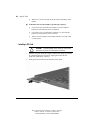
First, insert the PC Card as instructed later in this chapter.
❏
Then, open the CardWare window by selecting
StartÅProgramsÅCardWare.
❏
For additional instructions, refer to the Help program within
CardWare.
Inserting or Removing a PC Card
■
In Windows 95 or Windows 98—
❏
If you insert a PC Card while the computer is on, the computer
beeps twice when the card is ready for use.
❏
If you remove a PC Card while the computer is on, the computer
beeps twice when the card is removed.
Writer: J Abercrombie Project: Chapter 8 Comments: 113733-001
File Name: I-CH08.doc Last Saved On: 5/18/99 3:06 PM
COMPAQ CONFIDENTIAL - NEED TO KNOW REQUIRED