1
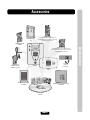
Accessories
EL25 Camera Kits
EL25BWCAMKT (Black & White Camera)
EL25DVRCAMKT (Low Lux DVR Color Camera)
EL25CAMKT (Color Camera)
Directory Insert
ELDI
Wiegand Module Kit
WOMODKT
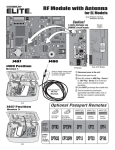
RF Module Kit
RFMODKT (390 MHz)
RFMODKT3 (315 MHz)
Heater Kit
ELHTRKT
EL2000 ONLY
EL2000
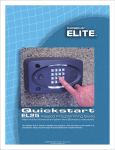
EL25
1
2
3
4
5
6
7
8
9
*
0
#
?
Quic
k St
F
For Single
1. Click th
EL SERIE
S
rt Gu
id
tory Code
s) Installa
tion using
V
1
e
e NEW UNI
T ICON
Enter Unit
Name and
Unit Type
2. Click th
e
ersa
family hom
XS 2.0
h applicat e with one phone li
ion is uniq
n
ue, it is th e. These
end user
e
to e
o the man nsure that the tota
lc
uals and/o
r qualified ontrol
technician
2
Unit Conf
iguration
ICON
and Selec
t the CONT
ROL SETTI
NGS Tab
Click on th
e
“Edit” but
ton
Uncheck t
he
“Use Tele
pho
check box ne Service”
J201
J401
J404
3
J406
J400
4
5. Click th
V er s a
1
City
Click OK
J406
J407
J400
Choose “N
one”
for J407
J402 J200
Wiegand Remote Keypad
ESSWOKSG
Enter Cou
ntry,
State/Pro
v. and
2
3
2
Choose “W
iegand De
vice”
for J400
5
Rename “
Dev
“Pedestria ice 1” to
n Reader”
Click OK
e DOORS T
ab
1
Rename “
Door 1” to
“Gate Ope
ra
tor”
3
Rename “
Door 2” to
“P
select “Pe
destrian R edestrian Gate” and
eader” for
the Device
Pedestria
n
2
Gate
Select “Ve
hi c
from the d le Gate Group”
rop-down
menu
4
XS
Versa XS Software
VERSWR20
Page 27
Select “Pe
des
from the d trian Group”
rop-down
menu
5
5
Click SAV
E
Wiegand Remote Keypad/Prox Combo
HIDWOKPRO
Accessories
EL2000 Camera Kits
EL2000BWCAMKT (Black & White Camera)
EL2000DVRCAMKT (Low Lux DVR Color Camera)
EL2000CAMKT (Color Camera)