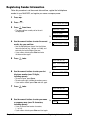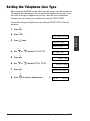
1
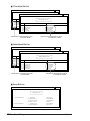
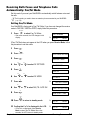
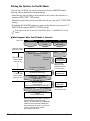
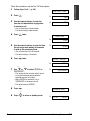
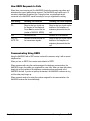
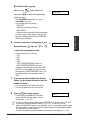
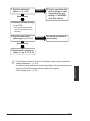
When there is an incoming call, the MultiPASS checks the incoming ring pattern and
determines the type of pattern being received. The MultiPASS may require up to 10
seconds to determine the pattern type. During this time, any telephone device
connected to the MultiPASS reacts according to how you registered the setting.
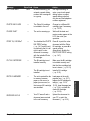
Your Setting
Incoming Call From Fax
Incoming Call From Telephone
TEL
Rings to alert you to pick up
the handset of the telephone.
Press Start to receive the fax
(similar to MANUAL MODE).
Rings to alert you to pick up the
handset of the telephone or
extension phone and take the
call.
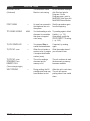
FAX
Receives the fax.
Answers as a fax machine.
FAX/TEL
AUTO SW
Switches to receive mode for
fax transmission signals.
Rings to alert you to pick up the
handset of the telephone or
extension phone and take the
call.
Communicating Using DRPD
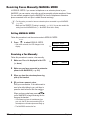
Using the MultiPASS with a DRP service is almost the same as using it with a normal
telephone line.
When you turn on DRPD, the receive mode defaults to DRPD.
When someone calls using the number assigned for telephone communication, the
MultiPASS rings in the pattern you registered for voice calls. When you hear this pattern,
simply pick up the handset of the telephone or extension phone connected to the
MultiPASS and talk. If you do not pick up the handset, the MultiPASS continues to ring
until the other party hangs up.
When someone sends a fax using the number assigned for fax communication, the
MultiPASS receives the fax automatically.
Chapter 8
Receiving Faxes
8-13
Receiving Faxes
How DRPD Responds to Calls