1
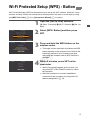
Wi-Fi Protected Setup (WPS) - Button
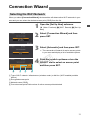
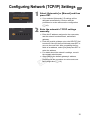
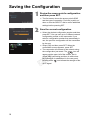
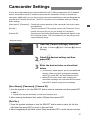
Wi-Fi Protected Setup (WPS) is the easiest way to set up the Wi-Fi network. However, it may
not work correctly if there are several active access points in the area. In such case try using
the [WPS: Pin Code] (A 10) or [Connection Wizard] (A 11) option.
1
2
3
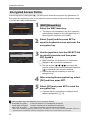
Open the [Set Up New] submenu.
[w Other Functions] > [Wi-Fi Remote] > [Set Up
New]
Select [WPS: Button] and then press
SET.
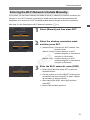
Press and hold the WPS button on the
wireless router.
The length of time required to hold down the WPS
button depends on the wireless router. Refer to the
instruction manual of your wireless router and
make sure the wireless router's WPS function is
activated.
4C
Y
P
O
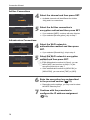
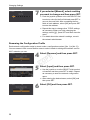
Within 2 minutes, press SET on the
camcorder.
While [Connecting] appears on the screen, you
can press SET or the CANCEL button to cancel
the operation.
After the connection is correctly established,
continue with the procedure to configure the IP
address assignment (A 15).
9