1
TROUBLESHOOTING
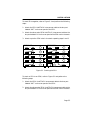
HubSTACK 10BASE-T HUB WITH LANVIEW®
SEH-24
RCV
LNK
24 23 22 21 20 19 18 17 16 15 14 13
PWR
MGMT
CLN
RCV
LNK
12 11 10 9 8 7 6 5 4 3 2 1
E
2
24X
E
1
12X
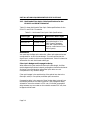
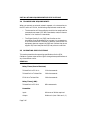
LED NAME
LED COLOR
DEFINITION
PWR
(Power)
Off
Green (Solid)
No Power
Power
MGMT
(Management)
Green (Flashing)
Off
SEH Managed by an Intelligent Hub
SEH Not Managed
CLN
(Collision)
Red
Collision
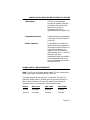
RCV
(Receive)
Yellow (Flashing)
Off
SEH is Receiving Data
No Activity
LNK
(Link)
Green
Off
Link Established
No Link
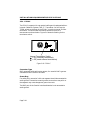
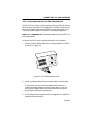
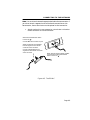
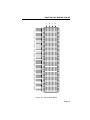
Figure 5-1. LANVIEW LEDs
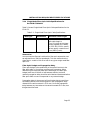
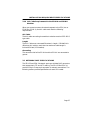
PWR (Green)
When this LED is on it indicates that the SEH is receiving power. If
this LED is off, it indicates a loss of input power. Check the input
power source (circuit breaker, fuse, etc.). If the proper source power is
present, the problem could be with the SEH.
MGMT (Green Flashing)
This LED flashes when an intelligent hub manages the SEH. If this
LED does not flash, an intelligent hub is not managing the SEH. If
you connect an intelligent hub to the SEH and the LED does not flash,
inspect the HubSTACK Interconnect cables for proper connections.
Page 5-3