1
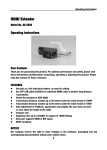
4. 5. 6. 7. 8. 9. Output port Indicator of input 1 Indicator of input 2 Indicator of input 3 Indicator of output Source selection EX0301-001 HS103 Operating Instructionsٻ CONNECTION AND OPERATION 1. Input port 1 CONNECT AND OPERATION 2. Connect Input port 1) the 2HDMI sources (such as: HD-DVD, PS3, STB etc.) into the 3. HS103 Input inputs. port 3 1) Output Connect the HDMI input sources such as: HD-DVD, PS3, STB etc.˅into 4. port 2) Connect the HDMI display (such as: HD-LCD, HD-LDP) to the HS103 output. EX0301-001. 5. Indicator of input 1 source you want to show. Turn off unused sources as this will 3) Power on the the input 2) Indicator Connect of theinput HDMI 6. 2 output( such as : HD-LCD, HD-DLP˅into EX0301-001. speed up the automatic switching. 7. Indicator of input 3 source you want to show. (Keep the unused inputs power 3) Power on the input 4) Power on the display 8. Indicator of output off, otherwise they may interfere the normal display.) 9. selection 4) Source Power on the display. CONNECT ANDselection OPERATION ˄Remark˖Manual button can be used when the user want to select the source manually.˅ 1) Connect the HDMI sthan uch HD-DVD, PS3, STB etc.˅ into , The t **Smart Smart Function˖When theresources aremore more thanas: one sources connected the switch.the Function: When input there are one source connected totothe switch, EX0301-001. user should leave a desired source on, the others off. The the switch will choose this user should leave the desired source on, the others off. Then the switch will choose this source automatically andsending send the signal the If several sources areall allpowered (the such as :to HD-LCD, HD-DLP˅ intosources EX0301-001. 2) Connect the HDMI output source automatically and signal to the display. display. If several are powered on, the last powered source will be chosen. Beacuse of this function, theuse user on, the last powered source will beyou chosen. this function, character, userinputs could the 3) Power on the input source want Because to show.of(Keep the unused power could use the method of power off/on to select the desired signal. method power off/on themay source to choose desired signal. off,ofotherwise they interfere thethe normal display.) 4) Power on the display. Insert / Extract cables gently. ˄Remark˖Manual selection button can be used when the user want to select the source SPECIFICATIONS manually.˅ * Smart Function˖When there are more than one sources connected to the switch. The Operating Range to +35°C(-41 to +95 user shouldTemperature leave the desired source on,-5the others off. Then the°F) switch will choose this source automatically and sending the signal to the display. If several sources Operating Humidity Range 5 to 90 % RH (no condensation)are all powered on, the last powered source will be chosen. Because of this character, user could use the Input Video Signal 0.5-1.0 volts p-p method of power off/on the source to choose the desired signal. Input DDC Signal 5 volts p-p (TTL) Insert / Extract cables gently. Video Format Supported DTV/HDTV:1080p/1080i/720p/576p/480p /576i/480i SPECIFICATIONS Signaling Rates 2.25Gbits xx33 Output Video HDMI1.3 Operating Temperature Range -5 to +35°C(-41 to +95 °F) Maximum Transmission Distance <20m HDMI cable) Operating Humidity Range 5 to 90(AWG28 % RH (no condensation) Dimensions 62mmW×62mmH×19mmD Input Video Signal 0.5-1.0 volts p-p /2.4’’W×2.4’’H×0.7''D Input 5 volts p-p (TTL) Mass(DDC MainSignal unit ) 40gs/0.08lb Video Format Supported DTV/HDTV:1080p/1080i/720p/576p/480p /576i/480i *Note: Specifications are subject toBranding change without notice. Mass and dimensions are CE labs’ Sheet Signaling Rates 2.25Gbits x3 approximate. Output Video HDMI1.3 Maximum Transmission Distance <20m (AWG28 HDMI cable) Dimensions 62mmW×62mmH×19mmD ˑ GRANDBEING® /2.4’’W×2.4’’H×0.7''D Mass( Main unit ) 40gs/0.08lb *Note: Specifications are subject to change without notice. Mass and dimensions are approximate. GRANDBEING® 5ˑ