1
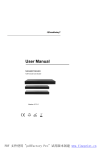
INTRODUCTION INTRODUCTION EX0301-001 Operating Instructionsٻ HS103 Grandbeing’s EX0301-001 is a three-input-one-output HDMI switch. Itswitch. could Grandbeing’s EX0301-001 is a three-input-one-output HDMI It could switch the three HDMI inputs to the output. These three inputs are auto switching. switch the three HDMI inputs to the output. These three inputs are auto switching. (Smart function) And youAnd can you alsocan usealso the button the front panel to panel choose (Smart function) use theon button on the front to choose INTRODUCTION the inputthe youinput wantyou to show. want to show. Cable Electronics’ HS103 isof a three-input-one-output HDMI switch. It allows Grandbeing’s EX0301-001 is a three-input-one-output HDMI It could EX0301-001 has the ability equalization and amplification toswitch. ensure EX0301-001 has the ability of equalization and amplification toHDMI ensure(Smart HDMI switching ofthree three HDMI HDMI inputs to the output. These three inputs are are autoauto switching. switch the inputs to the output. These three inputs switching. signal’s transmission through long cable without quality loss. signal’s transmission through long cable without quality loss. function). You can also thecan selection button the front to choose you (Smart function) Anduse you also use theonbutton onpanel the front panelthe to input choose want to select. the input youoffers want solutions to show. for residential consumers, HDTV retail and show site, EX0301-001 EX0301-001 offers solutions for residential consumers, HDTV retail and show site, The HS103 has equalization and Projector amplification to ensure HDMI signal’s transmission HDTV, STB, DVD andDVD Projector factories,factories, noise, space and security concerns, HDTV, STB, and noise, space and security concerns, EX0301-001 has the ability of equalization and amplification to ensure HDMI through longcontrol, cable without quality loss. data center information distribution, conference room presentation, school school data center control, information distribution, conference room presentation, signal’s transmission through long cable without quality loss. and corporate training environments. and corporate training environments. EX0301-001 offers solutions for residential consumers, HDTV retail and show site, PACKAGE CONTENTS PACKAGE HDTV, STB, DVD andCONTENTS Projector factories, noise, space and security concerns, data center control, information distribution, conference room presentation, school 1) Main unit. P/N_ EX0301-001 1) Main unit. EX0301-001 andOperating corporateInstructions. trainingP/N_ environments. 2) P/N_INS EX0301-001 2) Operating Instructions. P/N_INS EX0301-001 *PART NUMBER (Abbreviation as P/N) as P/N) *PART NUMBER (Abbreviation PACKAGE CONTENTS PANELPANEL DESCRIPTIONS DESCRIPTIONS 1) Main unit. P/N_ EX0301-001 2) Operating Instructions. P/N_INS EX0301-001 Sh ee t *PART NUMBER (Abbreviation as P/N) C E la bs ’B ra nd in g PANEL DESCRIPTIONS CE labs’ Branding Sheet 1. 2. 3. 4. 5. 6. 7. 8. 9. Input port 1 Input port 2 Input port 3 Output port Indicator of input 1 Indicator of input 2 Indicator of input 3 Indicator of output Source selection CONNECT AND OPERATION ː 4 ː ː ® GRANDBEING GRANDBEING® GRANDBEING® 1) Connect the HDMI input sources such a EX0301-001. 2) Connect the HDMI output( such as : HD-L 3) Power on the input source you want to off, otherwise they may interfere the no 4) Power on the display. ˄Remark˖Manual selection button can be used manually.˅