1
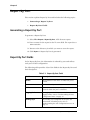
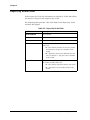
Generating VLAN Reports Report By VLAN This section explains Report By VLAN and includes the following topics: Generating a Report by VLAN Report By VLAN Fields Generating a Report by VLAN To generate a Report By VLAN: 1. Select File > Report > Report By VLAN. A file browser opens. 2. Enter a name for the report in the File name field. The report has a csv extension. 3. Browse to the directory in which you want to save the report. 4. Click Report. A Report By VLAN is generated. Avaya VLAN Manager User Guide 25