1
Initializing your mailbox
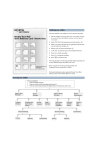
You must initialize your mailbox to receive and store messages.
CallPilot
Quick Reference Card - Remote Users
1
2
Skip back
in message
Play
Messages
Skip
forward in
message
4
5
6
Previous
Message
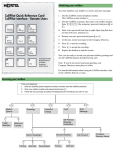
2. Enter ‚‚‚‚ (the temporary password) and press OK or
£.
3
3. Enter a new password from four to eight digits long that does
not start with zero, and press £.
4. Reenter your new password and press OK or £.
5. At the tone, record your name in the Company Directory.
Next
Message
Record
1. Dial the CallPilot extension, then enter your mailbox number.
If y o u d o n o t k n o w th e C allP ilo t ex te n sio n , a sk y o u r S y stem
C o o rd in ato r.
6. Press £ to end the recording.
7. Press £ to accept the recording.
7
8
9
Play
Messages
Mailbox
Commands
Call
Sender
8. Press ® to end the session.
Now you are ready to record your personal mailbox greetings and
use the CallPilot features described in this card.
*
0
#
Stop
© 2003 Nortel Networks
P0605681 01
18 September 2003
Note: If you do not record a personal greeting, your
Company Directory name plays to callers.
For detailed information about using the CallPilot interface, refer
to the CallPilot Reference Guide.
Accessing your mailbox
From your telephone:
1. Enter the CallPilot extension.
2.
3.
Enter your mailbox number and password and press £.
Follow the voice prompts and press the dialpad keys for the features you want to use.
°›
°¤
°‚
Mailbox
Options
°fi
Goto
Message
Tools
Password
Change
Greetings
°fl
¤
⁄
Target
Attendant
·
Off-Premise
Message
Notification
Outbound
Transfer
⁄
Choose Greeting
Record Greetings
⁄
Primary
¤
Alternate
·
¤
‹
Personalized
⁄
Primary
¤
Alternate
Company
Directory Name
Playing messages
From your telephone:
1. Enter the CallPilot extension.
2.
3.
Enter your mailbox number and password and press £.
Follow the voice prompts and press the dialpad keys for the features you want to use.
⁄
When there are messages
in your mailbox these
commands are available.
Skip
Back
‹
¤
Play Current
Message
›
Skip
Forward
·
fl
Previous
Message
Next
Message
Call
Sender
£
Stop
Use these commands to
review, send and respond to
messages.
‡‚
Message
Options
‡¤
‡‹
Message
Envelope
Forward
Message
‡⁄
Reply
‡›
Reply
All
‡fi
‡fl
Compose
Message
Delete
Message
To retrieve a deleted message
To forward your calls
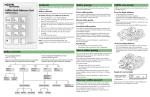
You can retrieve a deleted message if you are still in a CallPilot
session. A deleted message remains in your mailbox until you end
your current CallPilot session. Return to your deleted message and
press ‡fl to restore the message.
1.
2.
‡·
Send
Message
From your telephone press ≤›.
Enter the extension you want to forward your calls to, or the
CallPilot extension if you want to forward your calls to your
mailbox. (Press ≤·°fi to display the CallPilot extension.)
The display shows your calls are forwarded.
To cancel forwarding, press ≤£›.
3.
4.
Sending messages
From your telephone:
1. Enter the CallPilot extension.
2.
3.
Enter your mailbox number and password and press £.
‡fi
Follow the voice prompts and press the dialpad keys for the features you want to use.
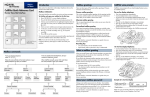
Compose a Message
Enter Address (mailbox number)
then press £
More about addresses:
• Continue to enter addresses and then
press £.
• Press ‚£to cancel an address
• You can press ⁄⁄ to dial by name.
• When you are finished entering
addresses, press £ again to end the
list.
fi
Record Message
£
End Recording
¤
fi
‡‚
‡fl
Play Message
Re-record
Message Options
Delete
⁄
›
Urgent
Private
‡·
Send
fi
fl
Acknowledge
Timed
Delivery