1
Hardware and Software Overview
The Boot Process
An AN/ANH boots using its configured startup option. The default configuration
for a new AN or ANH is EZ-Install.
(If an initial boot attempt fails, the router attempts to boot once using a different
option. If both boot attempts fail, you must troubleshoot the problem and reboot
the router as described in Appendix A.)
The following sections describe the boot process for network and local boot
options.
Network Boot
When booting over the network using EZ-Install, Netboot, or Directed Netboot,
the AN or ANH essentially
1. Powers on.
2. Determines its IP address.
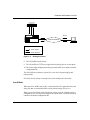
3. Obtains a software kernel file and/or configuration file by communicating
with a configured BOOTP server on the IP network.
4. Reboots, using the newly transferred image.
5. Gets application and string files over the network as it needs them.
6. Begins bridging and routing network traffic in accordance with the
configuration file.
The following sections describe in more detail the key steps in this process:
obtaining an IP address and downloading the image and configuration files.
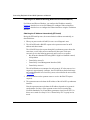
Getting an IP Address
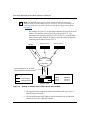
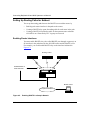
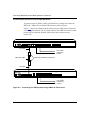
The AN or ANH gets its IP address from a central-site upstream router.
Note: The upstream router must have a circuit running Bay Networks
Standard Point-to-Point Protocol (PPP) using HDLC or a Frame Relay
permanent virtual circuit (PVC).
1-9