1
Configuring X.25 Gateway Services
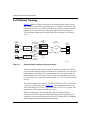
Establishing Connections from the X.25 Level 2 (LAPB) Terminal
The router uses a similar procedure for establishing LAPB-to-TCP connections.
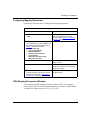
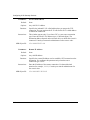
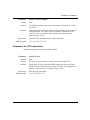
You must specify the mapping information needed to configure the connection,
specifically:
•
The circuit interface through which X.25 Gateway will establish a LAPB
connection
•
Its associated remote TCP socket, which identifies the remote end of the TCP
connection
This mapping information sets up the path for forwarding data traffic received in a
LAPB circuit to a specific remote TCP/IP server and for forwarding data traffic
received from a TCP connection to a specific LAPB circuit.
When it has established this LAPB-to-TCP translation session, X.25 Gateway
translates the LAPB information frames it receives from the LAPB terminals into
TCP data segments, and vice versa.
Establishing Connections During Failure Conditions for
PVC/TCP Translation
The X.25 Gateway software running on X.25 PVC devices is able to reestablish a
connection when a fault occurs at the TCP/IP or X.25 physical layer. You do not
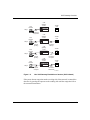
have to enable or configure this feature. The figures below show how the software
reestablishes a connection between X.25 and TCP/IP.
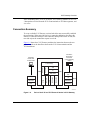
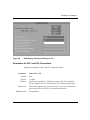
Reestablishing the X.25 Connection
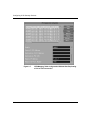
When a physical layer fault occurs (a disconnected cable) at the X.25 interface
(Figure 1-3), X.25 Gateway disconnects the associated TCP connections. It
reestablishes the TCP connections to the mapped X.25 virtual circuits when the
X.25 interface is again available.
1-8
308649-14.00 Rev 00