1
Chapter 10 Understanding System Messages
95
Chapter 10
Understanding System Messages
The information in this chapter applies to both the BCM50 and the BCM450 platforms running
Avaya Business Communications Manager (Avaya BCM) 6.0.
The Avaya BCM450 generates alarms, logs, traps, and other system messages that you can use to
troubleshoot problems.
Alarms, logs, and traps
For information about system messages, alarms, logs, and SNMP traps, see Avaya Business
Manager 6.0 Fault and Performance (NN40170-701). For more information about specific
alarms, see Avaya Business Communications Manager 6.0 Alarms Reference (NN40170-702).
Reporting for dropped calls
You can specify the level of system reporting that you require for released ISDN or VoIP calls.
You can choose to have no text, a simple explanation, or a detailed explanation in the dropped call
notification.
Use this procedure to set the level of reporting for dropped calls.
To set Release Reasons
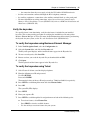
To set Release reasons, follow these steps:
1
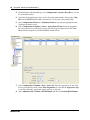
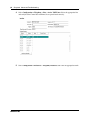
Click Administration > Utilities > Diagnostic settings.
2
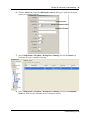
Click the Telephony tab.
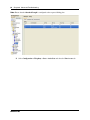
The Release Reasons panel appears.
3
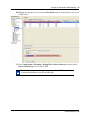
From the Release Reason drop-down menu, select the level of reporting that you require.
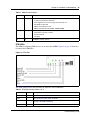
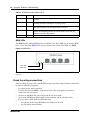
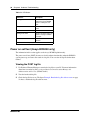
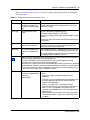
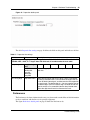
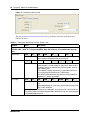
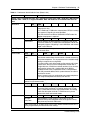
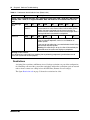
Table 22 lists the possible values for Release reasons.
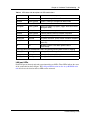
Table 22 Release reasons
Attributes
Values
Description
None
Default Value
No text will accompany a dropped call notification.
Simple
Cause Code:
Off
On
Off: no text is provided
On: the code only is provided
Note: if you select Simple text, you must turn off the Cause code. This is for
diagnostic purposes only.
Troubleshooting Guide