1
Chapter 2 Personal Call Manager
63
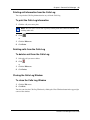
Printing call information from the Calls Log
You can print the Calls Log information for any call in the Calls Log.
To print the Calls Log information
1
Click the call you want to print.
Note: You can select several calls to print by holding down the Control or Shift key, and
clicking other calls.
2
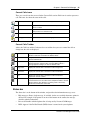
Click
.
or
1
Click the Edit menu.
2
Click Print.
Deleting calls from the Calls Log
To delete a call from the Calls Log
1
Select the call you want to delete.
2
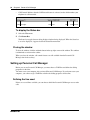
Click
.
or
1
Click the Edit menu.
2
Click Delete.
Closing the Calls Log Window
To close the Calls Log Window
1
Click the File menu.
2
Click Exit.
You also can close the Calls Log Window by clicking the Close Window button in the upper right
corner of the window.
Personal Call Manager User Guide