1
Chapter 2 Personal Call Manager
4
71
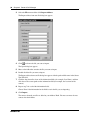
Double-click the voice announcement file you want to use.
If you decide you no longer want a voice announcement for this contact, you can remove the
voice announcement from the contact.
To remove the voice announcement:
•
Click
beside the Voice Announce File Path field.
The voice announcement no longer plays for this contact.
Note: The .WAV file you delete from the contact is not deleted from the computer hard
drive, and can be used again later.
You can select an image that displays on the You Have a New Call dialog box when you receive a
call from this contact. This image provides a visual reminder of who the caller is. The image is
typically a picture of the contact, but can be any image that reminds you of the contact.
Note: You must use a 16-color or 256-color bitmap file (*.bmp) as the image for the
contact.
To add or change the bitmap image
1
Create or find the image you want to display when this contact calls. You can create this file
with any graphics application that saves the image as a .BMP file.
2
Click
3
Move to the folder where the image file is stored.
4
Double-click the image file you want to use.
beside the Image File Path field.
If you decide you no longer want Personal Call Manager to display an image when this contact
calls, you can remove the image file from the contact.
To remove the image file
•
Click
beside the Image File Path field.
The image file no longer appears for this contact.
Note: The .BMP file you delete from the contact is not deleted from the computer hard
drive, and can be used again later.
Personal Call Manager User Guide