Transcript
ADDONICS TECHNOLOGIES
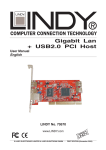
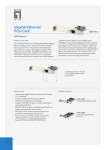
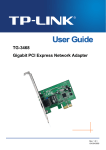
ADN1GPX (Gigabit Ethernet PCI-E Controller)
SPECIFICATIONS
INSTALLATION
•
Hardware Installations:
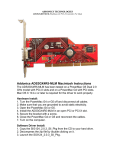
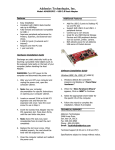
1. Insert the Gigabit Ethernet PCI-Express Controller
to the system’s PCI Express slot.
•
•
•
•
•
•
•
•
•
•
•
•
•
•
•
•
•
Fully compliant with IEEE 802.3 (10Base-T
Ethernet), IEEE 802.3u (100Base-TX Fast
Ethernet), IEEE 802.3z (1000Base-T Gigabit
Ethernet)
Installs into both standard height or low profile
systems.
Compliant with PCI Express Specification, revision
1.0a
1-lane 2.5Gbps PCI Express host interface
Low Profile PCI Form Factor
Supports Ethernet 10Mbps (half-duplex), Ethernet
20Mbps (full-duplex), Fast Ethernet 100Mbps (halfduplex), Fast Ethernet 200Mbps (full-duplex),
Gigabit 1000Mbps (full-duplex) and Gigabit
2000Mbps (full-duplex)
RJ-45 Port offer high speed transmission over CAT
5 UTP cable
LEDs indicate for various network activities
Auto-Negotiation with Next page capability
Supports pair swap/polarity/skew correction
Crossover Detection & Auto-Correction
Microsoft® NDIS5 Checksum Offload (IP, TCP,
UDP) and largesend offload support
Supports Full Duplex flow control (IEEE 802.3x)
Supports IEEE 802.1Q VLAN tagging
8K Transmit FIFO and 64K Receive FIFO support
Drivers for Windows 9x, Windows 2000, Windows
2003, Windows XP, Windows XP & Server 2003
64-bit
Dimension (W x D x H) - 80 mm x 14 mm x 51 mm
Weight - 40 grams
Windows 2000, XP & 2003 Driver Installations
1. The Found New Hardware Wizard pops on the
screen. Place the Addonics driver disk into the
CDROM drive.
2. Found New Hardware Wizard: Can Windows
connect to Windows Update to search for
software? Select “No, not at this time” Click
Next.
3. The Generic Marvell Yukon Chipset base
Ethernet Controller is identified.
4. Found New Hardware Wizard: What do you
want the wizard to do? Click Next to select the
default.
5. When the new hardware wizard has finish
installing the Ethernet ExpressCard driver,
click Finish to complete the installations.
Confirming Gigabit Ethernet Driver Installation
1. Right click the My Computer icon and select
properties.
2. Click Device Manager in the Menu Tree.
3. Click the “+” sign in front of Network
Adapters. Generic Marvell Yukon Chipset
based Ethernet Controller should appear.
TECHNICAL SUPPORT
Addonics Technologies
Phone: 408 433-3899
2466 Kruse Drive
Fax: 408 433-3898
San Jose CA 95131
Email: [email protected]
Internet: http://www.addonics.com
Technical Support (8:30 am to 5:30 pm PST)
Phone: 408 433-3855
Email: [email protected]