1
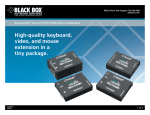
In an Extender system, these are the basics of how attachment and control work… Features » Control a primary PC CPU from a primary control station (keyboard, monitor, and mouse) across as much as 200 m (655 ft.) of Category 5 cable. » You can also attach a local CPU that the primary station can switch to. » And you can attach a local station that shares the primary CPU. » Carries and switches stereo audio and microphone signals. » Carries RS-232 signals. » Supports video resolutions up to 1600 x 1280. » Optional password protection. Local CPU (optional) Primary CPU Extension cable(s) Extension cable(s) (switching) (contention) CAT5 Cable Extender Unit B Direct connection control Extender Unit A Direct connection control Local Control Station (optional) Primary Control Station …and this is how the hardware fits together in detail. Required primary CPU Audio cables and CPU-Extension Cable (all included) Optional local CPU Audio cables and CPU-Extension Cable (all included) To attached serial device (optional) 8-position DIP switch Main LEDs Connection for optional power supply Main LEDs 8-position DIP switch Auxiliary LEDs UNIT A Category 5 interconnection cable Unit B To attached serial device (optional) Financial Report 21,620 Input cord from power supply 21,000 20,000 Financial Report 21,620 19,000 18,000 21,000 17,000 20,000 16,000 19,000 15,000 18,000 17,000 June July 14,000 16,000 15,000 June July 14,000 Required primary control station (mouse, keyboard, speakers, microphone, and monitor) Optional local control station (monitor, microphone, speakers, keyboard, and mouse) OVERVIEW There are a lot of gizmos around that do keyboard/video/mouse extension. But how many of them also extend audio and serial signals? How many also support switching to a local CPU, or contention with a local control station? How about support for password security and video resolutions up to 1600 x 1280? How many are the size of a pair of small books? And how many come with virtually every cable and adapter you’ll need to make all your connections? The ServSwitch™ Wizard Multimedia KVM Extender does all this and more. Attach a primary IBM® compatible computer CPU to the Extender’s “Unit A.” Then plug a primary keyboard/ monitor/mouse 02/08/2010 #23829 724-746-5500 control station into its “Unit B.” Then run as much as 200 meters (655 ft.) of Category 5 or higher-rated unshielded twisted-pair cabling between the two Units, and your basic extension system is ready to go. If your computer has audio-input and audio-output ports, you can attach either of these to Unit A as well, and use a microphone and/or a pair of stereo speakers or headphones plugged into Unit B to communicate with them. If you connect a local CPU to Unit B, users at the primary control station will be able to switch between that CPU at their site in addition to the distant primary CPU. And if you connect a local control blackbox.com 2 of 4 BLACK BOX ®