1
Step 3 - Create user accounts
Login to the ServSwitch Uno/Duo USB using the ADMIN account and add user
profiles and passwords for each of the system users (see section 3.4). The
ServSwitch Uno/Duo USB supports up to 16 user profiles.
Step 4 - Add / edit names to identify your computers
While you are logged into the ServSwitch Uno/Duo USB using the ADMIN account,
create names for each of the computers that you have attached to the system. The
ServSwitch Uno/Duo USB creates default names for each of its ports (Computer 1 to
Computer 16). These default names may be edited as required. While adding the
computer names you can define which users will have access to each computer.
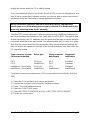
Each computer has an associated 8 digit port number which defines its location. If
you are using a single ServSwitch Uno/Duo USB then all the computers will have
two digit port numbers (01 to 16). If you are cascading ServSwitches then each
computer will have a four, six or eight digit port number depending on the number of
cascade levels that have been connected (see section 4.10 for details). The
ServSwitch Uno/Duo USB supports up to 512 computer names although special
versions are available that support more names.
Step 5 - Set the required SETUP OPTIONS and GLOBAL PREFERENCES
Use the ADMIN account to select the required SETUP OPTIONS and GLOBAL
PREFERENCES. The SETUP OPTIONS menu is used to configure important
system operating parameters such as security mode, language, hotkeys and control
options. The GLOBAL PREFERENCES menu is used to select various timing
characteristics and other options.
3.2 Enabling password security
The ServSwitch Uno/Duo USB may be operated with or without security enabled.
With no security all users will have full administration rights and full access to all the
connected computers. For systems with several users this may not be desirable.
System security is enabled using the on-screen menu. The on-screen menu is
activated automatically when you first switch on the ServSwitch but may also be
selected using the keyboard hotkeys (see section 4.8) or the front panel controls
ServSwitch Uno/Duo USB
Installation and Use
Page 27