1
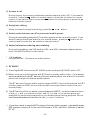
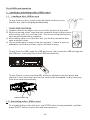
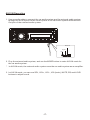
To unload the USB storage, use STOP button to stop playback, then remove the
USB storage.
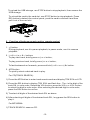
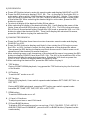
To unload the card in the card slot, use STOP button to stop playback. Press
REL button to detach the control panel, push the card to release it and then
pull it out of the card slot.
2. Function of buttons on main unit or remote control
1. >|| button
During playback, use it to pause playback; in pause mode, use it to resume
playback.
2. |<< & >>| or < & > buttons
To play next track, briefly press >>| or > button;
To play previous track, briefly press |<< or < button;
To fast backwards or forwards, press and hold |<< & < or >>| &> button.
3. APS button
To quickly select a desired track to play.
For CD(TRACK SEARCH):
1) Press the APS button to enter track search mode and display TRK SCH on LCD.
2) Press the SEL button to display TRK 000 1 and flash the 1 . The 1 is the digit of the
track SN. in units order. Rotate the VOL knob or press the VOL+ or VOL- button
to select the digit in units order. After selecting the desired digit in units order,
press the SEL button to confirm.
3) To select all digits of the desired track SN. as above.
4) After selecting all digits of the desired track SN., long press the SEL button to
play it.
For MP3/WMA:
1) TRACK SEARCH: same as CD.
-15-