1
Read me First
To get your print server quickly up and running, follow the instructions below:
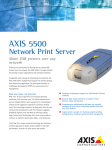
1. Connect the AXIS 540/640 to your network and to your printer as described in
Connecting the printer to the Network, on page 7.
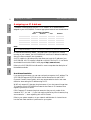
2. Proceed to the setup sections that are relevant to your network environment, as
described in the table below:
NDPS (IPX)
NetWare
Windows 95/98
& NT
Queue-based NetWare (Pure
IP)
See Assigning an IP Address, on page 8
Proceed with NetWare Using NDPS over IP, on page 10
See NetWare Using NDPS over IPX, on page 11
See Assigning an IP Address, on page 8
Proceed with Queue-based NetWare Printing (Pure IP), on page
12
Queue-based NetWare
(IPX)
See Queue-based NetWare Printing (IPX), on page 13
TCP/IP
See Setup for Windows 95/98 & NT, on page 14
NetBIOS/NetBEUI
See Setup for Windows 95/98 & NT, on page 14
TCP/IP
Windows
3.1/WfW
NetBIOS/NetBEUI
TCP/IP
OS/2
See Assigning an IP Address, on page 8
See Setup for Windows 3.1 & WfW, on page 16
OS/2
NDPS (Pure IP)
Action
Macintosh
Network Configuration
See Setup for Windows 3.1 & WfW, on page 16
See Assigning an IP Address, on page 8
Proceed with Setup for OS/2, on page 18
NetBIOS/NetBEUI
See Setup for OS/2, on page 18
Macintosh
AppleTalk
See Setup for Macintosh, on page 19
UNIX
TCP/IP
Internet
Printing
IPP
See Assigning an IP Address, on page 8
Proceed with Setup for UNIX, on page 21
See Using IPP, on page 22
Management and Configuration
The tools that you should use to configure and manage the AXIS 540/640 are
presented in Management and Configuration, on page 23.
UNIX
Environment
1
NetWare
Read me First
Windows
AXIS 540/640 User’s Guide