1
Network Shutdown Module V3
User guide
1.4
Connecting the UPS
1.4.1
Connecting to the Network
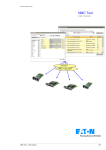
This function can be performed either through network Cards inserted in the UPS (Network Management
Card)
The Network Management Card:
• manages communication with the UPS.
• periodically accesses the information concerning the UPS,
• makes this information available to the connected applications (Network Shutdown Modules, Web
Browser, Network Management Systems, Enterprise Power Manager)
1.4.2
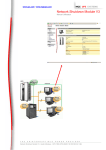
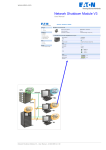
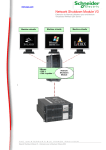
Select Network Architecture
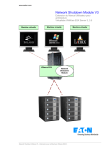
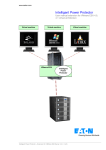
Below is one software and hardware architecture showing how MGE UPSs can protect several computers.
This typical example is intended to assist you in designing your own architecture.
Connection with Network Management Card
On the diagram above, the following two types of connections are required:
•
•
the electrical power cables,
the TCP/IP communication network.
1.4.3
Network Performances
The Network Management Card is designed to support a maximum of:
• 35 or 50 Network Shutdown Module connections in standard secure mode
Network Shutdown Module V3 – User Manual
Page 7/53